Organizing our model
Lesson 8 of 37
Selection Mode: By Color
Sign in to access this lesson
This lesson is part of Master in Jewelry Rendering in Cycles, which can come bundled with a RhinoArtisan Commercial license subject to current promotions. Log in with your customer account, or get in touch and we'll set you up.
Customers only
Solo para clientes
This lesson is part of Master in Jewelry Rendering in Cycles, which can be included with a RhinoArtisan Commercial license subject to current promotions. If you've already purchased and don't see it in your account, get in touch.
There is the possibility to select different elements that have the same color. For them we will use two methods:
1. We will write in the command bar SelColor, we will click on an element of the color that interests us, press enter.
2. We will click on the element of the color that interests us, we will write in the command bar SelColor, press enter.
Example 1:
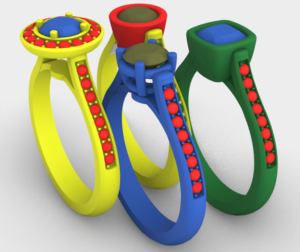
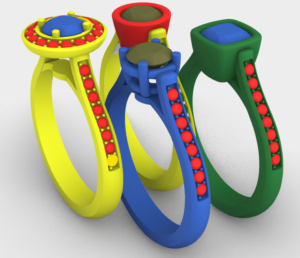
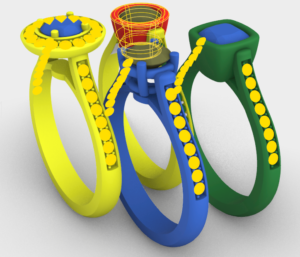
As we see in the image, we have several models in a scene, each element has a different color. In this case we are interested in those that have red color. Select one of the diamonds, write SelColor, press enter.
Almost there — you still have some lessons to complete. Jump to the next one →
Impersonating — progress and reviews are disabled.
Course completed
You've completed Master in Jewelry Rendering in Cycles 🎉
Great work. Get your certificate of completion and, if you have a minute, let other jewelers know what you thought of the course.