Introduction
Lesson 3 of 17
What is KeyShot Studio?
Sign in to access this lesson
This lesson is part of From RhinoArtisan to Keyshot: Jewelry Rendering Essentials, which can come bundled with a RhinoArtisan Commercial license subject to current promotions. Log in with your customer account, or get in touch and we'll set you up.
Customers only
Solo para clientes
This lesson is part of From RhinoArtisan to Keyshot: Jewelry Rendering Essentials, which can be included with a RhinoArtisan Commercial license subject to current promotions. If you've already purchased and don't see it in your account, get in touch.
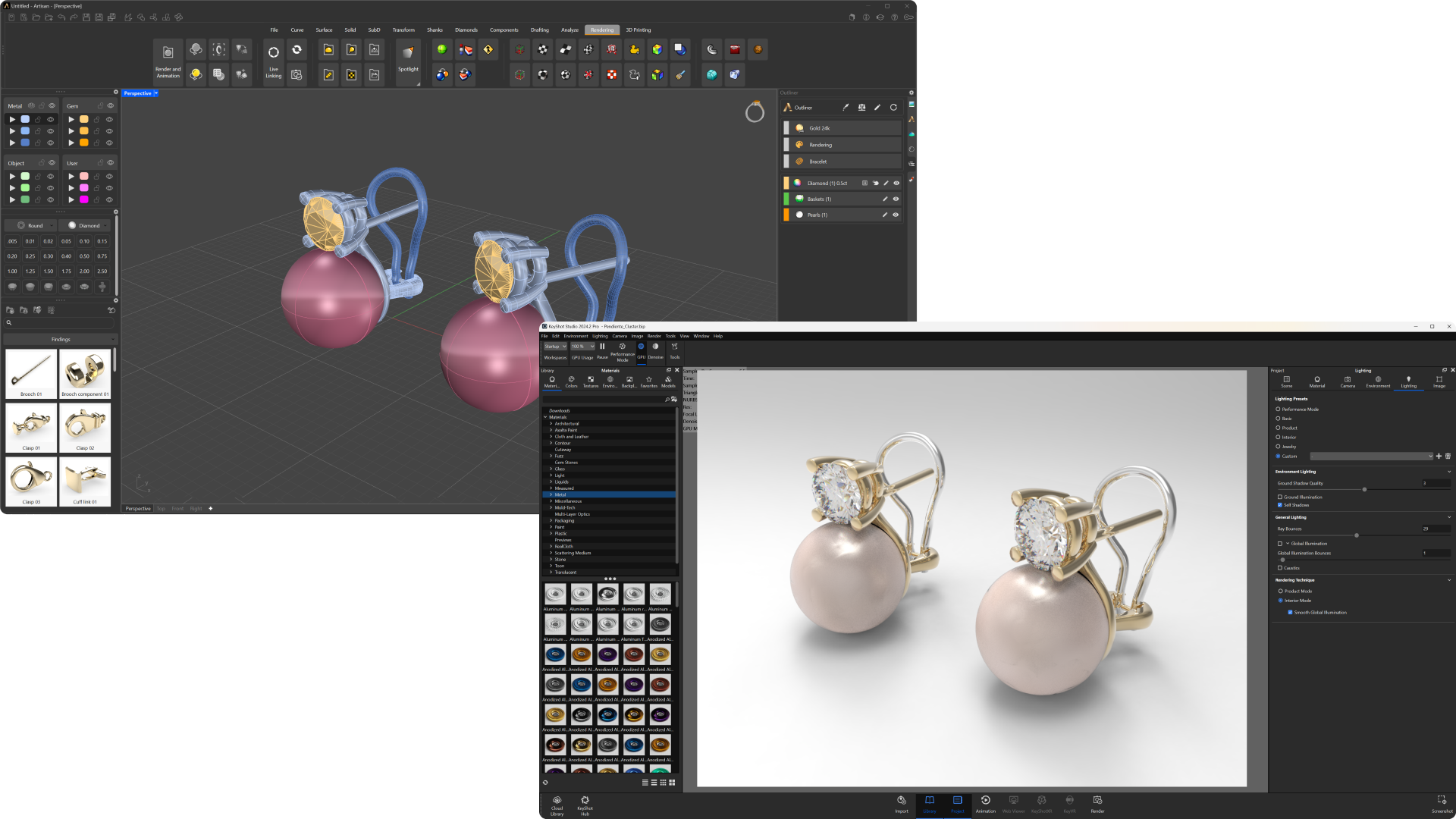
KeyShot Studio is a real-time 3D rendering tool known for its intuitive and efficient interface. While applicable in many fields, it excels in product rendering due to its accuracy in configuring environments and lighting.
How KeyShot Studio Works:
- Import the 3D model.
- Assign materials using drag-and-drop functionality.
- Adjust lighting and position the camera.
- Instantly view high-quality results.
Why Use KeyShot Studio for Jewelry Design?
At RhinoArtisan, we recommend KeyShot Studio for its:
- Flexibility and ease of use.
- Superior rendering quality.
- Rapid learning curve, making it accessible to beginners and professionals alike.
Integration with RhinoArtisan:
KeyShot complements RhinoArtisan, a jewelry-specific design tool. Together, they form the perfect combination for creating photorealistic visuals of unique jewelry pieces, providing jewelers and businesses with designs that captivate clients.

Live Linking: One of the standout features is “Live Linking.” With Live Linking, you can make changes to your model in Rhino, and those changes will automatically update in KeyShot without needing to re-import the model. This feature is handy during the design iteration process.
Update: Once you’ve made your changes in RhinoArtisan, instead of re-exporting the entire model, you click the Update button in the KeyShot plugin. This only updates KeyShot, keeping your work synchronized between the two programs.
Render: The plugin provides a “Render” button within RhinoArtisan, enabling you to send your 3D models directly to KeyShot without manual exporting and importing. This makes it easier and faster to start rendering.
Almost there — you still have some lessons to complete. Jump to the next one →
Impersonating — progress and reviews are disabled.
Course completed
You've completed From RhinoArtisan to Keyshot: Jewelry Rendering Essentials 🎉
Great work. Get your certificate of completion and, if you have a minute, let other jewelers know what you thought of the course.