Pricing
Lesson 16 of 18
Diamonds, Printing & Labor Costs
Sign in to access this lesson
This lesson is part of Jewelry Production & Manufacturing Essentials, which can come bundled with a RhinoArtisan Commercial license subject to current promotions. Log in with your customer account, or get in touch and we'll set you up.
Customers only
Solo para clientes
This lesson is part of Jewelry Production & Manufacturing Essentials, which can be included with a RhinoArtisan Commercial license subject to current promotions. If you've already purchased and don't see it in your account, get in touch.
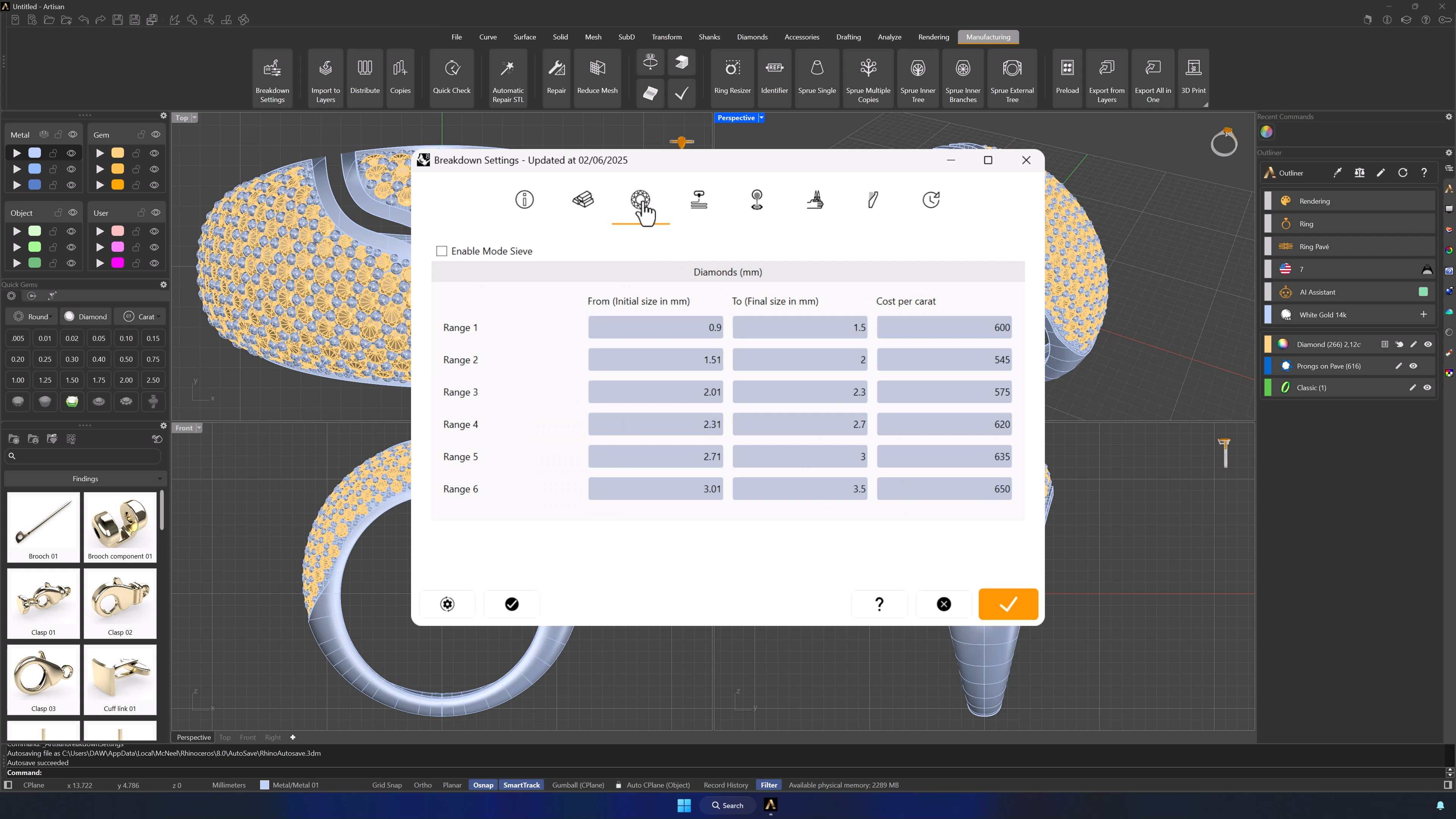
5. Configure diamond and gemstone pricing rules
In the Diamond Pricing tab, choose your method — by millimeter size or by sieve classification — and set up to six ranges, each with its size bracket and price per carat. Any stone in a model then receives its price automatically.
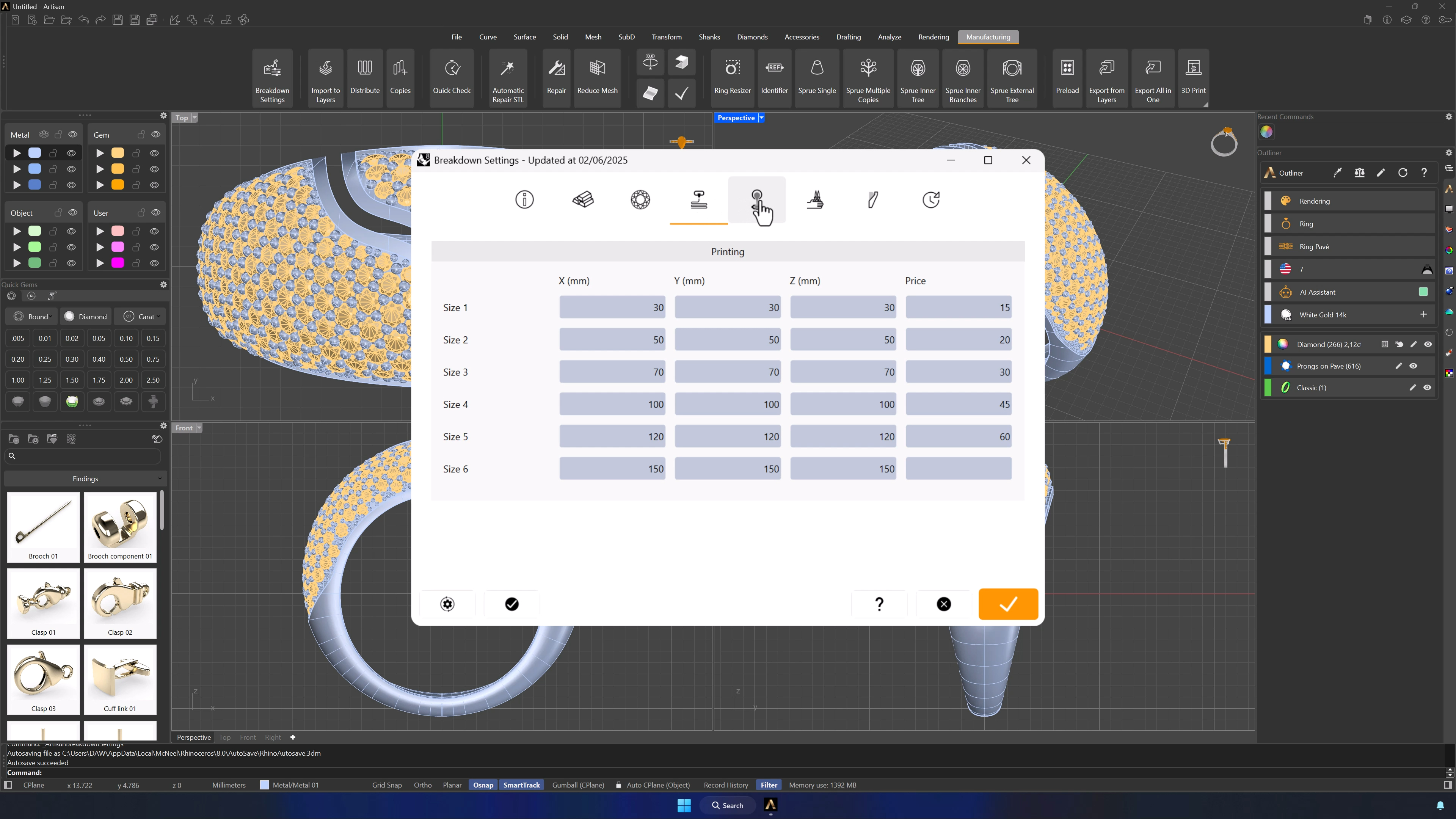
6. Set wax printing costs for casting models
The Printing tab prices the wax: up to six volume ranges, each with its cost. When a model is analyzed, the correct printing cost applies itself.
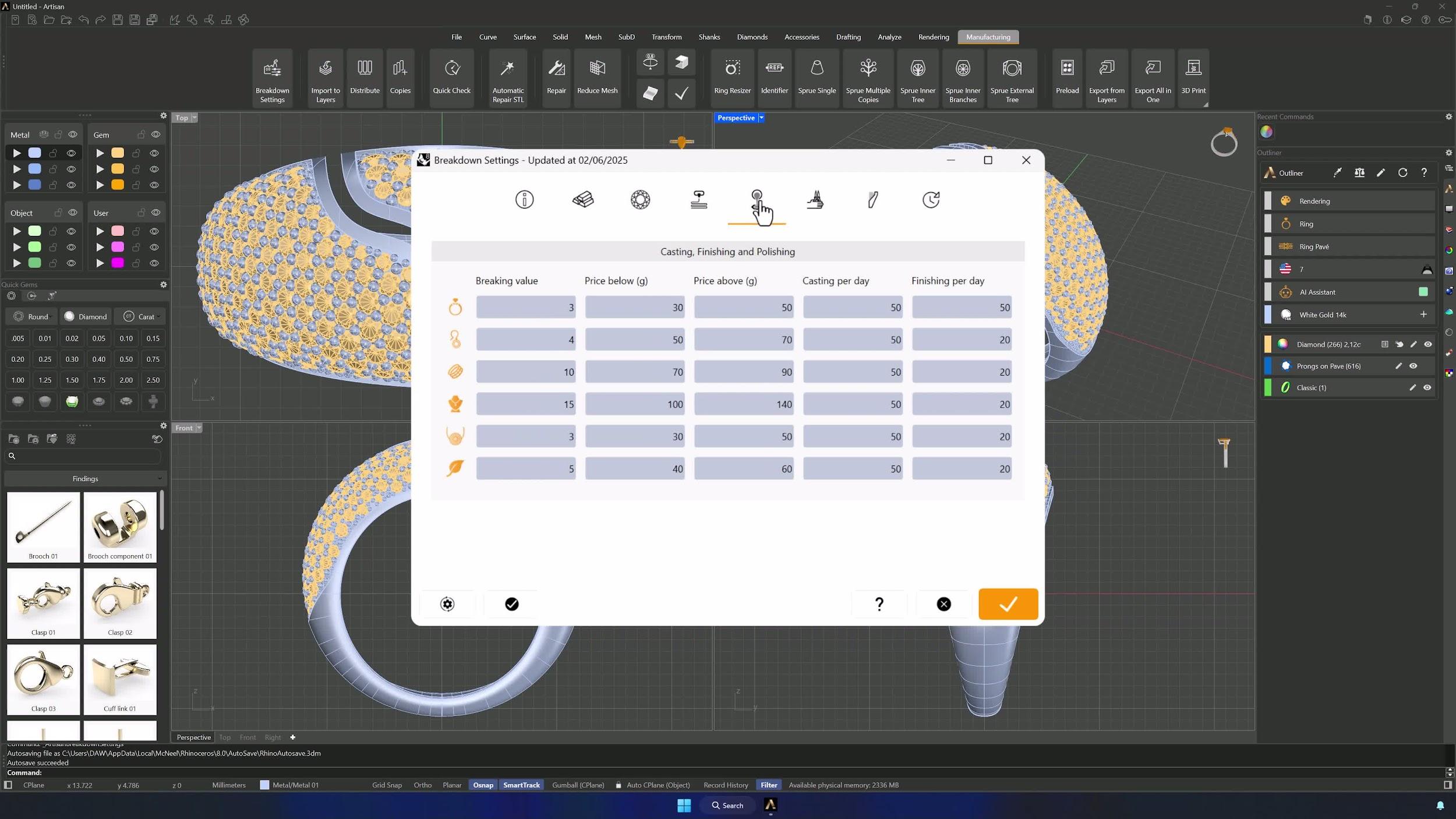
7. Configure CFP labor costs and production capacity
In the CFP tab, set the labor costs for casting, finishing, filing and polishing — by weight range if you price that way — and enter production capacity limits: how many rings, earrings or bracelets your team can process per day.
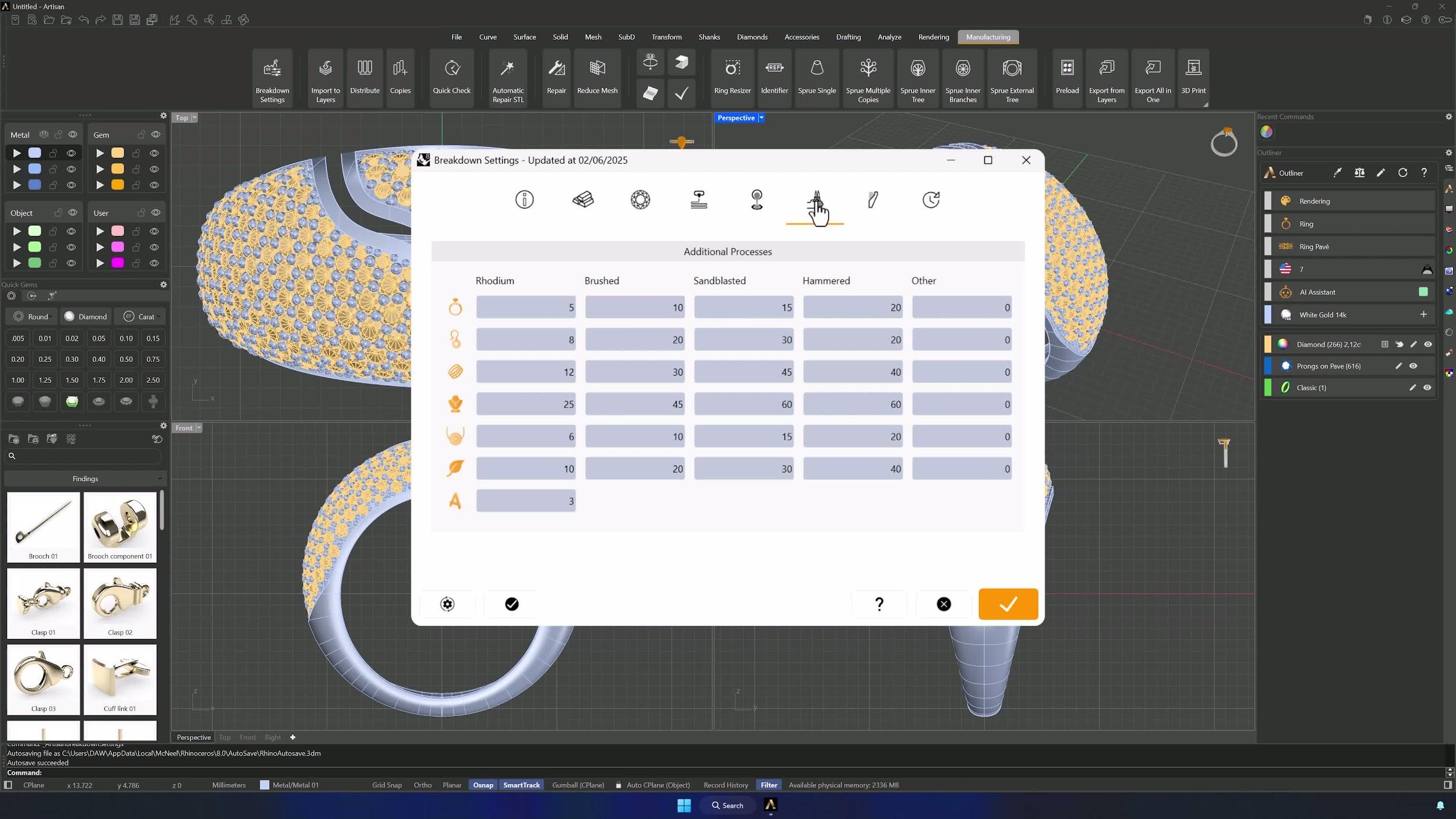
8. Add additional process pricing
The Additional Processes tab covers the extras: assign costs to common treatments, and create custom process pricing by jewelry type — rings, earrings, bracelets, necklaces, pendants — so every add-on service you regularly sell is covered.
Almost there — you still have some lessons to complete. Jump to the next one →
Impersonating — progress and reviews are disabled.
Course completed
You've completed Jewelry Production & Manufacturing Essentials 🎉
Great work. Get your certificate of completion and, if you have a minute, let other jewelers know what you thought of the course.