Pricing
Lesson 14 of 18
Overview
Sign in to access this lesson
This lesson is part of Jewelry Production & Manufacturing Essentials, which can come bundled with a RhinoArtisan Commercial license subject to current promotions. Log in with your customer account, or get in touch and we'll set you up.
Customers only
Solo para clientes
This lesson is part of Jewelry Production & Manufacturing Essentials, which can be included with a RhinoArtisan Commercial license subject to current promotions. If you've already purchased and don't see it in your account, get in touch.
Turn your workshop’s real numbers into automatic quotes. Configure the Breakdown Settings once — live metal prices, diamond brackets, printing, labor, extra processes and setting capacity — keep the market prices fresh, and every model you analyze prices itself, with full pricing reports, technical charts and Excel exports on one click.
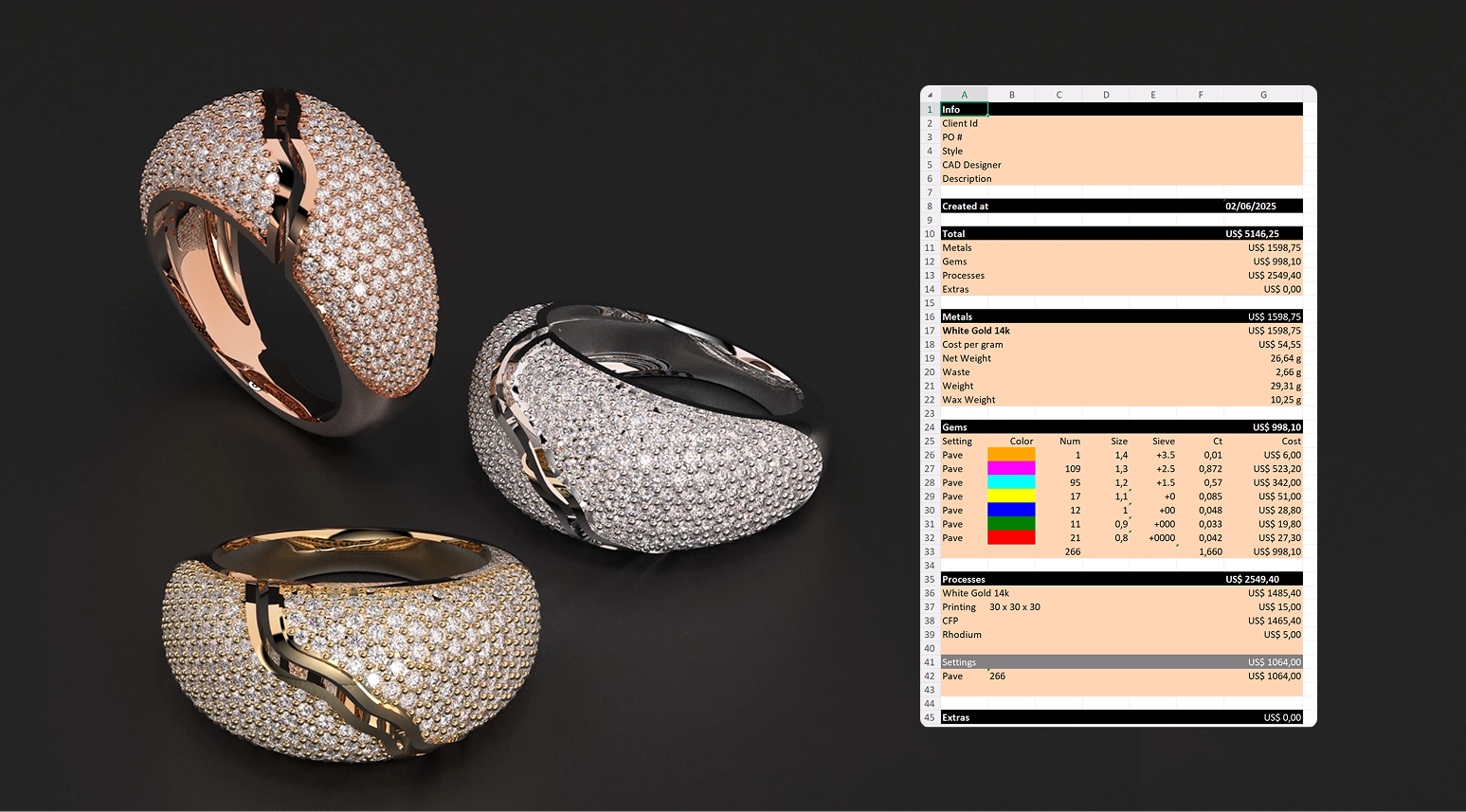
Price every piece using RhinoArtisan.
In this tutorial you will learn how to:
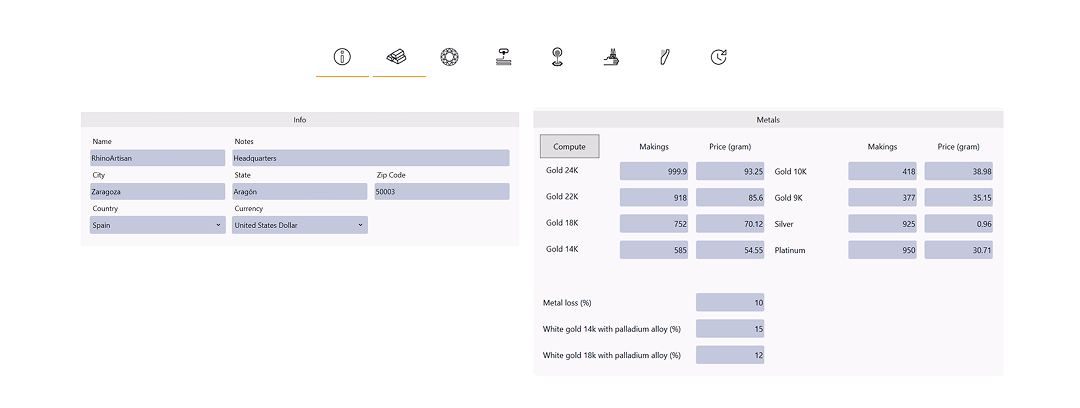
- Open Breakdown Settings, set your workshop info and currency, then enter live metal quotations (Troy ounces), alloys and material loss.
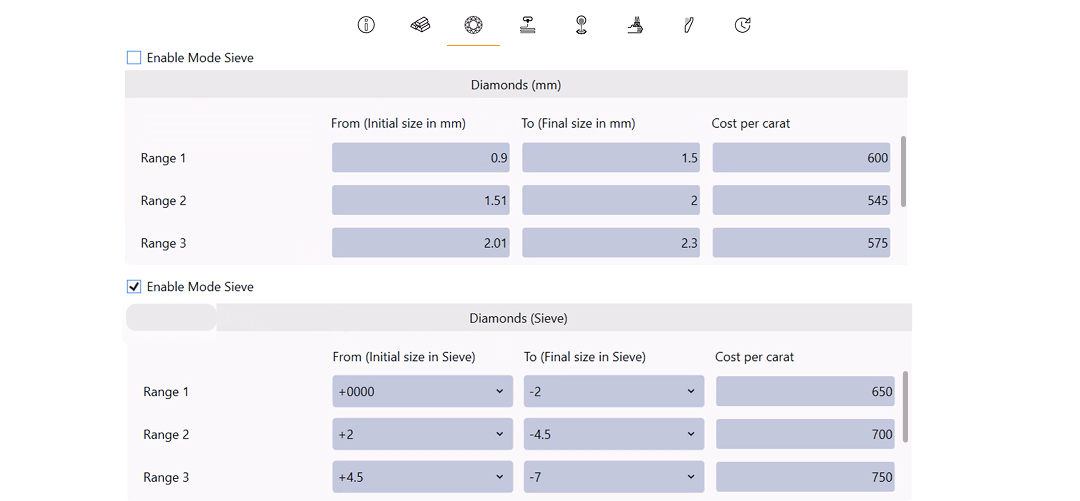
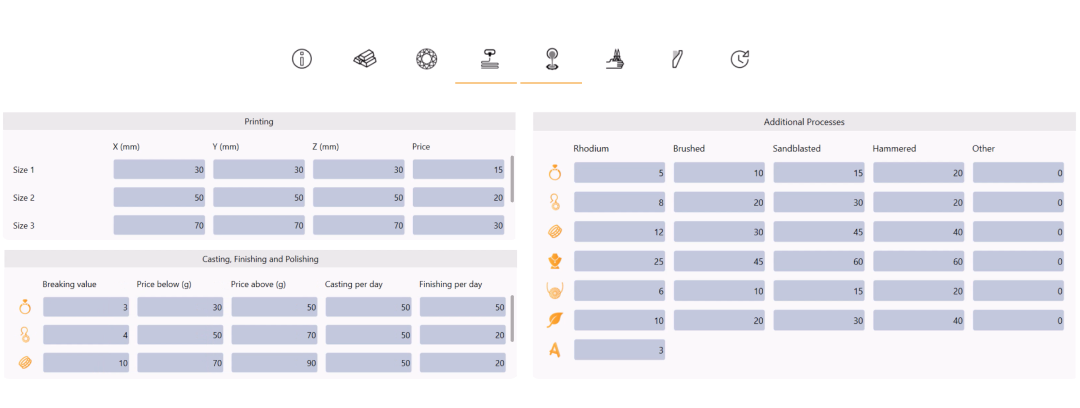
- Configure diamond pricing by size or sieve, wax printing costs by volume, and labor costs for casting, finishing and polishing, plus additional processes.
- Set the gem setting types, daily capacity and process timing, then generate the full pricing report and technical chart, exporting to Excel.
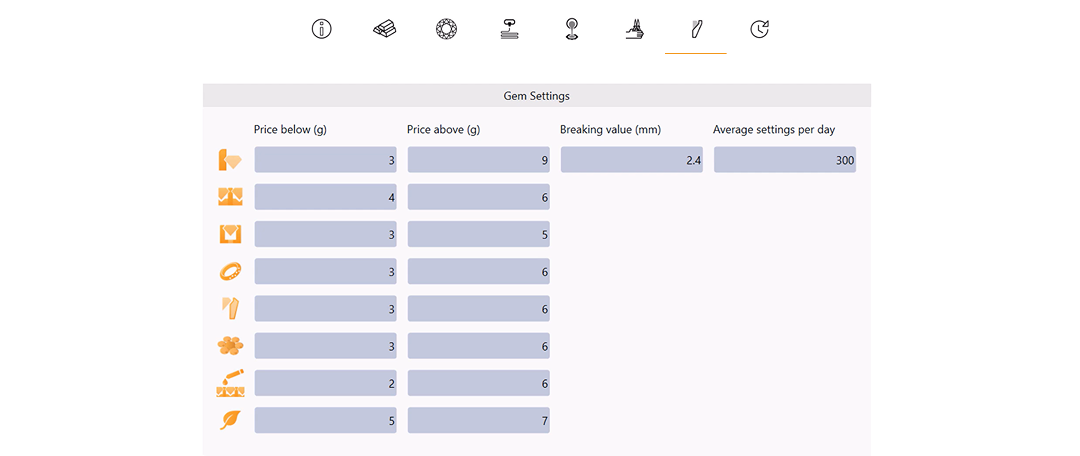
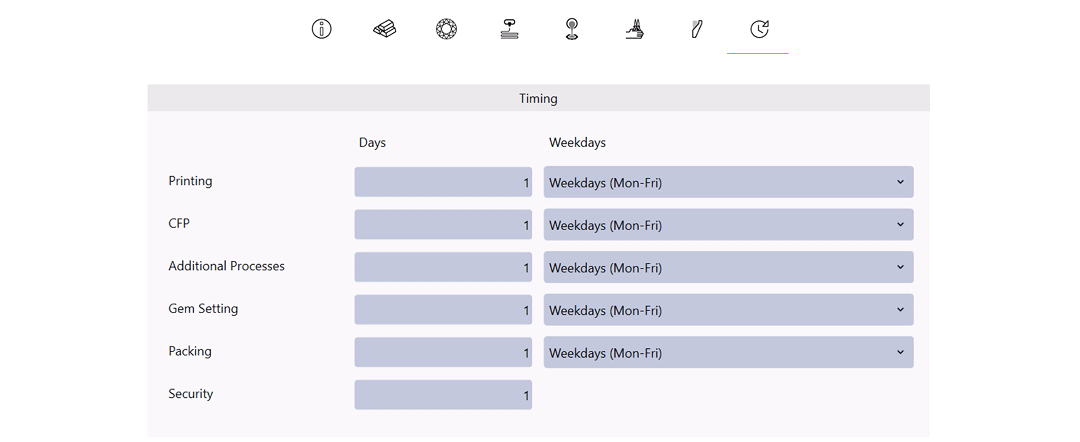
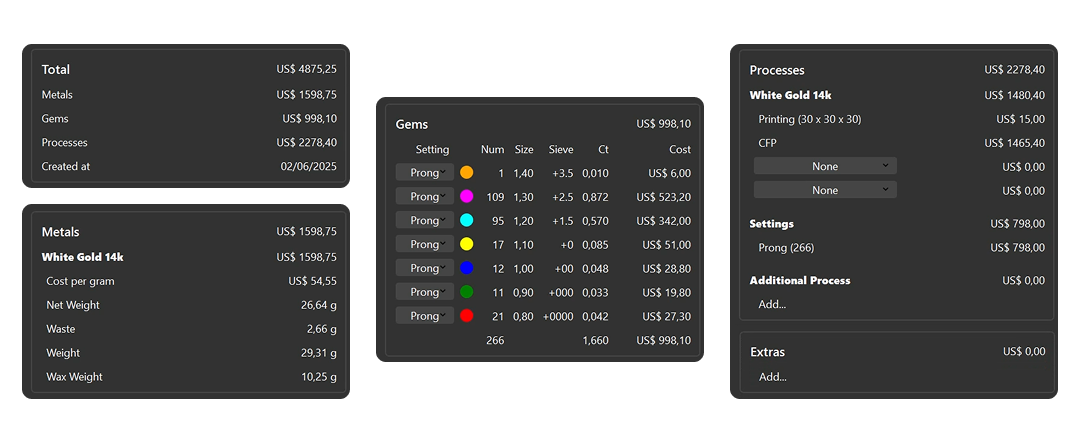
By the end of this project, you’ll have the skills to price any model automatically from scratch.
Almost there — you still have some lessons to complete. Jump to the next one →
Impersonating — progress and reviews are disabled.
Course completed
You've completed Jewelry Production & Manufacturing Essentials 🎉
Great work. Get your certificate of completion and, if you have a minute, let other jewelers know what you thought of the course.