Pricing
Lesson 15 of 18
Workshop Info & Metal Quotations
Sign in to access this lesson
This lesson is part of Jewelry Production & Manufacturing Essentials, which can come bundled with a RhinoArtisan Commercial license subject to current promotions. Log in with your customer account, or get in touch and we'll set you up.
Customers only
Solo para clientes
This lesson is part of Jewelry Production & Manufacturing Essentials, which can be included with a RhinoArtisan Commercial license subject to current promotions. If you've already purchased and don't see it in your account, get in touch.
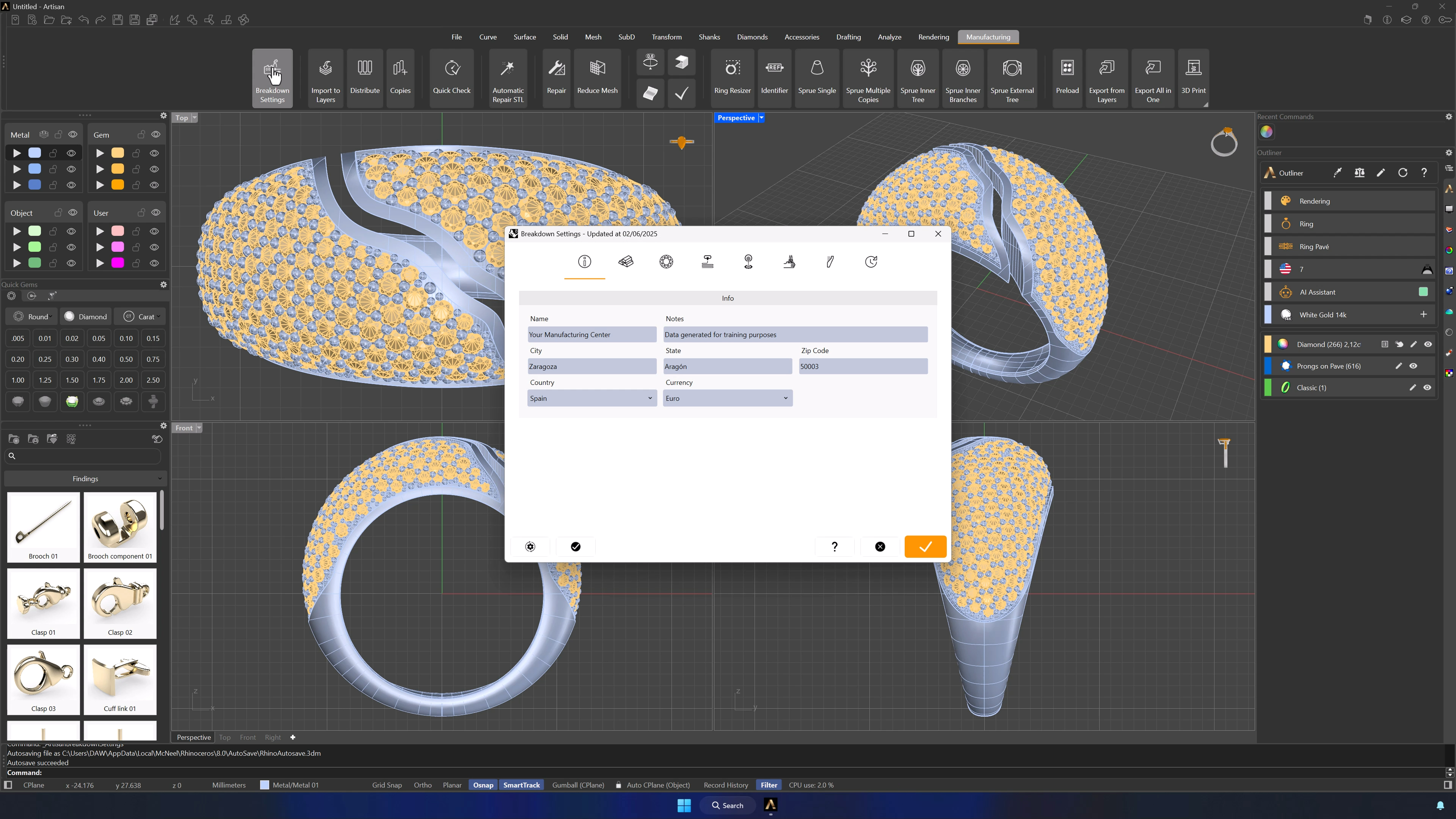
1. Open Breakdown Settings from the Manufacturing tab
In the Manufacturing tab, click Breakdown Settings — the module where every production-cost parameter lives. Confirm you’re in the right workshop/account before changing anything.
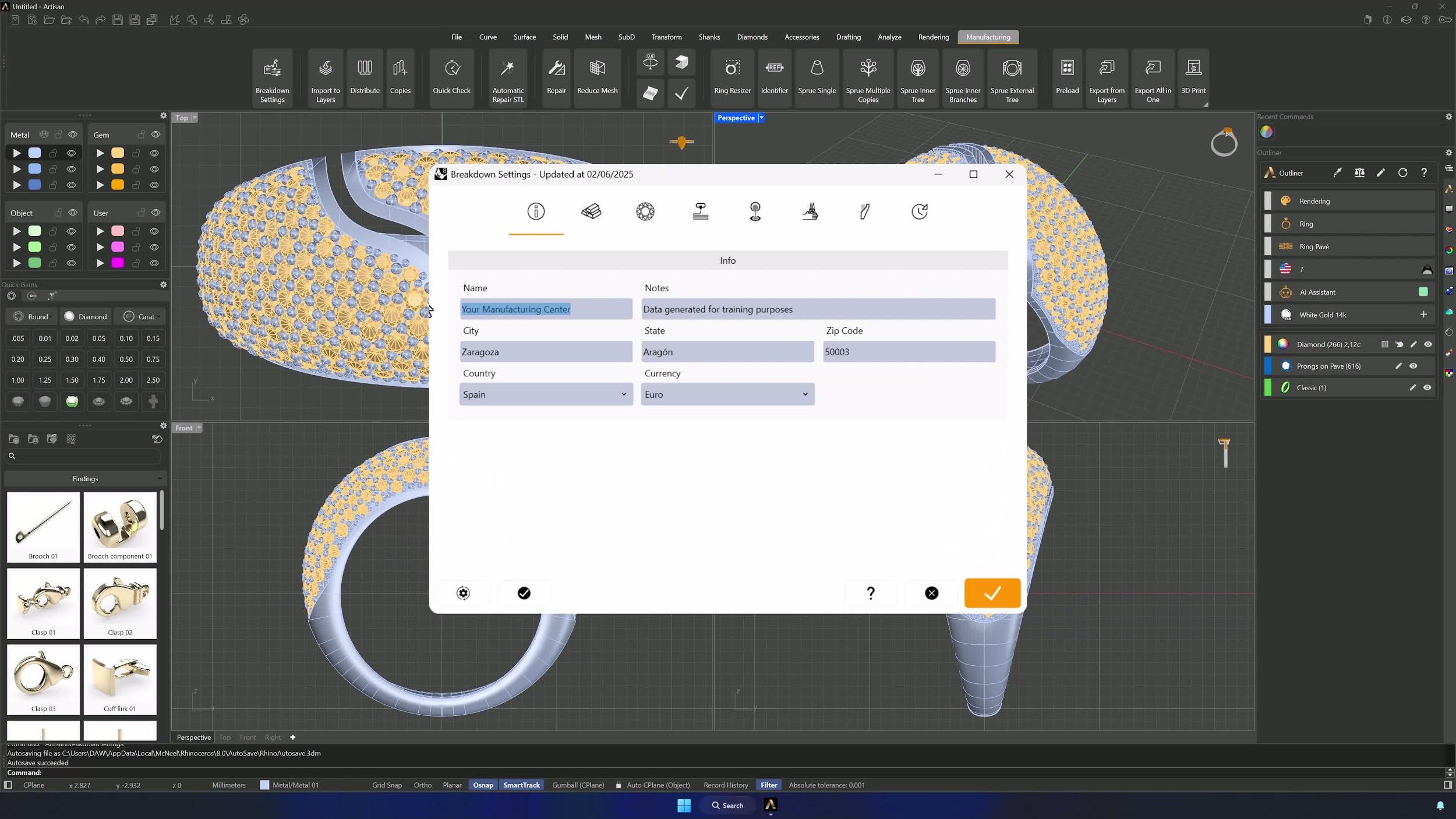
2. Complete the Info tab with workshop details
Fill in the Info tab: location, internal notes, and the currency your pricing reports should use. Get this right first — every report inherits it.
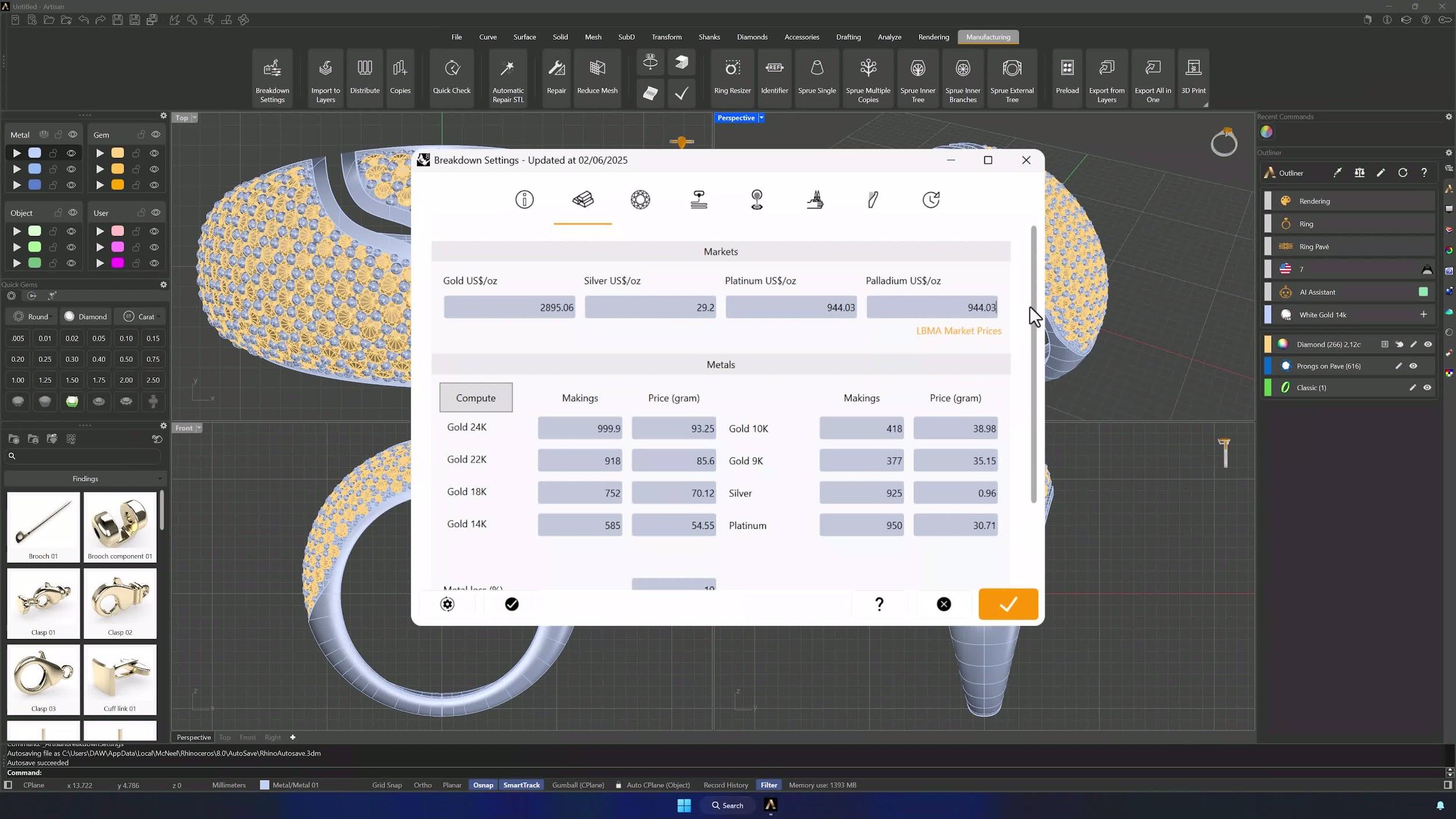
3. Update Metal Quotations and market reference prices
In the Metal Quotations tab, follow the built-in link to the live price table at lbma.org.uk and enter the latest precious metal prices, using Troy ounces in the Market section. Click Compute to refresh the internal calculations.
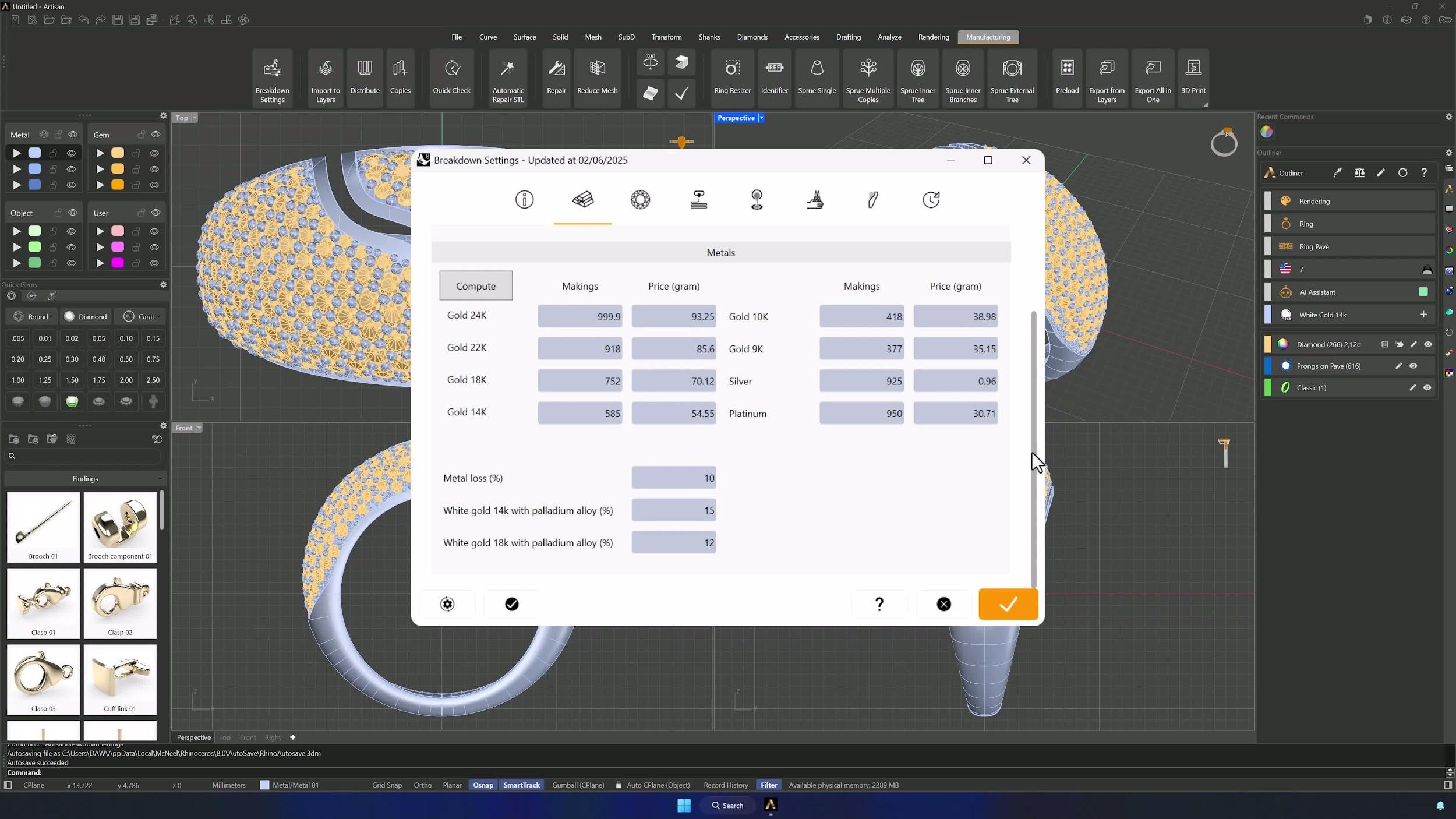
4. Define metal composition and material loss
In the Metals section, define your alloys by fineness and enter the expected material loss percentage for manufacturing waste — matched to how your workshop actually produces, not theory.
Almost there — you still have some lessons to complete. Jump to the next one →
Impersonating — progress and reviews are disabled.
Course completed
You've completed Jewelry Production & Manufacturing Essentials 🎉
Great work. Get your certificate of completion and, if you have a minute, let other jewelers know what you thought of the course.