Ring Resizer
Lesson 10 of 18
Overview
Sign in to access this lesson
This lesson is part of Jewelry Production & Manufacturing Essentials, which can come bundled with a RhinoArtisan Commercial license subject to current promotions. Log in with your customer account, or get in touch and we'll set you up.
Customers only
Solo para clientes
This lesson is part of Jewelry Production & Manufacturing Essentials, which can be included with a RhinoArtisan Commercial license subject to current promotions. If you've already purchased and don't see it in your account, get in touch.
One design, every size — without remodeling. The Ring Resizer scales a finished ring to any set of sizes in a single pass, while variable mode protects the stone-setting area from deformation, and every copy comes out labeled with your identifier and fitted with a sprue, production-ready for casting.
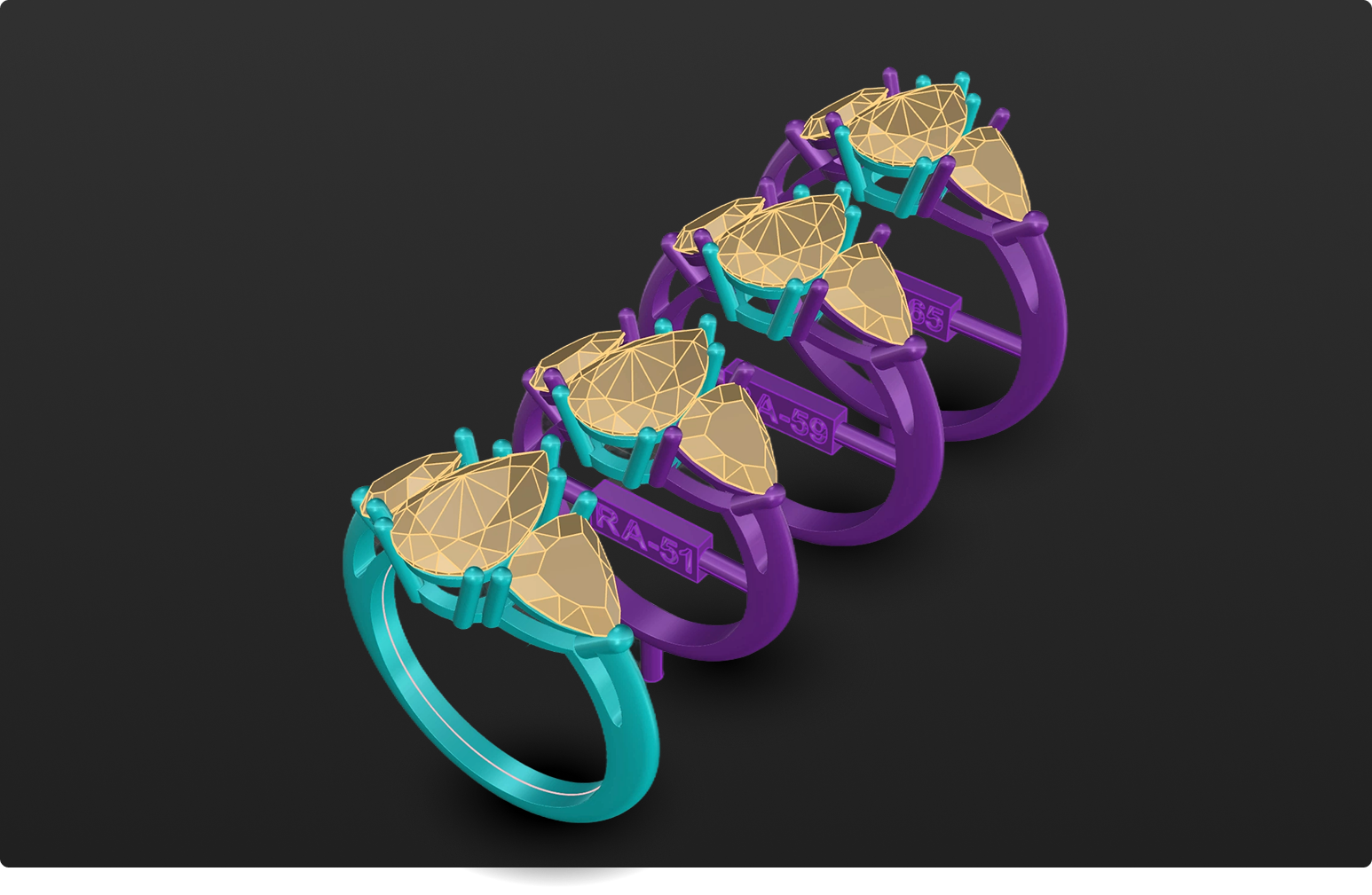
Resize a finished ring to any size using RhinoArtisan.
In this tutorial you will learn how to:
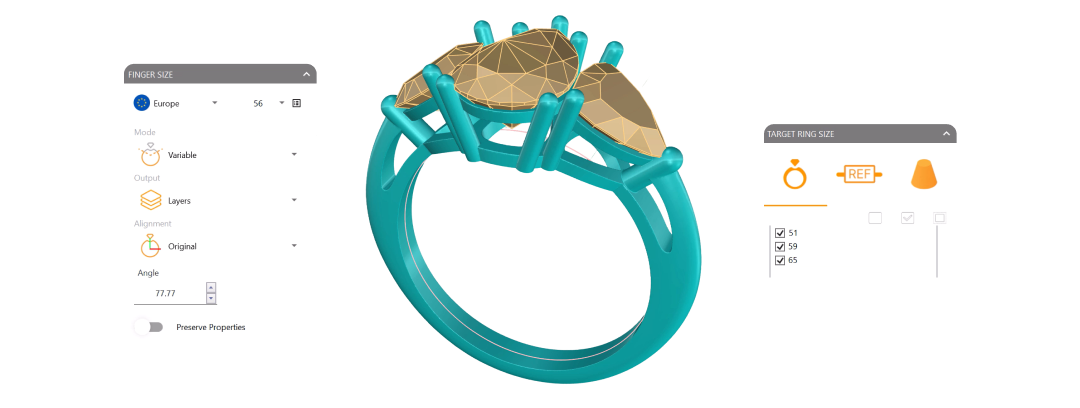
- Open the Ring Resizer, select the shank, switch to Variable mode to protect the setting zone, and pick every target size (51, 59, 65) in one pass.
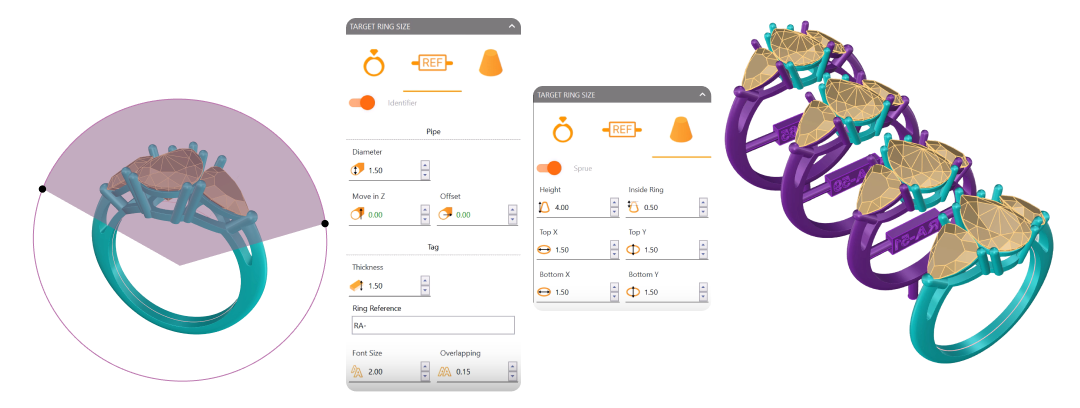
- Add a tracking identifier prefix and a casting sprue, Refresh to generate every labeled copy, and verify the settings by adjusting height only — never scaling.
By the end of this project, you’ll have the skills to resize a finished ring across a full size run from scratch.
Almost there — you still have some lessons to complete. Jump to the next one →
Impersonating — progress and reviews are disabled.
Course completed
You've completed Jewelry Production & Manufacturing Essentials 🎉
Great work. Get your certificate of completion and, if you have a minute, let other jewelers know what you thought of the course.