Curator: Save
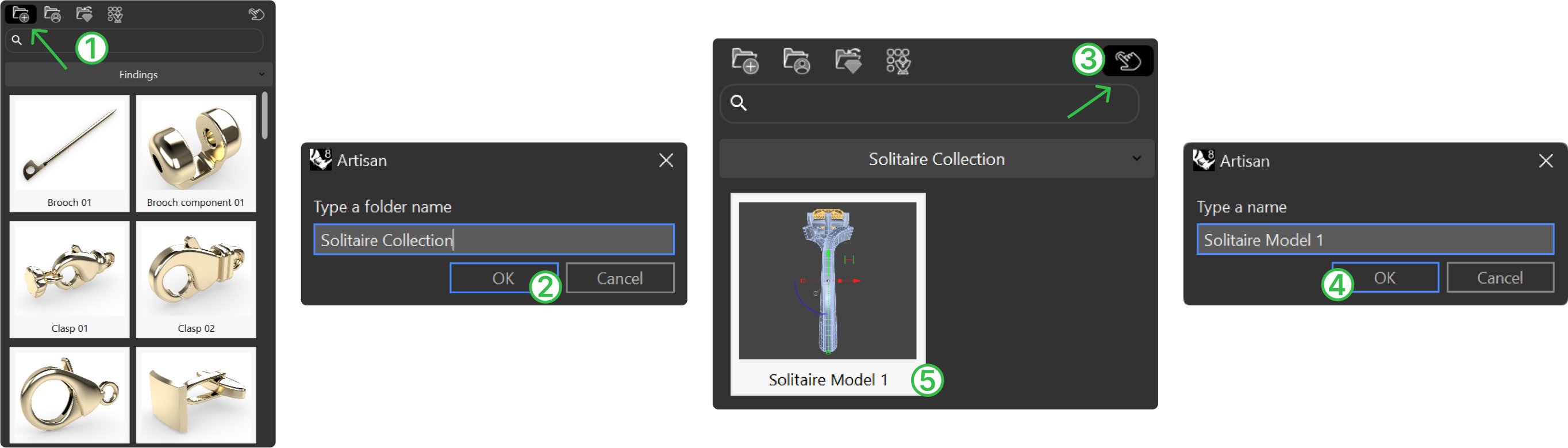
- In the curator Panel, press Add Folder.
- Name it “Solitaire Collection”.
- Select the first completed model, then press “Add”.
- Give the model a name (e.g., “Solitaire Model 1”).
- Once saved in the Curator, you can safely delete this model from the workspace if needed.
Next Step: Start the second ring