Basket Setting
Step 1: Basket Command
With the gem selected, use the Basket command.

Step 2: Basket Library
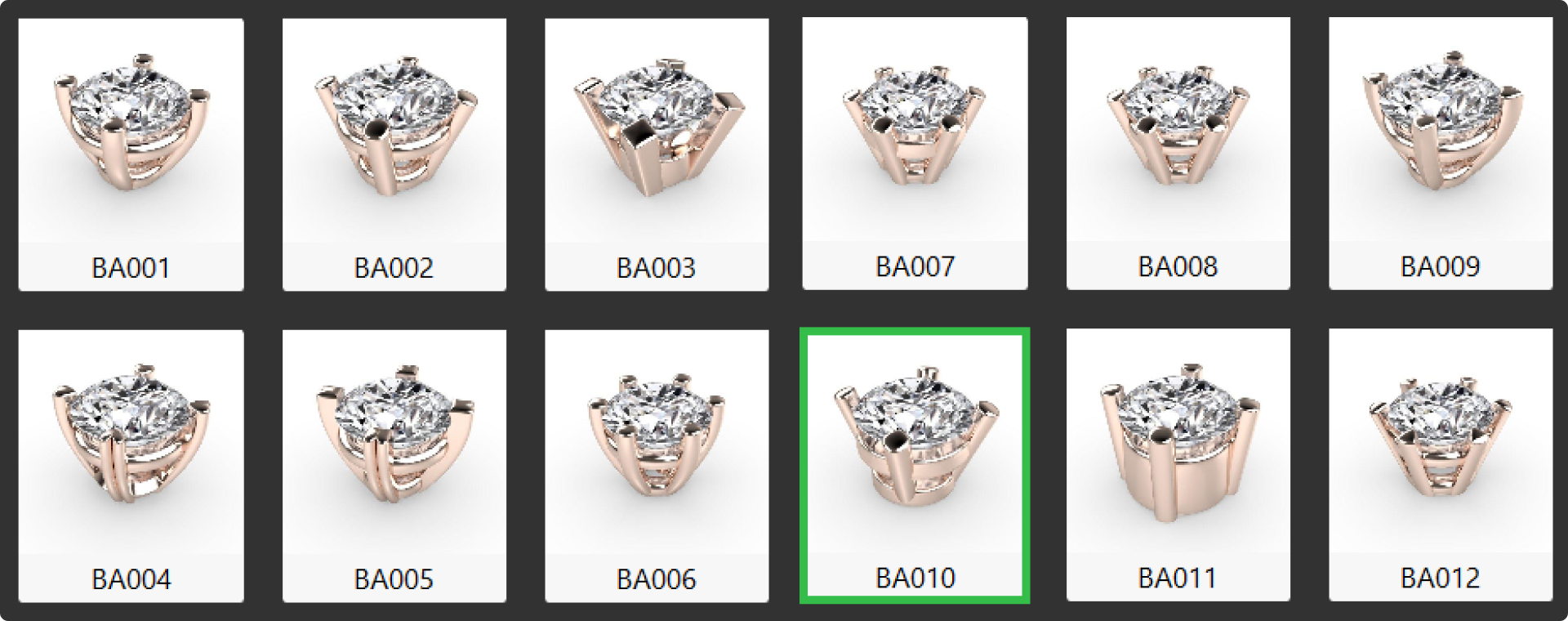
Select element BA010.
Step 2: Basket Parameters
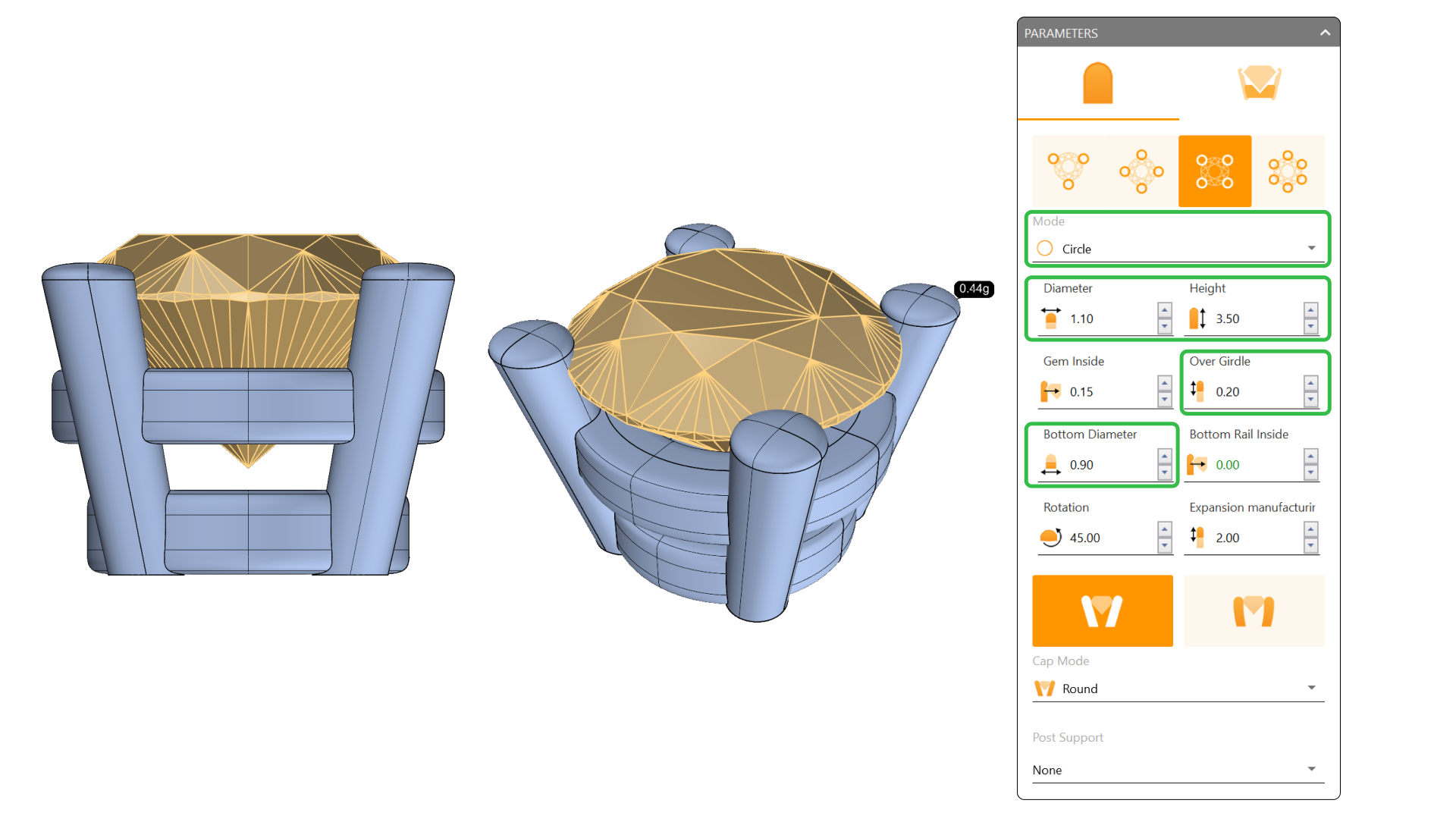
Edit the following parameters:
- Set the mode to Circle.
- Change the diameter to 1.1 millimeters.
- Set the height to 3.5 millimeters.
- Set Over Girdle to 0.20 millimeters.
- Set the Bottom Diameter to 0.9 millimeters.
Video Lesson
Next Step: Adjust the basket rail settings.