Apply Materials: Ring
Step 1: Apply Gems Materials
On the ring model, select two gems after each green gem, leaving one gem unselected between each pair.
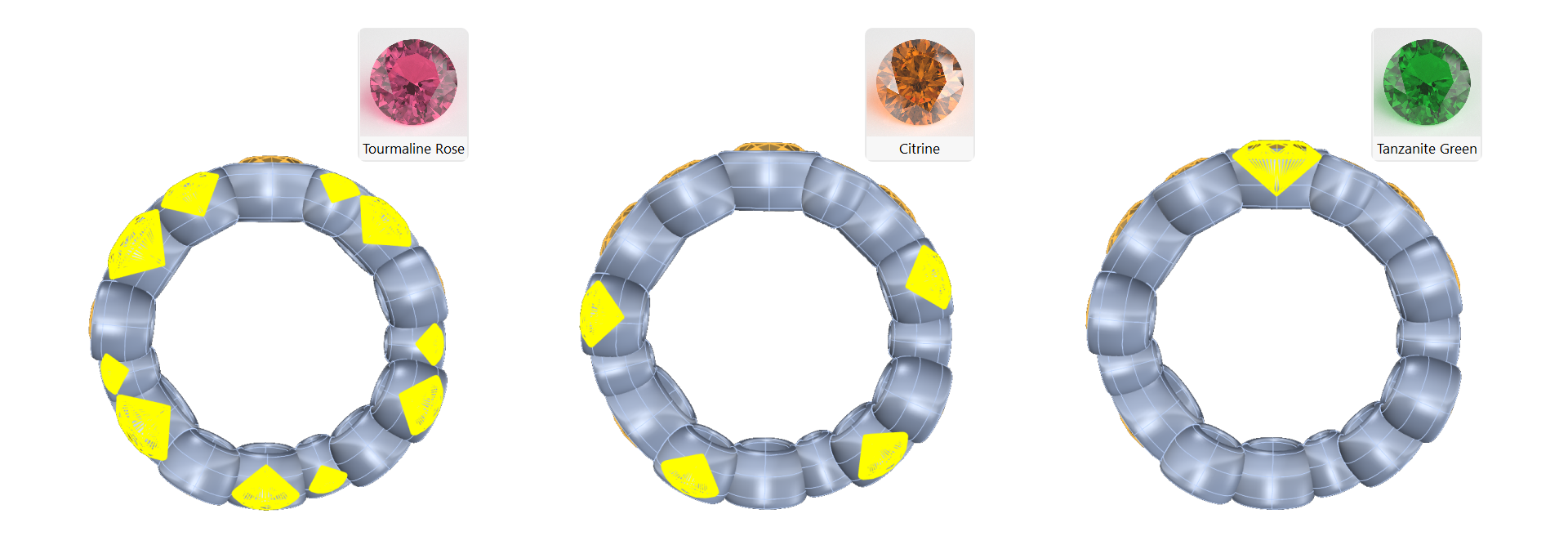
Using Shift you can select multiple elements.
Step 2: Ground Material
Apply Tourmaline Rose to these selected gems and apply Citrine to the remaining ones.
Step 3: Apply the Basic Reflection Black material to the floor.
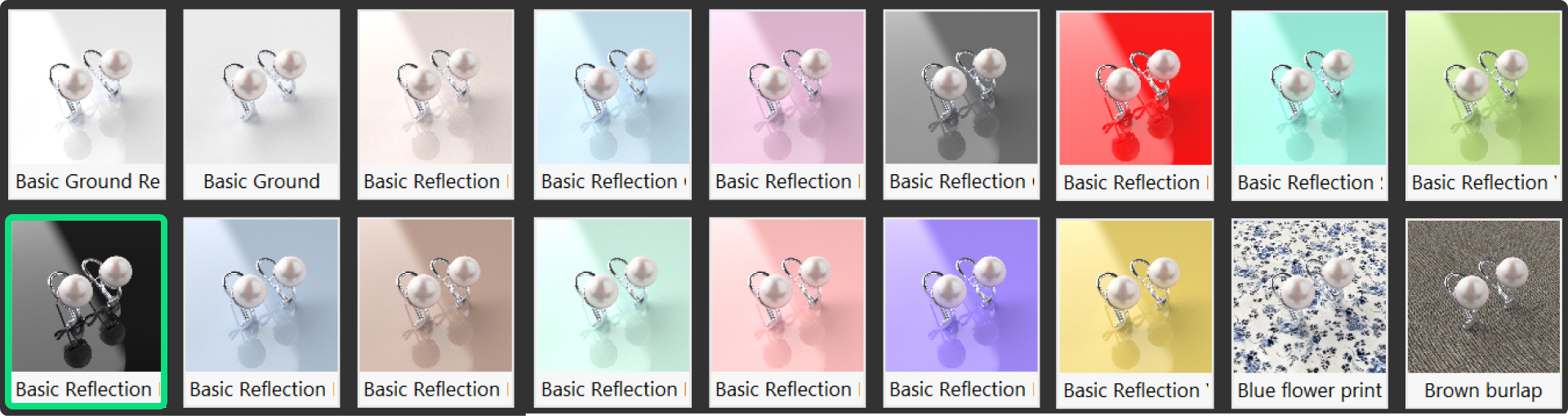
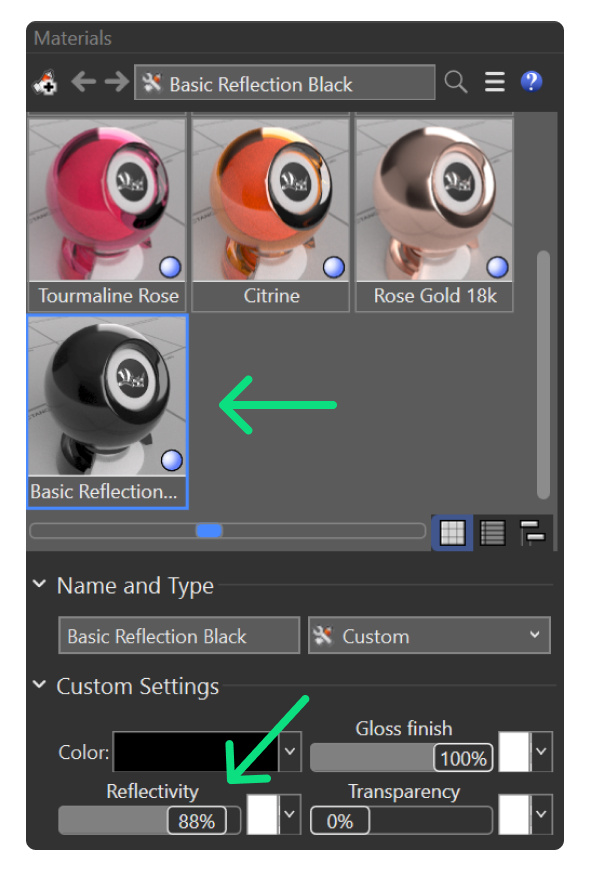
Step 4: Advanced Adjustment
In the Materials panel, adjust the reflection polish to 88%.
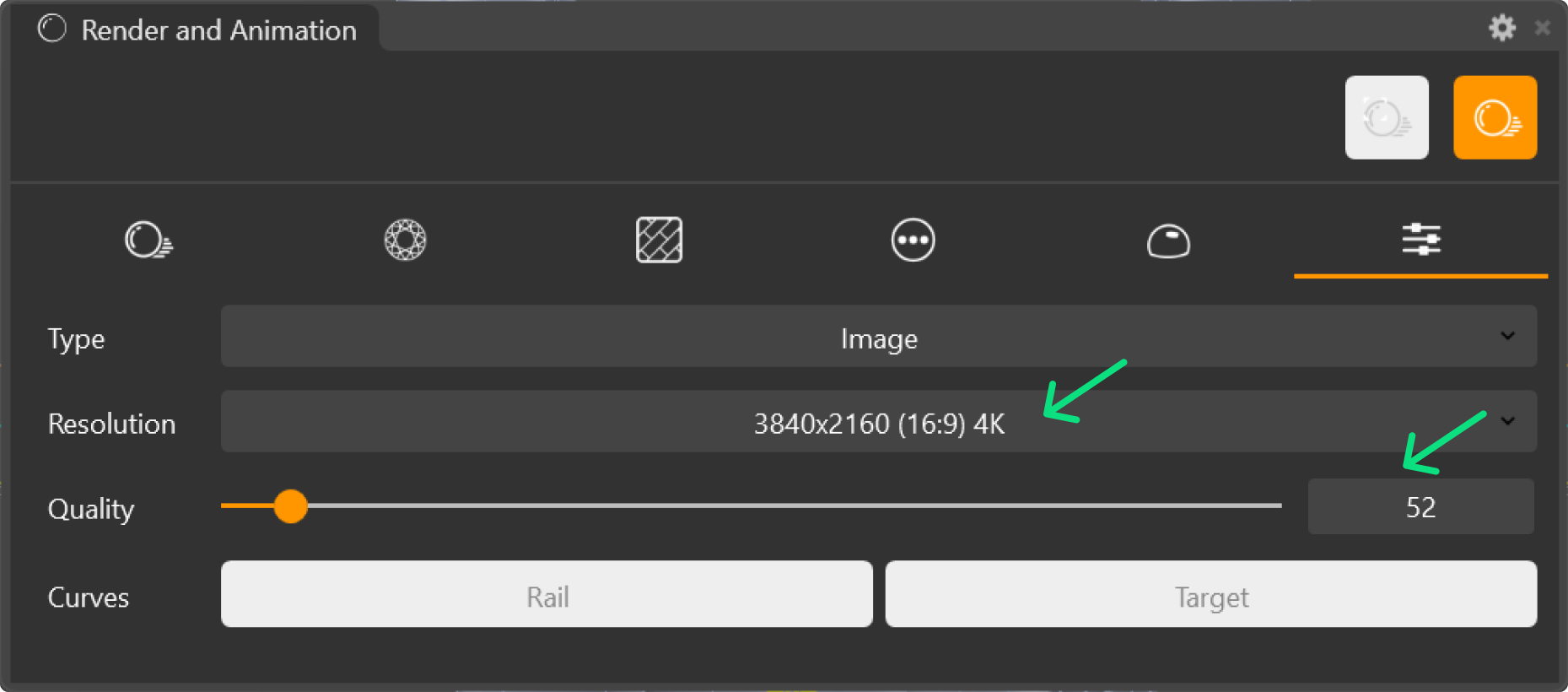
Step 5: Render Parameters
In the Render and Animation panel, set the resolution to 4K and the quality to 52.
Step 6: Environments Panel
Right-click on Studio in the Environments panel and choose Set as Custom Reflective Environment.
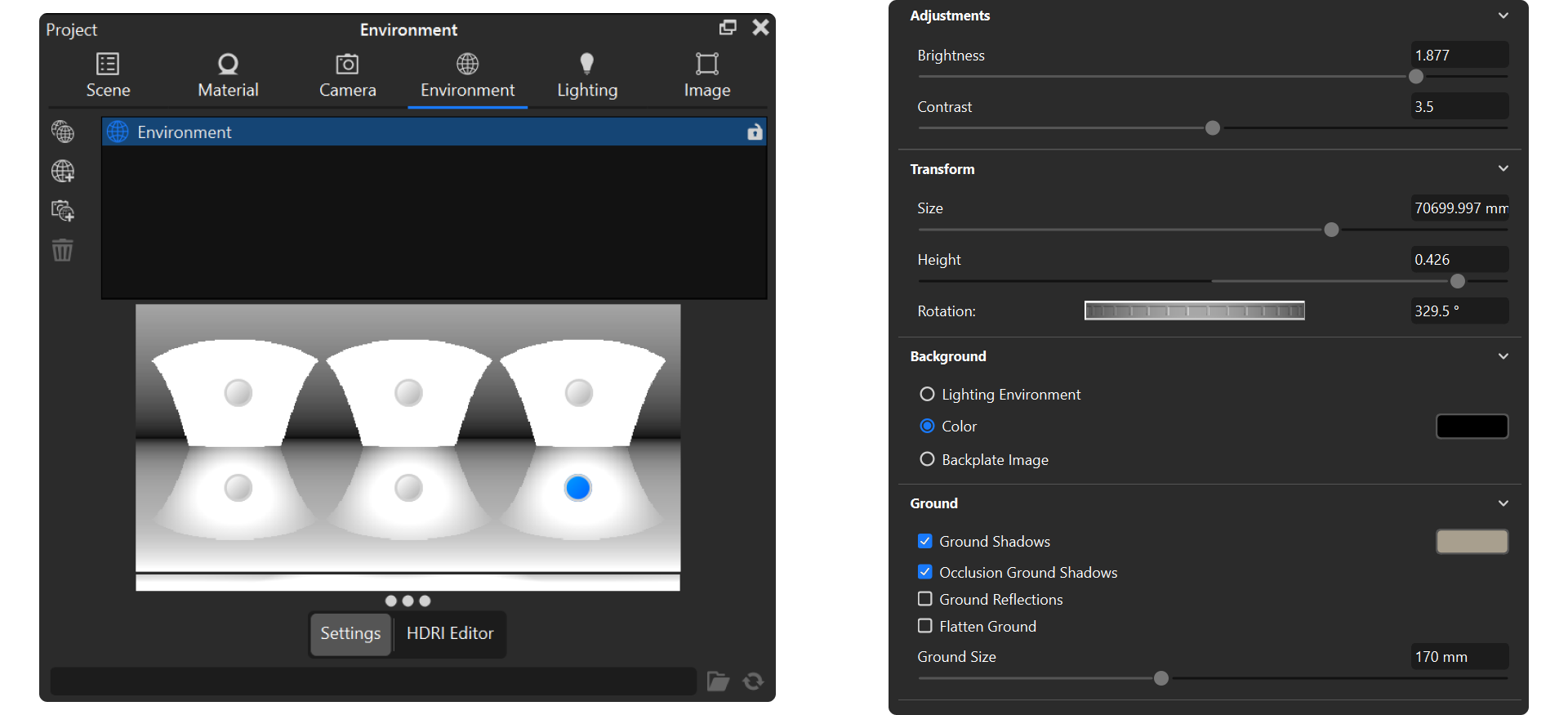
Step 7: Render
In the Rendering and Animation panel click on Render.