Textured Snake Ring
Lesson 2 of 29
Cylinder, Unroll & Guide Circles
Sign in to access this lesson
This lesson is part of Living Jewels: SubD Creature Sculpting, which can come bundled with a RhinoArtisan Commercial license subject to current promotions. Log in with your customer account, or get in touch and we'll set you up.
Customers only
Solo para clientes
This lesson is part of Living Jewels: SubD Creature Sculpting, which can be included with a RhinoArtisan Commercial license subject to current promotions. If you've already purchased and don't see it in your account, get in touch.
1. Create the ring reference curve and cylinder base
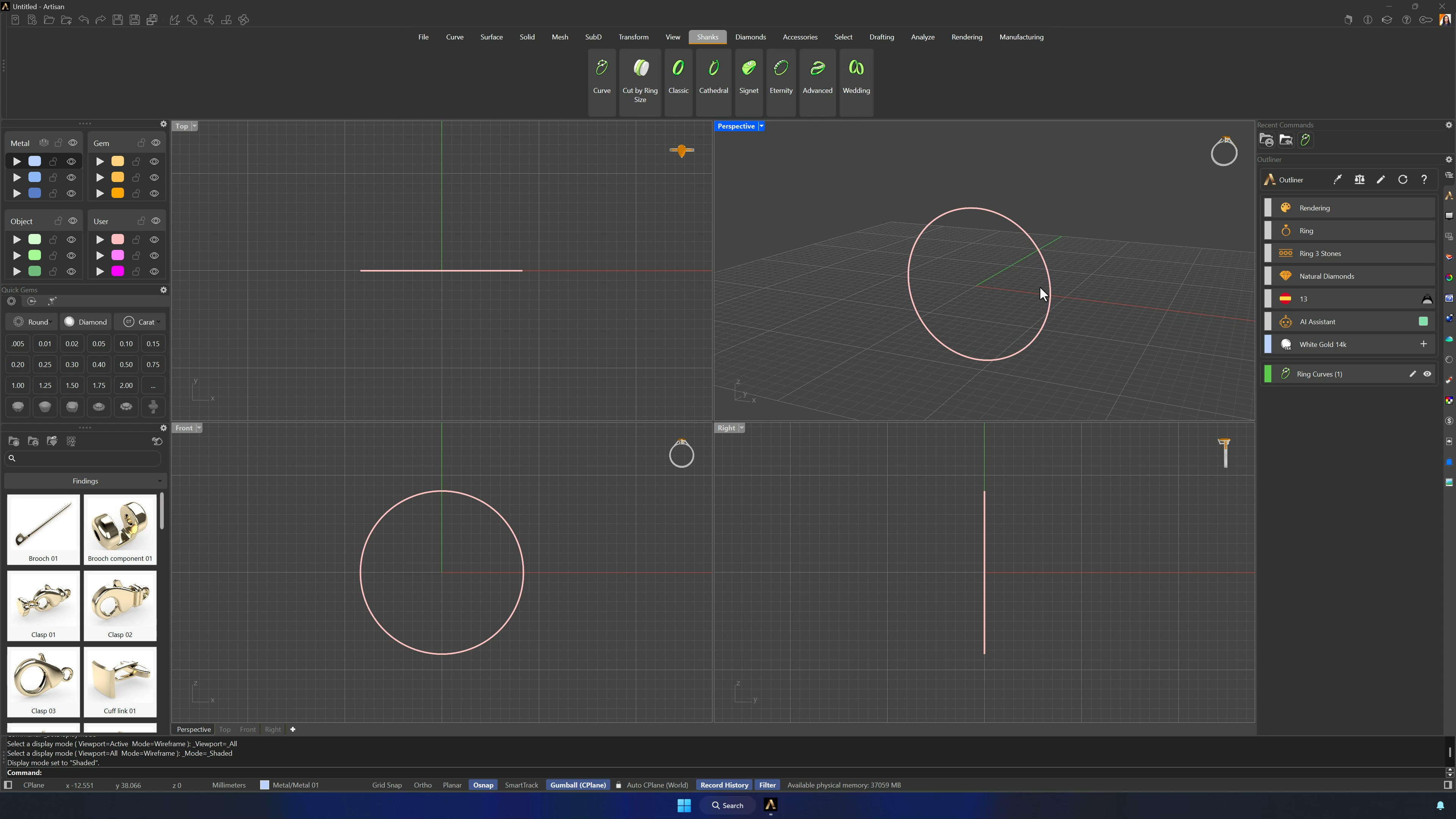
From the Shanks tab, create a reference curve for the Spanish region at ring size 13, and extrude it in both directions holding Shift — the grid squares are guide enough, exact height isn’t critical. Delete the end faces so the cylinder is open.
2. Verify seam position and unroll the cylinder surface
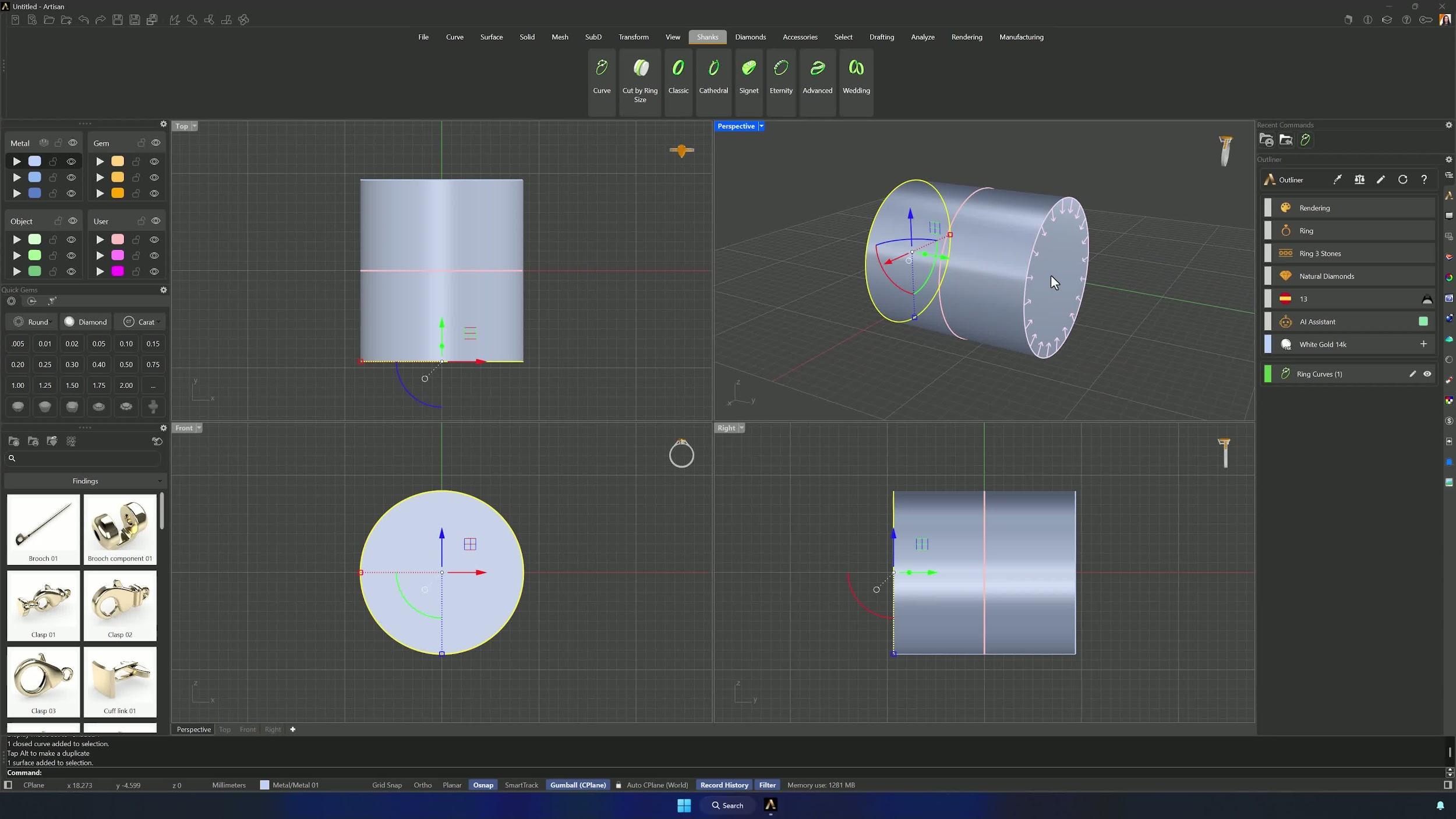
Check the cylinder seam — it must sit at the bottom (look for the thicker edge line if it’s hard to spot). Then Unroll Surface from the Surface tab, and center the flat result in front of the cylinder with Artisan Center.
3. Draw the centerline and build the snake guide circles
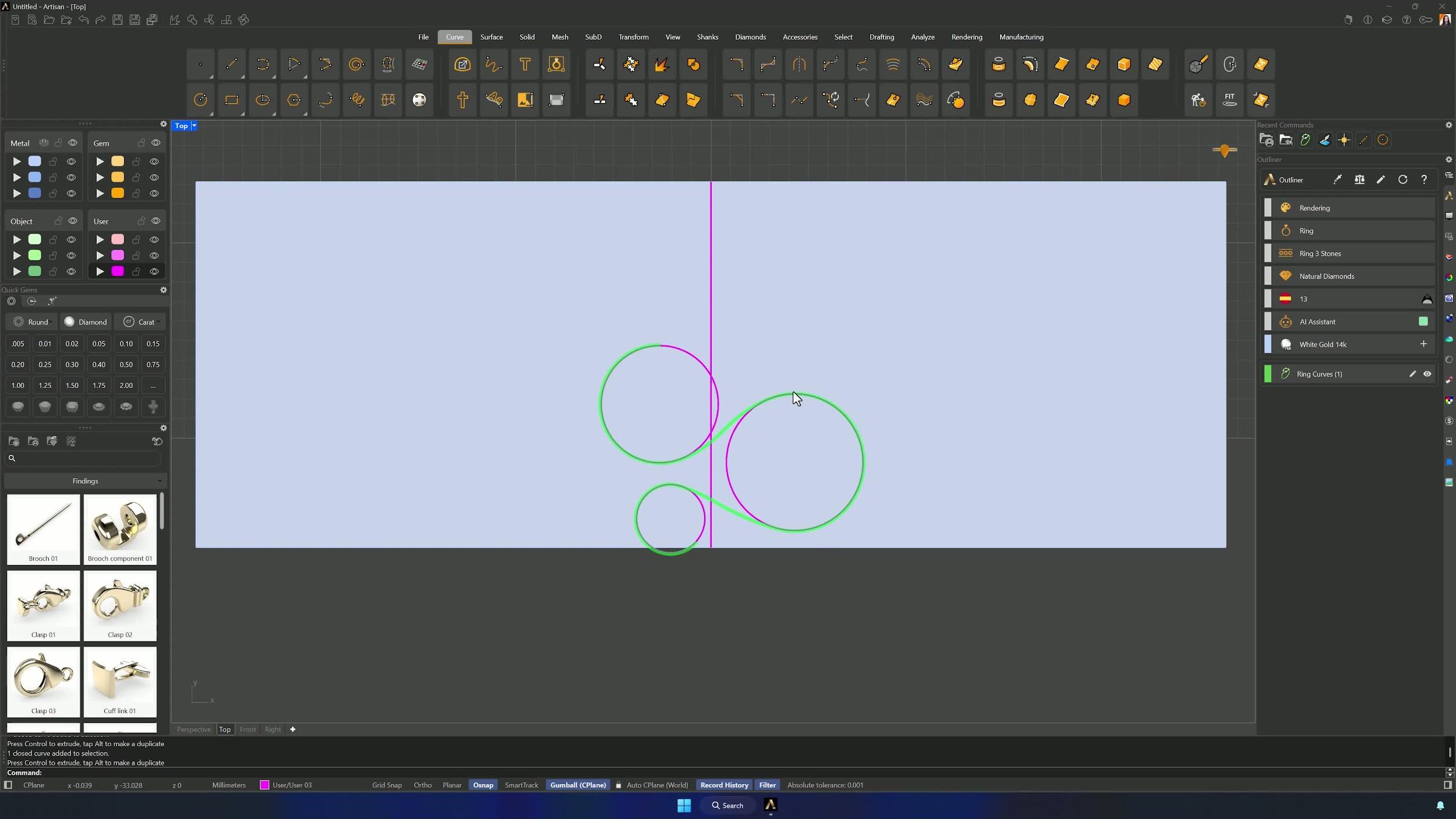
Draw a straight line across the center of the flat surface (OSNAP midpoint), then three circles from the Top view: 6 mm crossing the centerline slightly, 7 mm lower and spaced organically, and 3.5 mm near the centerline just outside the surface. Layer colors keep them readable.
Almost there — you still have some lessons to complete. Jump to the next one →
Impersonating — progress and reviews are disabled.
Course completed
You've completed Living Jewels: SubD Creature Sculpting 🎉
Great work. Get your certificate of completion and, if you have a minute, let other jewelers know what you thought of the course.