Pavé Teddy Bear
Lesson 7 of 29
Overview
Sign in to access this lesson
This lesson is part of Living Jewels: SubD Creature Sculpting, which can come bundled with a RhinoArtisan Commercial license subject to current promotions. Log in with your customer account, or get in touch and we'll set you up.
Customers only
Solo para clientes
This lesson is part of Living Jewels: SubD Creature Sculpting, which can be included with a RhinoArtisan Commercial license subject to current promotions. If you've already purchased and don't see it in your account, get in touch.
Downloads
The teddy bear is the friendliest shape in jewelry — and one of the trickiest to model well. There’s no symmetry to hide behind and no straight edge to measure against; every curve is judged by eye. In this project you’ll sculpt one entirely in SubD, sphere by sphere over three reference images, then turn the finished toy into a fully pavé-set jewel covered head to toe in diamonds.
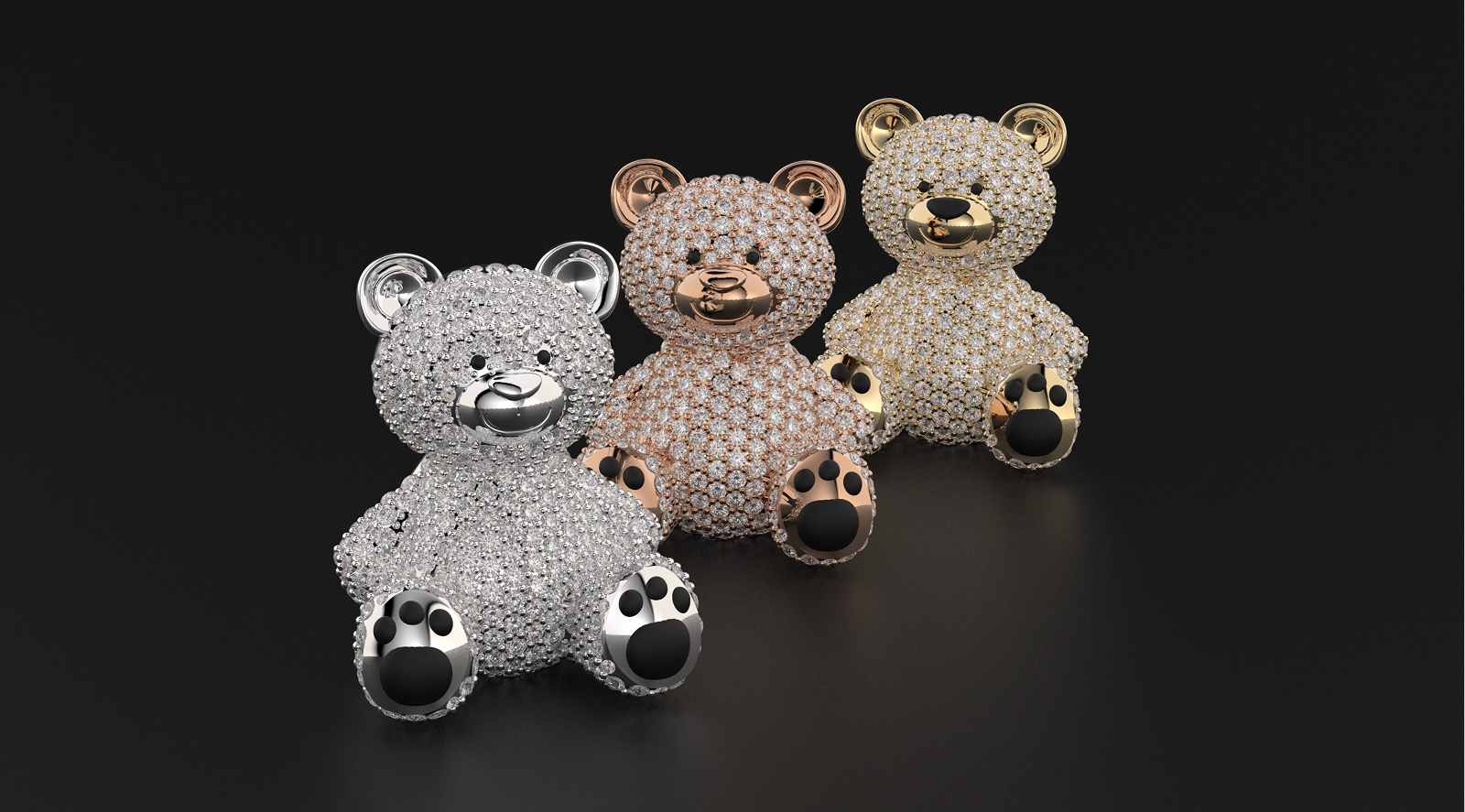
Design a pavé teddy bear using RhinoArtisan.
In this tutorial you will learn how to:
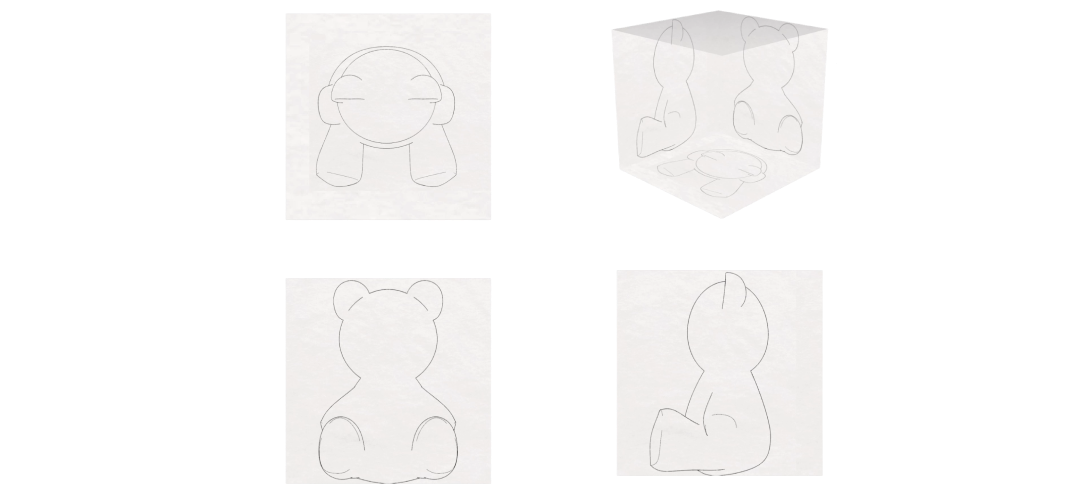
- Set up the three reference images and sculpt the head from SubD spheres, shaping the ears with Soft Transform and mirroring them into a matched pair.
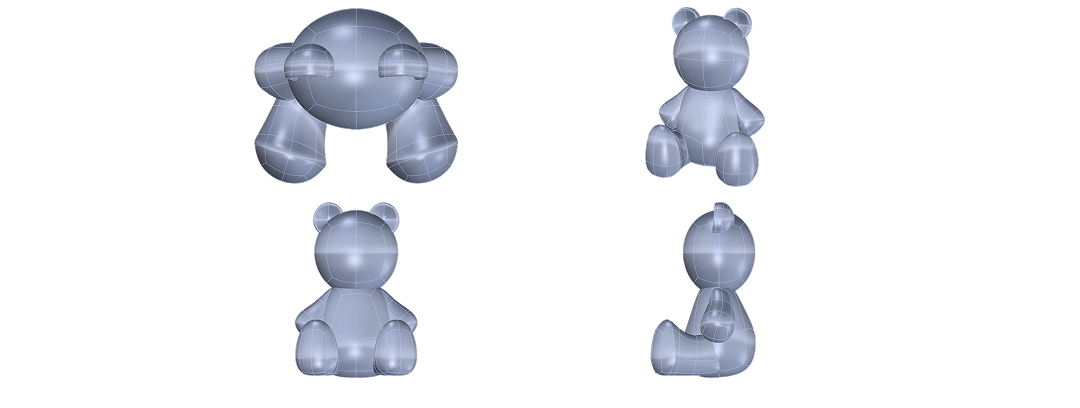
- Build the body, legs and arms from mirrored spheres, flattening the base so the bear stands while symmetry models both sides at once.
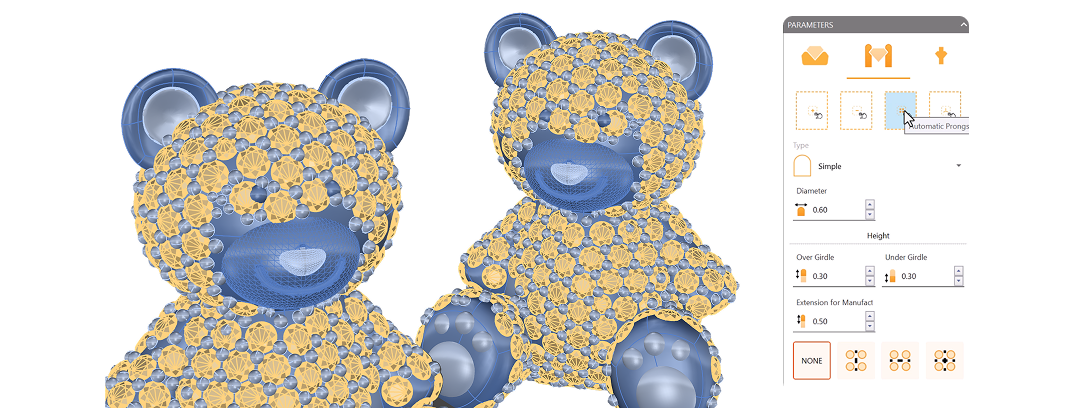
- Scale the bear to a 20 mm frame, strip the inner faces, and cover it with Automatic Pave at 0.8–1.0 mm, secured by prongs.
By the end of this project, you’ll have the skills to sculpt a fully pavé-set teddy bear from scratch.
Almost there — you still have some lessons to complete. Jump to the next one →
Impersonating — progress and reviews are disabled.
Course completed
You've completed Living Jewels: SubD Creature Sculpting 🎉
Great work. Get your certificate of completion and, if you have a minute, let other jewelers know what you thought of the course.