Wild Majesty Pavé Ring
Lesson 24 of 29
Overview
Sign in to access this lesson
This lesson is part of Living Jewels: SubD Creature Sculpting, which can come bundled with a RhinoArtisan Commercial license subject to current promotions. Log in with your customer account, or get in touch and we'll set you up.
Customers only
Solo para clientes
This lesson is part of Living Jewels: SubD Creature Sculpting, which can be included with a RhinoArtisan Commercial license subject to current promotions. If you've already purchased and don't see it in your account, get in touch.
Downloads
The panther is the course’s final test — a fierce, characterful head that has to read as an animal and as a ring at the same time. Nothing here is symmetrical by accident or set by a number; it’s sculpted by eye from three reference views. In this project you’ll block out the panther head in SubD, union it into a shank, and jewel it from the eyes to the muzzle.
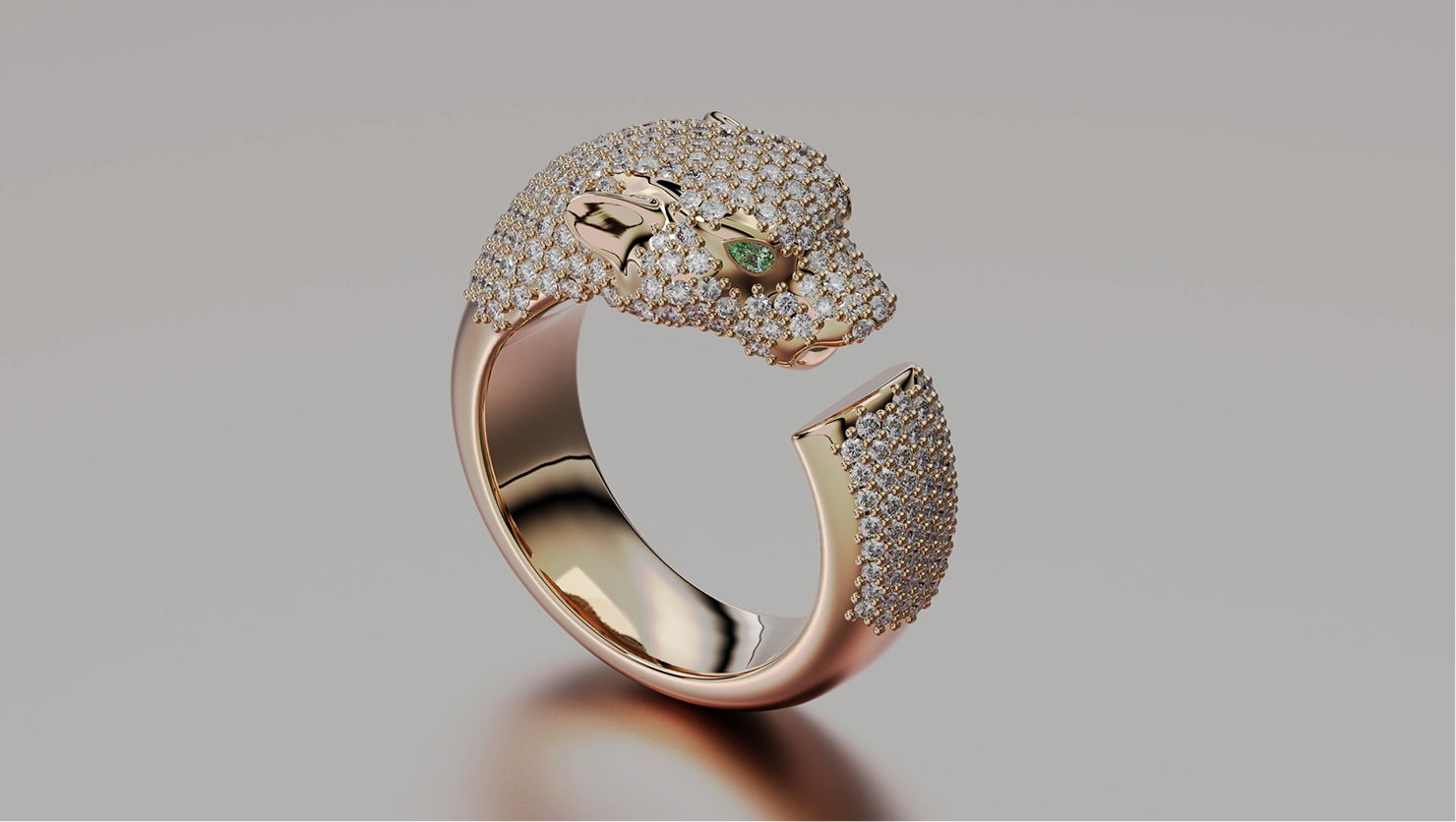
Design the Wild Majesty panther ring using RhinoArtisan.
In this tutorial you will learn how to:
- Set up the three panther views and block out the head in SubD — muzzle, mouth and oriented faces, mirrored with Reflect.
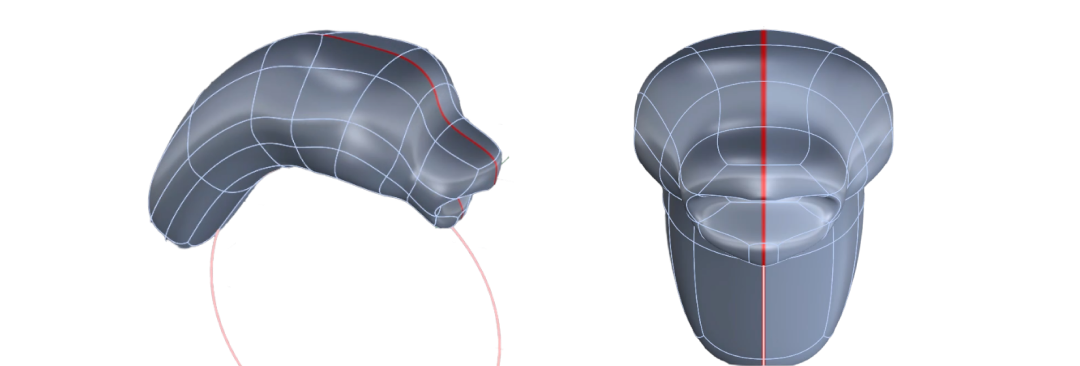
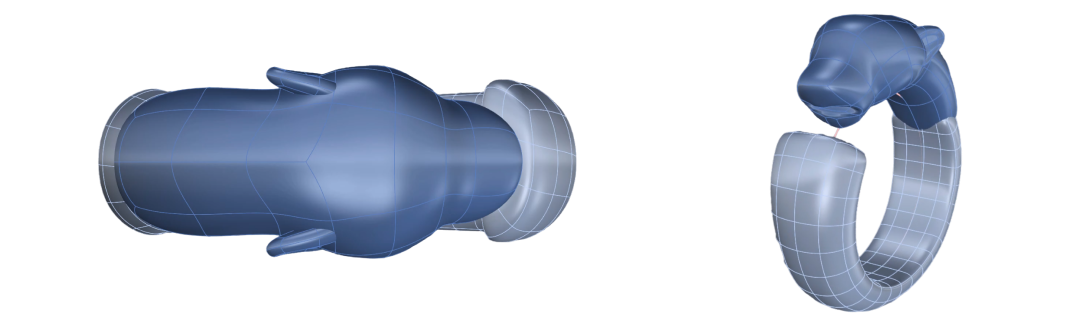
- Model and mirror the ears, build a Classic shank with a cutting opening, and Boolean Union everything into one clean SubD skull.
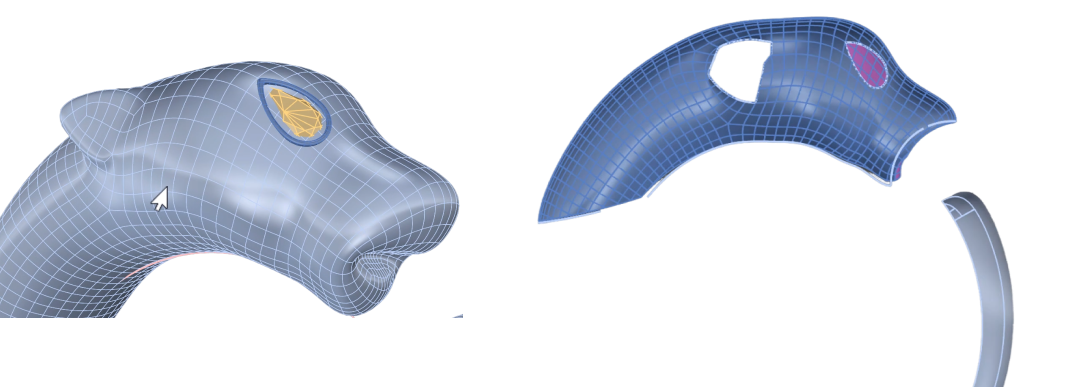
- Set pear-cut eyes in custom SubD bezels and define the two pavé territories with projected and trimmed curves.
- Fill both areas with Automatic Pave at 1.3–1.0 mm, add automatic and dynamic prongs, and open the seats with cutters and a Boolean Difference.
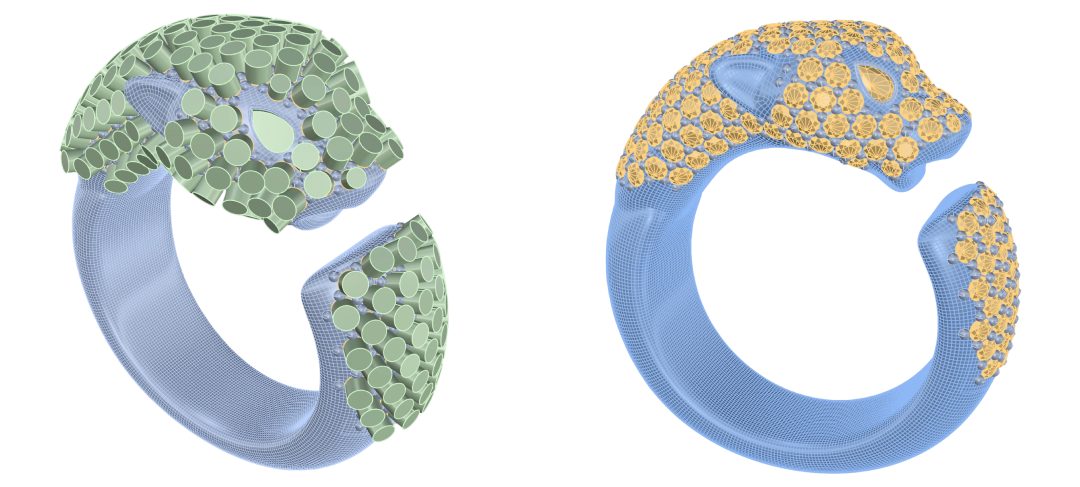
By the end of this project, you’ll have the skills to sculpt the Wild Majesty panther ring from scratch.
Almost there — you still have some lessons to complete. Jump to the next one →
Impersonating — progress and reviews are disabled.
Course completed
You've completed Living Jewels: SubD Creature Sculpting 🎉
Great work. Get your certificate of completion and, if you have a minute, let other jewelers know what you thought of the course.