Dolphin Ring
Lesson 22 of 29
From Dolphin to Ring
Sign in to access this lesson
This lesson is part of Living Jewels: SubD Creature Sculpting, which can come bundled with a RhinoArtisan Commercial license subject to current promotions. Log in with your customer account, or get in touch and we'll set you up.
Customers only
Solo para clientes
This lesson is part of Living Jewels: SubD Creature Sculpting, which can be included with a RhinoArtisan Commercial license subject to current promotions. If you've already purchased and don't see it in your account, get in touch.
15. Measure the curve and create a guide line
Measure the ring curve with Analyze > Length and copy the value. Draw a Line from 0 pasting that length (Shift keeps it on X), and center it with Artisan Center — the flat runway the dolphin will travel.
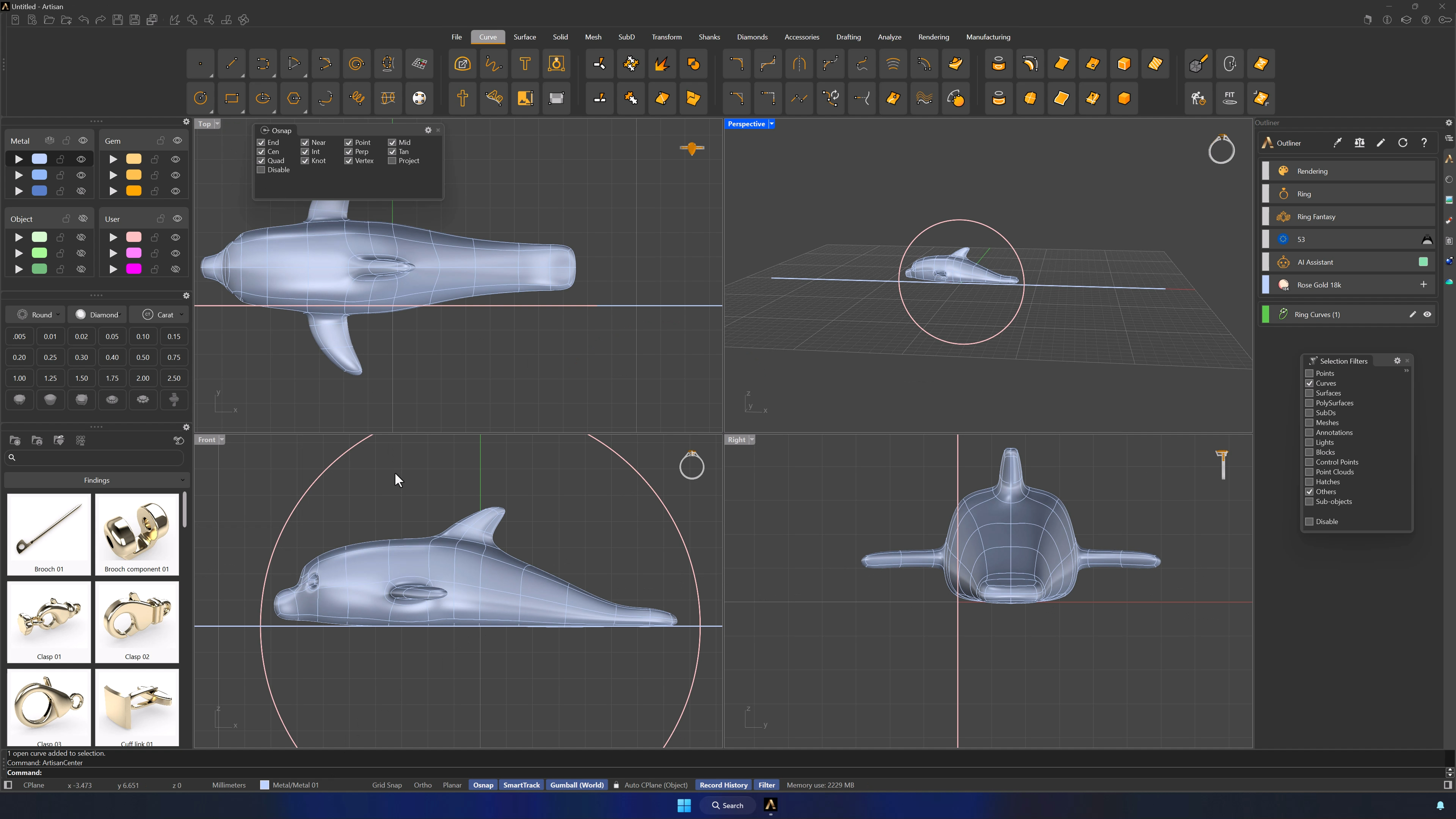
16. Scale and split the dolphin for ring construction
Position the dolphin at the end of the line and Scale by Dimension to 25 mm on X. Split with Edge Loop on the edge aligned with the curve, delete the tail portion, and Mirror from 0 (Shift-click at the top in Top view).
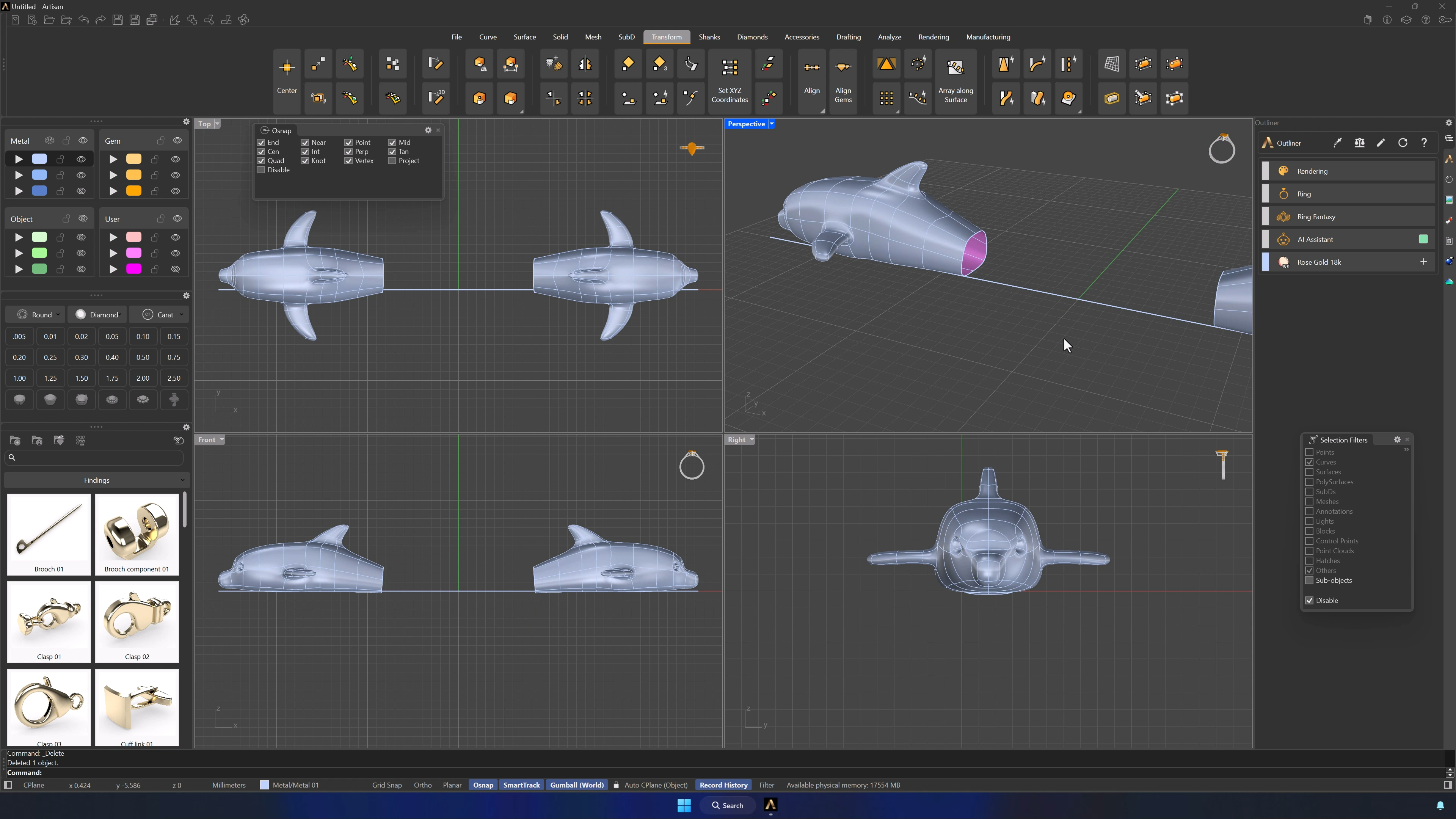
17. Bridge the halves and taper the tail
Bridge the two halves — first loop, Enter, second loop, Enter, Segments 4 with Join on — and taper the junction smoothly with Soft Transform from the center edge. Adjust the height so the model sits on the X axis and re-center with Artisan Center.
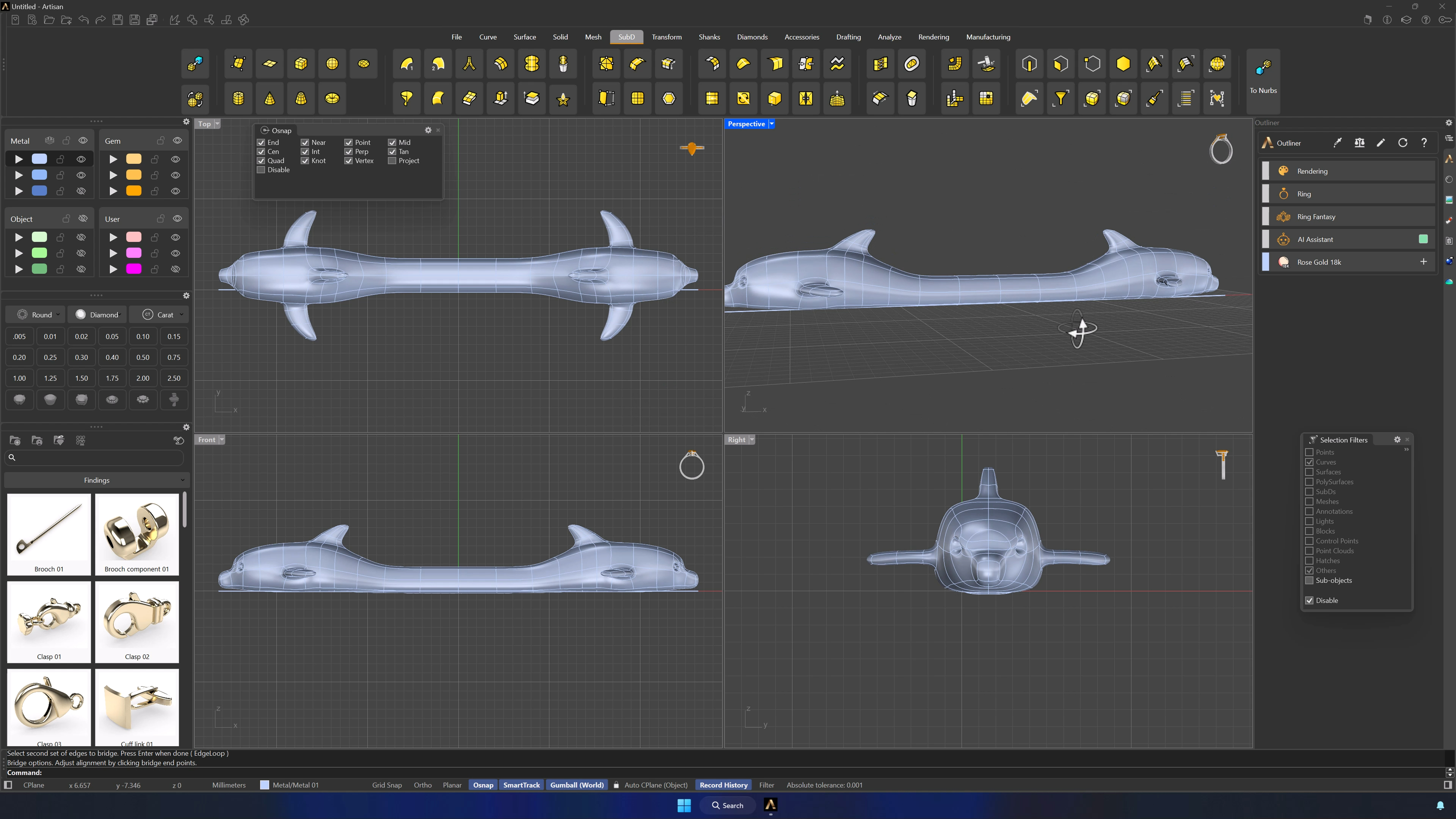
18. Create the ring deformation and finalize the model
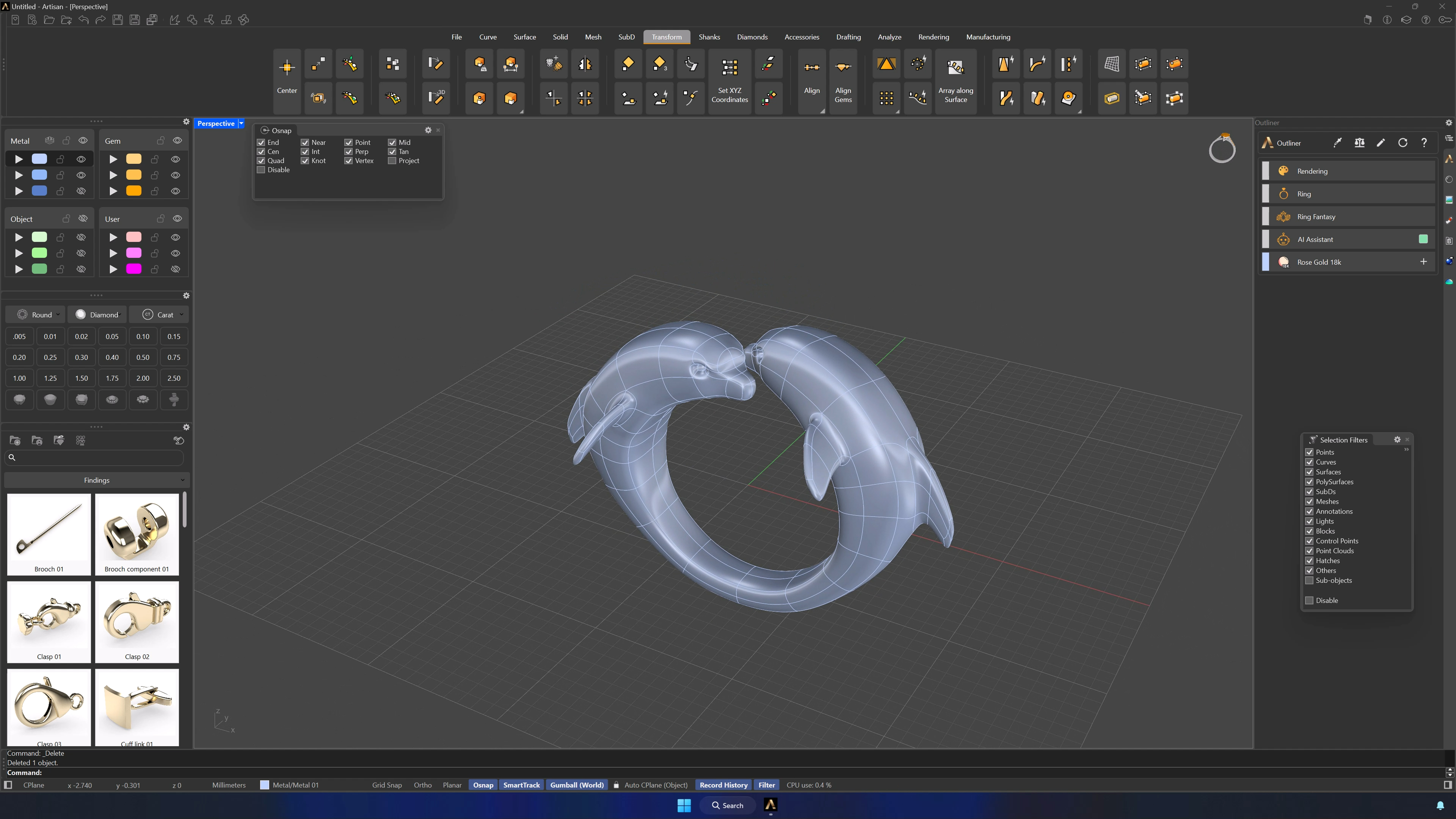
Smart Flow by Curve wraps it: the guide line as base, the ring curve as target (recreate it with Shanks > Curve, Europe 53, if needed), the dolphin as deformable — rotating the curve 180° if the dolphin lands inside out. For a variation, Quick Bend with X at −2.4 and +2.4 arches the body instead. Save and render.
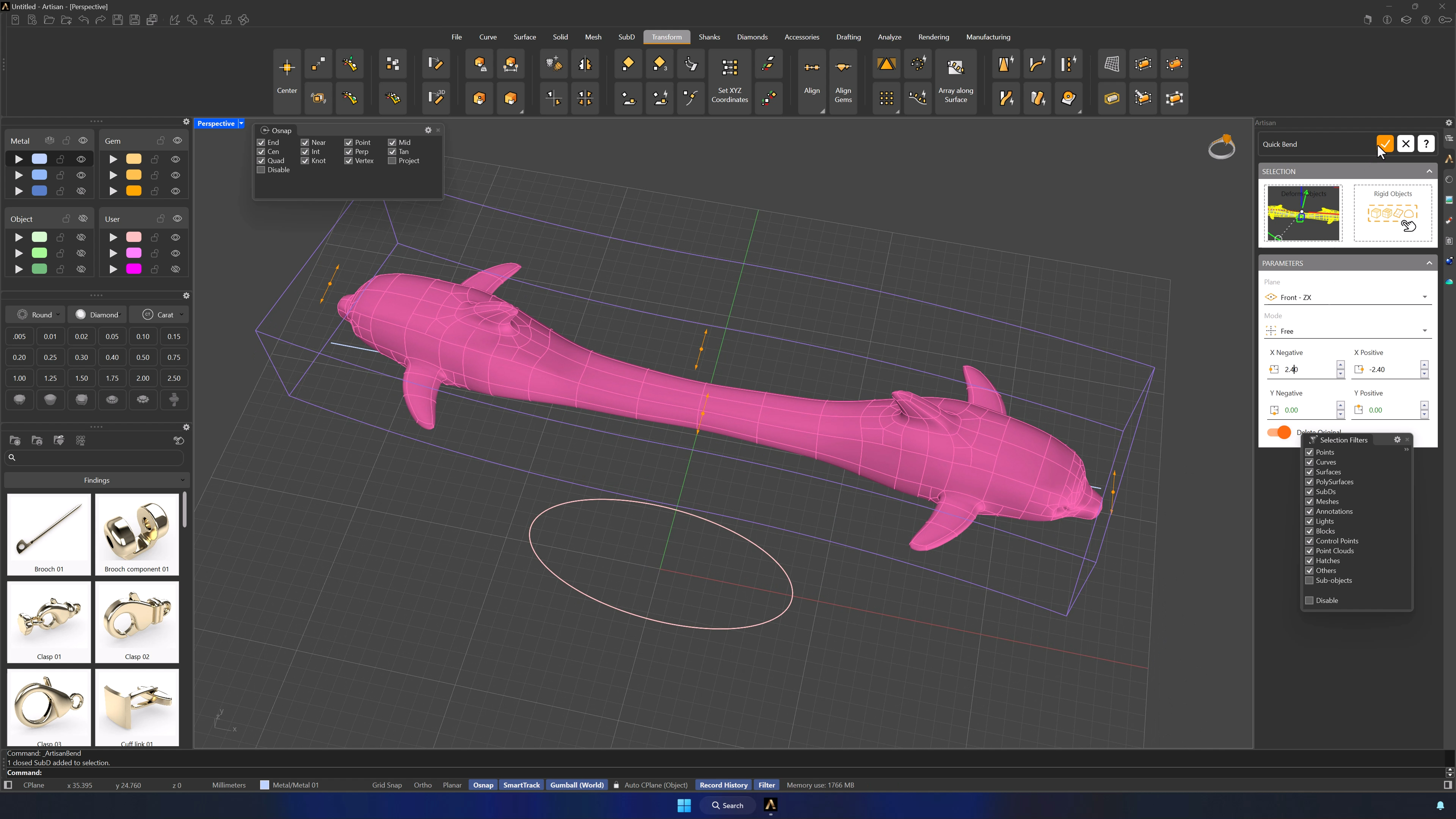
Tips for a clean result
- Few control points in the outline — every extra point costs smoothness in SubD.
- SubD is visual, not metric: sculpt to the reference, not the ruler.
- Keep the references locked once placed, and the original solid hidden as backup.
- Add edges and points only where the form demands them.
- Keep the center clean through Split, Mirror and Bridge — the ring closes there.
- Re-center with Artisan Center whenever the alignment drifts, and save before QuadRemesh, Mirror and the flows.
Almost there — you still have some lessons to complete. Jump to the next one →
Impersonating — progress and reviews are disabled.
Course completed
You've completed Living Jewels: SubD Creature Sculpting 🎉
Great work. Get your certificate of completion and, if you have a minute, let other jewelers know what you thought of the course.