Wild Majesty Pavé Ring
Lesson 28 of 29
Pavé, Prongs & Final Cut
Sign in to access this lesson
This lesson is part of Living Jewels: SubD Creature Sculpting, which can come bundled with a RhinoArtisan Commercial license subject to current promotions. Log in with your customer account, or get in touch and we'll set you up.
Customers only
Solo para clientes
This lesson is part of Living Jewels: SubD Creature Sculpting, which can be included with a RhinoArtisan Commercial license subject to current promotions. If you've already purchased and don't see it in your account, get in touch.
12. Generate the main pave and prongs
Automatic Pave over the first area with sizes 1.3, 1.2, 1.1 and 1.0 mm, Symmetry active from the head’s midpoint. Compute, add stones where space allows, recompute, and repeat until nothing else fits — moving gems by hand where the layout wants help. Prongs: diameter 0.6 mm, over girdle 0.2, under girdle 0.3, extension 0.3, Automatic Generation plus manual work in the conflict zones.
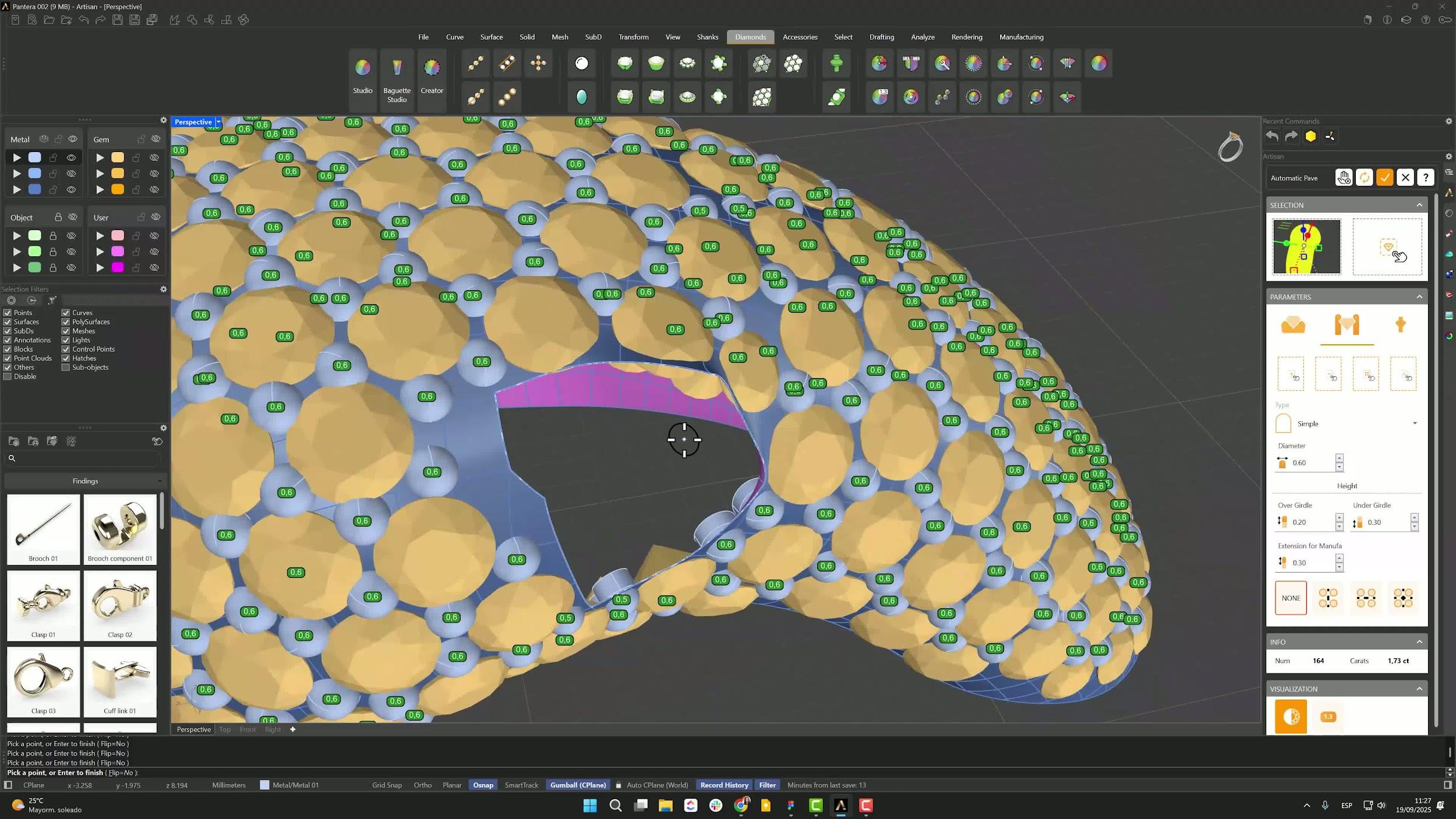
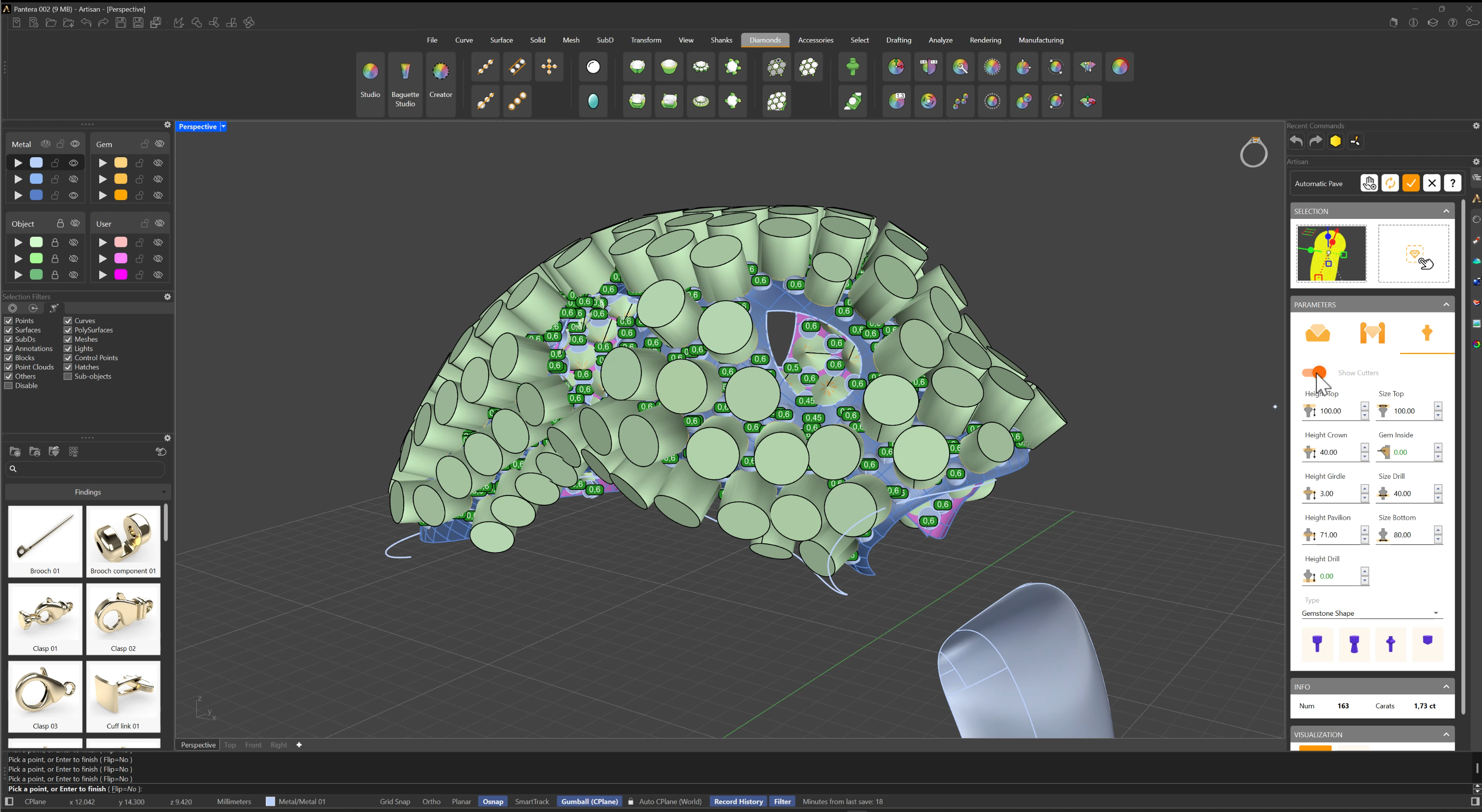
13. Create cutters and finalize the first pave area
Cutters with Preset 04, plus cutters on the eye gems (an inverted one gets deleted and mirrored from its twin). Then the second area: Automatic Pave at 1.3 mm from the center, gems repositioned and locked as they land, the same prong parameters, and the fourth cutter preset again.
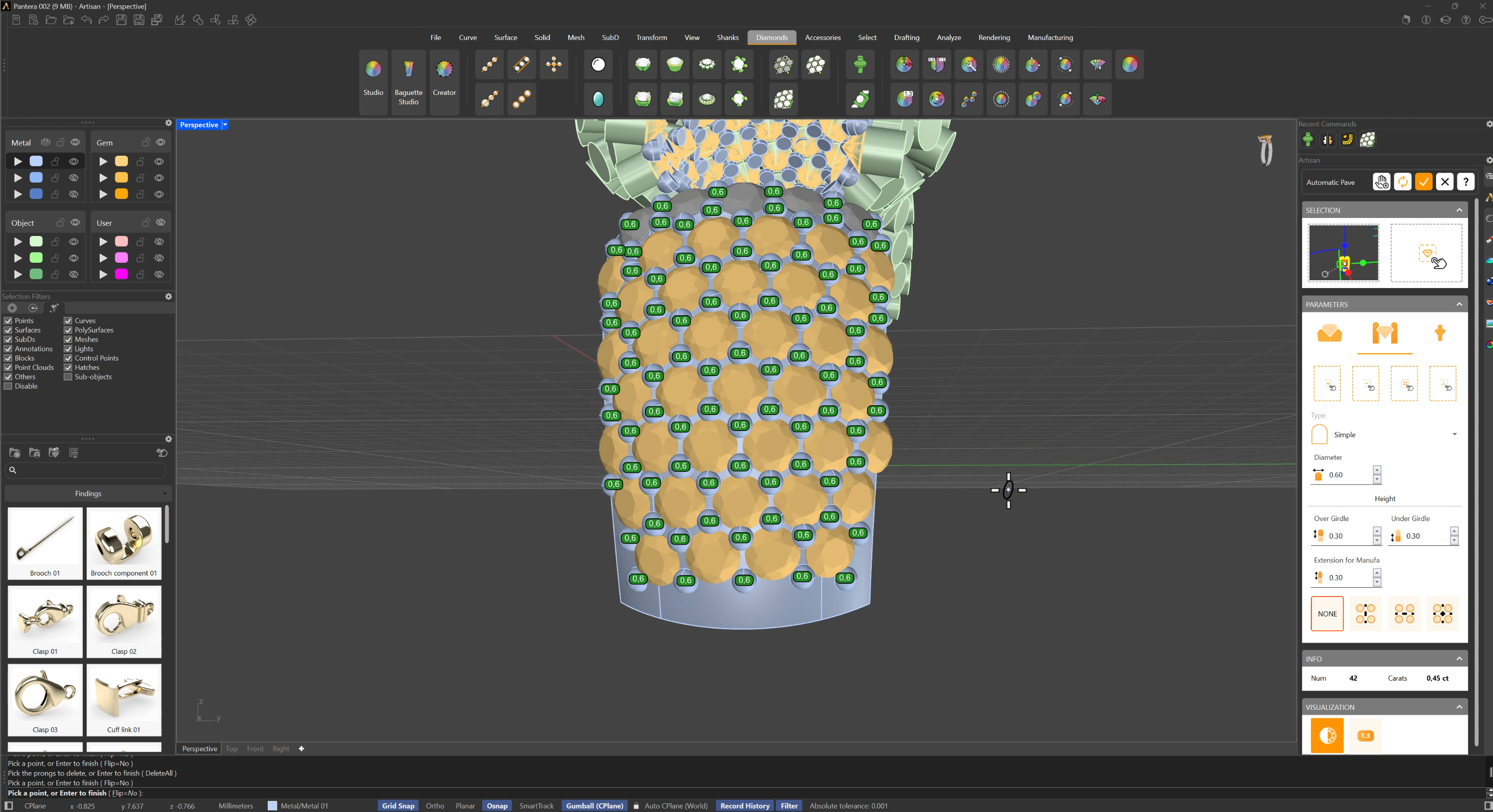
14. Add final prongs and cut the gem seats
Dynamic Prongs fills the spots where no surface exists, with the model in the selector. Save — then Boolean Difference: the ring, Enter, the cutters, Enter. The panther opens its seats, every stone has its place, and the Wild Majesty ring is ready to render.
Tips for a clean result
- Save before every boolean and major geometry change — this build has many.
- Never shape an organic form from a single view; rotate constantly.
- If a union or remesh eats detail, lower the measure or refine before accepting.
- Watch for inverted cutters and mirrored gems before finalizing.
- Automatic generation is a first pass, not a final answer — prongs and gems want manual cleanup.
- Place a few gems by hand, then Compute to fill the gaps; lock what’s already right.
Almost there — you still have some lessons to complete. Jump to the next one →
Impersonating — progress and reviews are disabled.
Course completed
You've completed Living Jewels: SubD Creature Sculpting 🎉
Great work. Get your certificate of completion and, if you have a minute, let other jewelers know what you thought of the course.