Pavé Teddy Bear
Lesson 10 of 29
Pavé Prep & Gem Layout
Sign in to access this lesson
This lesson is part of Living Jewels: SubD Creature Sculpting, which can come bundled with a RhinoArtisan Commercial license subject to current promotions. Log in with your customer account, or get in touch and we'll set you up.
Customers only
Solo para clientes
This lesson is part of Living Jewels: SubD Creature Sculpting, which can be included with a RhinoArtisan Commercial license subject to current promotions. If you've already purchased and don't see it in your account, get in touch.
Downloads
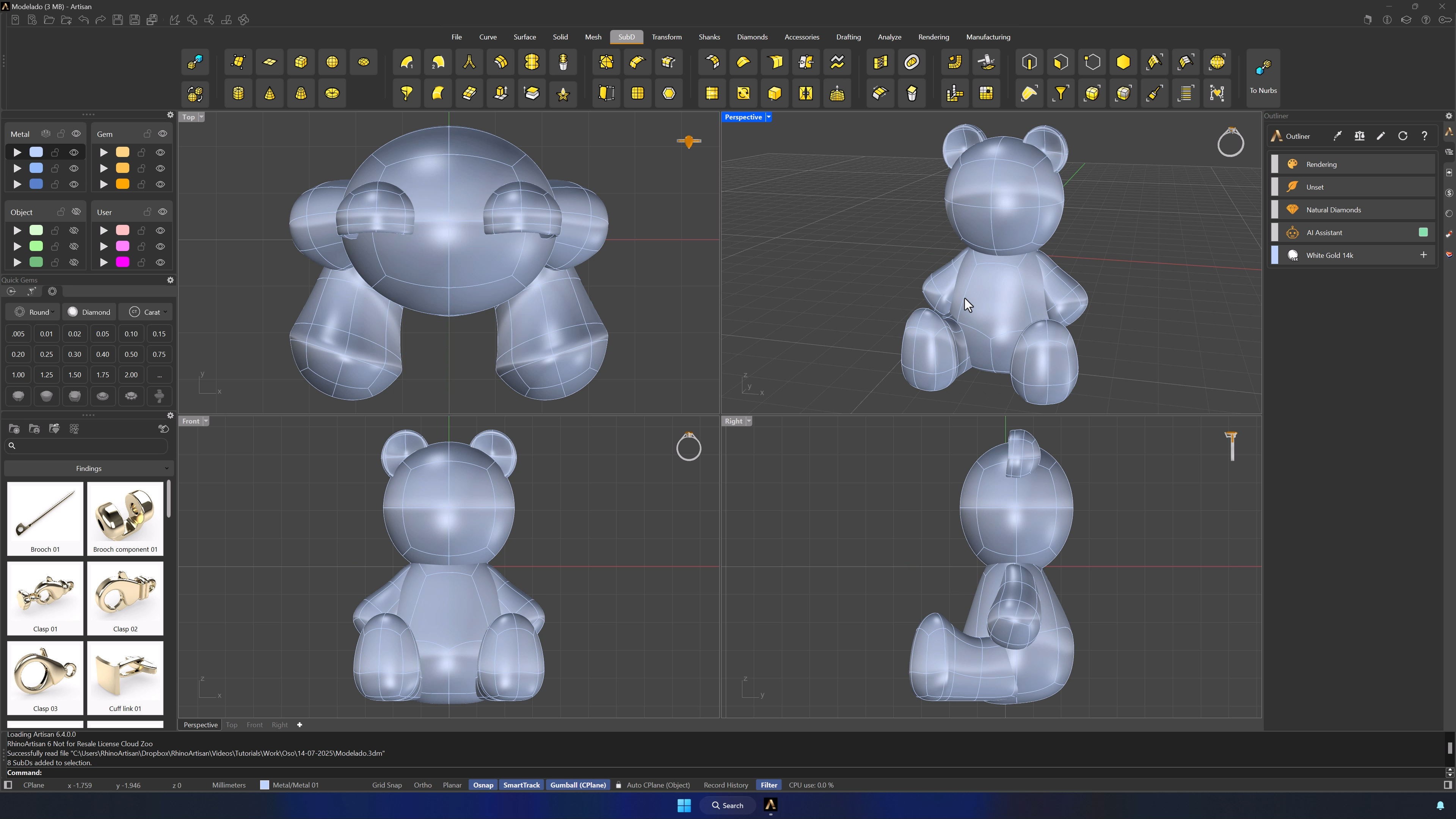
11. Duplicate and prepare the model for gem layout
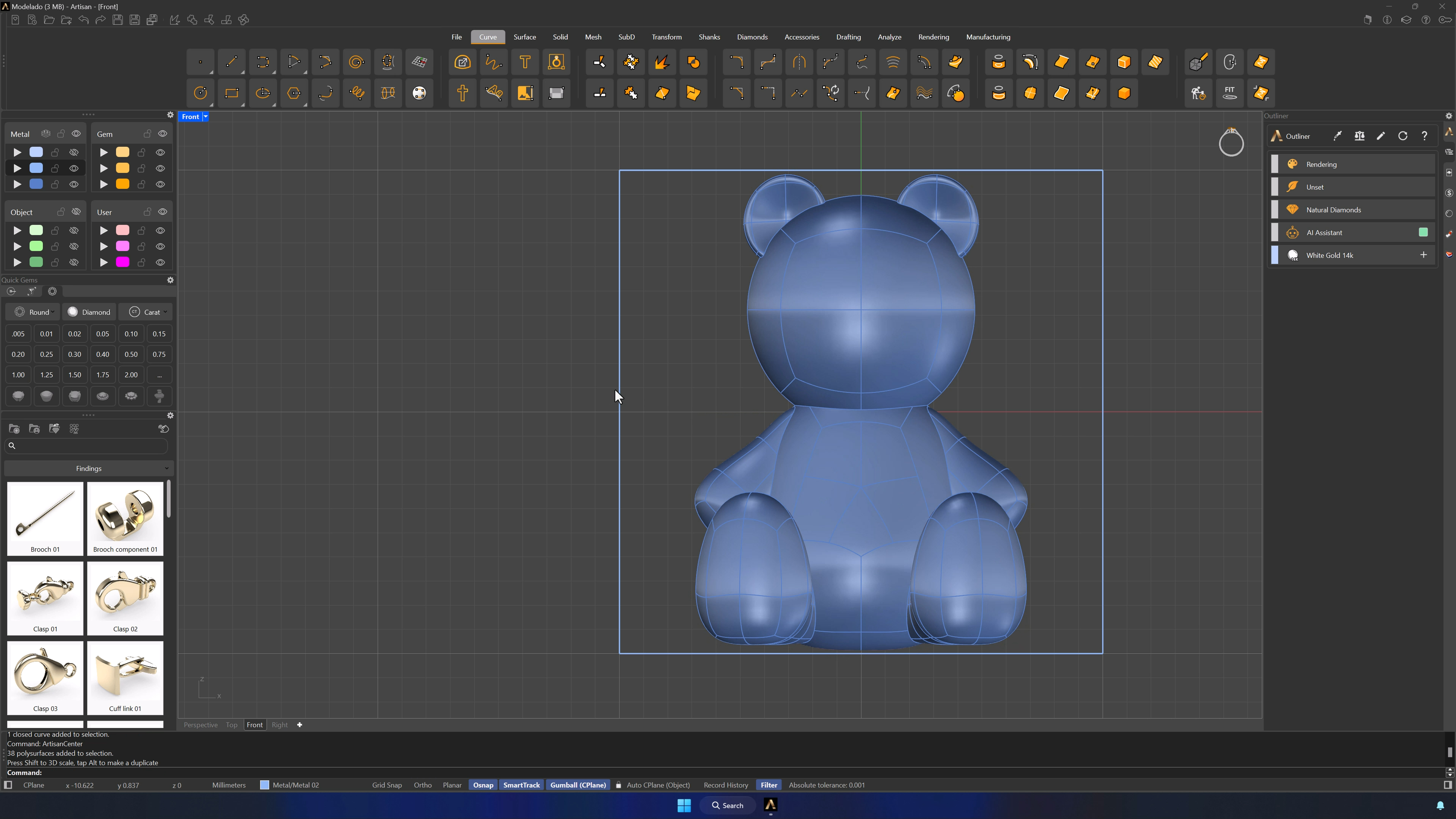
Move the bear to the first metal layer and keep an untouched copy on the third (Ctrl+C / Ctrl+V). Boolean Split the bear, then draw a 20 × 20 mm square (0, then 20 twice), center it with Artisan Center, and Shift-scale the model until its height matches the frame.
12. Remove inner surfaces to define gem placement areas
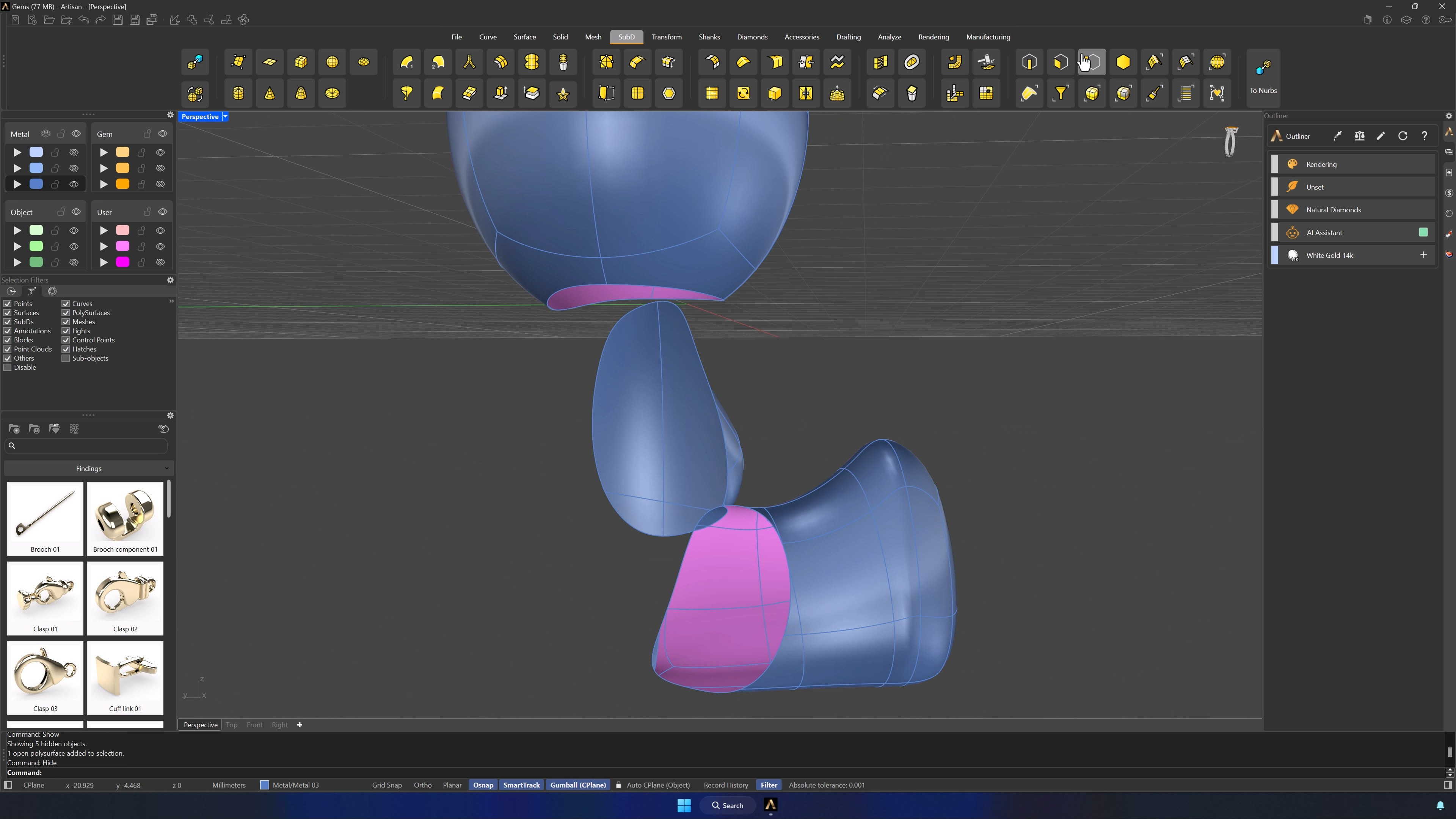
With the Faces filter, delete every inner-side face that shouldn’t carry gems, part by part — hiding a leg and an arm makes the selection manageable, and the limbs mirror back after cleanup. Only the visible skin remains for the pavé.
13. Run Automatic Pave to place gems
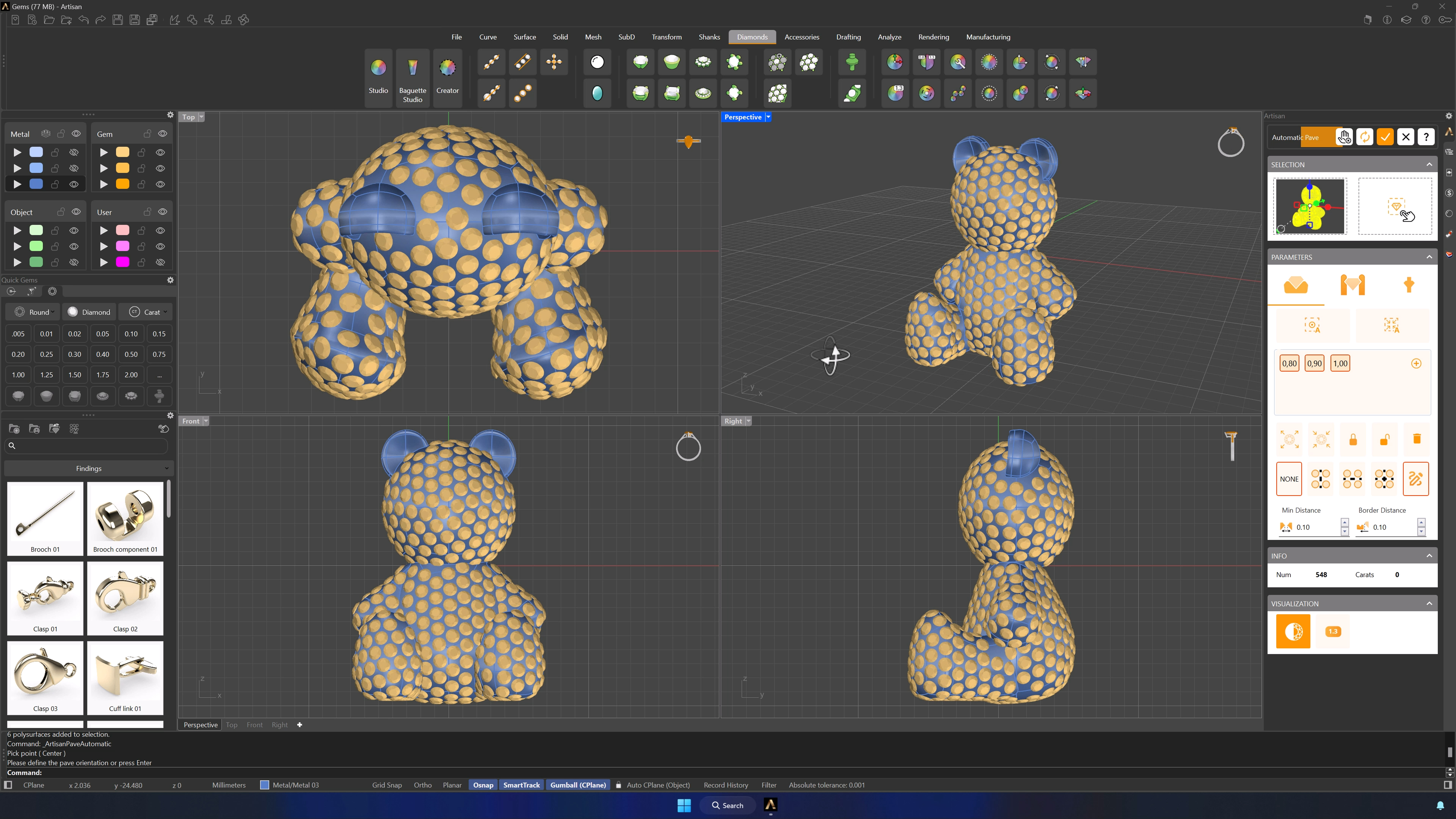
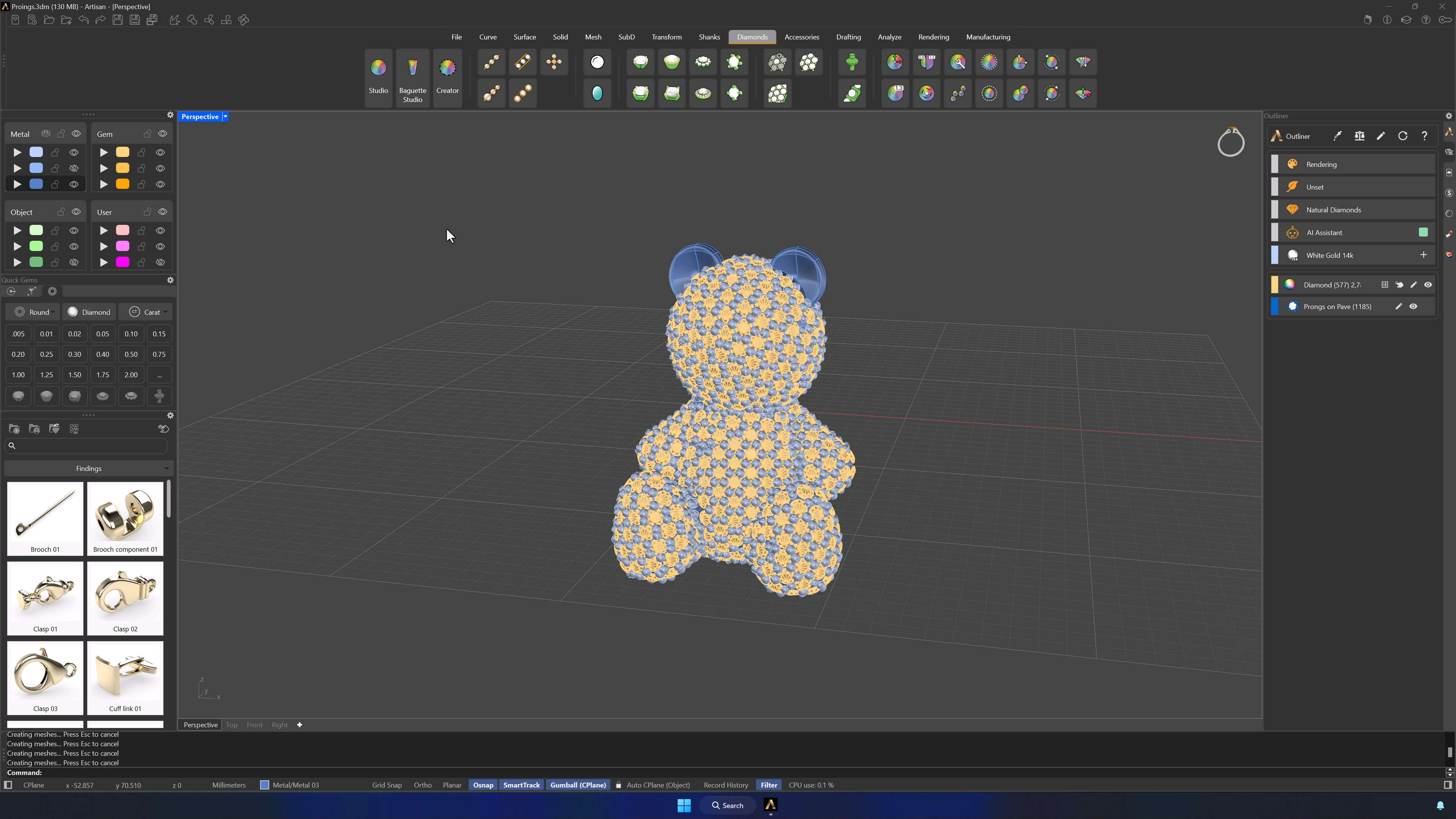
Automatic Pave over the whole model with sizes 0.8, 0.9 and 1.0 mm (delete the 1.3 default). Create Pave from Point at the center of the model, right-click to run, GEM display on, and watch the count climb in the Info panel while the bear fills with stones.
14. Generate prongs and complete the setup
Prongs at 0.6 mm diameter, 0.3 mm over and under girdle, 0.5 mm manufacturing extension — Automatic first, then zoom in and reinforce the uncovered or fragile spots by hand. Make sure the first metal layer is visible before accepting, or the prongs won’t appear.
Tips for a clean result
- Keep the reference layers locked while editing — accidental selections waste time.
- With symmetry active, work one side only; the other follows.
- Match the filter to the job: faces, edges or vertices — never fight the wrong selection type.
- Preserve an untouched copy before booleans and gem prep.
- Deleting the inner faces first makes the pavé faster to compute and cleaner to place.
- Organic modeling is subjective: compare against references, but let the bear have character.
Almost there — you still have some lessons to complete. Jump to the next one →
Impersonating — progress and reviews are disabled.
Course completed
You've completed Living Jewels: SubD Creature Sculpting 🎉
Great work. Get your certificate of completion and, if you have a minute, let other jewelers know what you thought of the course.