Final Ring
Lesson 17 of 28
Bridges Between Baskets
Sign in to access this lesson
This lesson is part of Organic SubD Ring Design: Elegance Redefined, which can come bundled with a RhinoArtisan Commercial license subject to current promotions. Log in with your customer account, or get in touch and we'll set you up.
Customers only
Solo para clientes
This lesson is part of Organic SubD Ring Design: Elegance Redefined, which can be included with a RhinoArtisan Commercial license subject to current promotions. If you've already purchased and don't see it in your account, get in touch.
Objective
Connect the cushion and round baskets using the Bridge tool for structural integrity.
Content
In the transform tab, use Quick Polar Array to duplicate the round basket:

- Select the round basket.
- Set Number of Copies: 6, Angle: 105 degrees, and Alignment: Left.
- Leave gaps between baskets for bridging.
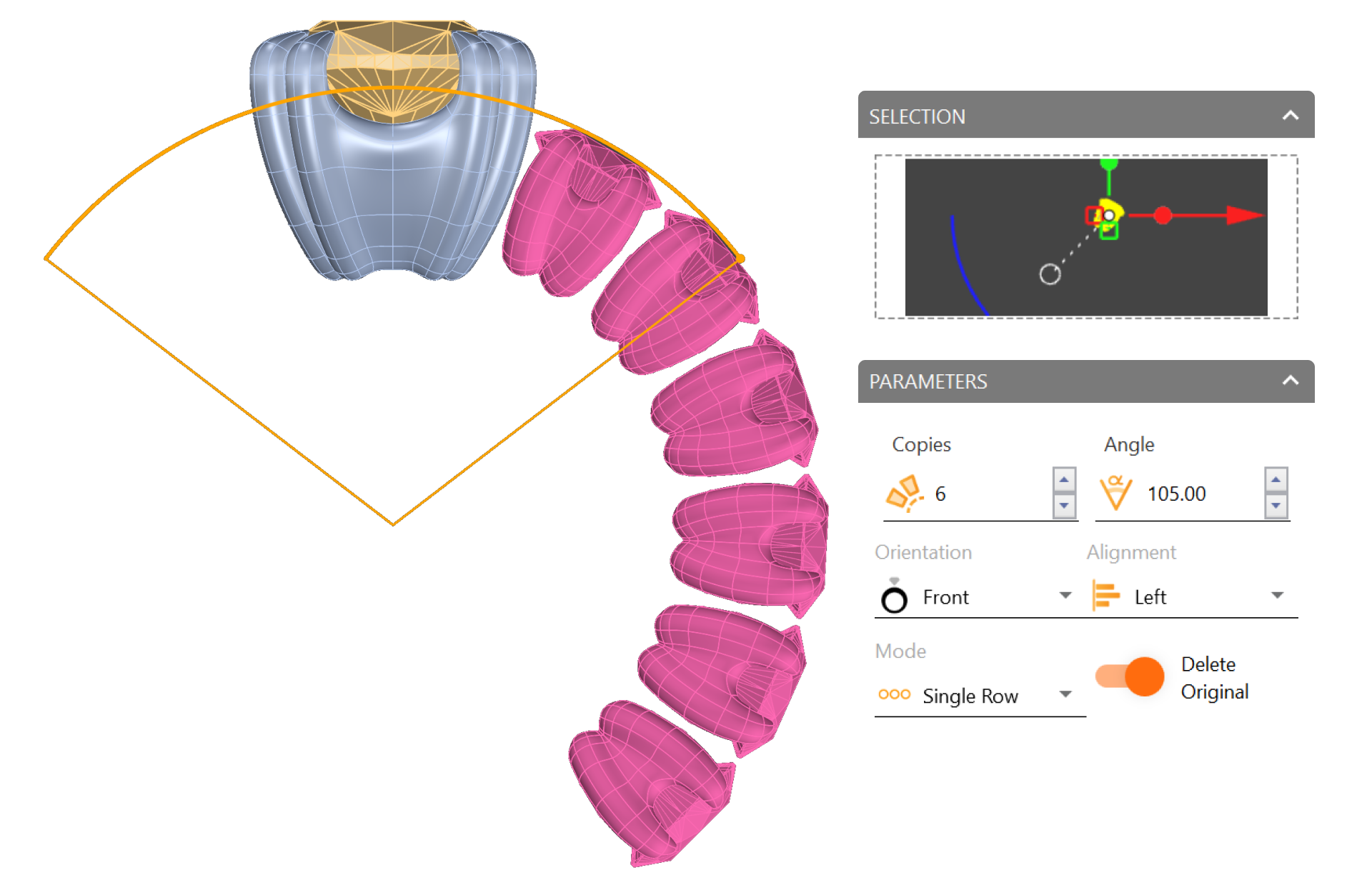
If you can’t properly visualize the model, remember to click the Refresh button to update the command parameters.

Create bridges:
- To simplify the process, select the round baskets and move them to a different layer. To do this, click on the arrow in the Layer panel.
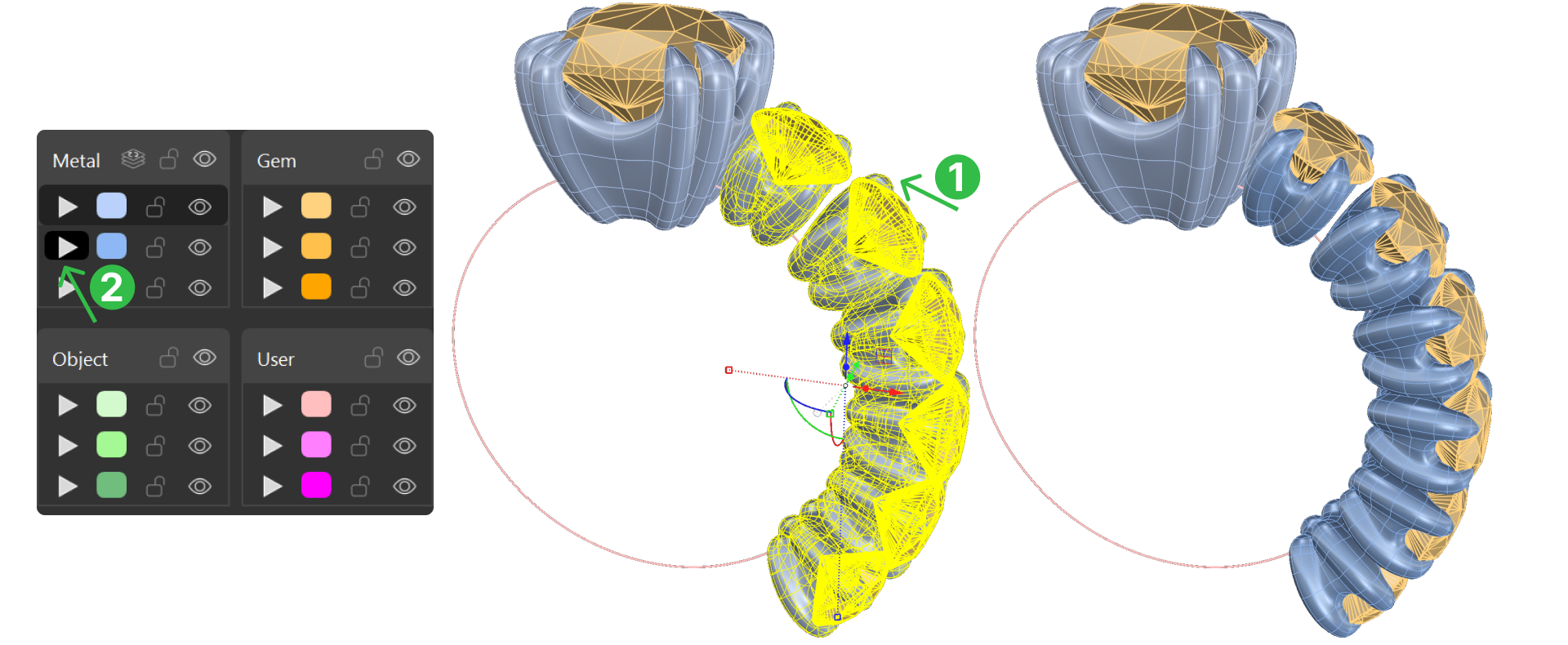
- In the SubD tab, use the Bridge command.

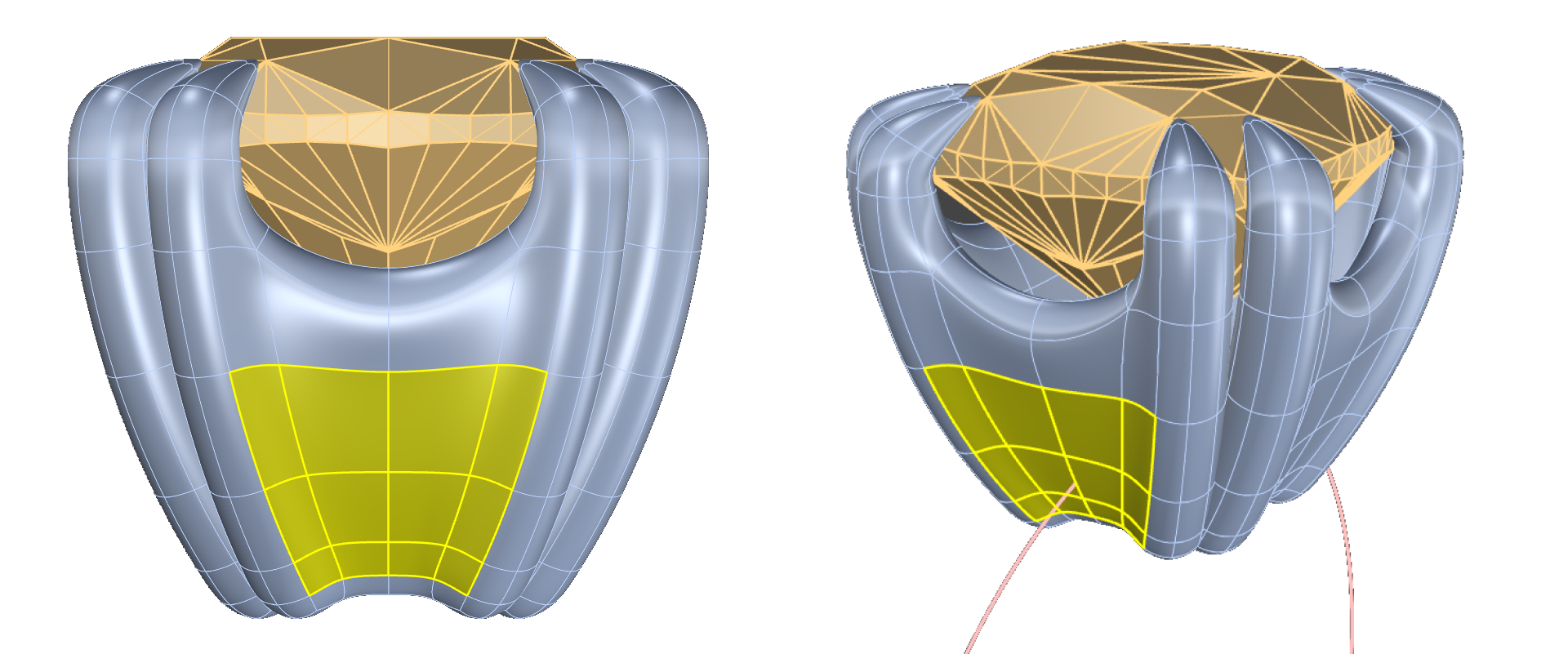
- Start with the cushion basket and select faces as shown in the image.
- Repeat the process with the round basket.
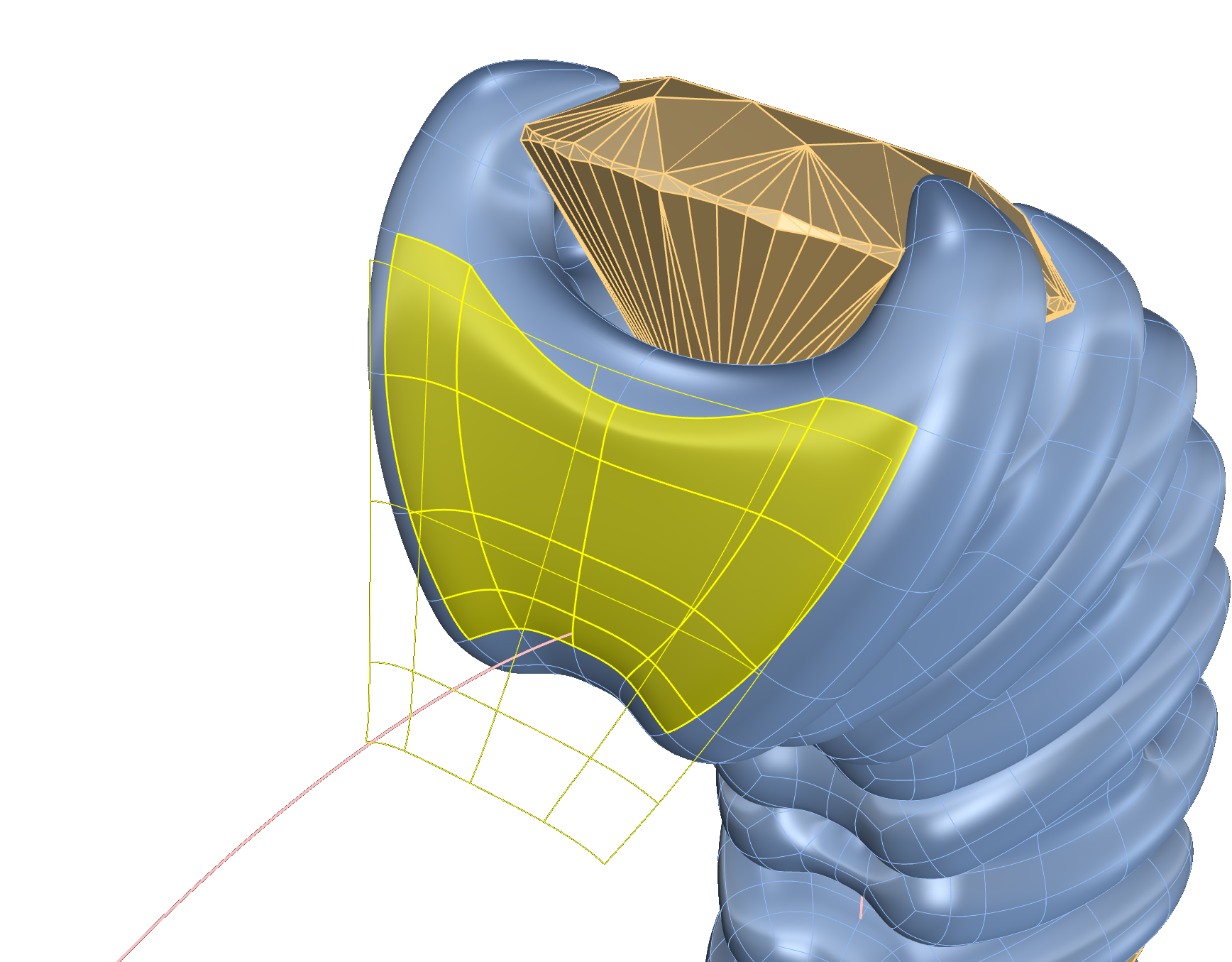
- Use the bottom view to facilitate the process
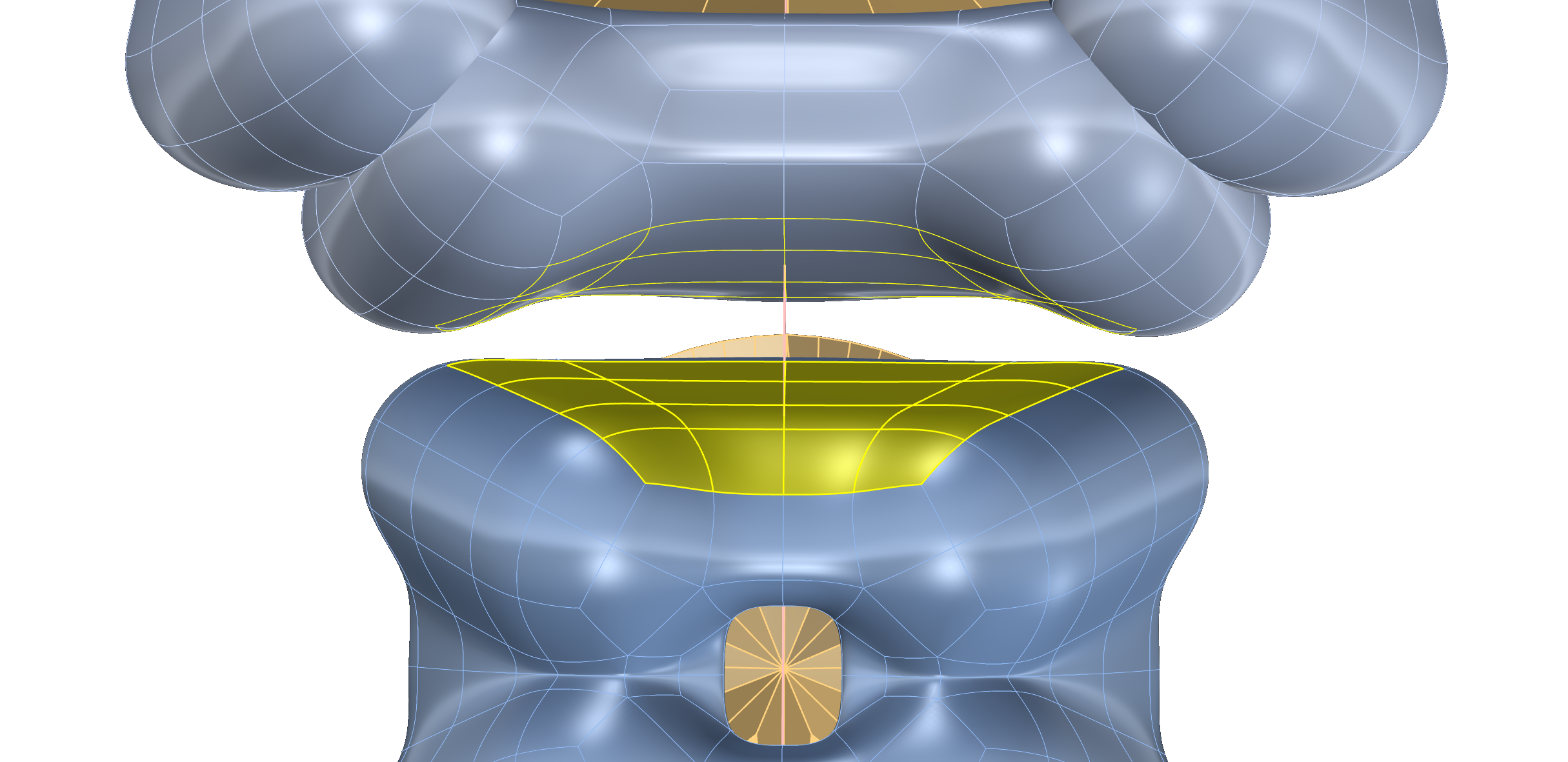
- Use Segments: 2 for each connection.
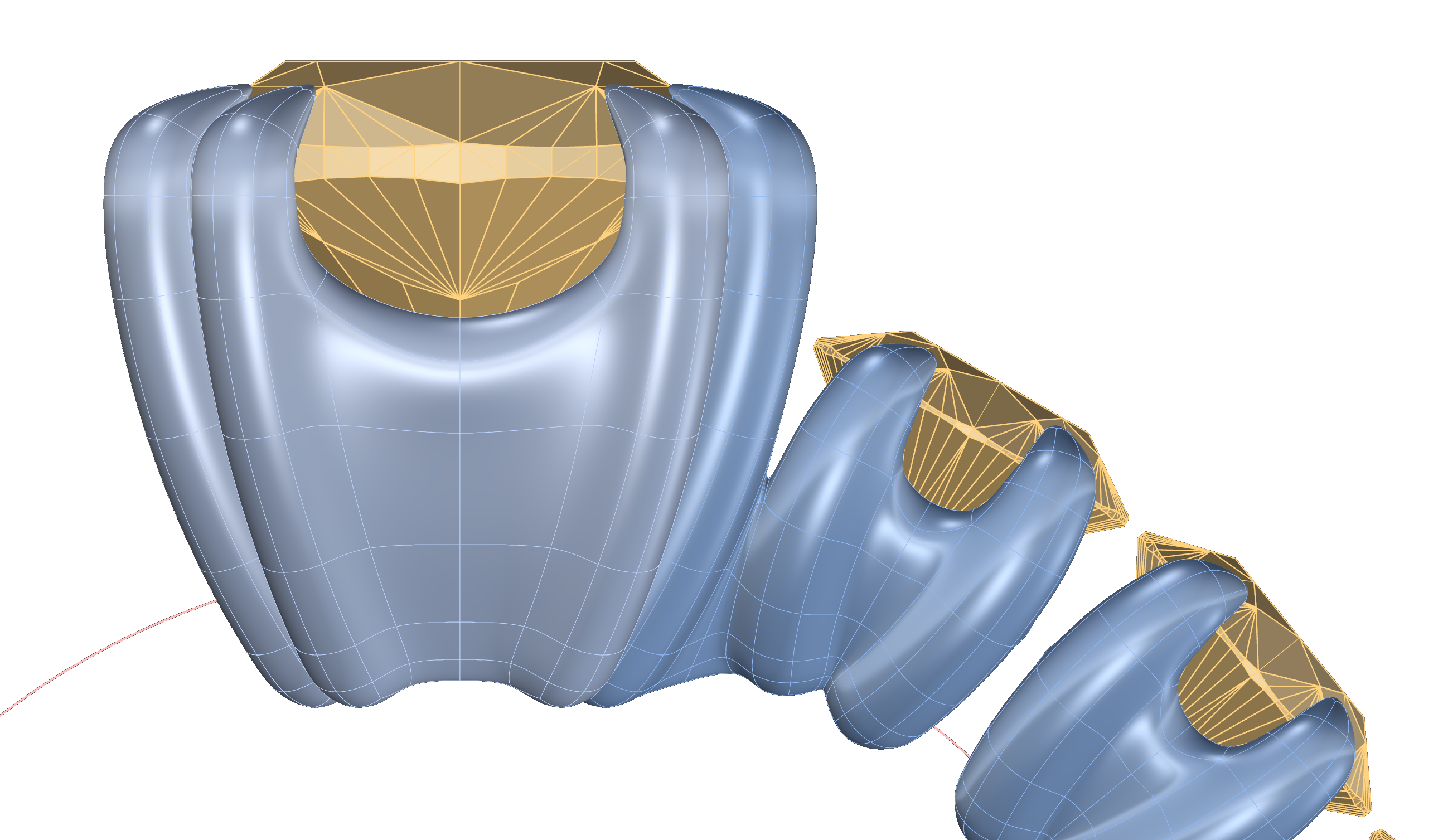
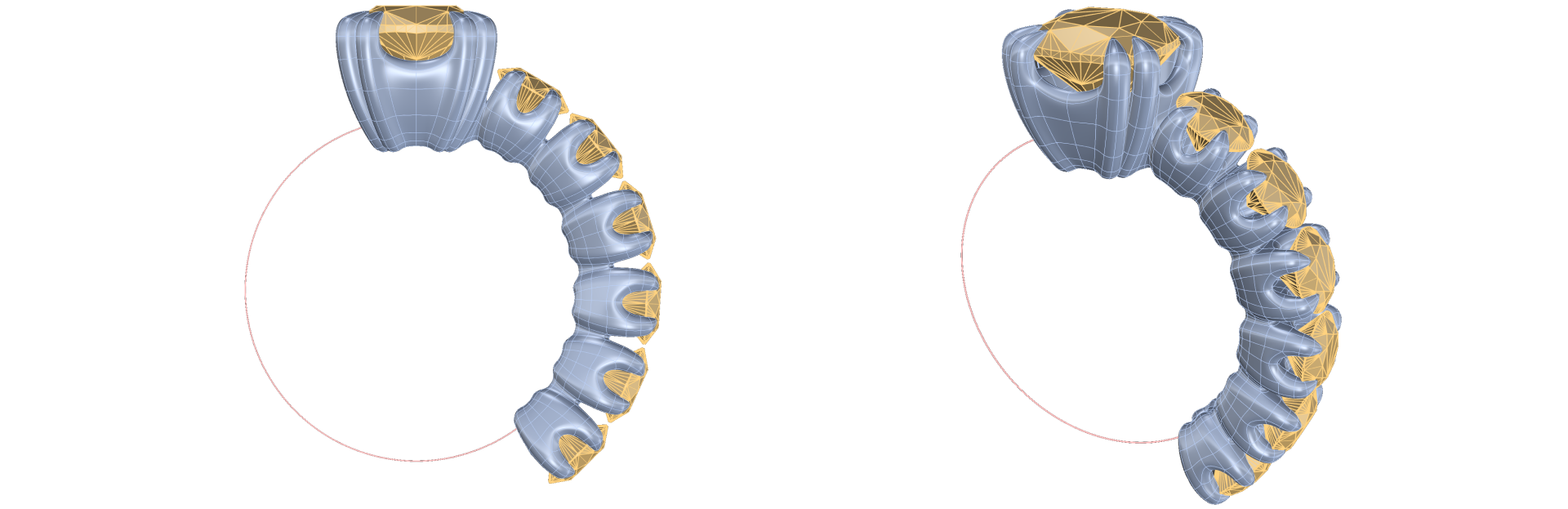
- Repeat the process with all the rounds baskets.
Video Lesson
Next Step
Mirror the assemblies and create the classic shank.
Almost there — you still have some lessons to complete. Jump to the next one →
Impersonating — progress and reviews are disabled.
Course completed
You've completed Organic SubD Ring Design: Elegance Redefined 🎉
Great work. Get your certificate of completion and, if you have a minute, let other jewelers know what you thought of the course.