Final Ring
Lesson 18 of 28
Mirror and Classic Shank
Sign in to access this lesson
This lesson is part of Organic SubD Ring Design: Elegance Redefined, which can come bundled with a RhinoArtisan Commercial license subject to current promotions. Log in with your customer account, or get in touch and we'll set you up.
Customers only
Solo para clientes
This lesson is part of Organic SubD Ring Design: Elegance Redefined, which can be included with a RhinoArtisan Commercial license subject to current promotions. If you've already purchased and don't see it in your account, get in touch.
Objective
Complete the basket assembly and create the shank for the ring.
Content
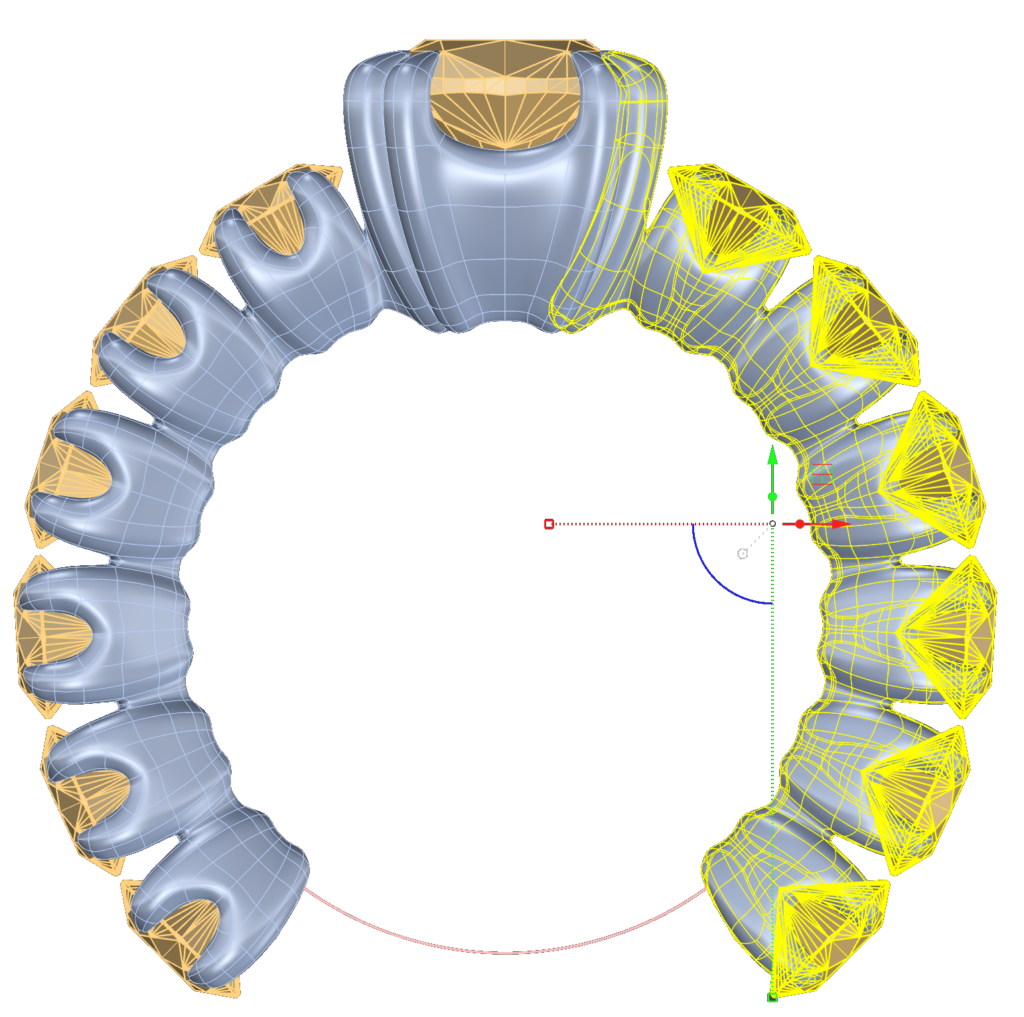
Mirror the assembly:
- Delete the left half of the cushion basket.
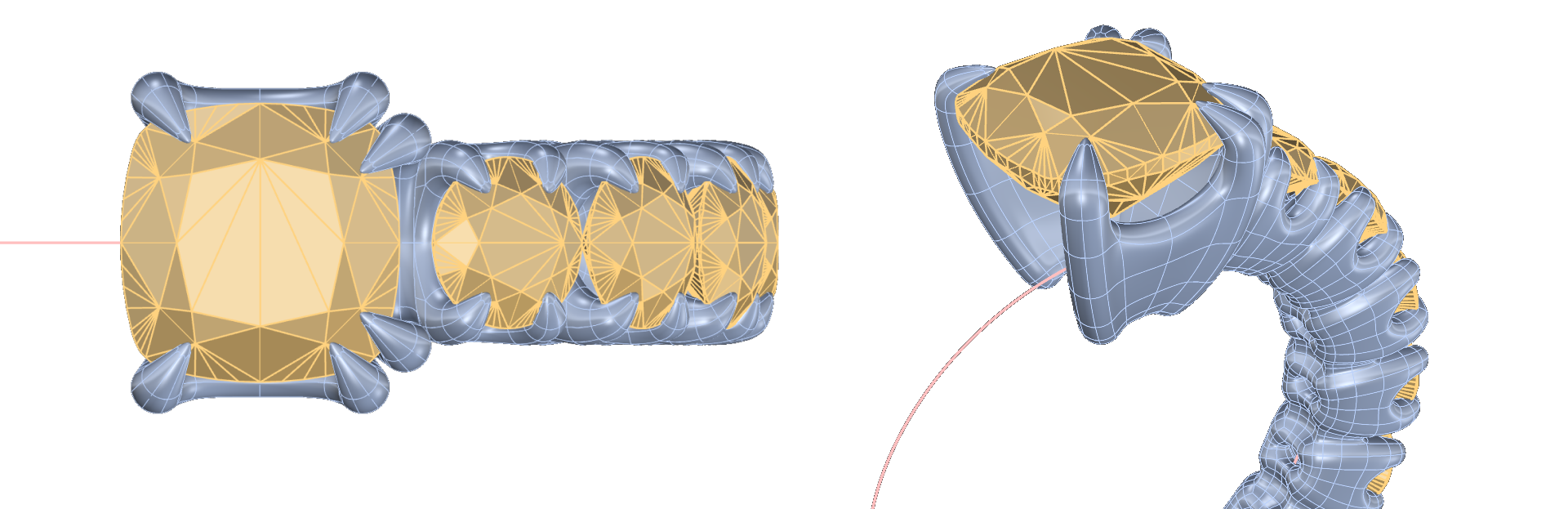
- Mirror the remaining elements along the Y-axis to complete the structure.
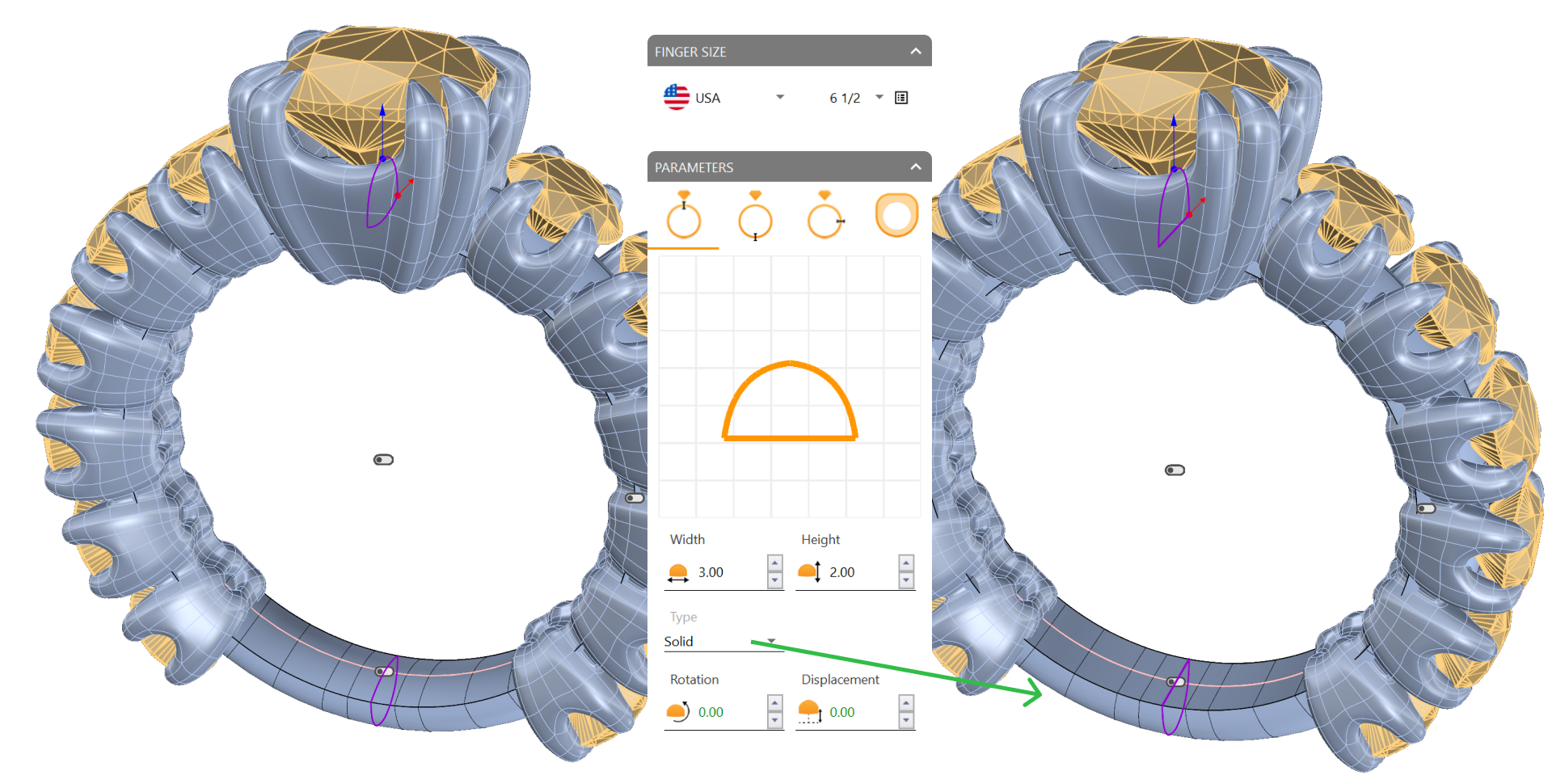
Create the shank:
- Navigate to the Shanks tab (1) and use the Classic command (2).

- Click Edit and set the Type: Solid.
- Important: Set the Size to USA 6 1/2
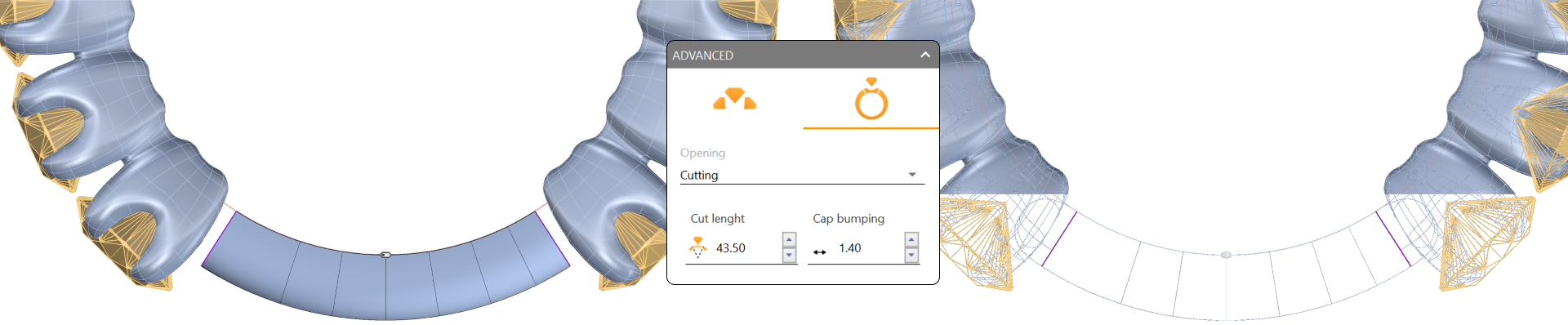
Advanced:
- Opening: Cutting.
- Cup Bumping: 1.40.
Adjust settings:
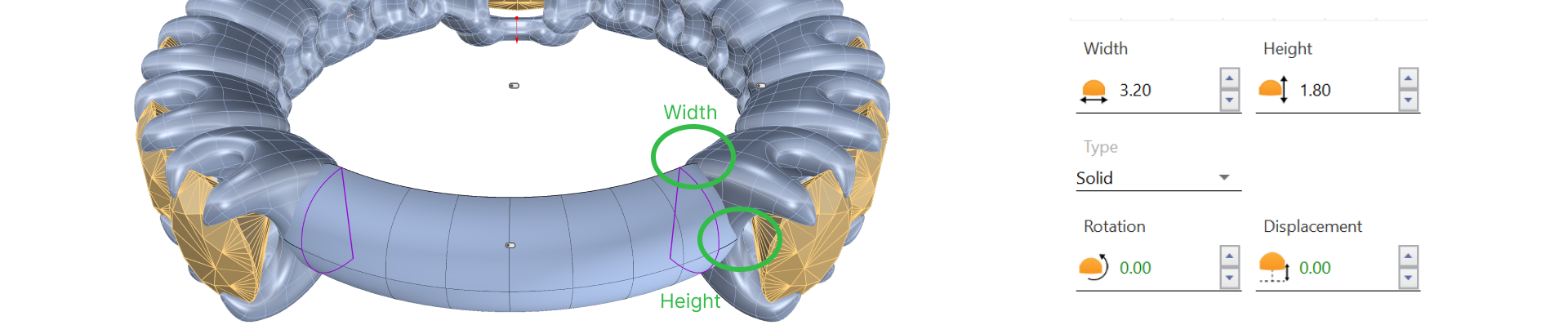
Now we will adjust the height to match the height of the baskets. Ensure it does not exceed the bridge; this measurement may vary depending on the shape of each basket. In my case, I will use a height of 1.8 mm. Adjust it to fit your model.
We will also modify the width:
In my case, 3.20 mm.
Video Lesson
Next Step
Finalize the model with cutters and prepare for rendering.
Almost there — you still have some lessons to complete. Jump to the next one →
Impersonating — progress and reviews are disabled.
Course completed
You've completed Organic SubD Ring Design: Elegance Redefined 🎉
Great work. Get your certificate of completion and, if you have a minute, let other jewelers know what you thought of the course.