Floating Diamond Ring
Lesson 26 of 43
Pose, Apply Materials and Render
Sign in to access this lesson
This lesson is part of Kickstart: From idea to Creation, which can come bundled with a RhinoArtisan Commercial license subject to current promotions. Log in with your customer account, or get in touch and we'll set you up.
Customers only
Solo para clientes
This lesson is part of Kickstart: From idea to Creation, which can be included with a RhinoArtisan Commercial license subject to current promotions. If you've already purchased and don't see it in your account, get in touch.
Objective: Learn how to pose your model, apply materials, and render your floating ring for a professional presentation
Pose Your Model
Go to the “Rendering” tab and select the “Lying on the Ground” command.

Select both the gemstone and the shank
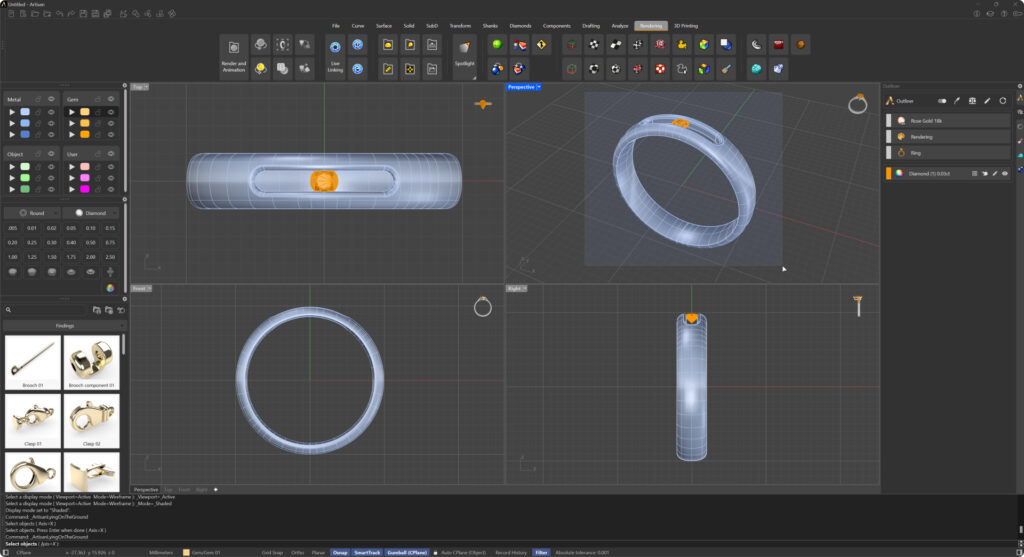
In the command bar, select the axis on which you want to pose the model. In this case, choose the X-axis, which is selected by default.

Press “Enter” and wait for the model to position itself automatically.
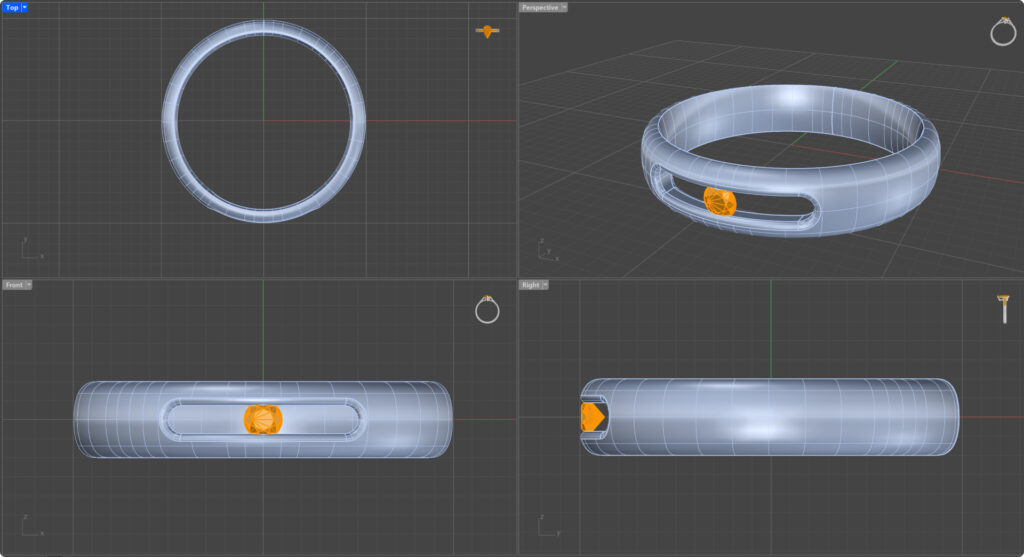
Apply Materials
Go to the Render and Animation panel located on the right side of the interface.
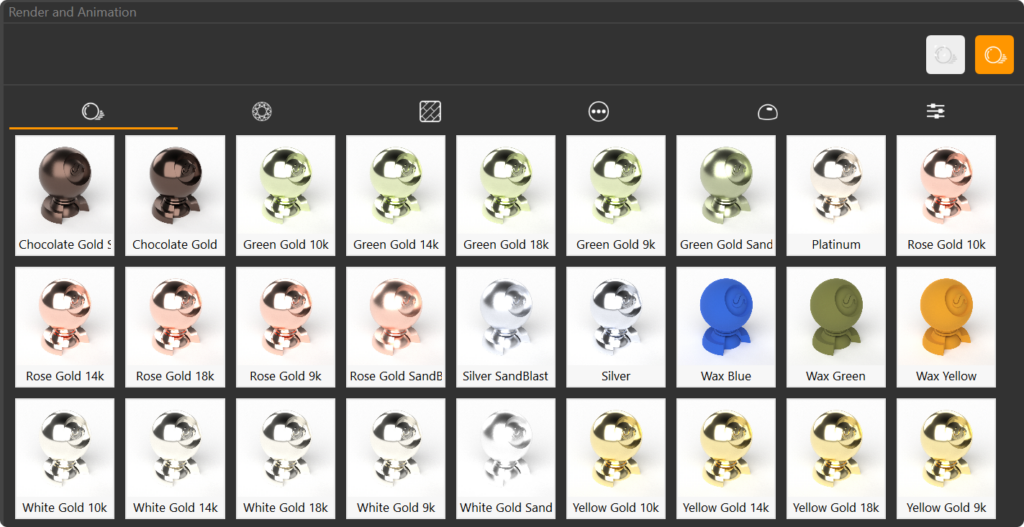
Alternatively, you can access this panel by going to the Rendering tab and clicking on the Render and Animation command, located on the far left.

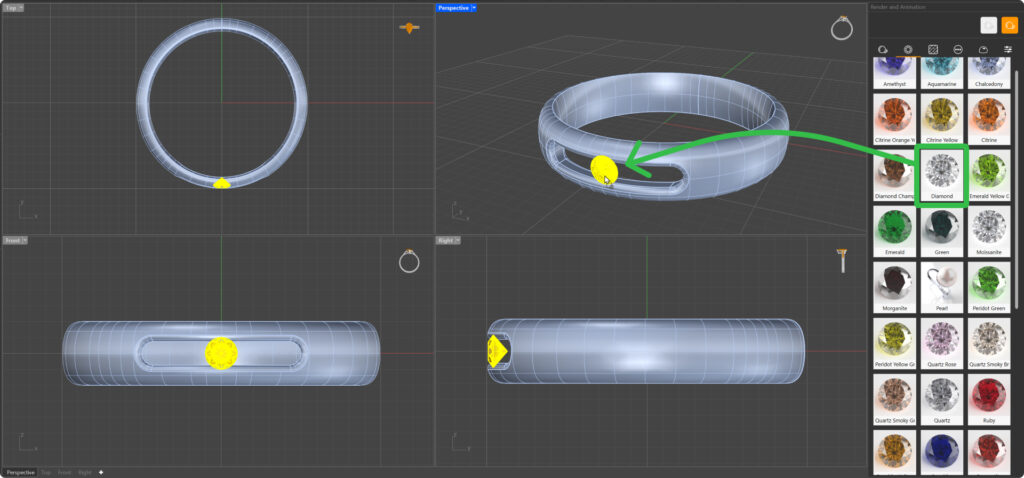
In the ‘Render and Animation’ panel, choose ‘Yellow Gold 18k’ for the metal of the shank. Select the shank and double-click on the material.
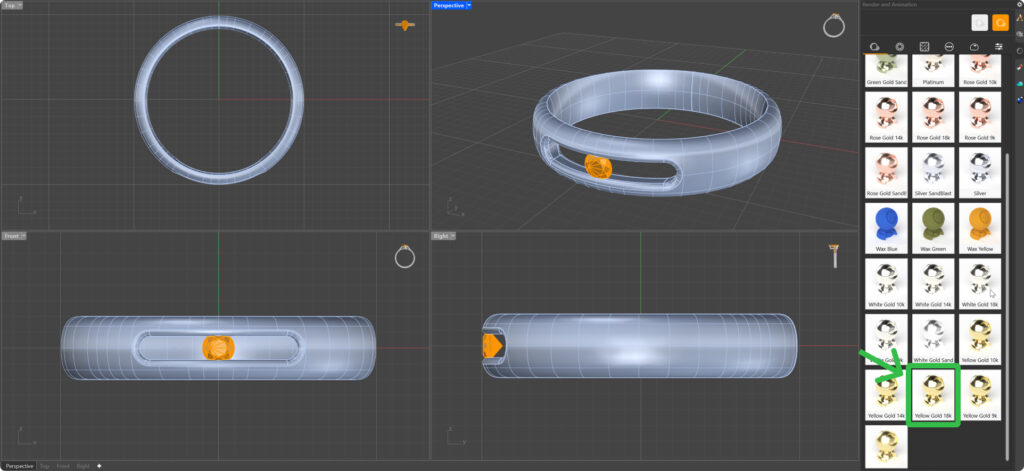
Apply a diamond material to the gemstone. Drag the material and drop it on the gem.
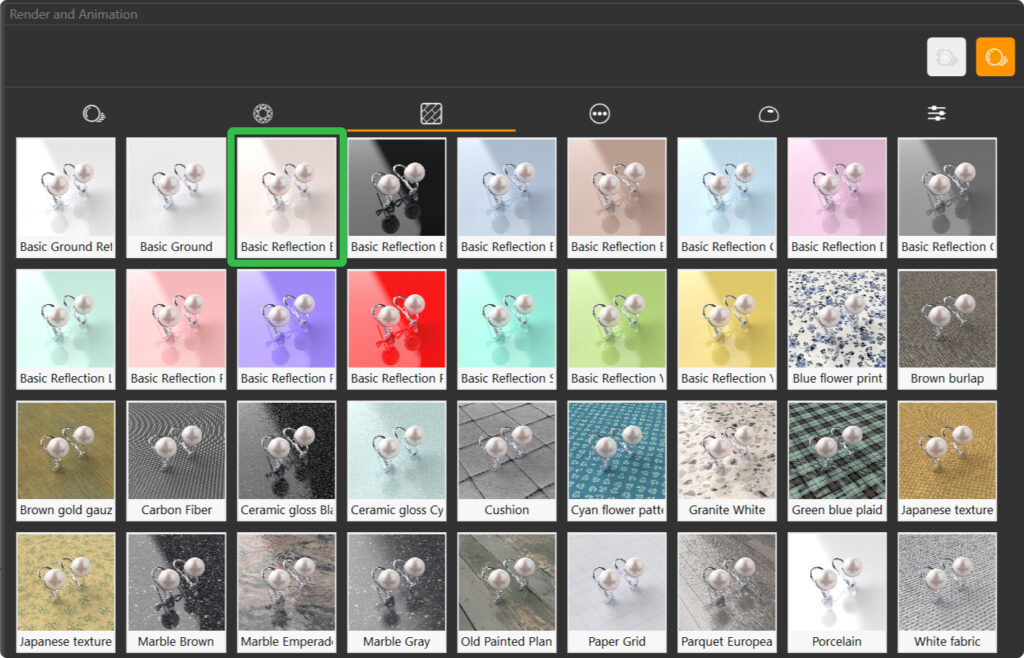
To finish, apply a basic reflection material for ground.
Render Your Design
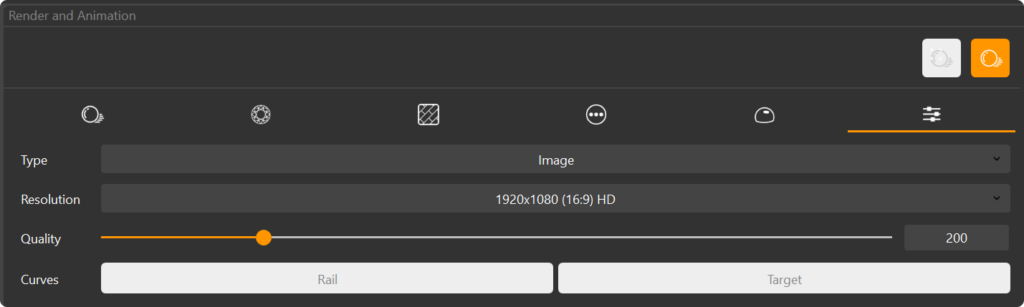
Set the resolution to 1920 x 1080 (19:9) HD for a high-quality output, leave the Quality setting at 200, which is the default setting.
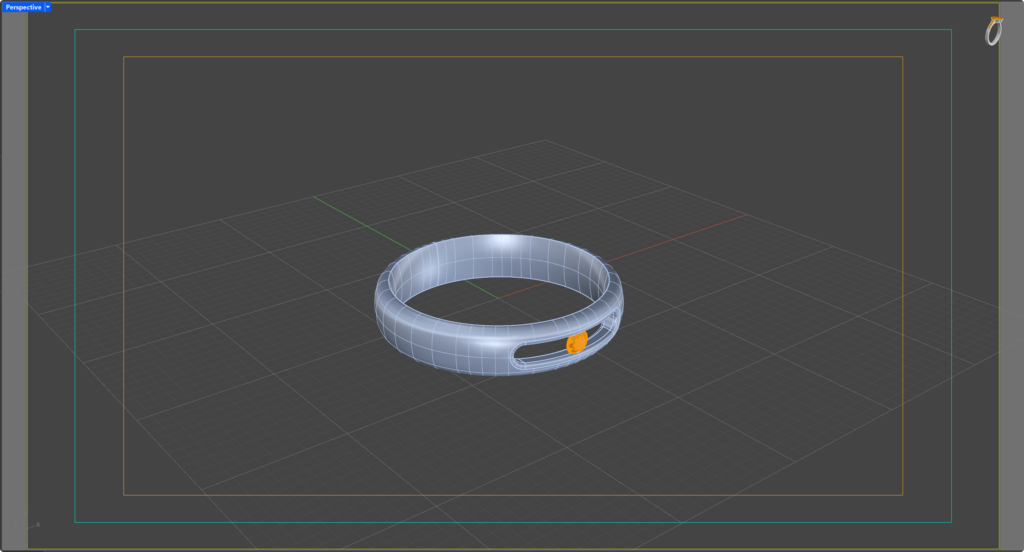
Safe frames indicate the visible area of the render; anything outside these frames will not be included in the final image. Adjust the model’s position so that all important elements are within the safe frames. Adjust the view for rendering in the perspective view to get the best angle.
Once everything is set, press the Render  button to generate your final image.
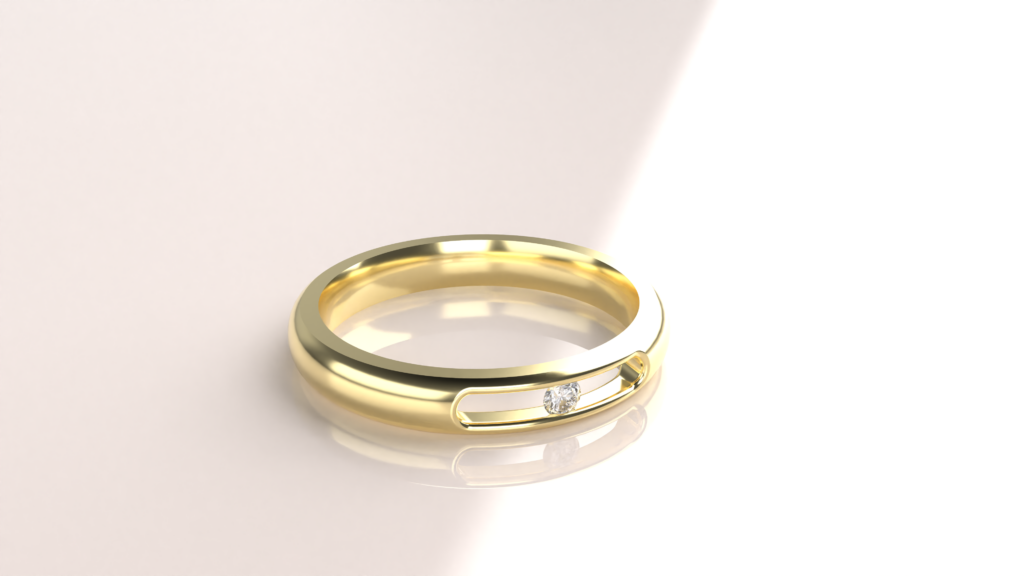
Your model will now be rendered with high-quality materials, showcasing the beauty of your floating Ring in stunning detail.
Video Lesson
Almost there — you still have some lessons to complete. Jump to the next one →
Impersonating — progress and reviews are disabled.
Course completed
You've completed Kickstart: From idea to Creation 🎉
Great work. Get your certificate of completion and, if you have a minute, let other jewelers know what you thought of the course.