Introduction to RhinoArtisan
Lesson 4 of 43
RhinoArtisan: Panels Management
Video lesson · 2:58
Sign in to access this lesson
This lesson is part of Kickstart: From idea to Creation, which can come bundled with a RhinoArtisan Commercial license subject to current promotions. Log in with your customer account, or get in touch and we'll set you up.
Customers only
Solo para clientes
This lesson is part of Kickstart: From idea to Creation, which can be included with a RhinoArtisan Commercial license subject to current promotions. If you've already purchased and don't see it in your account, get in touch.
How to display the RhinoArtisan panels?
The RhinoArtisan panels are visible when you install the software, but if you have closed them, you can reopen them from the File tab.
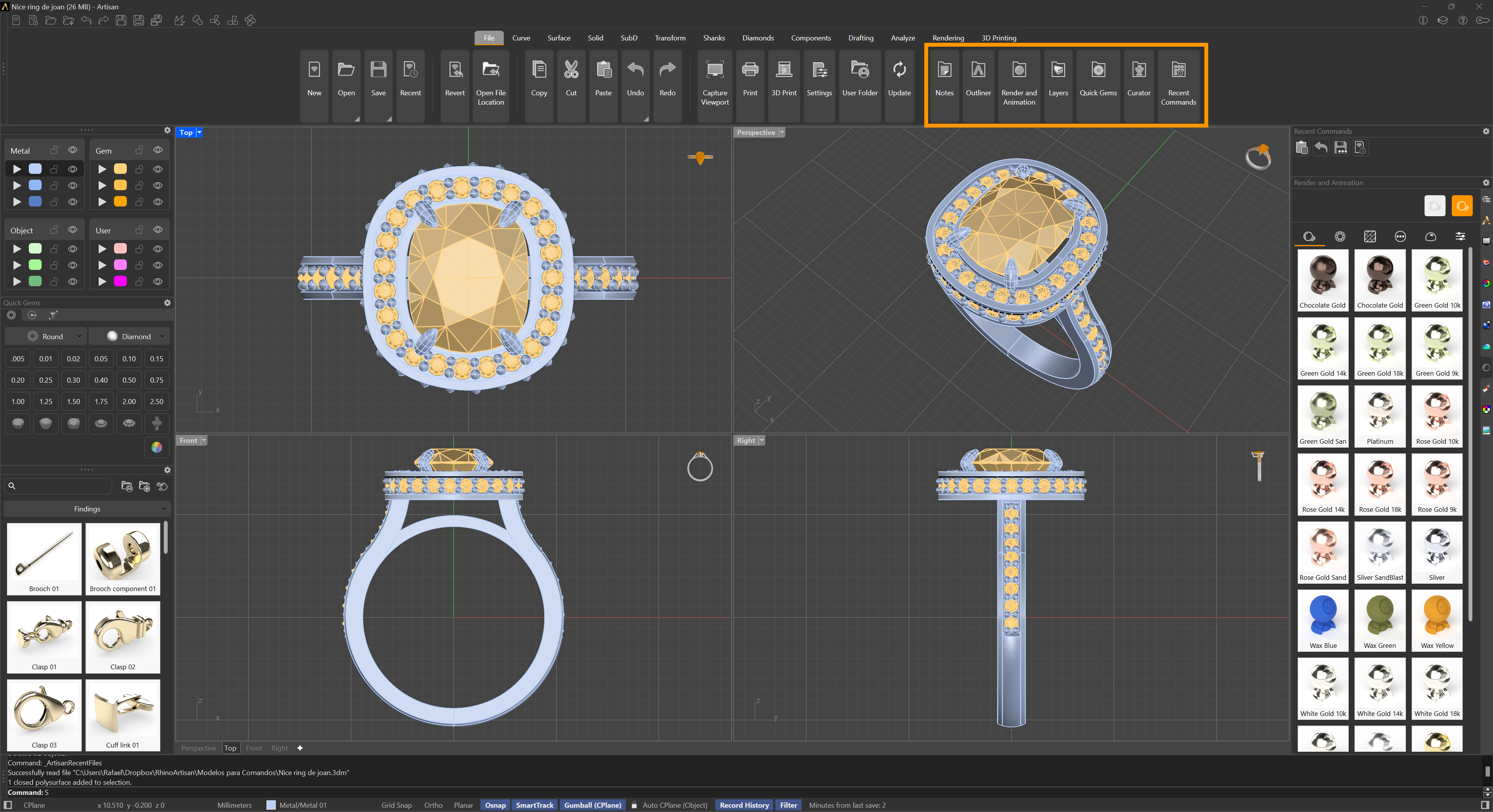
RhinoArtisan Panels Buttons
How to display the Rhino standard panels?
To display all the panels, right-click on the empty strip in the panel area, and the following menu will appear. Just click on Show Panels…
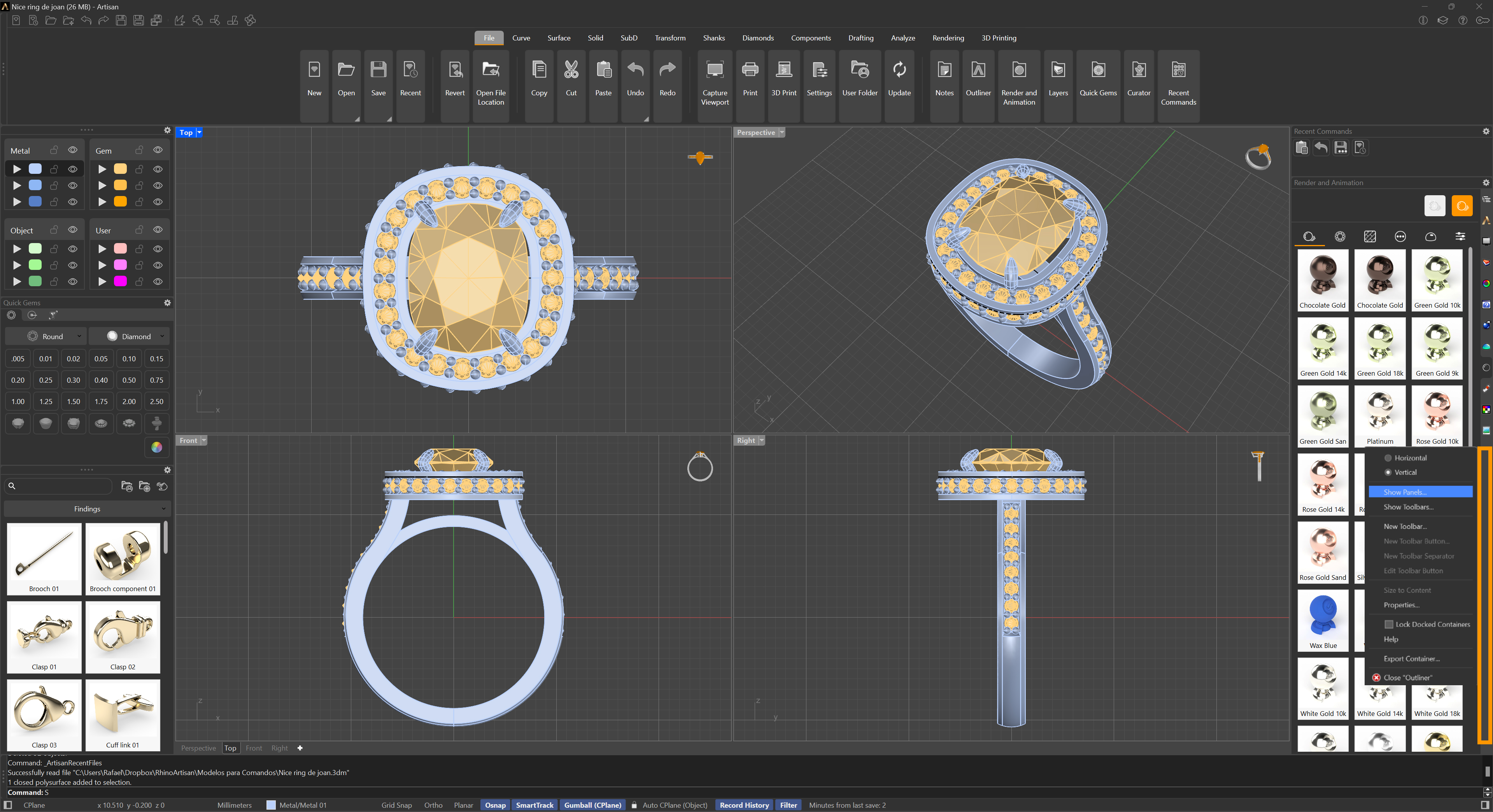
Show Panels option
How can we restore the RhinoArtisan panels to their original state, just like on the first day?
To do this, we need to run the WindowLayouts command, and the following window will appear:
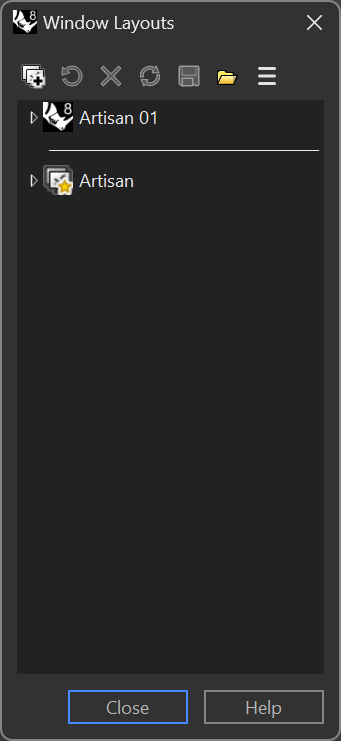
The following window will then appear; click No.
Almost there — you still have some lessons to complete. Jump to the next one →
Impersonating — progress and reviews are disabled.
Course completed
You've completed Kickstart: From idea to Creation 🎉
Great work. Get your certificate of completion and, if you have a minute, let other jewelers know what you thought of the course.