Organic Pendant
Lesson 10 of 38
Applying & Adjusting the Profiles
Sign in to access this lesson
This lesson is part of Modern Elegance: Fashion Jewelry Modeling, which can come bundled with a RhinoArtisan Commercial license subject to current promotions. Log in with your customer account, or get in touch and we'll set you up.
Customers only
Solo para clientes
This lesson is part of Modern Elegance: Fashion Jewelry Modeling, which can be included with a RhinoArtisan Commercial license subject to current promotions. If you've already purchased and don't see it in your account, get in touch.
8. Apply the profile to the curves
Use Apply Element from the Outliner: select the profile first, then the curve it should follow, and press Enter. Repeat for the other curve.
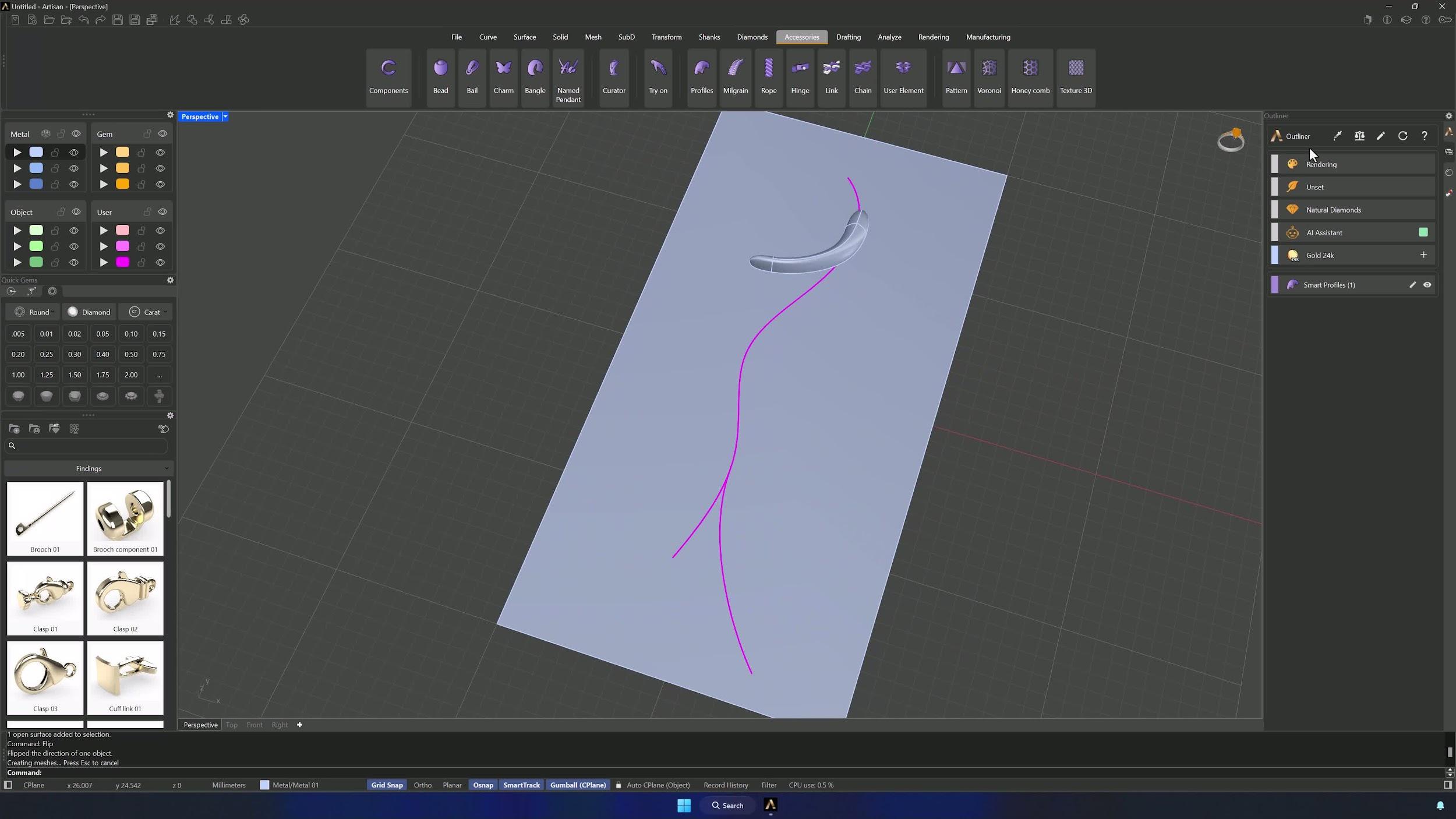
9. Correct the lower profile width if it protrudes
If the lower profile sticks out, edit the center profile and widen its lower section with the Gumball until it aligns — 1.44 mm in the example — and accept.
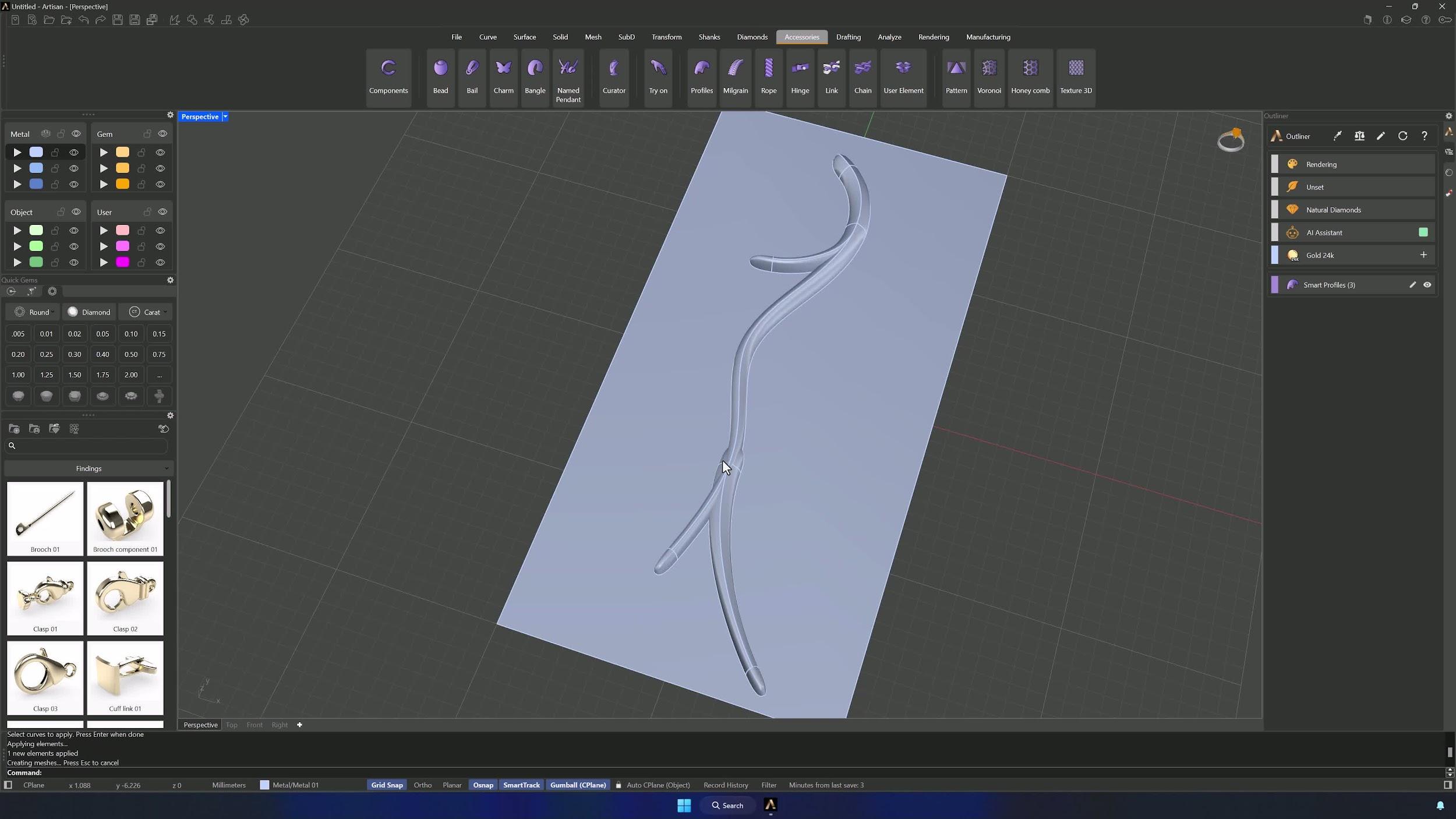
10. Create the lower profile support surface
Move the surface to another layer so you can hide it, then select the curve and extrude it by holding Shift and dragging the Gumball sphere — this surface will carry the lower profile.
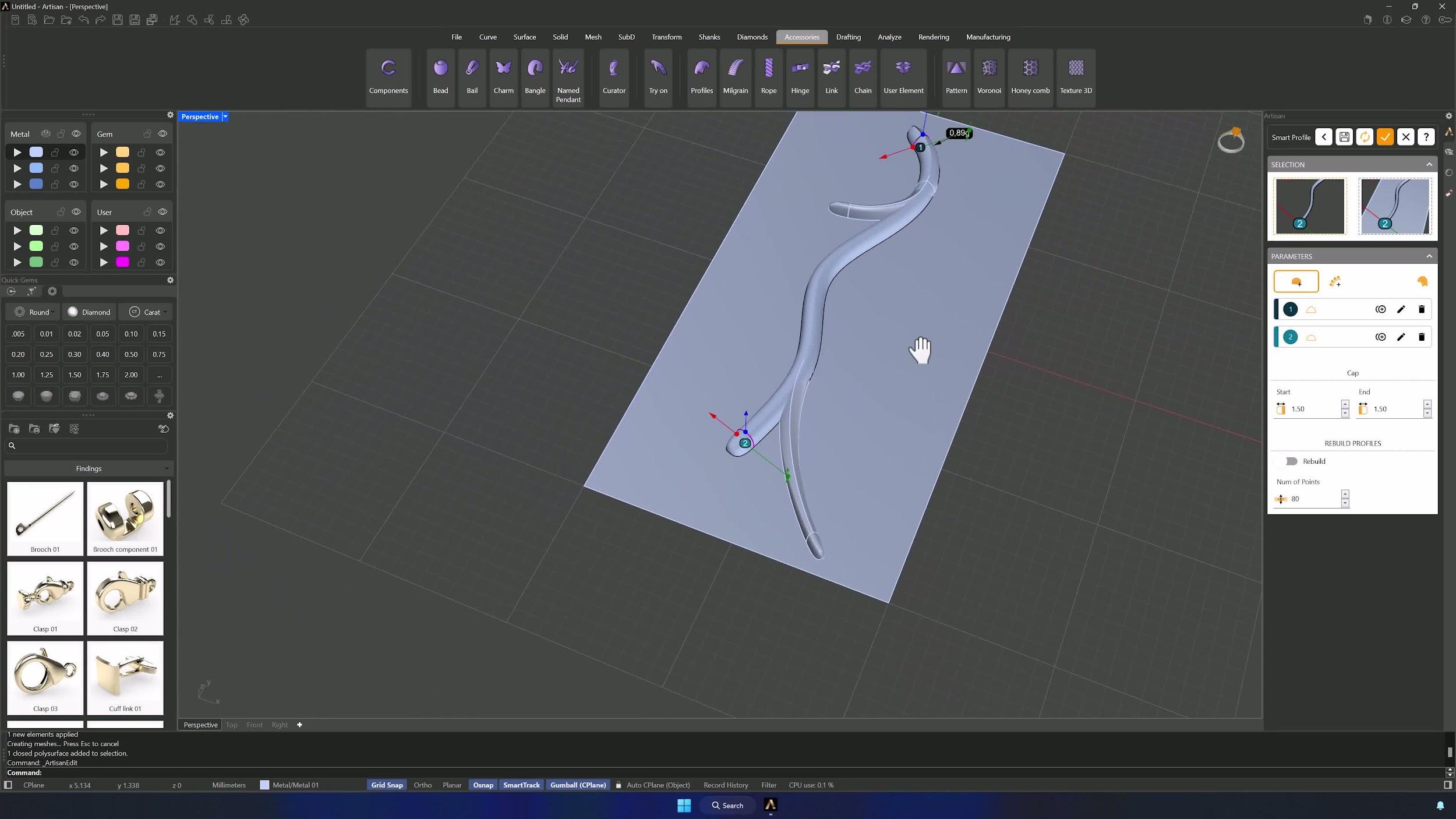
11. Apply and orient the lower profile
Apply Element again: one of the profiles onto the lower curve. Edit it, add the new surface to the selector, and if the orientation is wrong, the same Flip trick fixes it.
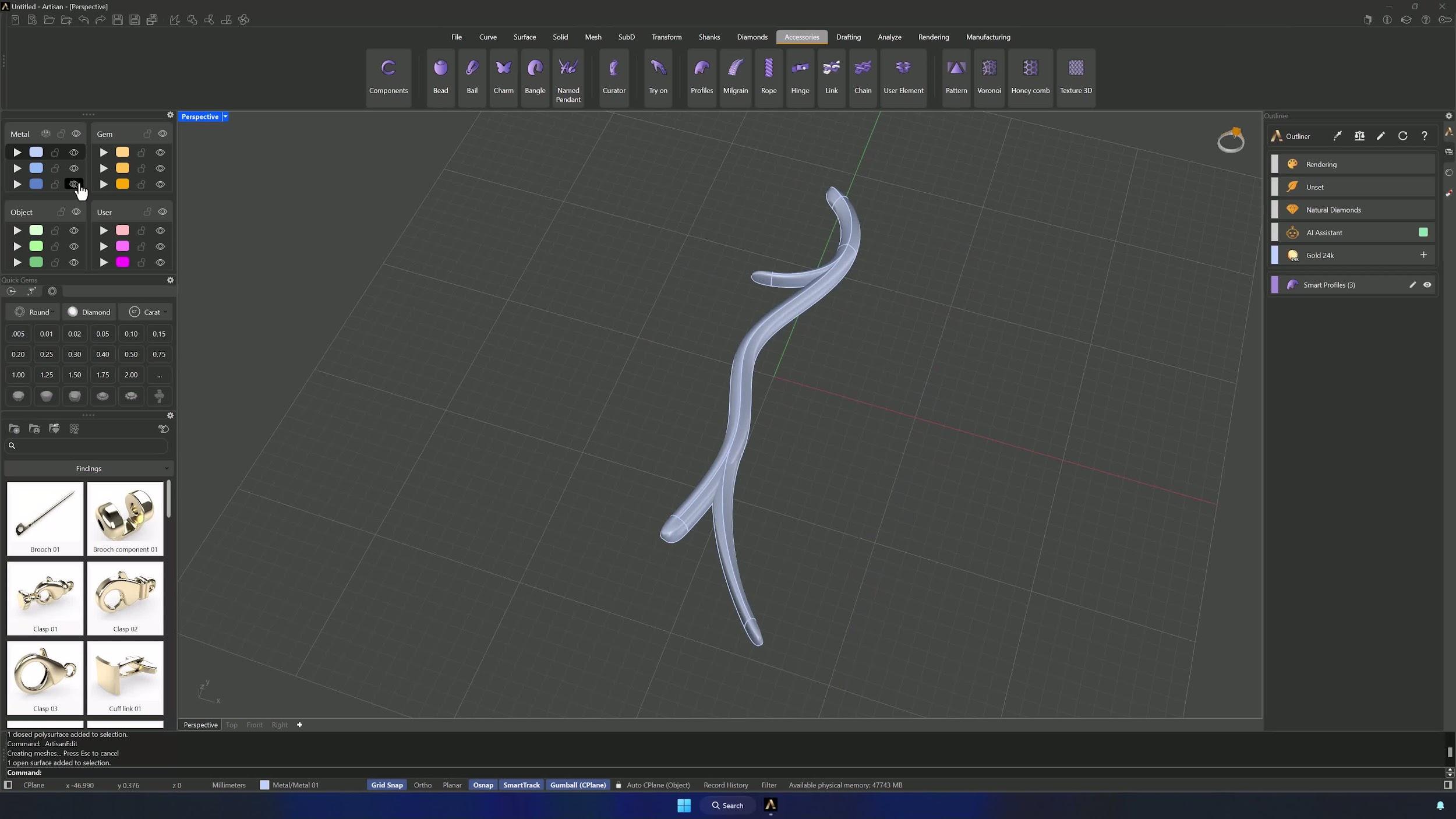
12. Trim the cap and reposition the lower profile
Adjust the cap’s start and end so nothing sticks out — 0.4 mm and 0.80 mm in the example. Then select curve, profile and surface together and reposition the lower profile from the Top view with the Gumball, disabling Grid Snap for finer movement.
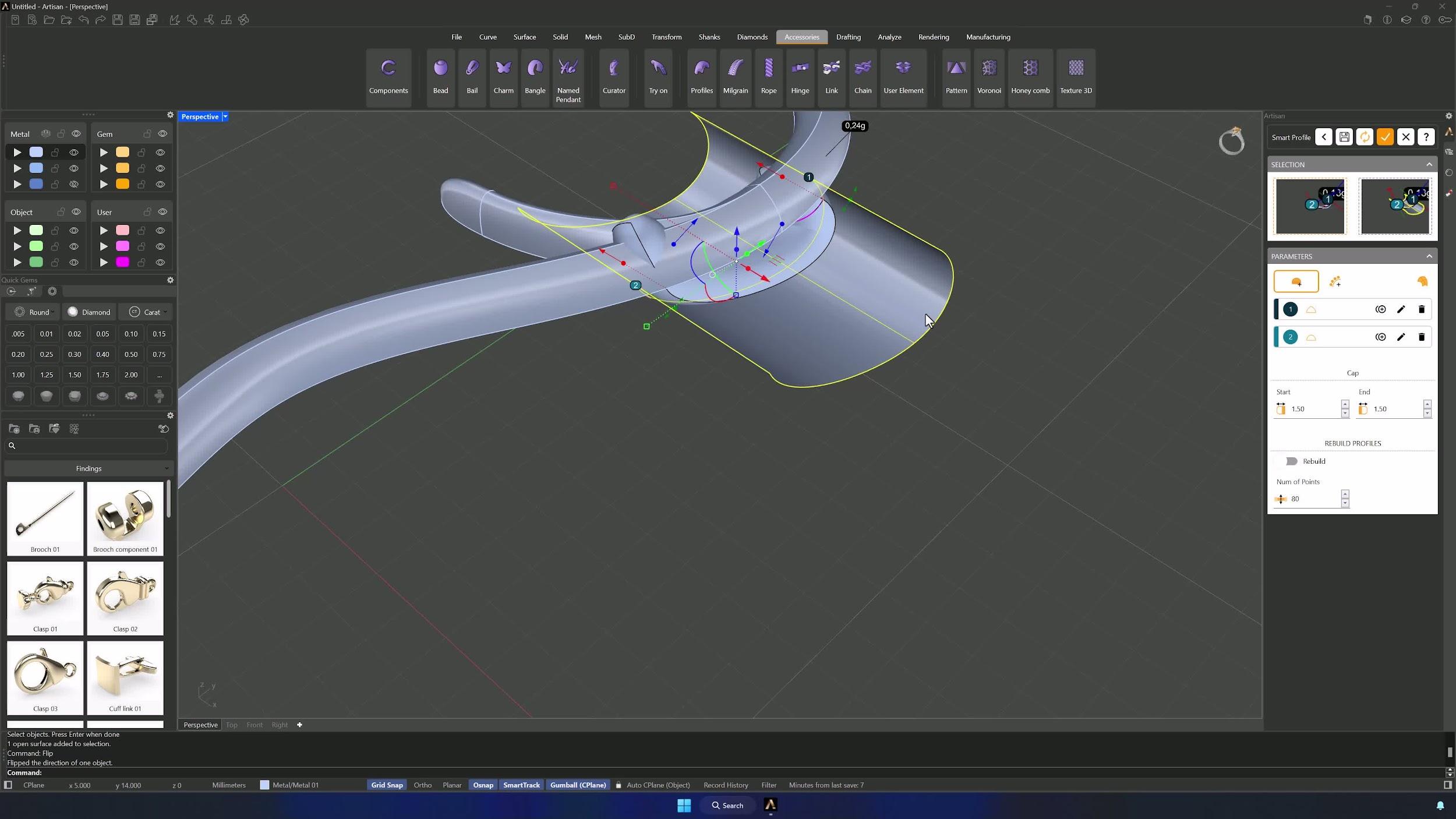
13. Prepare the structure for gemstone placement
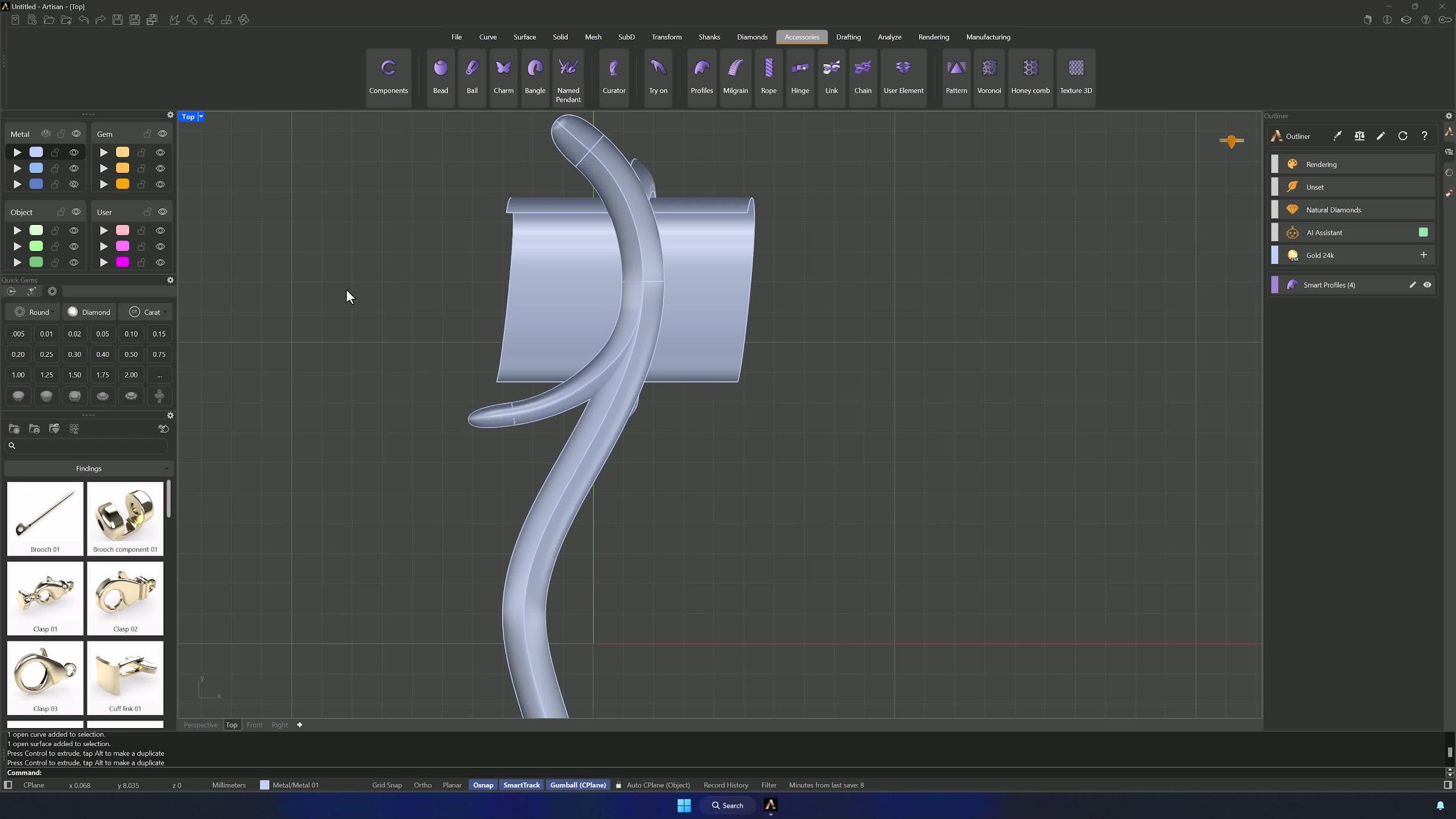
Review the full structure, then move the surface to its layer so only the profile skeleton remains visible, and return to the Top view. Remember: this is an organic model — dimensions and placement are yours to adjust.
Almost there — you still have some lessons to complete. Jump to the next one →
Impersonating — progress and reviews are disabled.
Course completed
You've completed Modern Elegance: Fashion Jewelry Modeling 🎉
Great work. Get your certificate of completion and, if you have a minute, let other jewelers know what you thought of the course.