Christmas Tree Pendant
Lesson 31 of 38
Star, Bail & Final Booleans
Sign in to access this lesson
This lesson is part of Modern Elegance: Fashion Jewelry Modeling, which can come bundled with a RhinoArtisan Commercial license subject to current promotions. Log in with your customer account, or get in touch and we'll set you up.
Customers only
Solo para clientes
This lesson is part of Modern Elegance: Fashion Jewelry Modeling, which can be included with a RhinoArtisan Commercial license subject to current promotions. If you've already purchased and don't see it in your account, get in touch.
15. Add final decorative details and pendant hardware
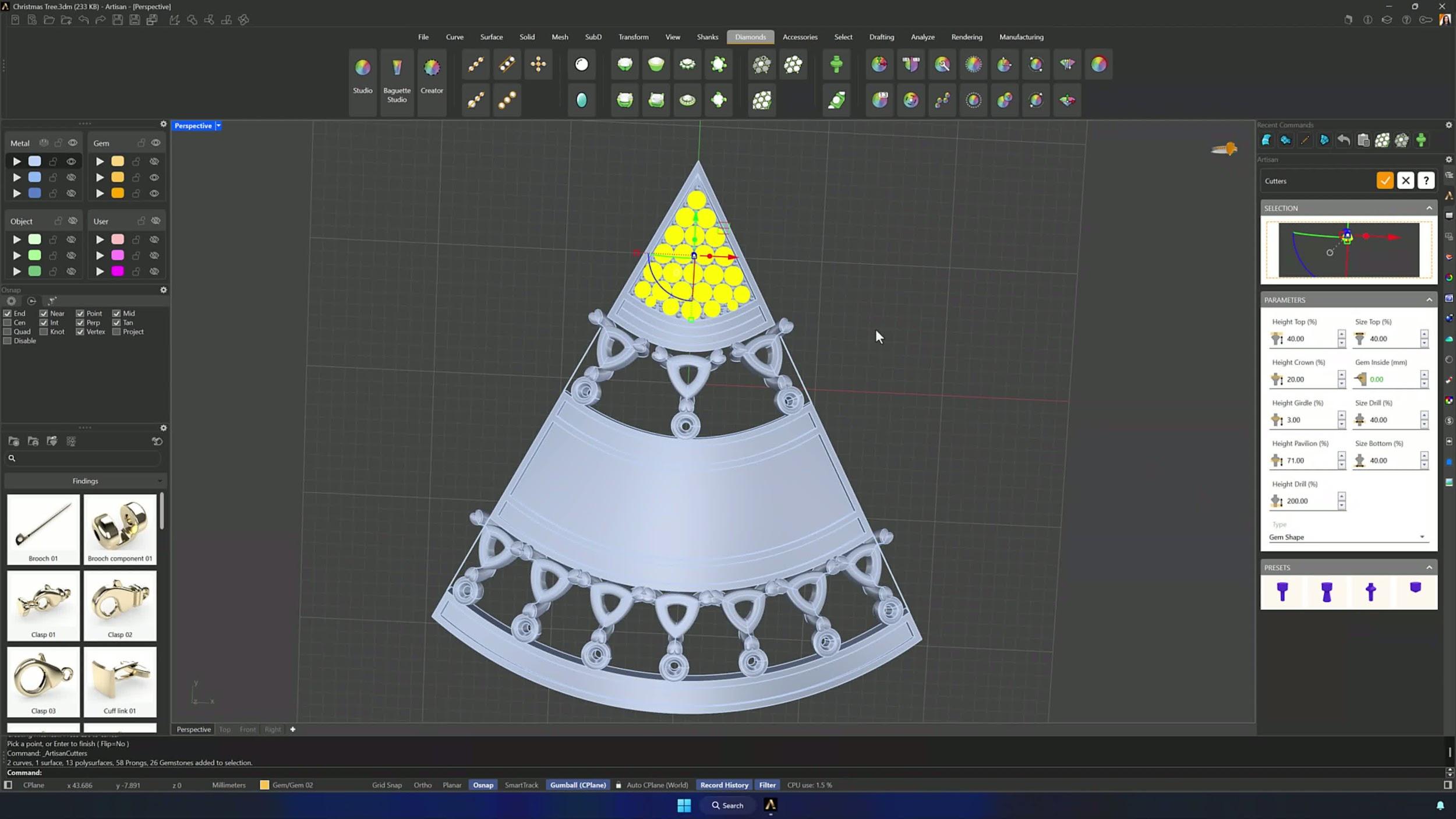
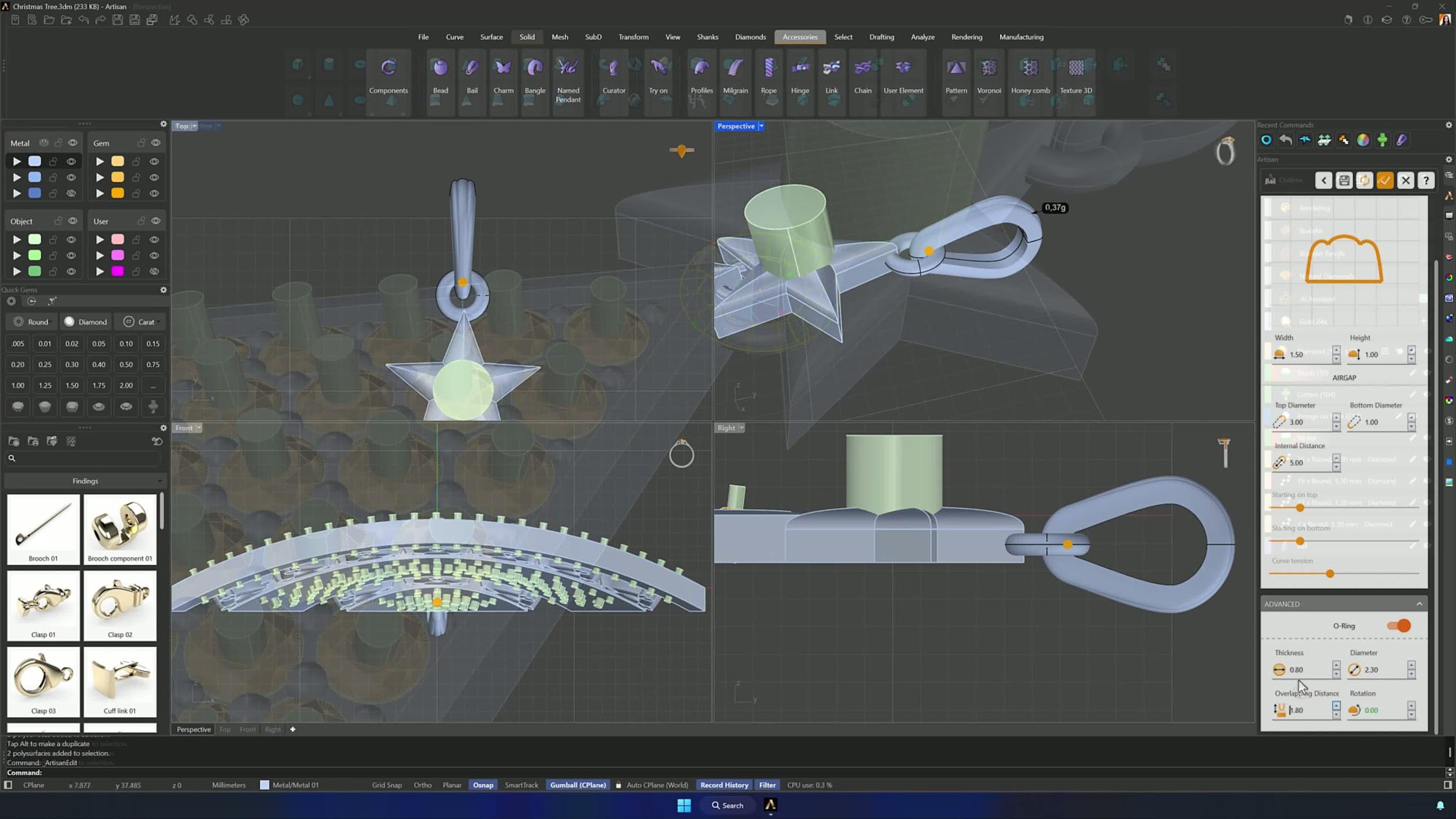
Place an O-ring at the top, then build the star: a 9.4 mm circle, the Star command inside it, a Planar Surface extruded downward with the top face deleted, and Round Cap on the top edges at height 0.9 (Flip if inverted). Join the star, set a 0.15 round gem at its center with a cutter, and crown the pendant with a Bail — accept the default, position it with the Gumball, and tune profiles and distances to taste.
16. Finish with booleans, cleanup, and render prep
Copy the lower O-ring and build its cutter with Offset Surface (Both Sides = No, 0.3), then Boolean Difference the top section with the wider O-ring, followed by the remaining differences between the model and all the cutters. Hide the gems, confirm every seat is cut, and the pendant is ready for rendering.
Tips for a clean result
- Osnap on for every center line, reference point and placement — and Flip whenever a surface, loft or curve comes out inverted.
- In Push and Pull, carve downward only for channels and recesses.
- Hide unrelated curves and surfaces before trimming or booleans to avoid cutting the wrong thing; booleans fail when cutters don’t intersect cleanly.
- Set the default layer before repeated offsets so new geometry lands organized.
- Quick Array on Curve beats placing decorative copies by hand, and Pavé Manual is for the irregular gaps after the main rows — not instead of them.
- Enable symmetry early on mirrored designs, and hide completed components as you go.
Almost there — you still have some lessons to complete. Jump to the next one →
Impersonating — progress and reviews are disabled.
Course completed
You've completed Modern Elegance: Fashion Jewelry Modeling 🎉
Great work. Get your certificate of completion and, if you have a minute, let other jewelers know what you thought of the course.