Trillion Prongs Ring
Lesson 36 of 38
Shank Sweep & Side Gems
Sign in to access this lesson
This lesson is part of Modern Elegance: Fashion Jewelry Modeling, which can come bundled with a RhinoArtisan Commercial license subject to current promotions. Log in with your customer account, or get in touch and we'll set you up.
Customers only
Solo para clientes
This lesson is part of Modern Elegance: Fashion Jewelry Modeling, which can be included with a RhinoArtisan Commercial license subject to current promotions. If you've already purchased and don't see it in your account, get in touch.
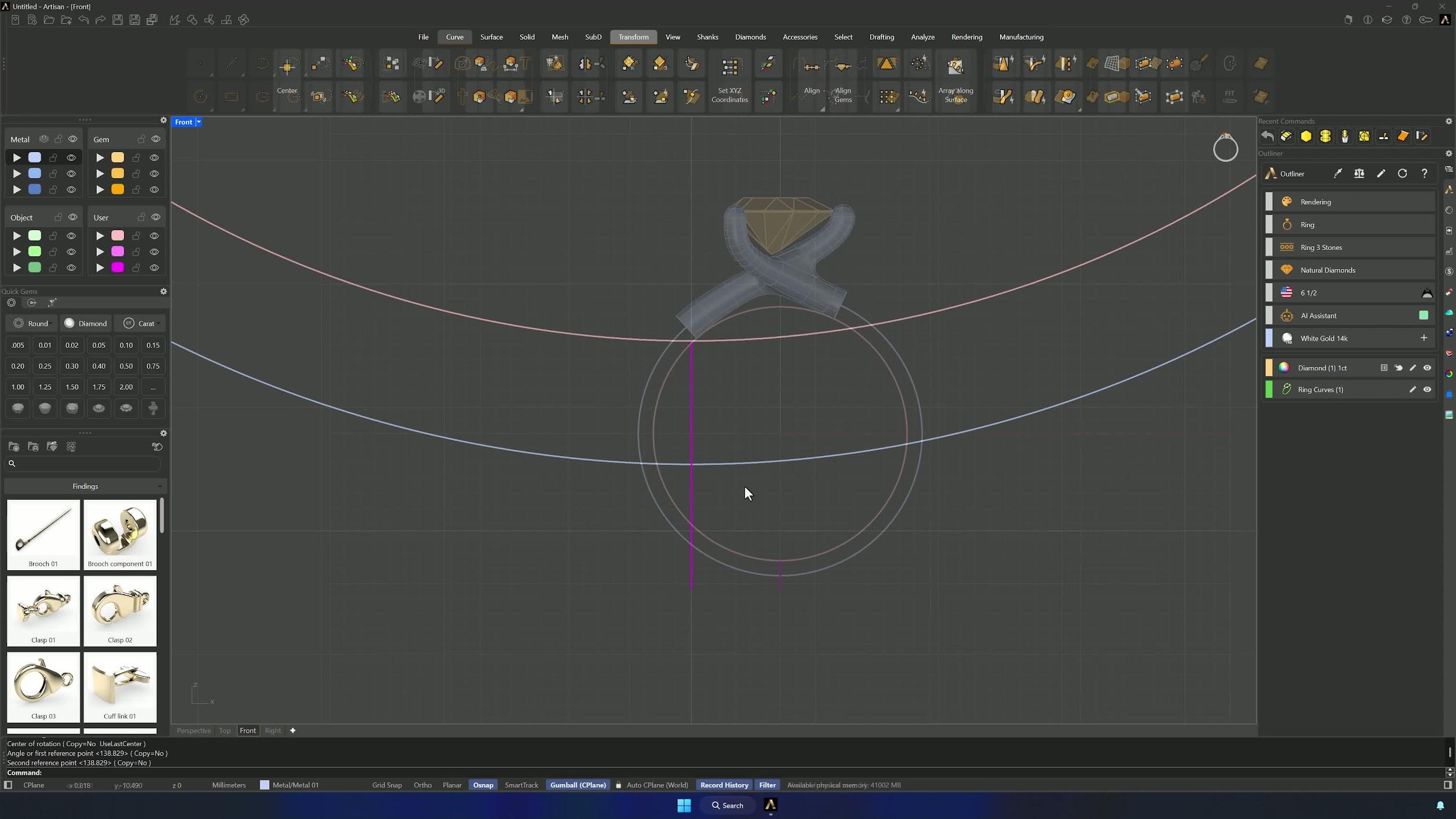
9. Build the shank sweep from the duplicated curves
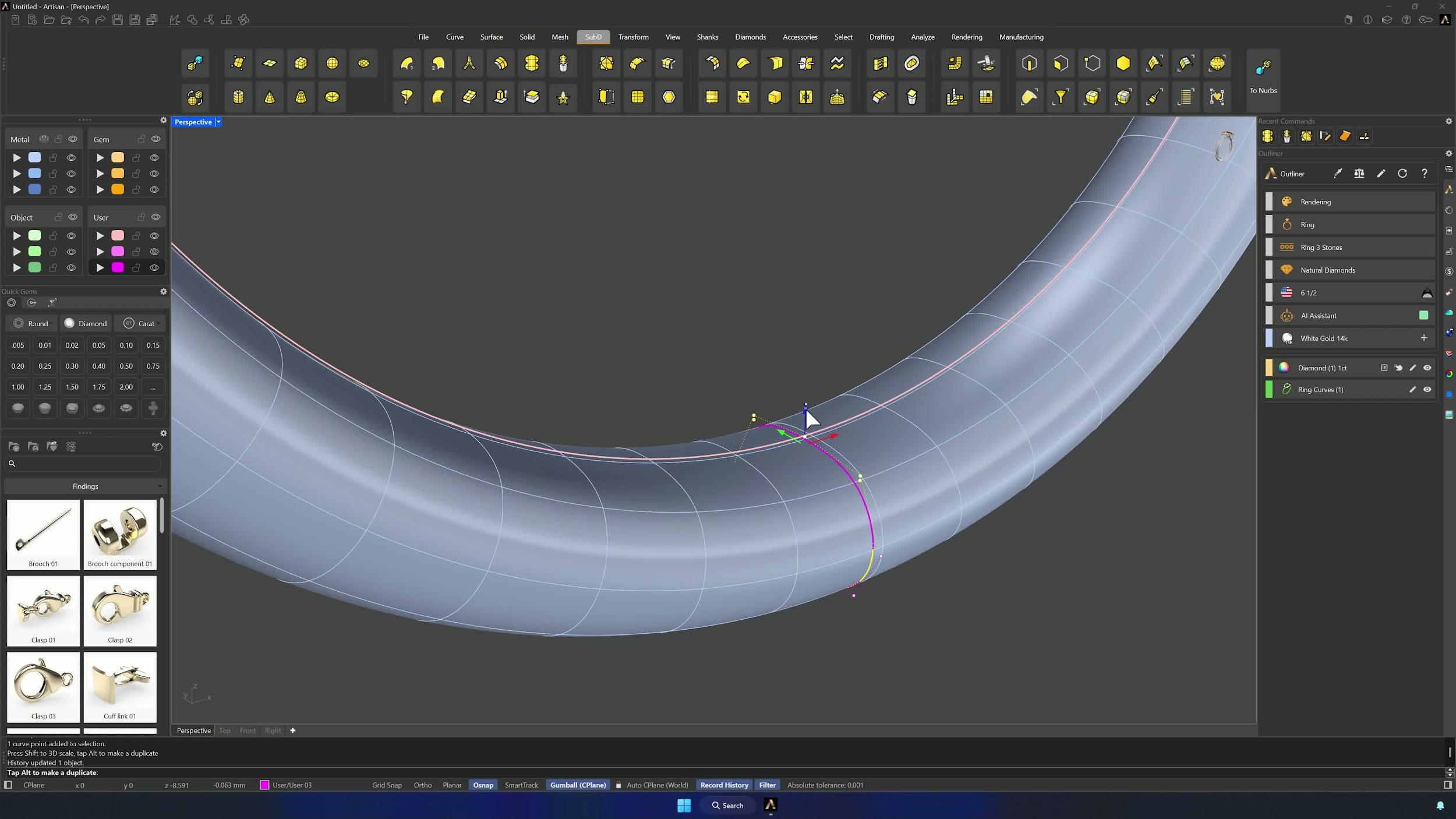
Duplicate the two edge loops at the ends of the setting, hide the model, and split the ring offset curve with the two blend curves. Show the model again and, in the SubD tab, Sweep One Rail along the cut curve with the three profile curves. With history active, Update Children keeps the shank following any later curve edits.
10. Add gemstones along the shank
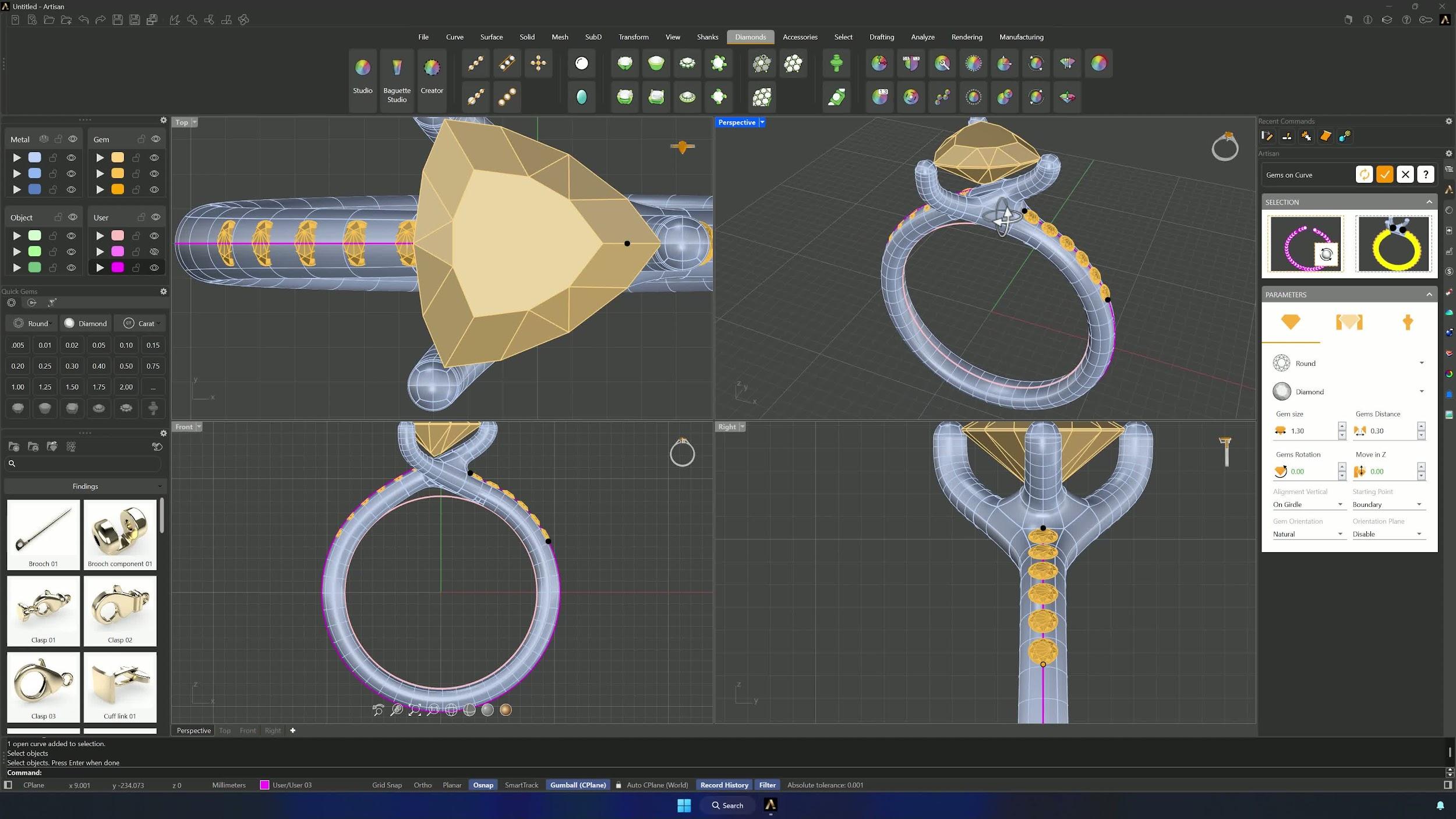
Join both parts, select the edge loops on each side (Ctrl-deselect edges where you don’t want stones) and Duplicate Edge to generate the gem paths. Convert the SubD to NURBS with Delete Input = No, then Gems on Curve: the duplicated curve plus the polysurface for orientation, 1.30 mm gems at 0.30 mm spacing, heights matched from the Front view, and the path shortened until exactly six gems fit per side.
11. Create cutters and apply boolean difference
Micro Settings on one side’s gems: width 0.6, length 3.9, checking nothing touches the prongs. Enable V cutters (height 1, Move in Z 0.4) and the V channel cutter with Flat ends at 0.70 mm wide, Flip Start and Flip End on, extended to meet the V cutter and lowered until nothing intersects. Repeat on the other side with adjusted dimensions. Then flatten the four upper faces of each prong from the Front view (Merge Faces smooths the result) and raise the top edges slightly to secure the gem.
Almost there — you still have some lessons to complete. Jump to the next one →
Impersonating — progress and reviews are disabled.
Course completed
You've completed Modern Elegance: Fashion Jewelry Modeling 🎉
Great work. Get your certificate of completion and, if you have a minute, let other jewelers know what you thought of the course.