Eternal Weave Ring
Lesson 6 of 38
Inner Profiles & Final Cut
Sign in to access this lesson
This lesson is part of Modern Elegance: Fashion Jewelry Modeling, which can come bundled with a RhinoArtisan Commercial license subject to current promotions. Log in with your customer account, or get in touch and we'll set you up.
Customers only
Solo para clientes
This lesson is part of Modern Elegance: Fashion Jewelry Modeling, which can be included with a RhinoArtisan Commercial license subject to current promotions. If you've already purchased and don't see it in your account, get in touch.
16. Build the decorative inner profile curves
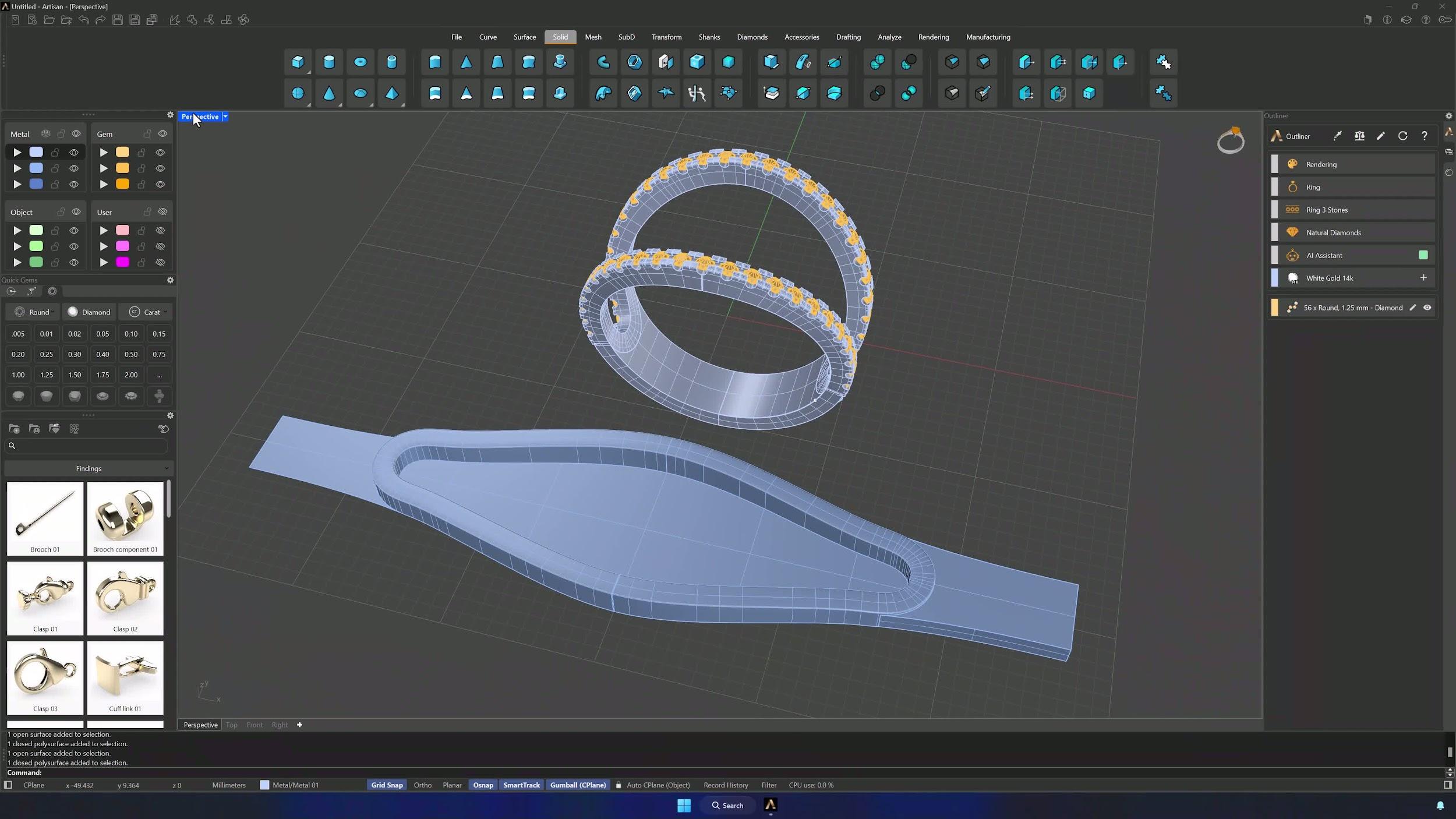
With only the solid and surface visible, enable Project in the Osnap panel and draw a series of lines from the Top view crossing the inner part of the solid, extending slightly beyond it. Keep the layout consistent — exact precision isn’t required — but make sure every curve sits at the same height.
17. Apply profiles to the decorative curves and trim them
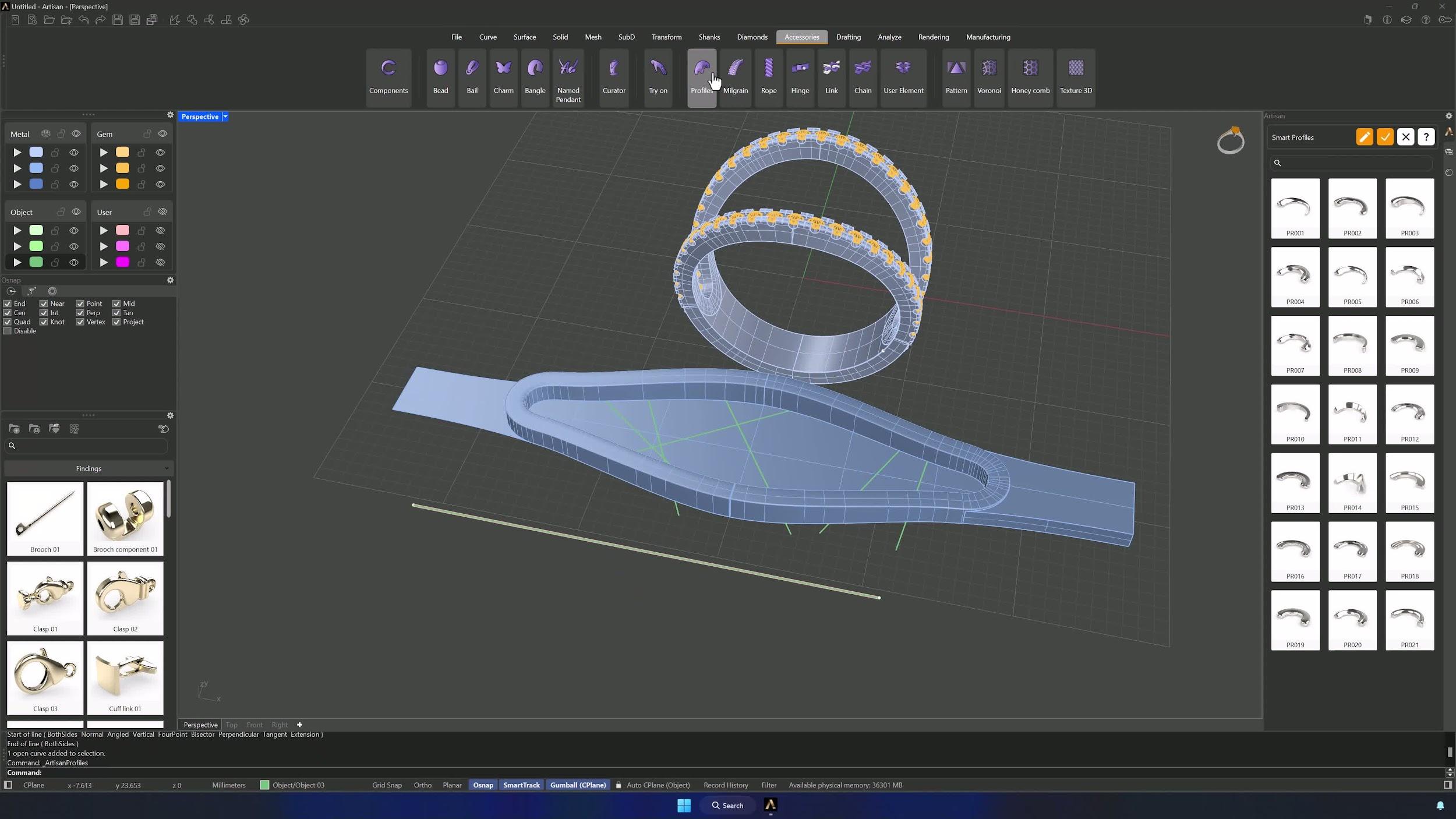
Back in Accessories > Profiles with PRO08: both curves to 002, both widths 1.5 mm. Apply the profile to the drawn curves from the Outline section, trim with Solid > Boolean Intersect using the extrusion as cutter, and flow the result into place with Smart Flow by Curve — inner profiles as deformable objects, the horizontal line as base and the size 7 ring curve as target.
18. Finish with a final cylinder cut and cleanup
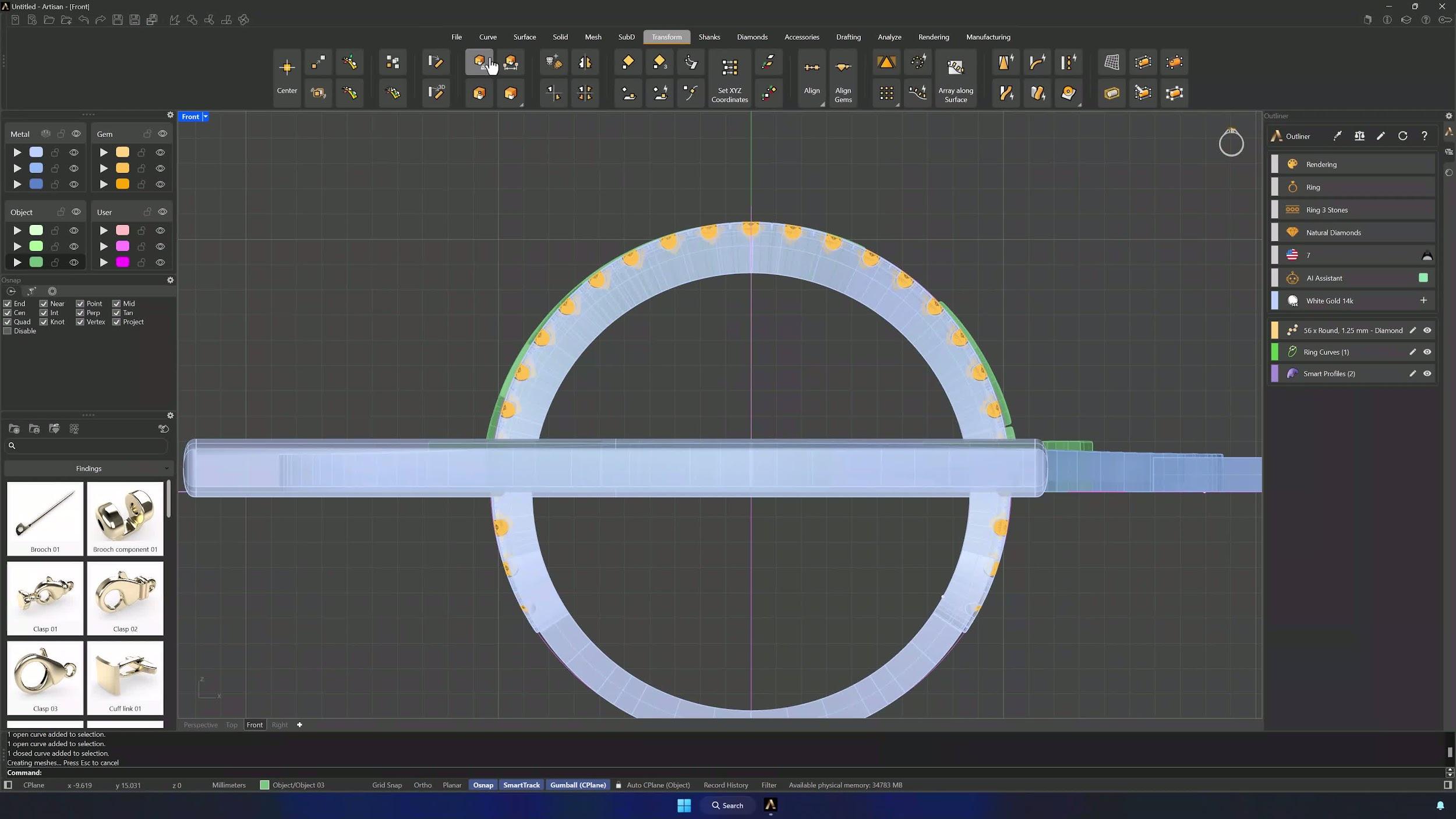
In Ghosted mode, draw a circle centered at 0, large enough to slightly exceed the height of the gems’ bottom point. From Perspective, extrude it in both directions with Alt held on the Gumball so the cylinder passes fully through the ring, then Boolean Intersection between the profiles and the cylinder. Move the profiles to their layer, hide the helpers — the ring is complete and ready to render.
Tips for a clean result
- Verify Grid Snap, Project and OSNAP settings before placing critical points — bad snapping shifts the whole construction.
- Confirm the mirror axis before every Mirror; the weave depends on exact symmetry.
- Keep Fit at the default 0.1 tolerance to simplify curves without deforming them.
- Check the shank is a closed solid (F3) before starting gems and cuts.
- Repeat offsets quickly with right-click > Repeat Last Command, and copy measured lengths straight from the command bar instead of retyping them.
- Keep helper geometry on separate layers and hide it as soon as it has done its job.
Almost there — you still have some lessons to complete. Jump to the next one →
Impersonating — progress and reviews are disabled.
Course completed
You've completed Modern Elegance: Fashion Jewelry Modeling 🎉
Great work. Get your certificate of completion and, if you have a minute, let other jewelers know what you thought of the course.