Scatter Ring
Lesson 16 of 38
Stones from the Reference Image
Sign in to access this lesson
This lesson is part of Modern Elegance: Fashion Jewelry Modeling, which can come bundled with a RhinoArtisan Commercial license subject to current promotions. Log in with your customer account, or get in touch and we'll set you up.
Customers only
Solo para clientes
This lesson is part of Modern Elegance: Fashion Jewelry Modeling, which can be included with a RhinoArtisan Commercial license subject to current promotions. If you've already purchased and don't see it in your account, get in touch.
Downloads
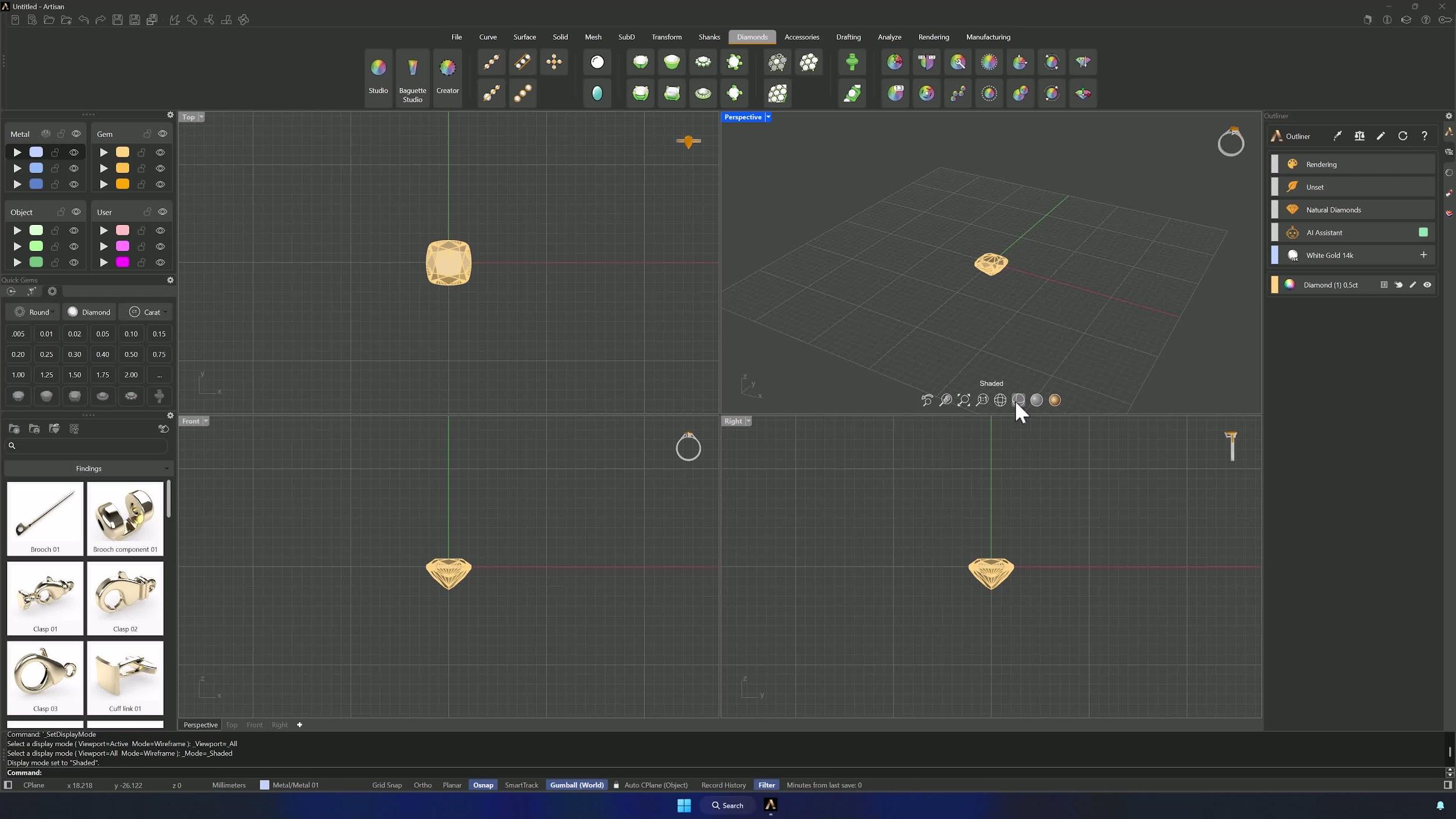
1. Create the center stone and prepare the workspace
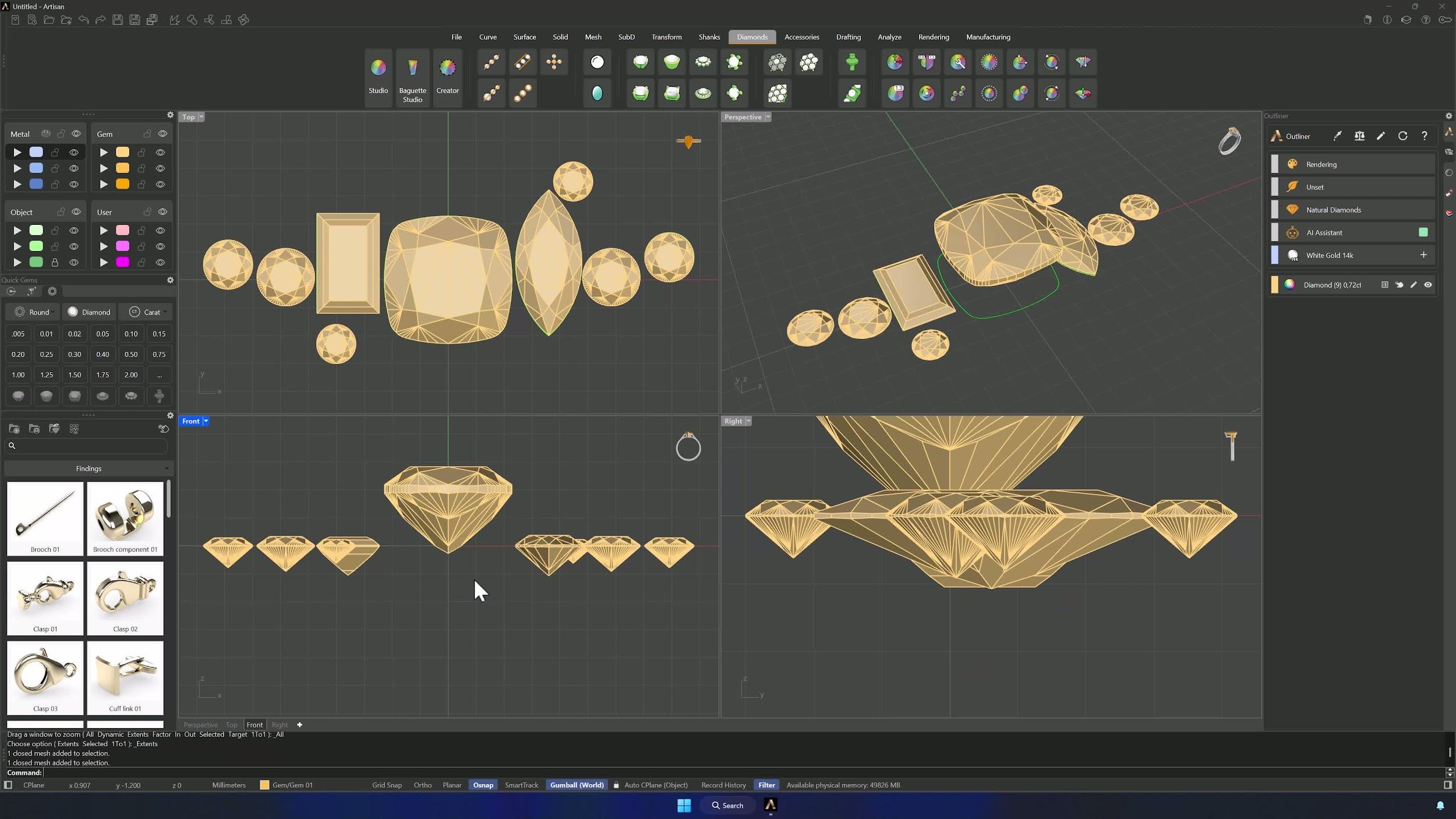
Open Studio in the Diamonds tab and create a 0.50 ct cushion stone. With all viewports in Shaded mode (Shift + click the shaded icon applies it everywhere), open the Top view and drag the reference image — available in the Downloads section — into the viewport.
2. Align and lock the reference image
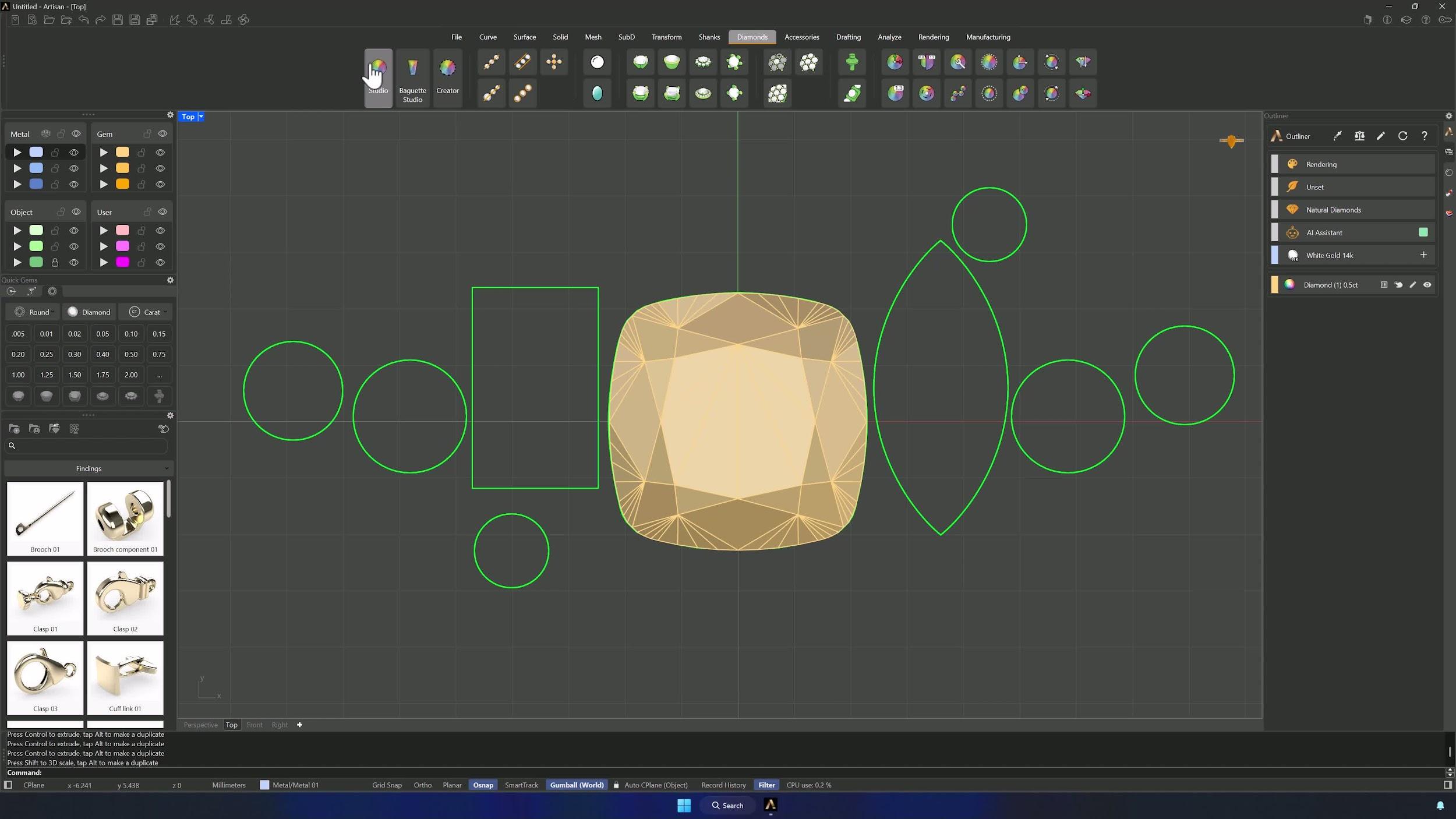
Position and scale the image so the cushion aligns with the central stone of the reference, holding Shift to scale proportionally. Take your time — the whole model depends on this alignment. Then move the image to another layer and lock it.
3. Create the remaining gemstones
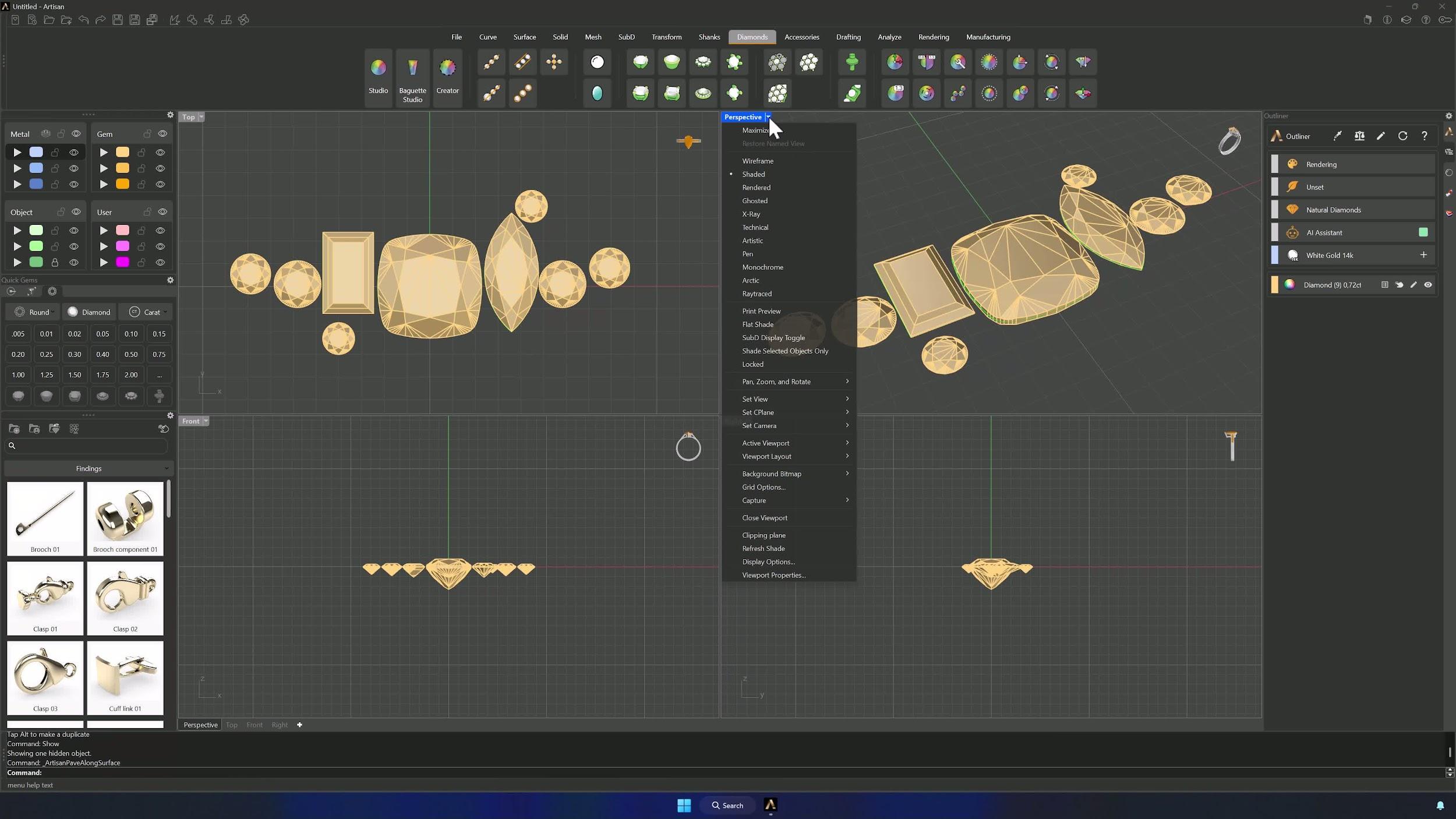
Back in Studio, add each remaining stone and position and size it against the reference — Alt + Gumball duplicates stones quickly, and Hide/Show in the command bar parks the cushion out of the way while you work. Rounds first, then a 0.1 ct baguette and a marquise of the same size. Accept when the cluster is complete.
4. Reframe the views and establish the stone height reference
Restore all views and use Zoom Extents All so everything fits. Then select the cushion and, from the Front view, raise it by 1.012 mm with the Gumball — the center stone rides above the cluster.
5. Create the guide curve for stone placement
Draw a Line from 0 on the central axis (Shift keeps it straight), center it and scale it past the stones on both sides, then raise it 1.4–1.6 mm. Position the smaller stones so their girdles sit on top of this guide line.
Almost there — you still have some lessons to complete. Jump to the next one →
Impersonating — progress and reviews are disabled.
Course completed
You've completed Modern Elegance: Fashion Jewelry Modeling 🎉
Great work. Get your certificate of completion and, if you have a minute, let other jewelers know what you thought of the course.