Organic Pendant
Lesson 9 of 38
Reference Surface & First Profiles
Sign in to access this lesson
This lesson is part of Modern Elegance: Fashion Jewelry Modeling, which can come bundled with a RhinoArtisan Commercial license subject to current promotions. Log in with your customer account, or get in touch and we'll set you up.
Customers only
Solo para clientes
This lesson is part of Modern Elegance: Fashion Jewelry Modeling, which can be included with a RhinoArtisan Commercial license subject to current promotions. If you've already purchased and don't see it in your account, get in touch.
Downloads
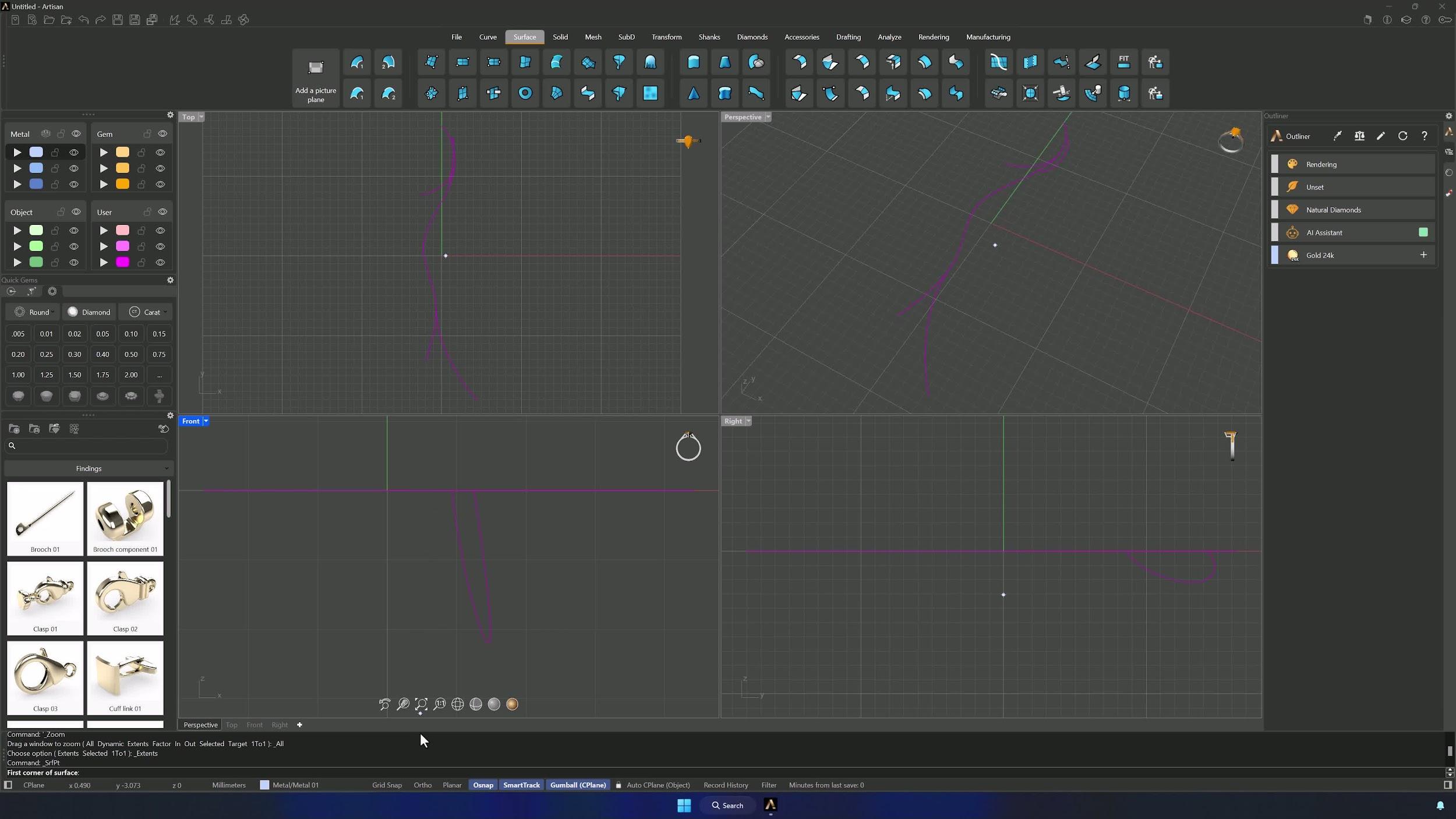
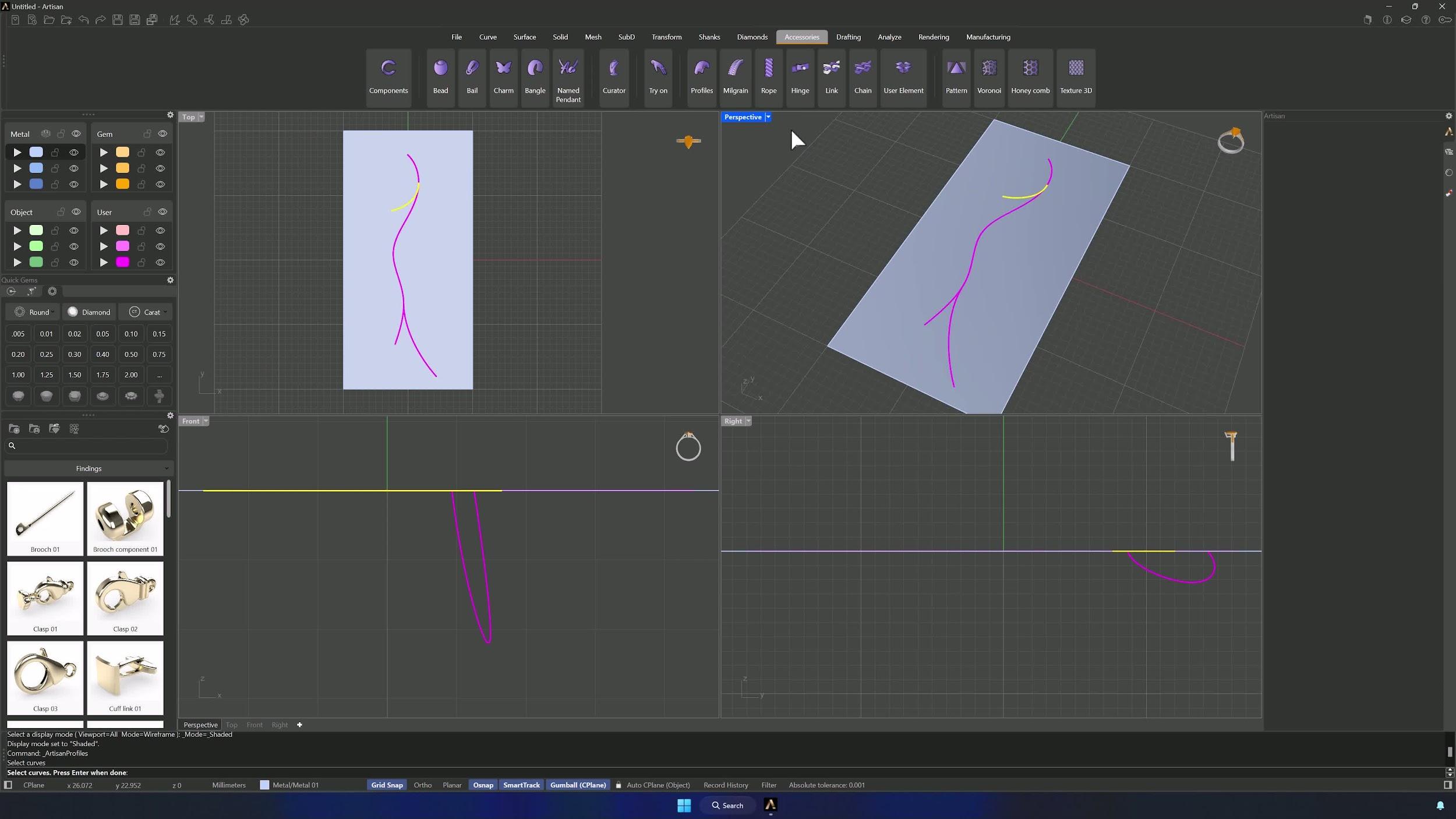
1. Create a reference surface from the curves
Open the starting curves (Downloads section below) and go to the Surface tab. Use Surface Point to create a reference surface, with the curves as the base guide for the whole layout.
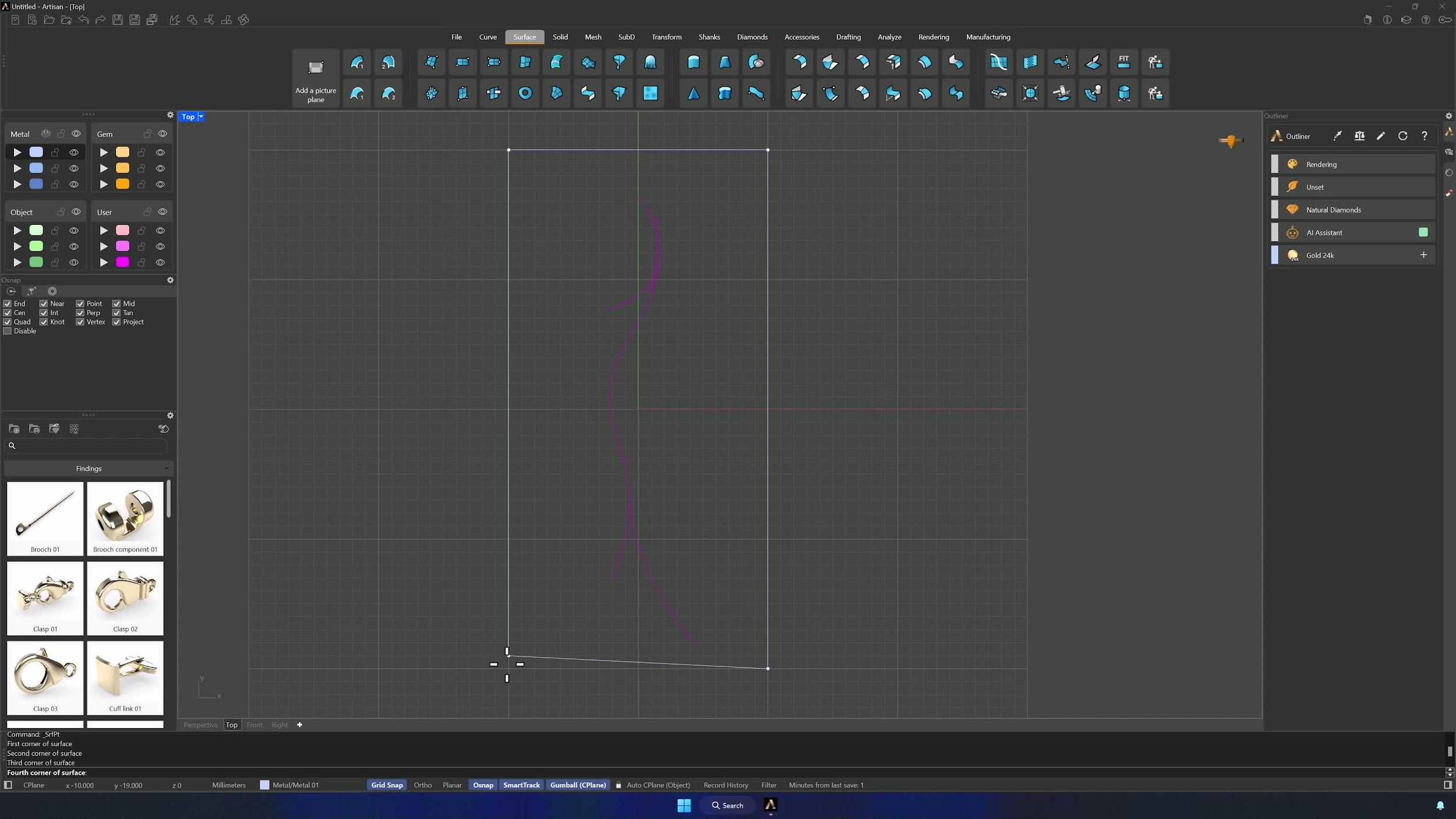
2. Enable snapping and create a full coverage surface
Turn on Grid Snap, activate Project in the Osnap panel, and from the Top view create a surface that fully covers the model area.
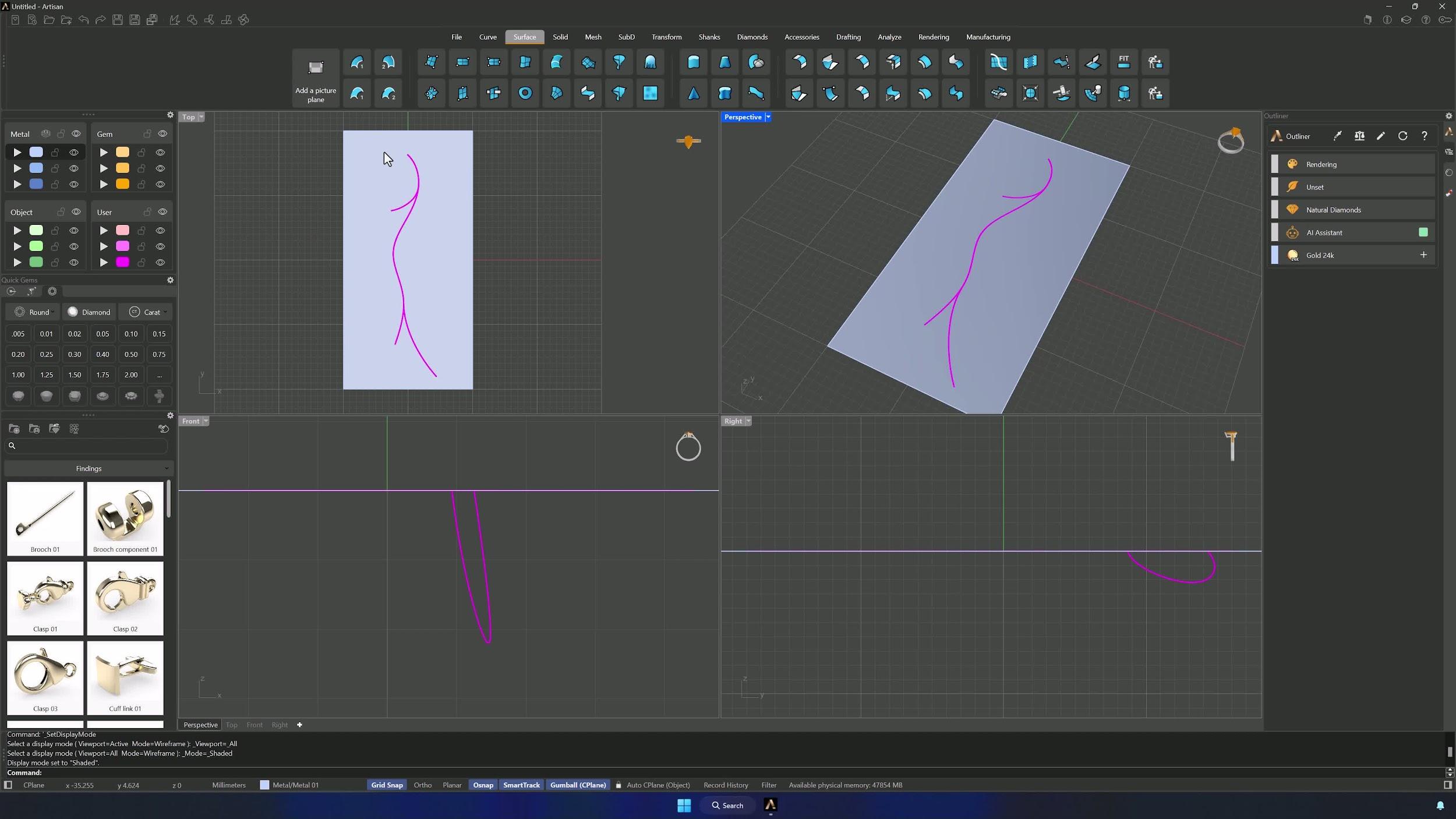
3. Set the display mode for easier viewing
Switch the display to Shaded and restore all views — holding Shift while selecting Shaded applies it to every viewport at once.
4. Create the first profile using the Accessories tab
In the Accessories tab, run Profiles and select the first curve of the model. Perspective view helps see what you’re doing.
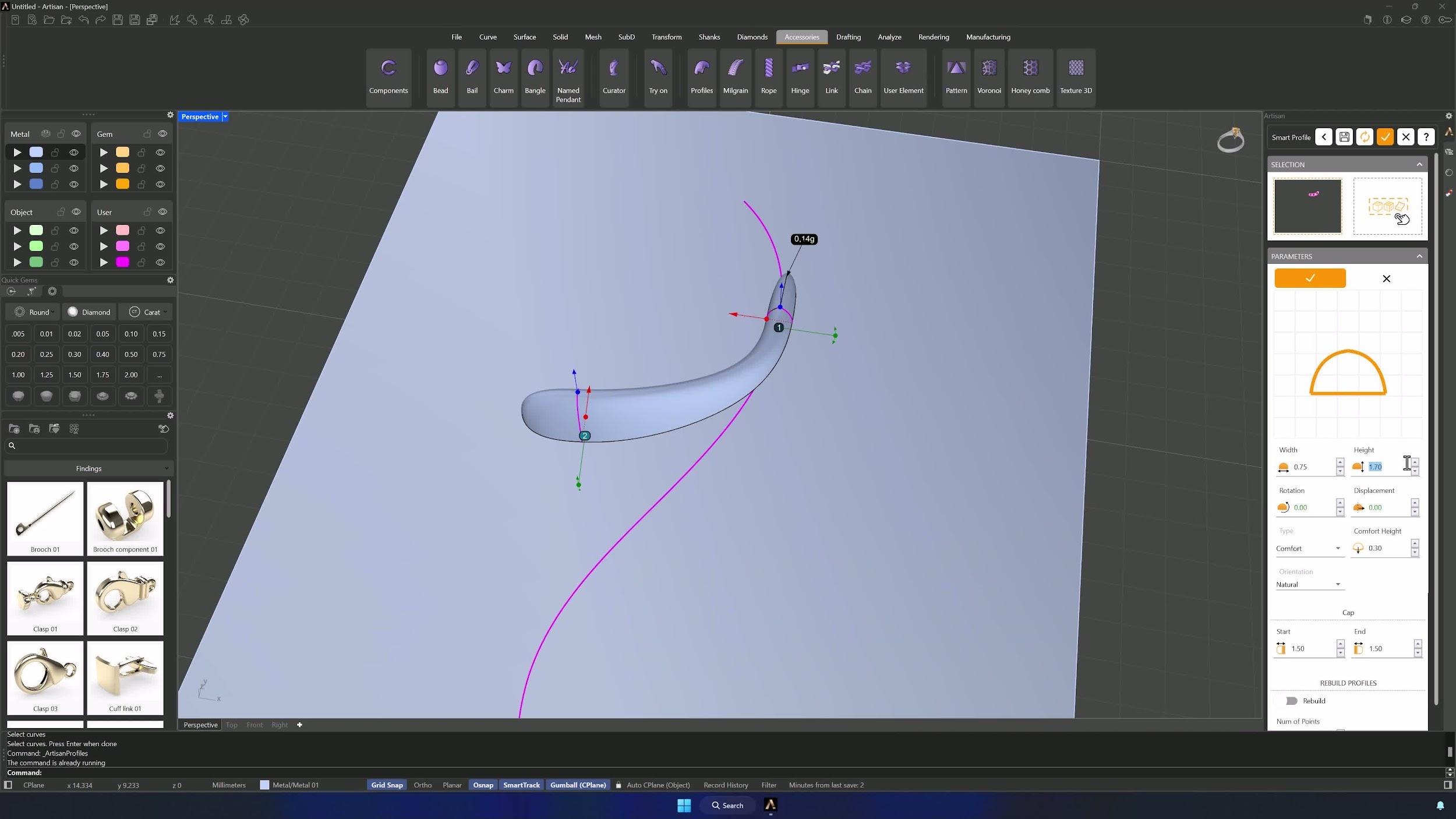
5. Edit the first profile dimensions
Pick Profile 1 from the Assets list and click Edit — the Gumball shows which profile you’re touching. Change Profile 2’s curve to Asset 001, set the width to 0.75 mm with the height at 1 mm, and accept.
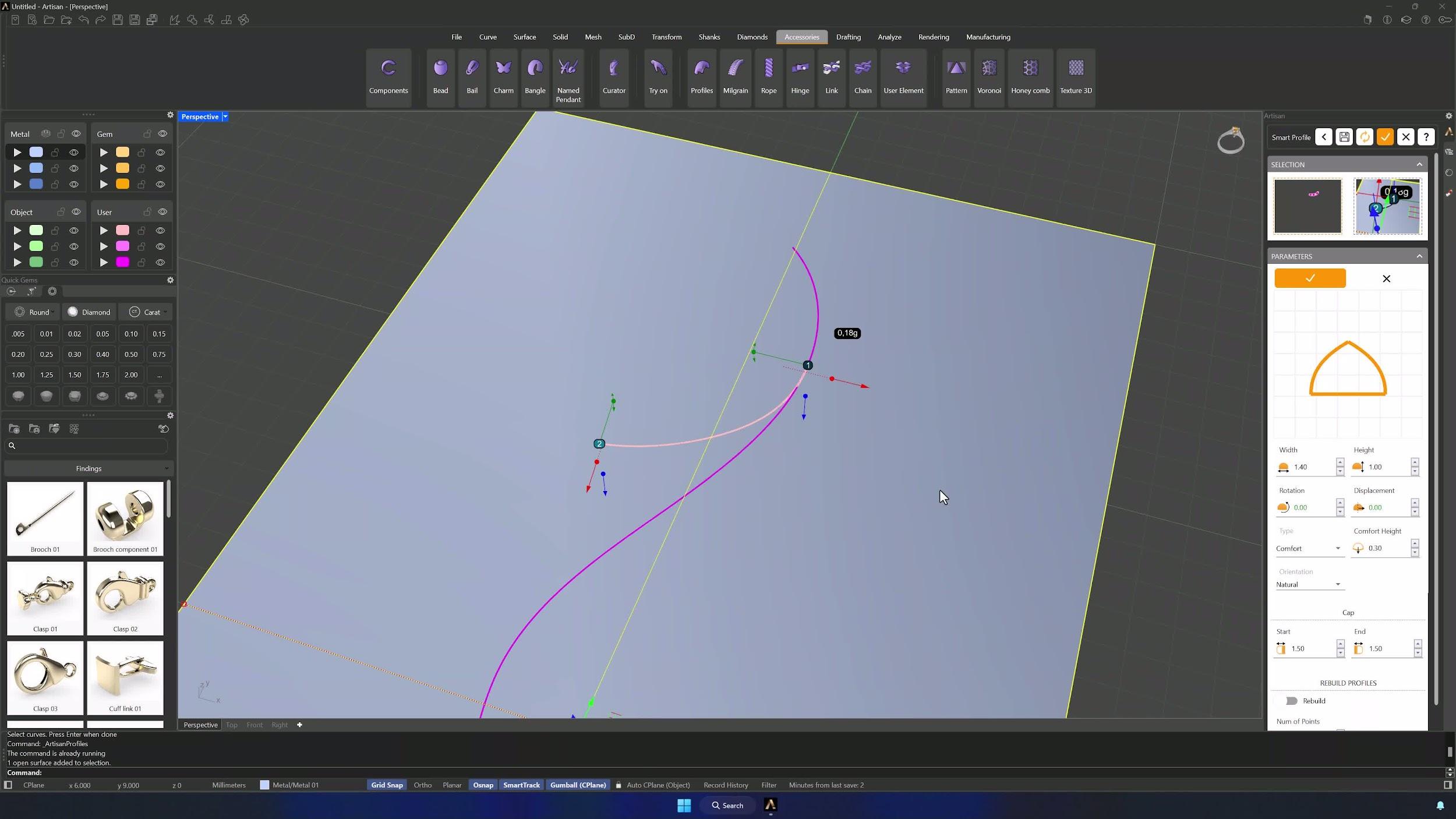
6. Edit the second profile and apply the reference surface
Edit the other profile (Profile 1 in the example): width 1.40 mm, height at 1 mm, and add the surface to the selector as reference. If the profile disappears, the surface is flipped — next step fixes it.
7. Flip the surface if the profile orientation is incorrect
Remove the reference surface from the selector, select the surface and type Flip in the command bar, then re-add it. With the profile now oriented correctly, accept to finish the profile creation.
Almost there — you still have some lessons to complete. Jump to the next one →
Impersonating — progress and reviews are disabled.
Course completed
You've completed Modern Elegance: Fashion Jewelry Modeling 🎉
Great work. Get your certificate of completion and, if you have a minute, let other jewelers know what you thought of the course.