Butterfly Pendant
Lesson 33 of 34
Center Stone, Basket & Bail
Sign in to access this lesson
This lesson is part of Pavé Perfection: Gemstone Detailing & Setting, which can come bundled with a RhinoArtisan Commercial license subject to current promotions. Log in with your customer account, or get in touch and we'll set you up.
Customers only
Solo para clientes
This lesson is part of Pavé Perfection: Gemstone Detailing & Setting, which can be included with a RhinoArtisan Commercial license subject to current promotions. If you've already purchased and don't see it in your account, get in touch.
11. Create the central setting and basket
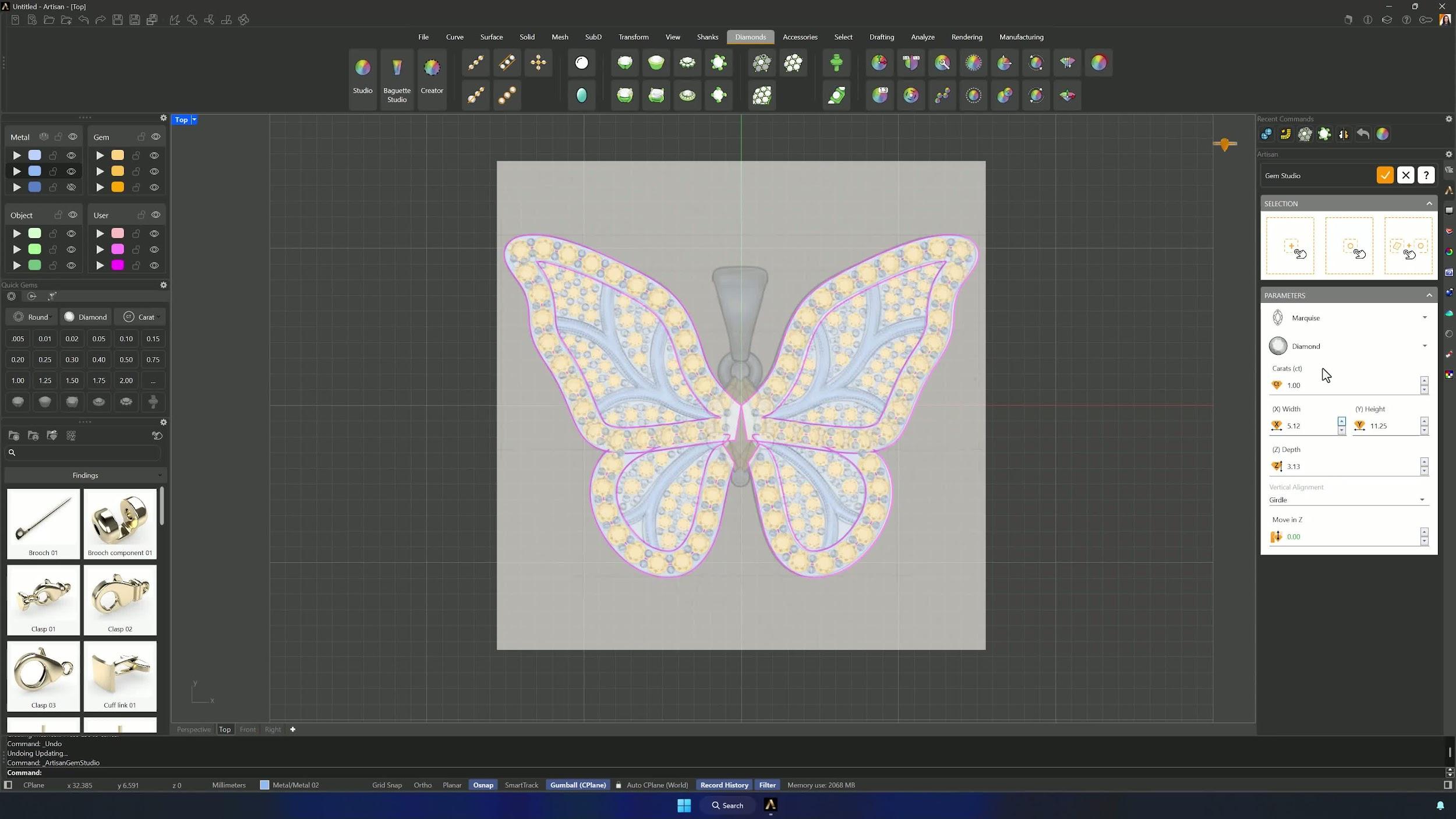
Open Gem Studio, add a marquise cut stone and scale it to fit the body of the butterfly. Edit the basket: six prongs in claw mode at 1.2 mm diameter and 2.9 mm height, bottom diameter 1.3 mm, then balance the Rails section with widths and heights around 0.8 mm and the percentage at 76.
12. Clean up overlaps and perform Boolean splitting
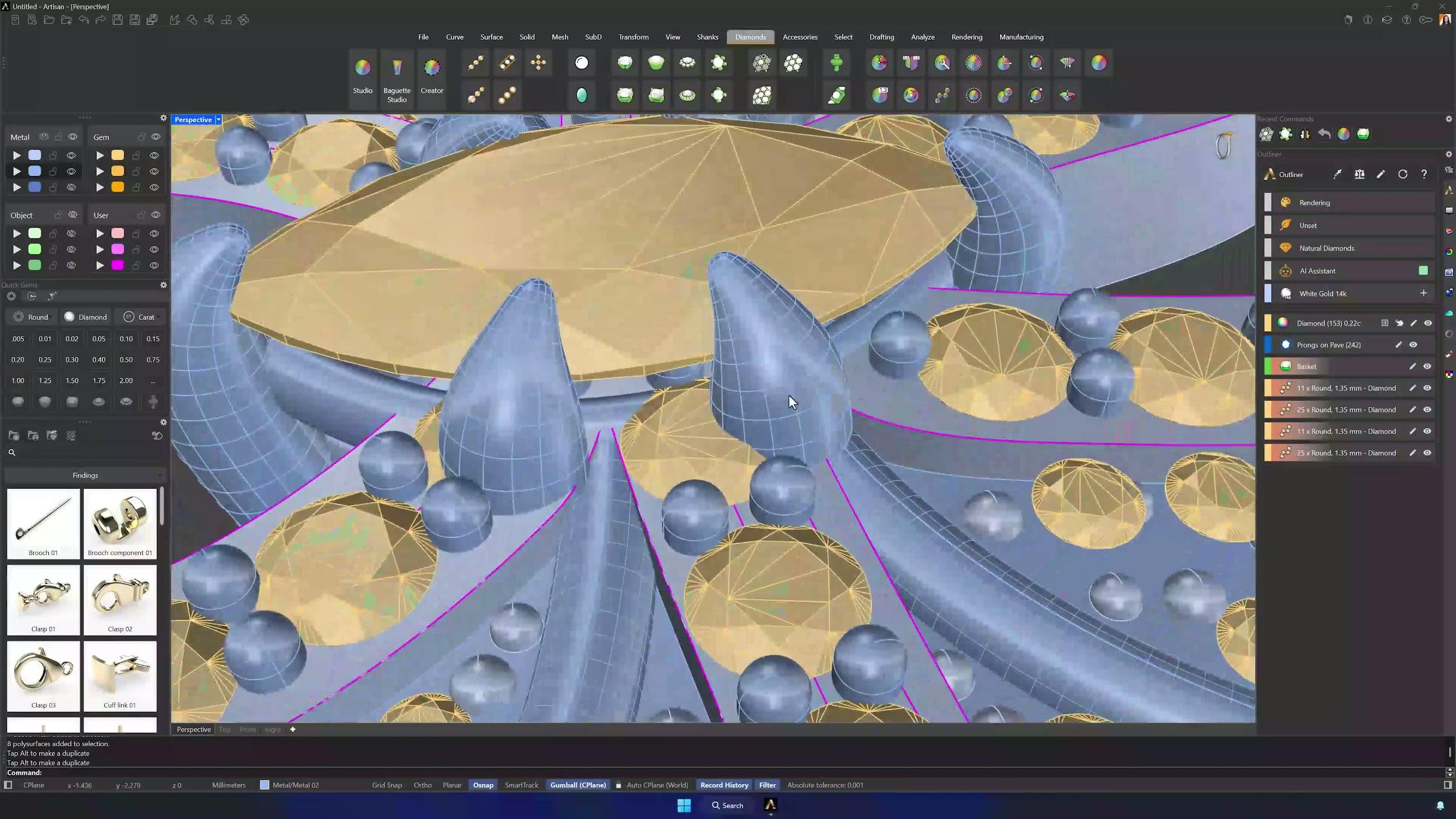
Fine-tune the basket position and delete any overlapping gems. Extract the stone’s outer curve with Gem Curve, extrude it until it intersects all the solids, and run Boolean Difference with the extrusion as the cutter — repeating the cleanup wherever geometry survives untrimmed.
13. Add the bail and finalize the pendant
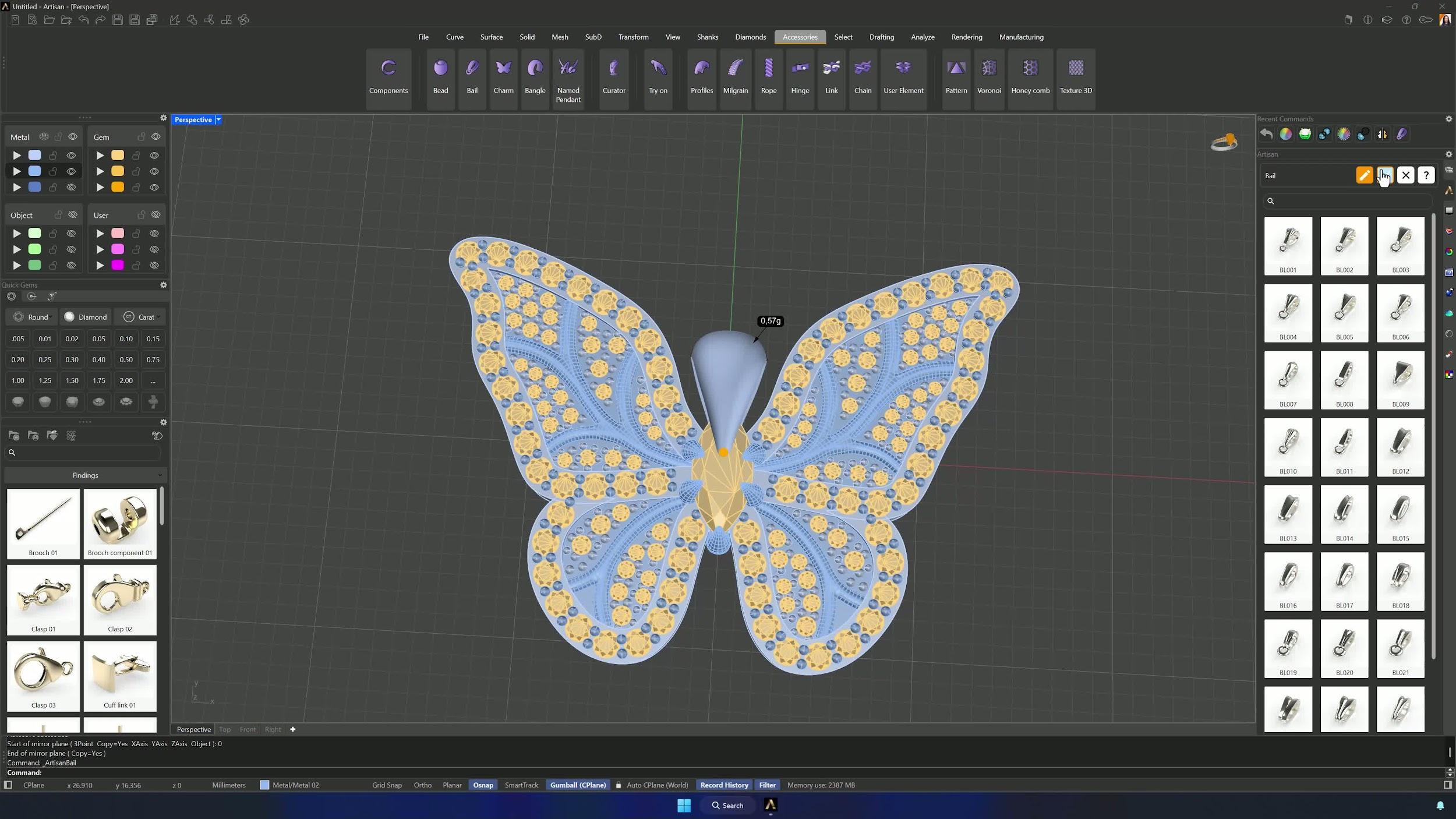
Add a bail from the Accessories tab and edit it with Profile 014: width 3.5 mm, height 1 mm and internal distance 4.20 mm on the upper section, the matching profile below, and an O-ring at 0.8 mm thickness with 0.80 mm overlapping distance. Position it above the pendant — and the butterfly is ready to render.
Tips for a clean result
- Keep the reference image locked except while repositioning it.
- Trace with as few control points as possible — messy curves make messy geometry.
- Check surface normals after every split and flip the inverted ones.
- Inspect Boolean results carefully and repeat the cleanup on anything left untrimmed.
- Match stone size and spacing to the reference, but let manufacturability win when they conflict.
- Mirror symmetrical parts instead of rebuilding them, and reuse the same stone and prong parameters across similar sections.
Almost there — you still have some lessons to complete. Jump to the next one →
Impersonating — progress and reviews are disabled.
Course completed
You've completed Pavé Perfection: Gemstone Detailing & Setting 🎉
Great work. Get your certificate of completion and, if you have a minute, let other jewelers know what you thought of the course.