Domed Pavé Signet Ring
Lesson 25 of 34
Shank & Network Surfaces
Sign in to access this lesson
This lesson is part of Pavé Perfection: Gemstone Detailing & Setting, which can come bundled with a RhinoArtisan Commercial license subject to current promotions. Log in with your customer account, or get in touch and we'll set you up.
Customers only
Solo para clientes
This lesson is part of Pavé Perfection: Gemstone Detailing & Setting, which can be included with a RhinoArtisan Commercial license subject to current promotions. If you've already purchased and don't see it in your account, get in touch.
1. Create and customize the base shank
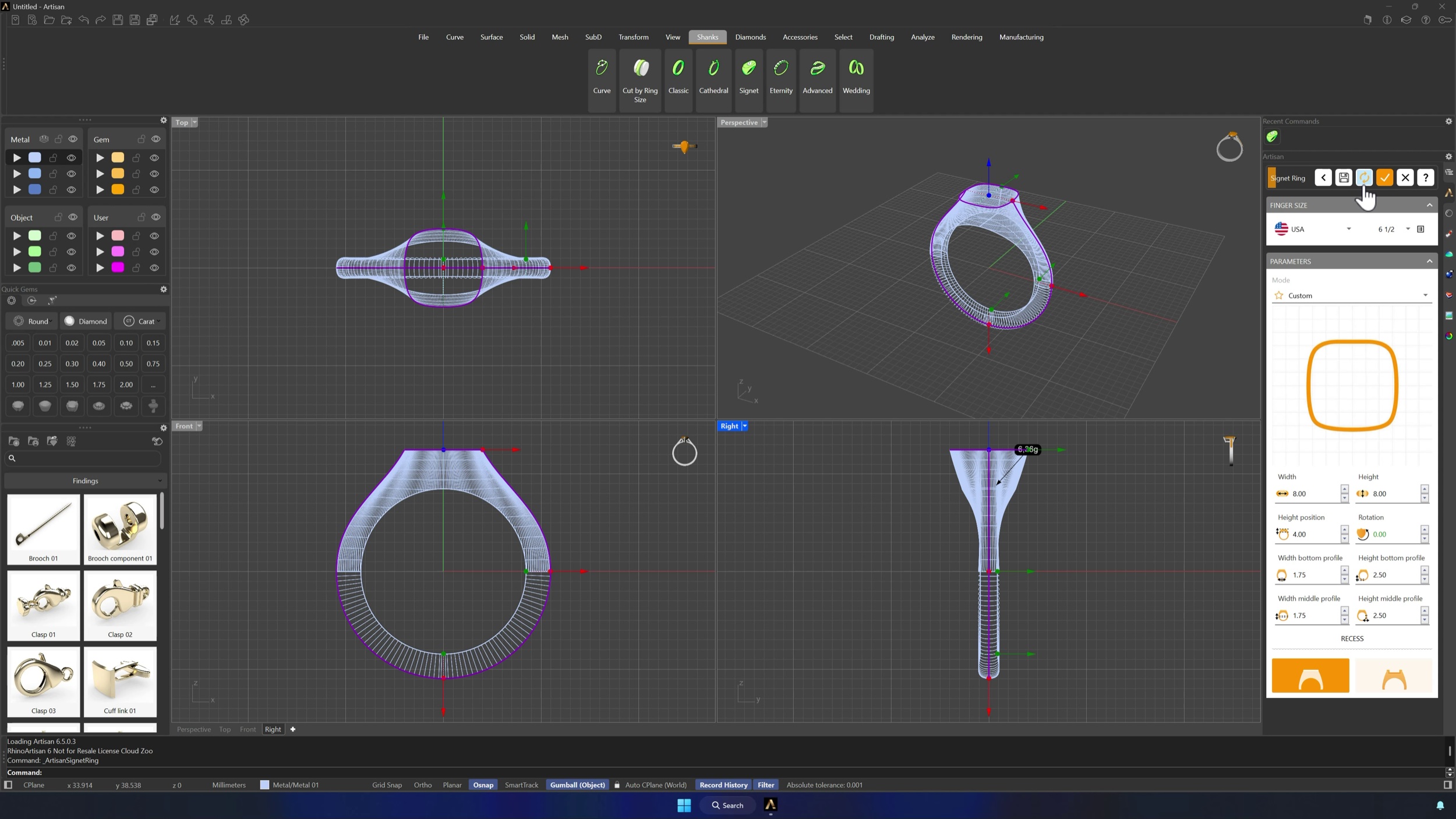
In the Shanks tab, launch the Signet command and click Edit without choosing a preset. Set the top profile to Asset 002 and dial in the dimensions: width 12 mm, height 9.84 mm, height position 2.70 mm, bottom profile height 1.80 mm and middle profile width 2.52 mm. Shaded display mode helps verify the shape before accepting.
2. Extract reference curves from the shank
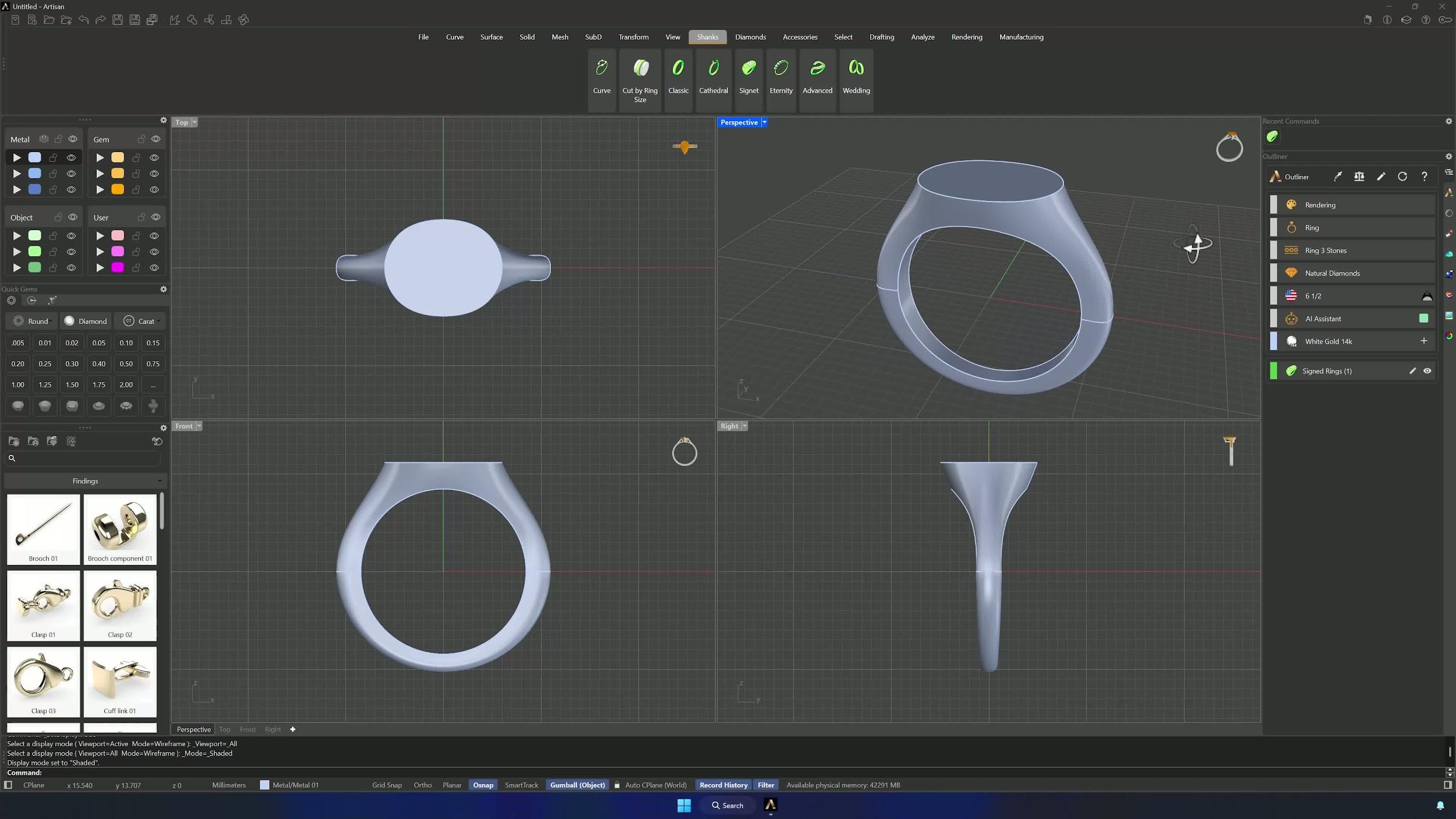
On a user layer, use Extract ISO Curve from the Curve tab on the shank surface — switching the direction to V in the command bar if the curve comes out horizontal. With O-Snap on, pick points with the End or Mid guides so each curve is centered, and repeat until you have curves on both sides plus two more.
3. Blend the curves to form the upper profile
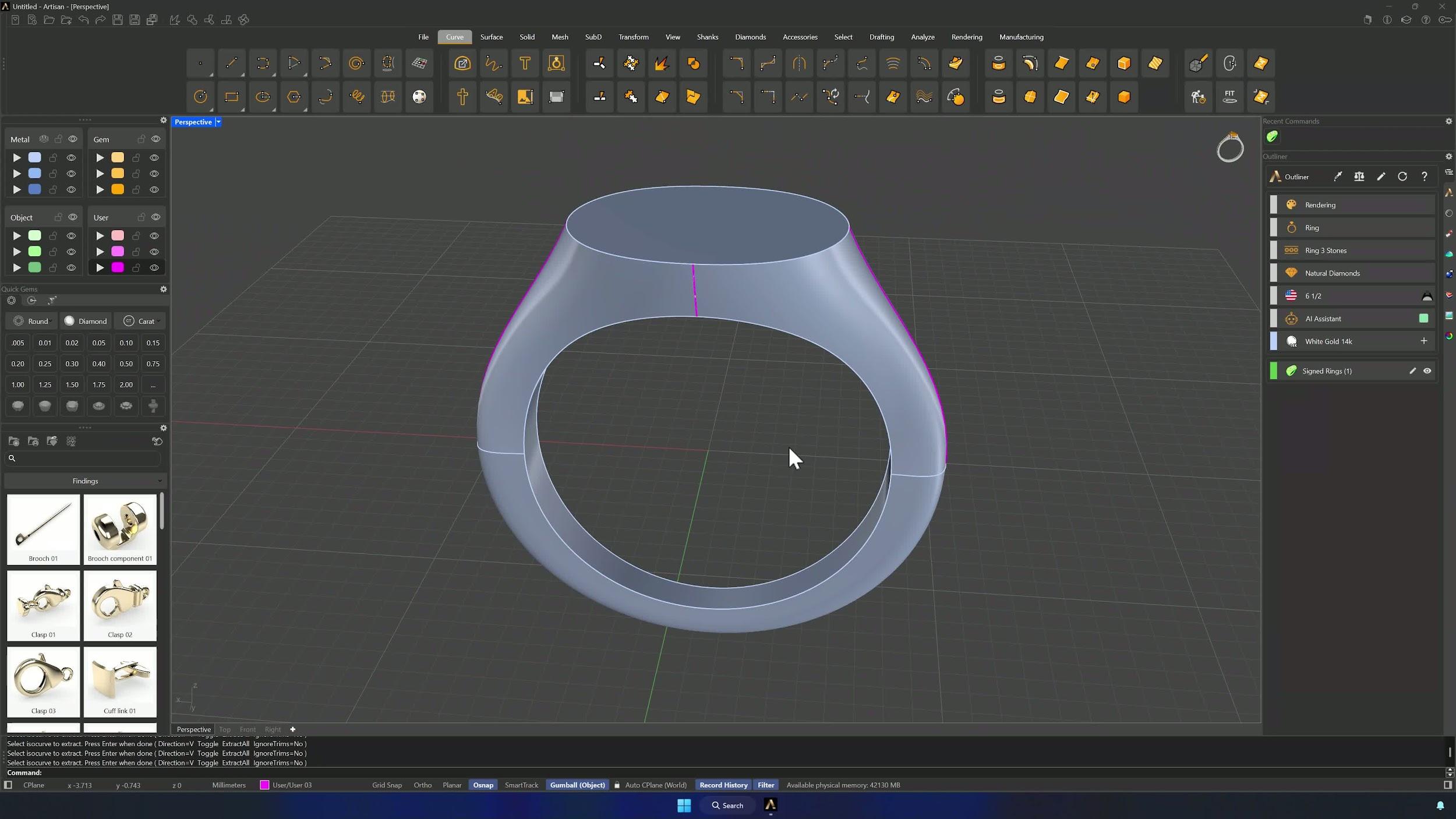
Connect each pair of extracted curves with Blend Curve, working in the Front view with tangency enabled. Hold Shift to move linked edit points together, position the curve about 5 mm above the top of the shank, and align the highest points of both blends as closely as possible — the cleaner the alignment, the cleaner the surface.
4. Create the top network surface
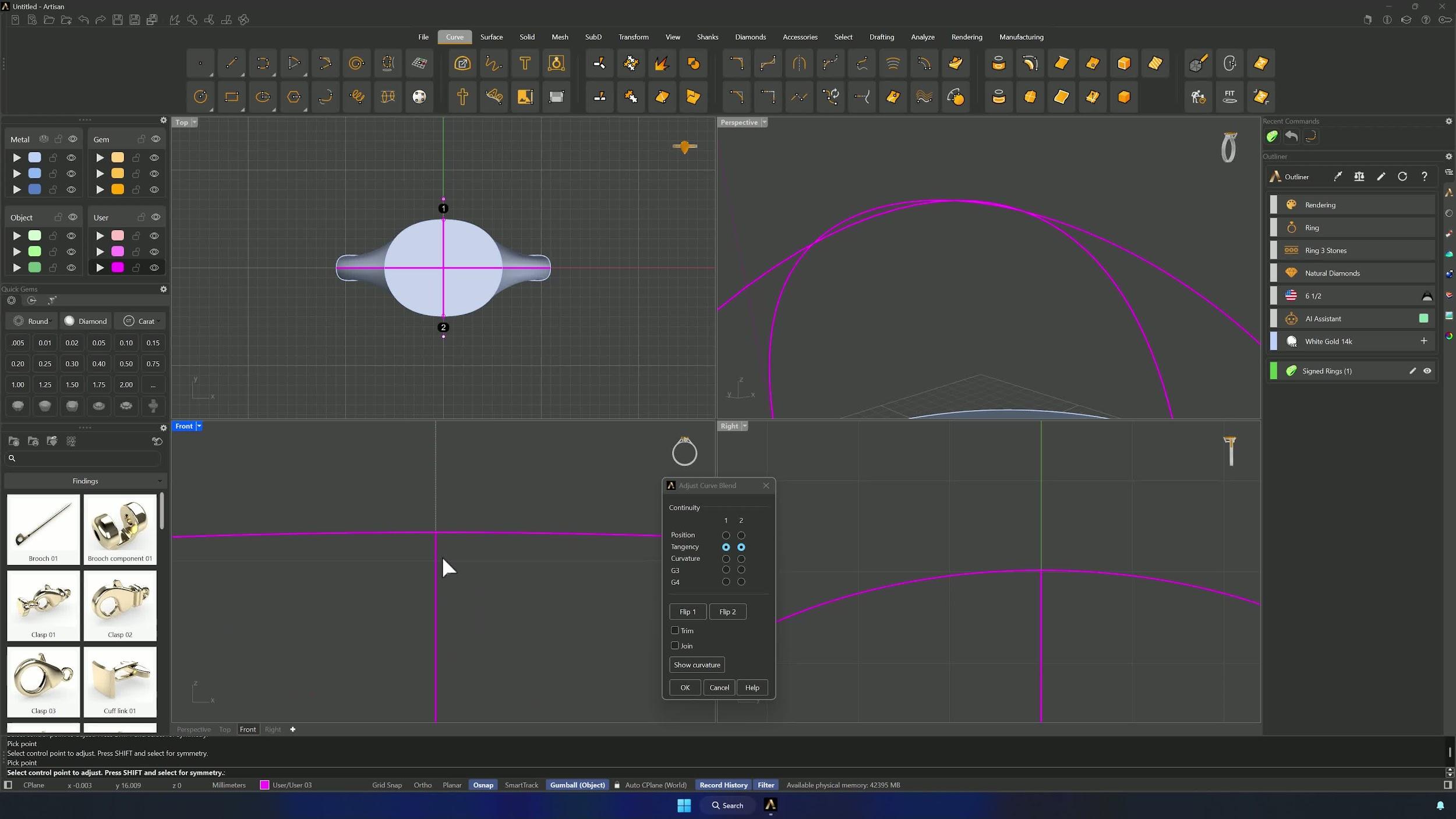
Duplicate the edges of the shank’s upper base, split the duplicated curve using the curve that joins the widest parts of the shank, then select all top curves and run Network Surface with tolerances at 0.01. Assign the result to the metal layer, typing Flip if it comes out inverted.
Almost there — you still have some lessons to complete. Jump to the next one →
Impersonating — progress and reviews are disabled.
Course completed
You've completed Pavé Perfection: Gemstone Detailing & Setting 🎉
Great work. Get your certificate of completion and, if you have a minute, let other jewelers know what you thought of the course.