Infinity Pendant
Lesson 30 of 62
Rebuild and Main Profile
Sign in to access this lesson
This lesson is part of Precision & Detail Design, which can come bundled with a RhinoArtisan Commercial license subject to current promotions. Log in with your customer account, or get in touch and we'll set you up.
Customers only
Solo para clientes
This lesson is part of Precision & Detail Design, which can be included with a RhinoArtisan Commercial license subject to current promotions. If you've already purchased and don't see it in your account, get in touch.
Objective: Learn how to rebuild the central curve and how to turn it into the solid body of the pendant.
Rebuild the Curve
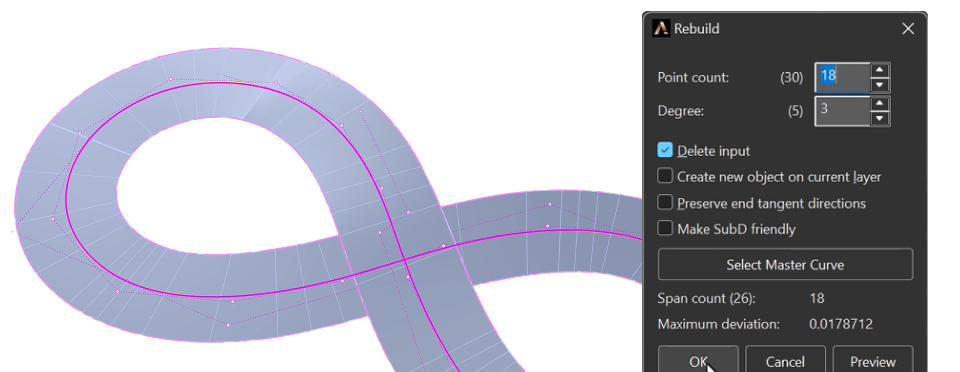
Go to the “Curve” tab and select the central curve. Then use the “Rebuild” command to reconstruct the curve’s points, which will let you create the profile easily.

In the options window you can change the number of points and see how it affects the curve. The yellow guides show the deviation, which is also listed in the panel.
In this case we use 18 points — the value with the least deviation and the fewest points added. Press OK to accept.
Profile Command
In the “Accessories” tab, click on the “Profile” command.

From the presets library, use the PRO08 model and click on Edit.
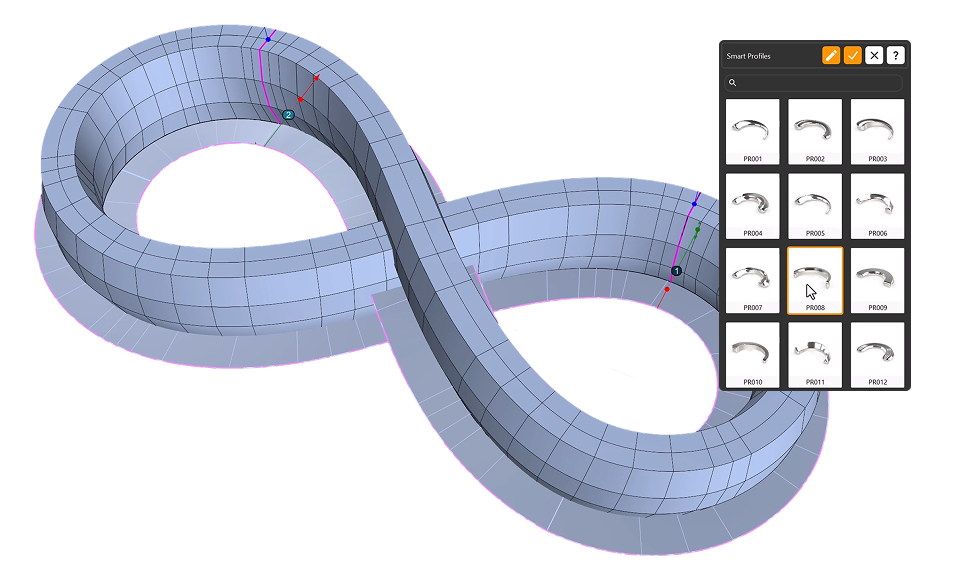
Edit the Profiles
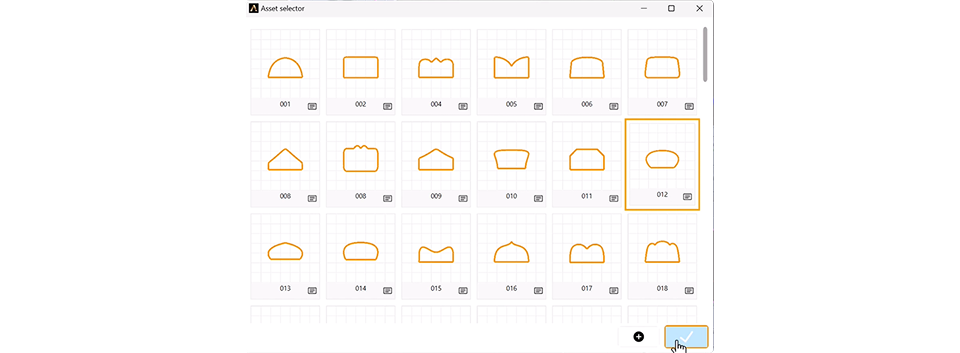
- Click on the first profile, then on the curve, select asset 012 and accept.
- Do the same with the second profile, also selecting asset 012.
- Change the width to
2 mmand the height to1.4 mm. Repeat the same values for the second profile.
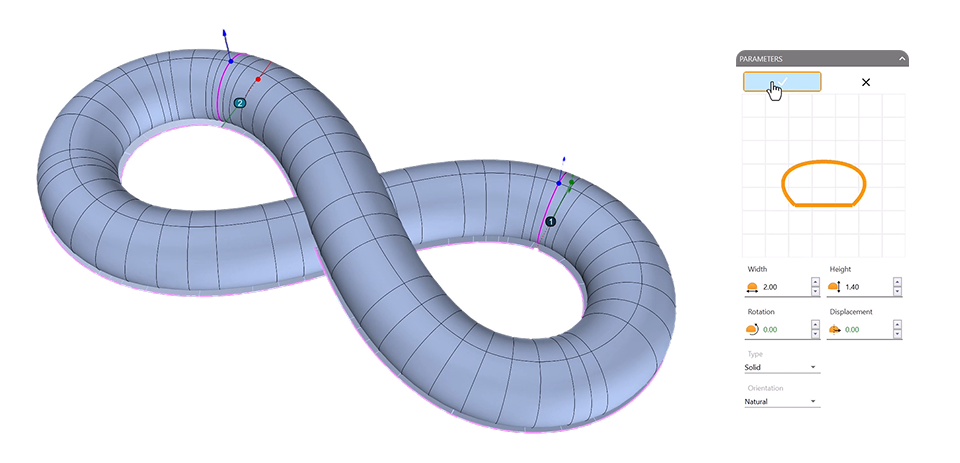
- Move profile two and adjust it to the central axis position.
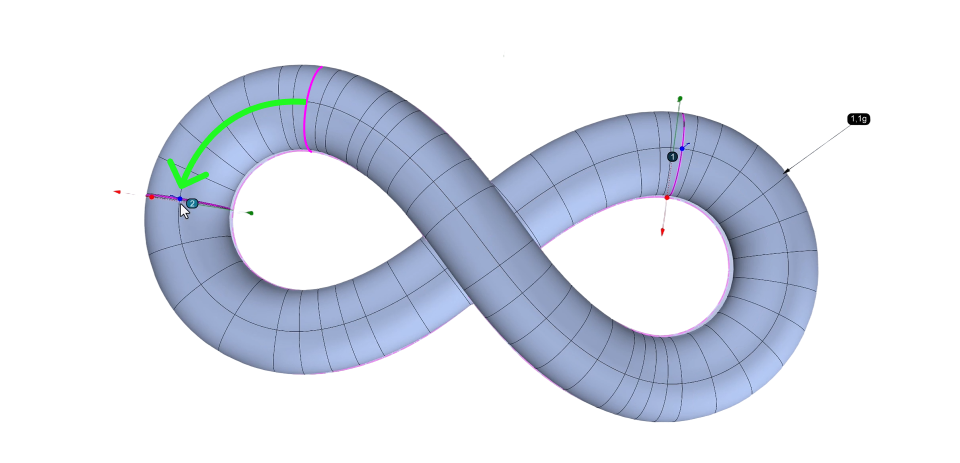
Add the Reference Surface
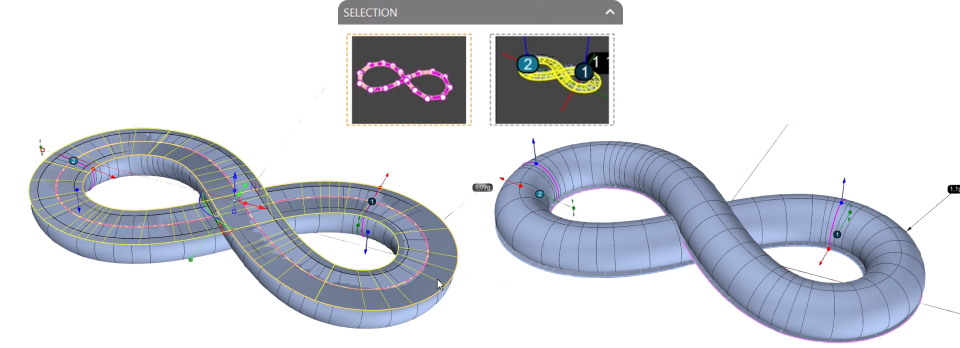
Add the surface to the selector.
If the element appears positioned at the bottom, it’s because the surface is rotated. Simply select it, type flip in the command bar to adjust the orientation, and add it to the selector again to update the position.
Click OK on the command to create the element.
Video Lesson
Next Step
The body of the pendant is done. Next, we’ll extract the curve that will define the gemstone rail.
Almost there — you still have some lessons to complete. Jump to the next one →
Impersonating — progress and reviews are disabled.
Course completed
You've completed Precision & Detail Design 🎉
Great work. Get your certificate of completion and, if you have a minute, let other jewelers know what you thought of the course.