Commands
Fill Mesh Hole
 Fill Mesh Hole
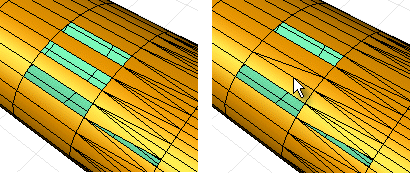
The FillMeshHole command allows you to close a specific hole in a mesh by filling it with new faces. This is an essential tool for repairing mesh files, especially those intended for rapid prototyping or 3D printing.
Key Features
- Closes individual holes in a mesh.
- Adds triangular faces to fill the gap seamlessly.
- Option to join the new faces directly to the original mesh.
Steps to Use
- Select the boundary of the hole to be filled.
- Execute the command.
Command-Line Options
- JoinMesh
When enabled, this option ensures that the new faces created are merged with the original mesh, forming a unified object.