Rendering
Thickness
 Thickness
The Thickening properties construct a mesh offset based on the object’s render mesh.
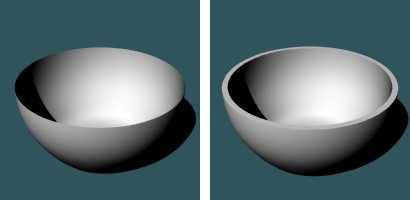
Steps
- Select objects that can have render meshes.
- Turn on Thickening in the Properties panel > Thickening.
- Specify the options.
Thickening Properties
Manages thickening properties for the selected objects.
On
Turns the thickening display on and off.
Settings
- Distance: Sets the thickening distance.
- Offset only: Moves the mesh a specified distance from the existing geometry.
- Solid: Fills the edges between the original and new mesh to create a closed mesh.
- Both sides: Draws the object on both sides of the object, creating the thickness twice as thick as you indicate.
For more information, please refer to the Rhino documentation.