Commands
Pipe
 Pipe
Pipe
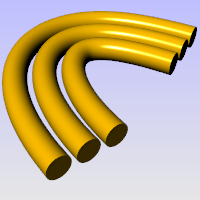
The Pipe command creates a surface with a circular profile around curves.
Steps
- Select one curve.
- Pick the start radius at the beginning of the pipe.
- If the curve is closed, pick the radius for the pipe.
- Pick the radius at the end of the pipe.
- Pick a point for the next radius, or press Enter to end the command.
Command-line options
-ChainEdges: Selects surface edges that are touching the selected edge.
-Multiple: Allows selecting more than one curve.
-Output
- Surface: Creates a surface pipe.
- SubD: Creates a SubD pipe.
-Diameter/Radius: Toggle between picking a Radius and picking a Diameter.
-Thick: Determines whether the pipe has two walls or one.
-
Thick steps
1.Pick the first start radius.
2.Pick the second start radius.
3.Pick the first end radius.
4.Pick the second end radius.
-Cap: Specifies how to cap the ends.
- None: No cap.
- Flat: Cap with planar surface.
- Round: Cap with hemispherical surface.
-FitRail: If the curve is a polycurve of lines and arcs, the curve is fit and a single surface is created; otherwise the result is a polysurface with joined surfaces created from the polycurve segments.
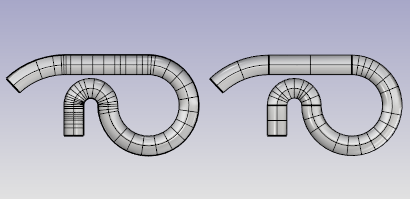
-ShapeBlending (Single curve only)
- Local: The pipe radius stays constant at the ends and changes more rapidly in the middle.
- Global: The radius is linearly blended from one end to the other, creating pipes that taper from one radius to the other.
- WallThickness (Single curve only): Specifies the value for the distance between the inside and outside of the pipe. Negative numbers make the first radius the outer core.
ChainEdgens options
-AutoChain: Selecting a curve or surface edge automatically selects all curve segments connected with the level of continuity set by the ChainContinuity option.
-ChainContinuity: Controls the level of continuity required between segments to be selected with the AutoChain option.
- Direction
- Forward: Selects curves in the positive curve direction.
- Backward: Selects curves in the negative curve direction.
- Both: Selects curves in both the posive and negative curve direction
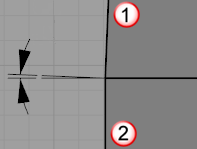
-GapTolerance: If the gap between two edges/curves is less than this value, the chain selection will ignore the gap and will select the next segment.
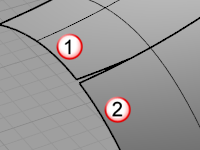
-AngleTolerance: When Continuity is set to Tangency, if the angle between two edges/curves is less than this values, the chain selection will consider the criteria for continuity.
-Undo: Undo last segment selection.
-Next: Select next segment.
-All: Select all segments.
For more information, please refer to the Rhino documentation.