Commands
SelEdgeLoop
 SelEdgeLoop
The SelEdgeLoop command selects a loop of mesh/SubD edges by picking an edge in the loop.
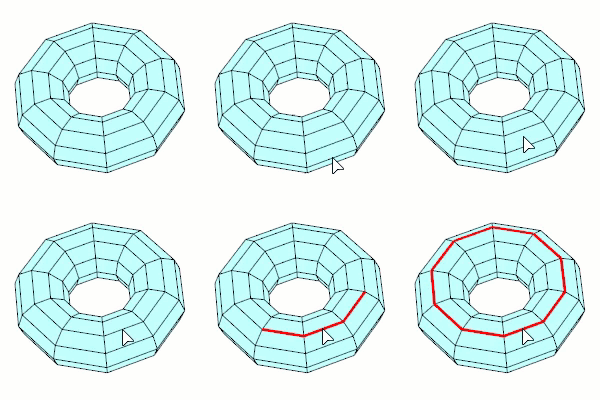
Steps
-
Pick a mesh/SubD edge.
The picked edge is highlighted brighter than the rest of edges in the loop.
You can hold down Ctrl(CMD) and pick the brighter edge to deselect the loop.
-
Press Enter to accept the selection.
An edge loop is selected. -
Hold down Shift + Ctrl(CMD) and pick the edges to deselect individually.
- This command only works on meshes with UV information.
- This command can be used when a command prompts for selecting mesh/SubD edges.
For more information, please refer to the Rhino documentation.