RhinoArtisan for Mac is in development, and so is this documentation. Any part of it may be inaccurate or change as the product evolves.
This page was written for RhinoArtisan 7 for Windows and has not been reviewed for Mac yet. Screenshots and some details may differ in Rhino for Mac.
Manufacturing
Sprue External Tree
 Sprue External Tree
 feeds a piece from outside: a main branch rises next to the design and secondary branches reach from it to the points you choose on the mesh. It is the sprue for pieces with intricate detail on both front and back — a pavé plaque with a worked backing, for instance — where an internal feed would land on detail.
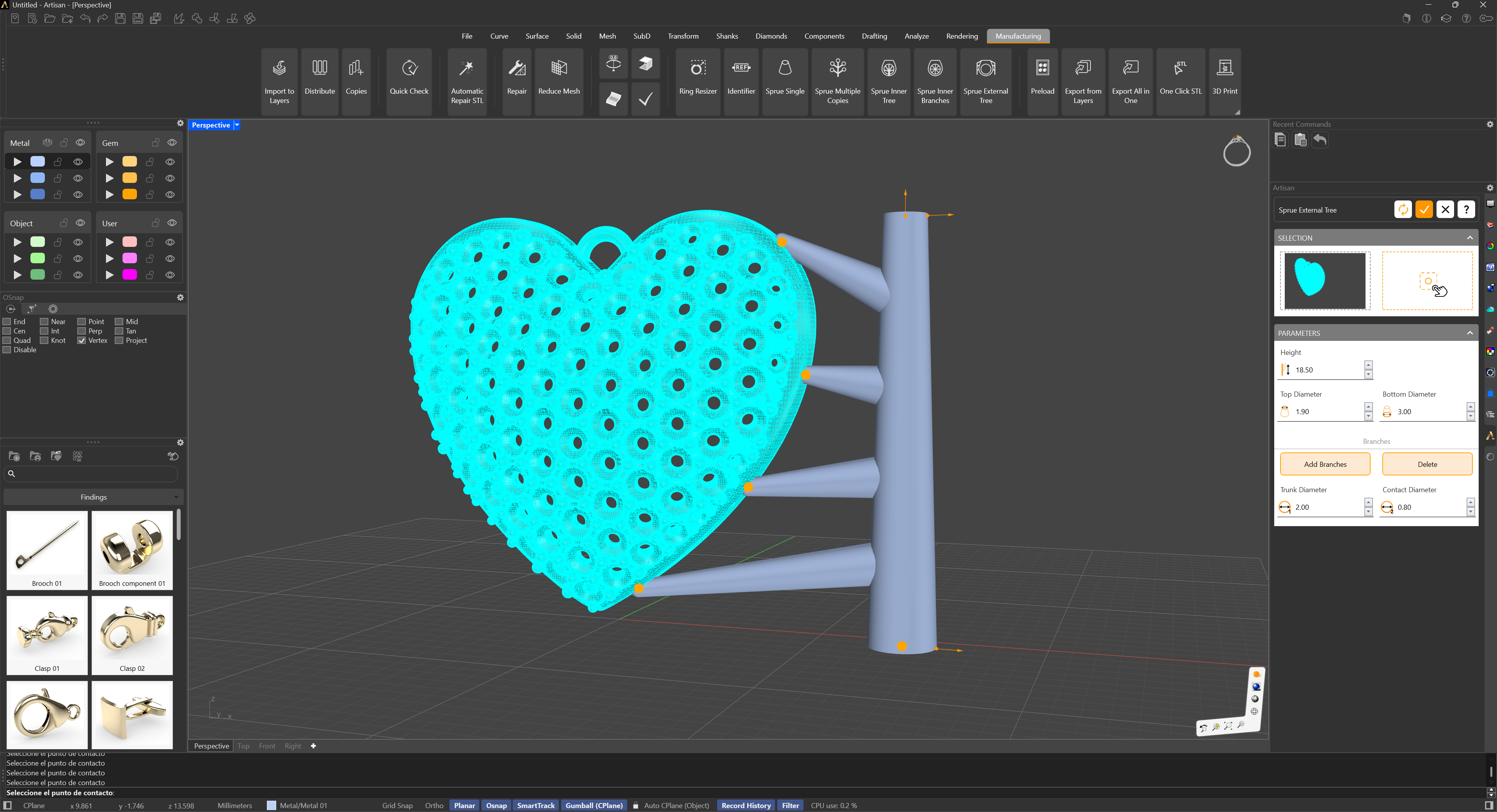
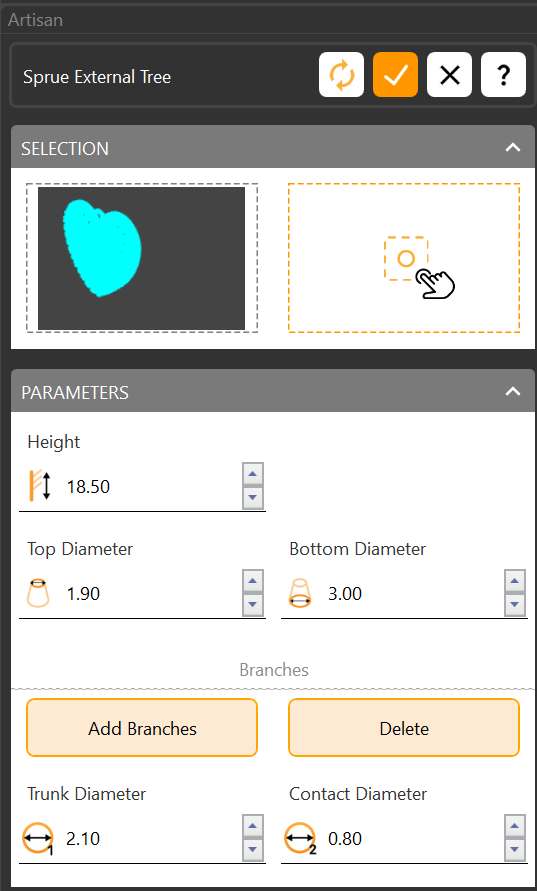
In the selection panel:
- Mesh Selection — the piece to sprue.
- Main Branch Starting Point — where on the mesh the main branch begins.
In the parameters panel:
- Height and diameters — the main branch’s height and its upper and lower diameters.
- Add Branches — pick the point on the mesh where each secondary branch ends. Delete removes them all; to delete one, hold Shift and click its gumball.
- Branch Diameters — each secondary branch’s diameter at the main branch and at the contact with the piece.
Placed well, the branches keep every delicate detail intact and give the metal a clean path in — fewer casting defects, better pieces.