RhinoArtisan for Mac is in development, and so is this documentation. Any part of it may be inaccurate or change as the product evolves.
This page was written for RhinoArtisan 7 for Windows and has not been reviewed for Mac yet. Screenshots and some details may differ in Rhino for Mac.
Manufacturing
Sprue Inner Tree
 Sprue Inner Tree
 feeds a ring from the inside: a main branch stands in the smooth lower interior of the shank, and secondary branches reach from its top to the detailed upper parts — prongs, holes, galleries — that need their own metal flow during casting.
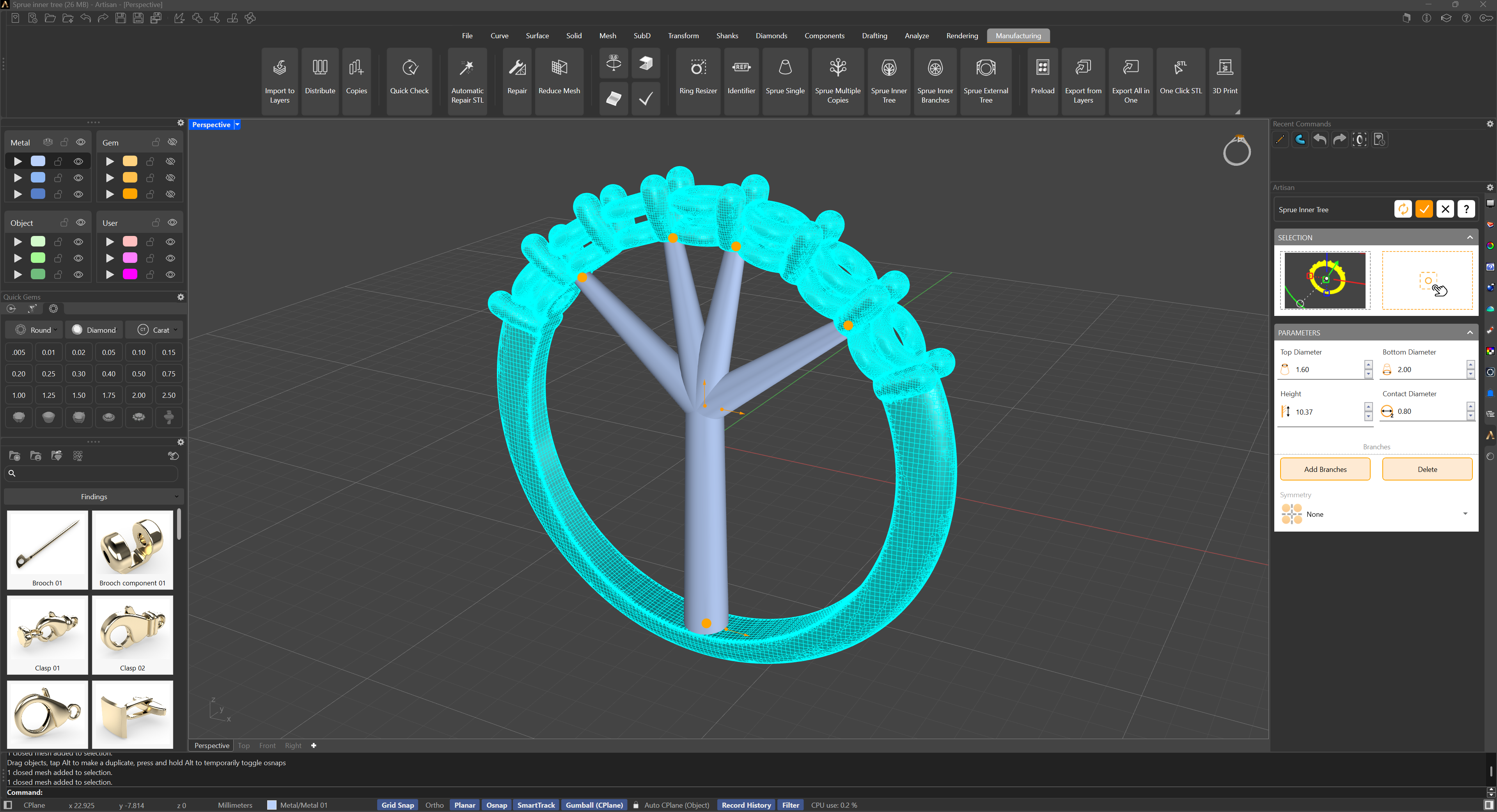
In the selection panel:
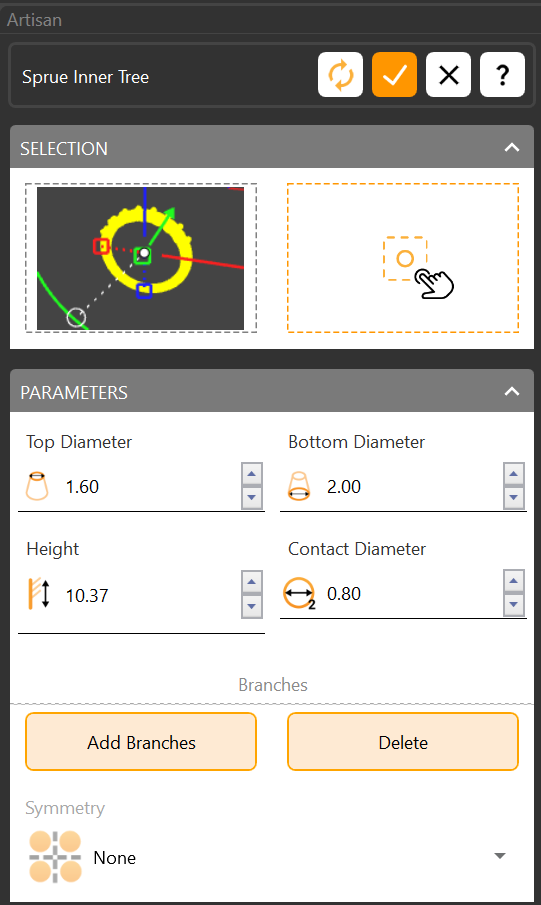
- Mesh Selection — the ring to sprue.
- Start Point — where the main branch touches the ring, typically the center of the lower interior of the shank.
- Lower / Upper Diameter — the main branch’s diameter at the contact point and at its top, where the secondary branches originate.
In the parameters panel:
- Add Branches — pick the end point of each secondary branch. Choose flat areas with enough contact surface, away from crucial details and necessary holes. Each branch gets a gumball to adjust its endpoint; to delete one, hold Shift and click its gumball. You also set the branches’ diameter at their contact points.
- Symmetry — mirrors the branches, so a symmetrical ring gets an identical structure on both sides in half the clicks.
For rings whose interior itself carries holes or delicate work — a full eternity, for instance — see Sprue Inner Branches, which grows the branches from the ring’s center instead.