RhinoArtisan for Mac is in development, and so is this documentation. Any part of it may be inaccurate or change as the product evolves.
This page was written for RhinoArtisan 7 for Windows and has not been reviewed for Mac yet. Screenshots and some details may differ in Rhino for Mac.
Solids
Curve Shell
 Curve Shell
With this command, you can select closed curves, and generate a shell-shaped solid, with a flat platform and vertical walls. This is especially useful to create solid surfaces where to set gems or Texture 3D.
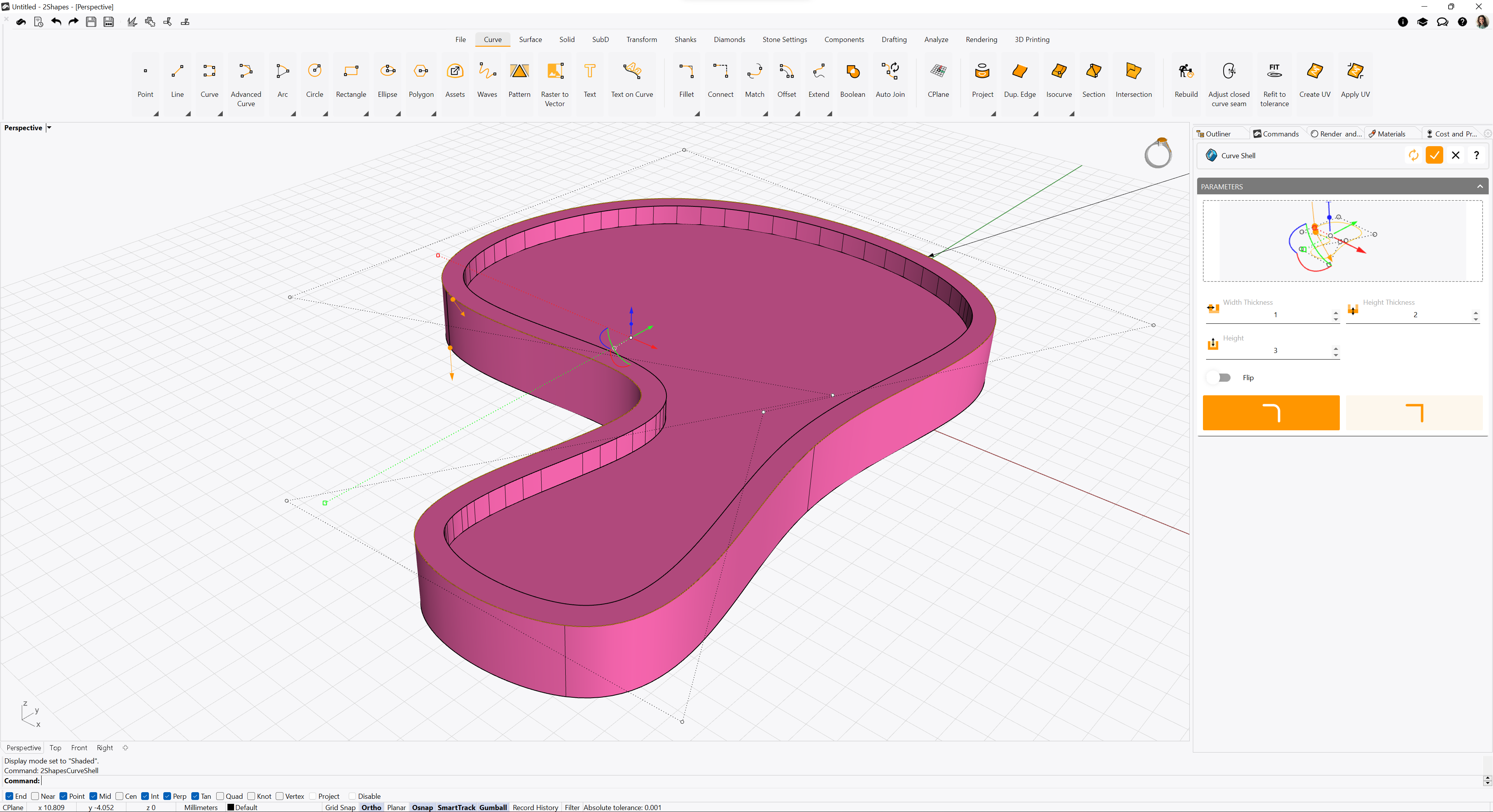
When running this command, its parameters will be shown on the Commands toolbar.
Clicking the selection square will allow you to select the closed curve you want to use to create the Curve Shell object.
Once you confirm your changes, the Curve Shell object will be listed on the Outliner toolbar.