RhinoArtisan for Mac is in development, and so is this documentation. Any part of it may be inaccurate or change as the product evolves.
This page was written for RhinoArtisan 7 for Windows and has not been reviewed for Mac yet. Screenshots and some details may differ in Rhino for Mac.
Transform
Quick Bend
 Quick Bend
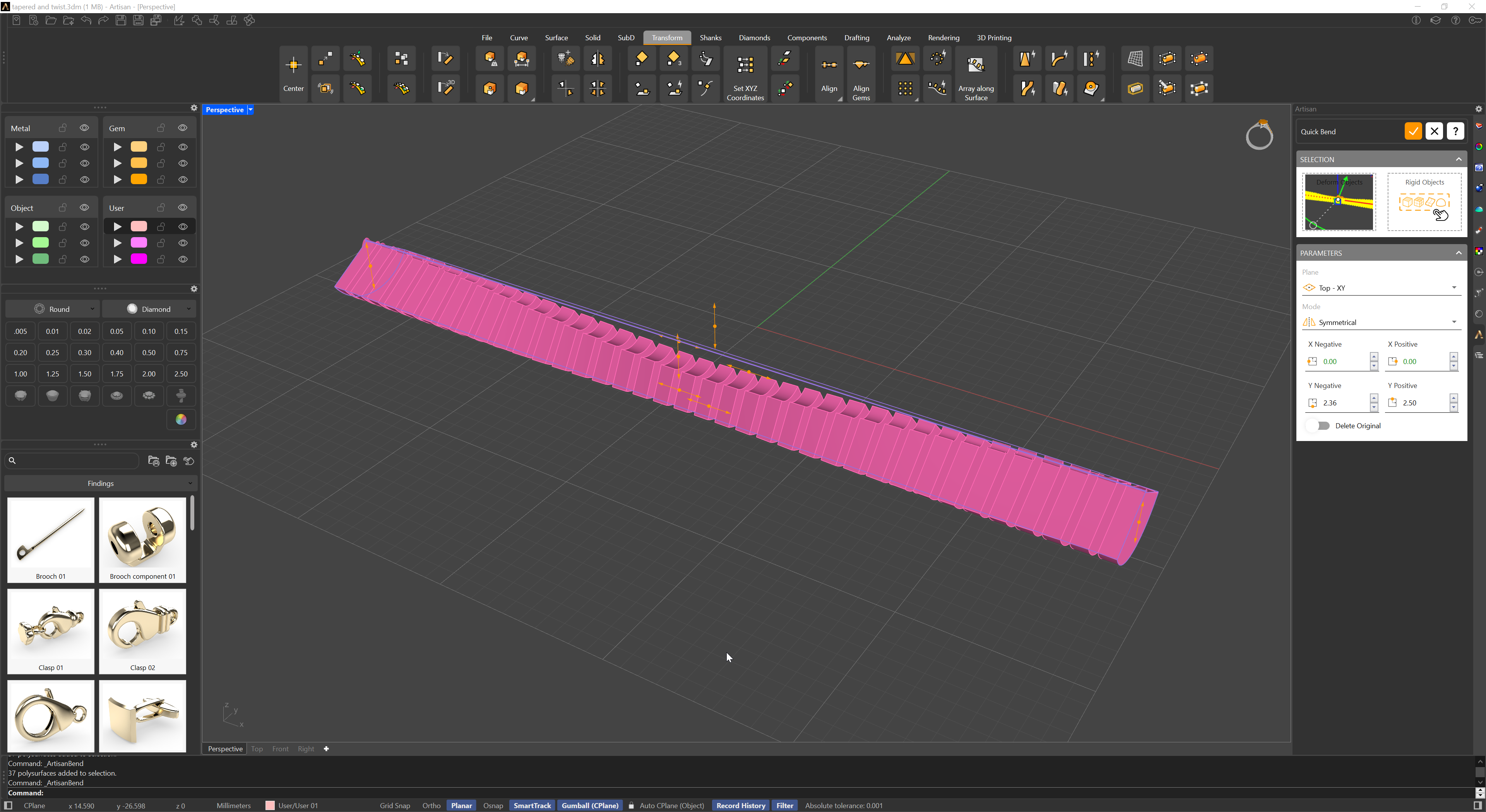
The Bend command allows for the deformation of objects by bending them along a spine arc. It provides the option to select either a single object or a group of objects. Additionally, curves, planes, surfaces, or solids can be used to facilitate the bending process.
How It Works:
Once objects are selected in the selection panel, they are surrounded by a bounding box. Lines with arrowheads appear at each end of the box. By moving these arrows, you can bend the object in the direction indicated by the arrows, offering a visual and intuitive way to control the deformation.
Customization Options:
In the parameters panel, you have the ability to:
- Deformation Plane: Select the plane of action that will influence the bending direction.
- Symmetry Mode: Choose whether the bending is symmetrical or asymmetrical.
- Manual X and Y Adjustments: For greater precision, you can manually input values for the X and Y parameters instead of relying on the arrows.
This combination of visual controls and manual fine-tuning provides flexibility and precision when shaping your designs.