In development
RhinoArtisan for Mac is in development, and so is this documentation. Any part of it may be inaccurate or change as the product evolves.
Windows page
This page was written for RhinoArtisan 7 for Windows and has not been reviewed for Mac yet. Screenshots and some details may differ in Rhino for Mac.
Transform
Quick Array On Curve
 Quick Array on Curve
This command allows you to create multiple copies of an object following the orientation of a curve.
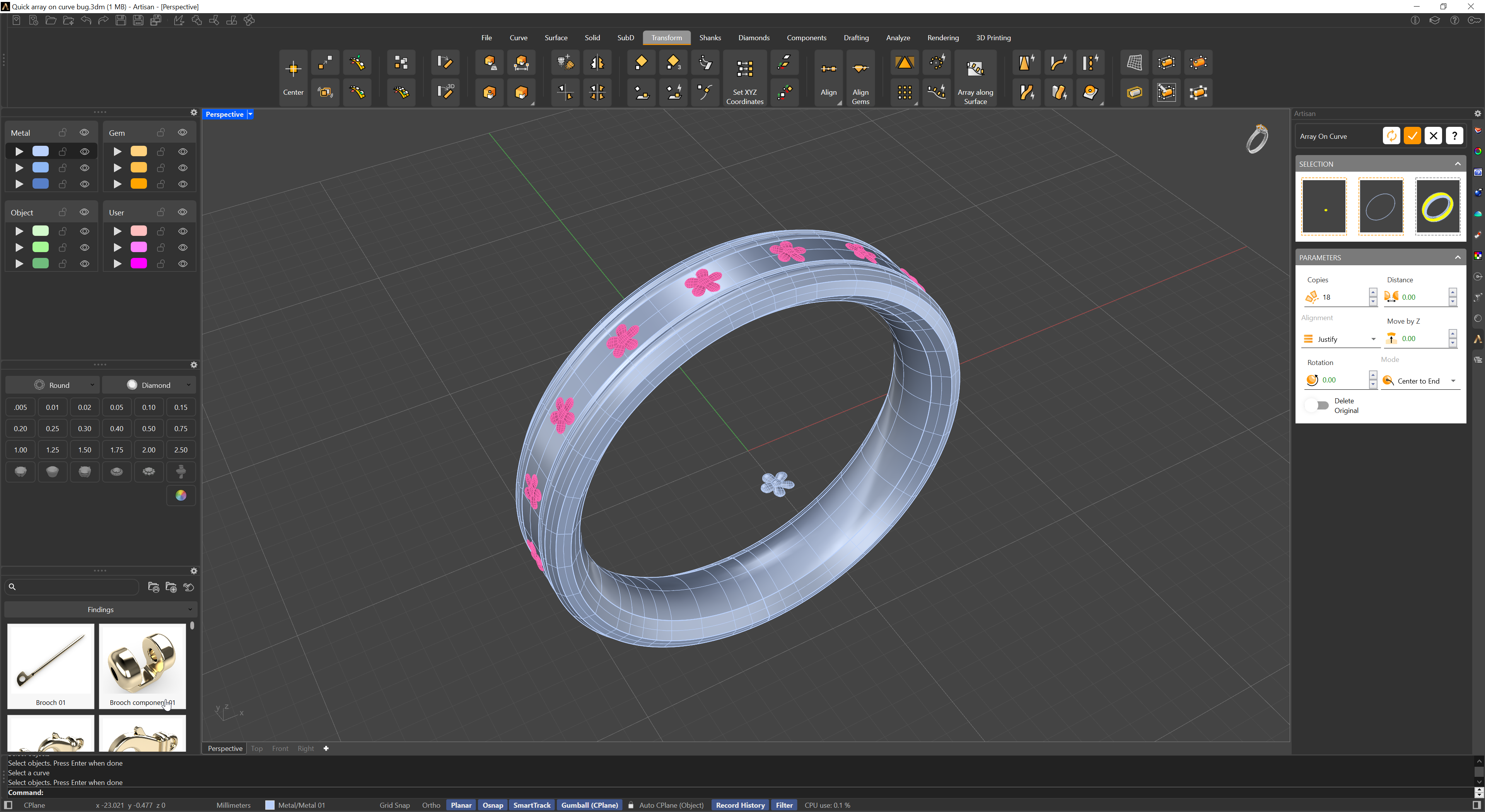
This command allows users to distribute objects along a curve with precise control. Upon activation, two panels appear:
- Selection Panel: Choose the objects to be distributed, the curve on which the distribution will occur, and optionally, select a mesh, solid, or surface to which the objects will be oriented.
- Parameters Panel: Adjust the distribution by specifying the number of copies to create. Choose an alignment method (if not justified, manually set the distance between objects). Fine-tune the objects’ positions by moving them along the Z-axis and rotating them for better alignment. Additionally, you can decide the placement mode for the first object in one of two ways: Center to End or Bounding Box to End.
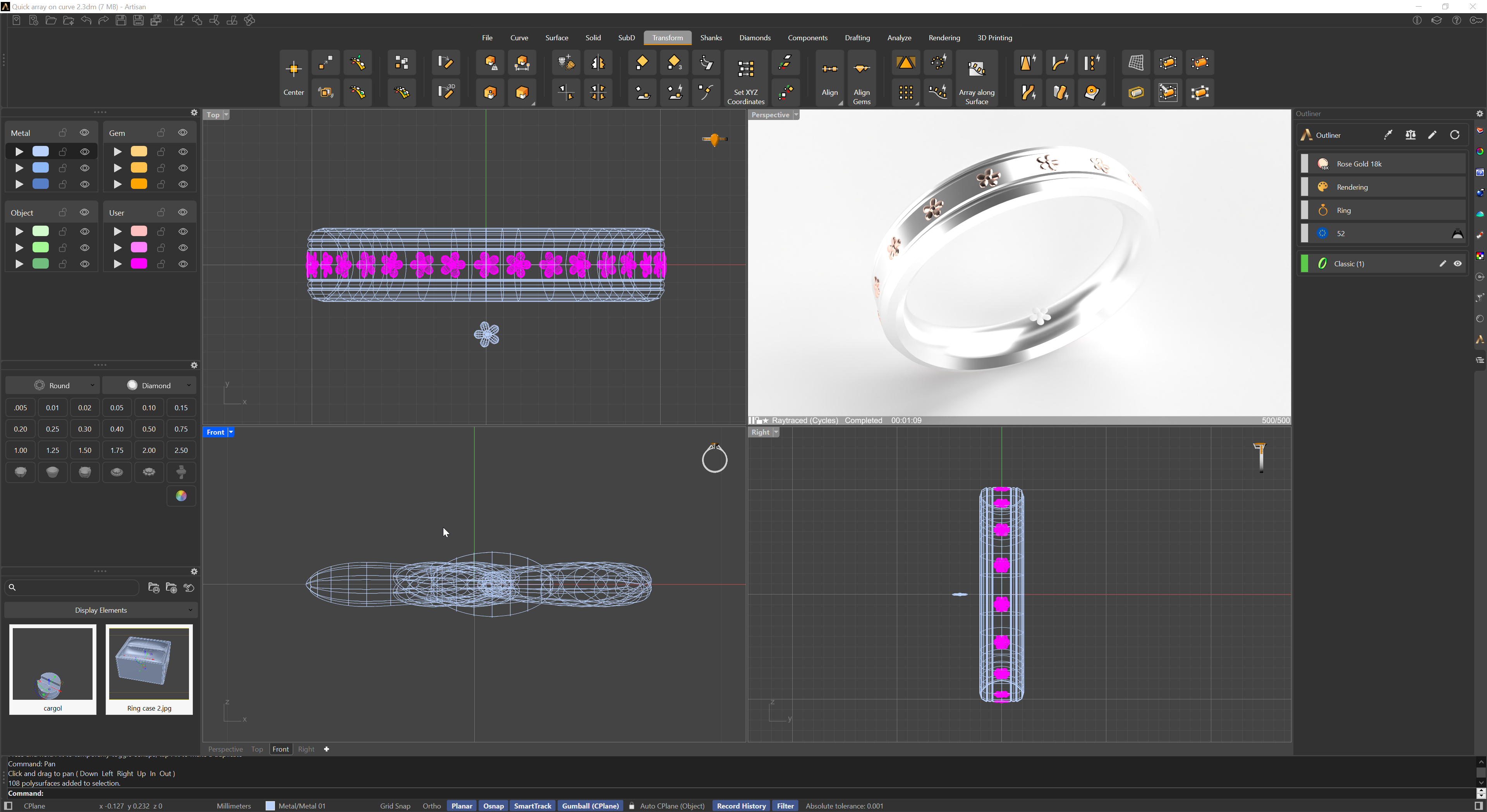
This command simplifies the process of arranging objects along a curve, offering versatile control over spacing, alignment, and orientation.