Advanced Ring
Lesson 26 of 58
Bezel Details
Sign in to access this lesson
This lesson is part of Iconic Fashion Pieces, which can come bundled with a RhinoArtisan Commercial license subject to current promotions. Log in with your customer account, or get in touch and we'll set you up.
Customers only
Solo para clientes
This lesson is part of Iconic Fashion Pieces, which can be included with a RhinoArtisan Commercial license subject to current promotions. If you've already purchased and don't see it in your account, get in touch.
Objective: Add unique details to the bezel.
Step 1: Select the bezel and click “Edit.” In the “Cutter and Airgap” options adjust the following parameters.
- Shape: 025 (Heart shape).
- Height: 1.6 millimeters.
- Move in Z: -2.70 millimeters.
- Global rotation: 68.10 millimeters.
Switch the mode to the fourth option. Set the number of cutters to 2.
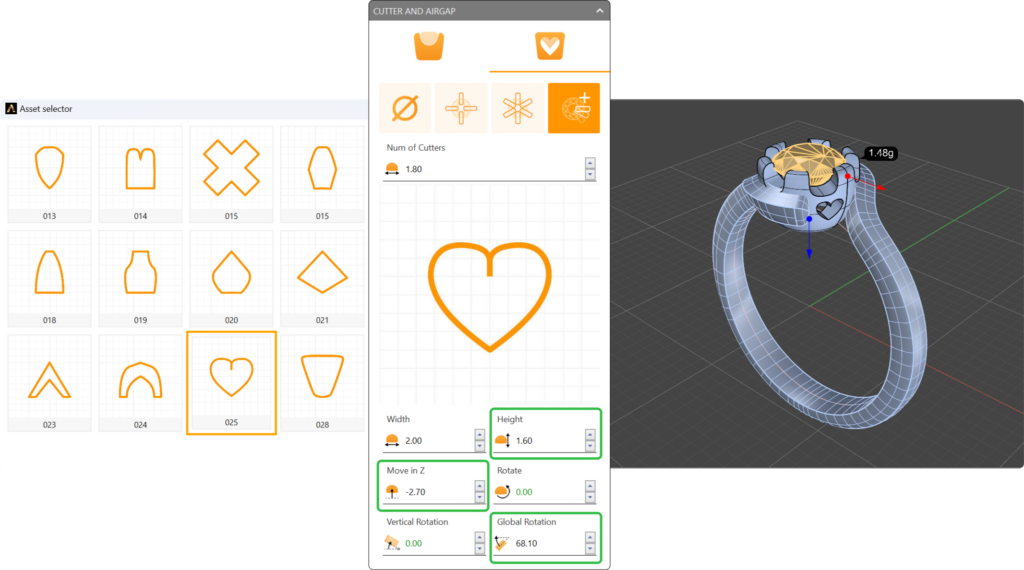
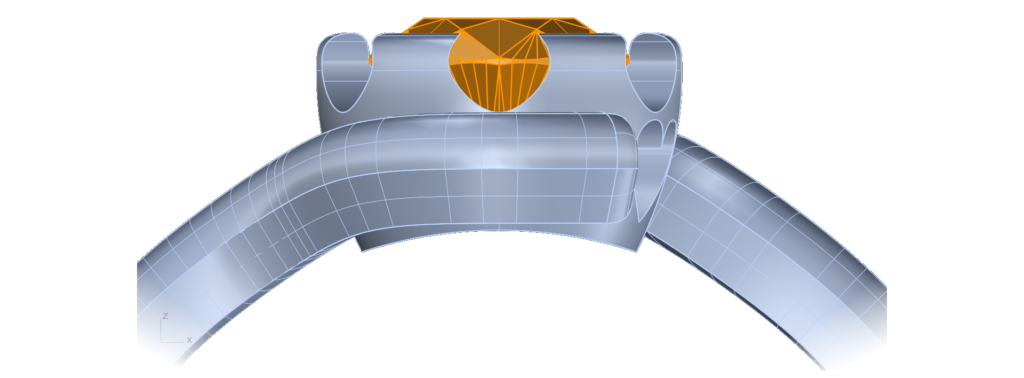
Step 2: Cut the bezel to match the shank curve.
- In the Outliner, next to the ring size, click the “Cut” icon.
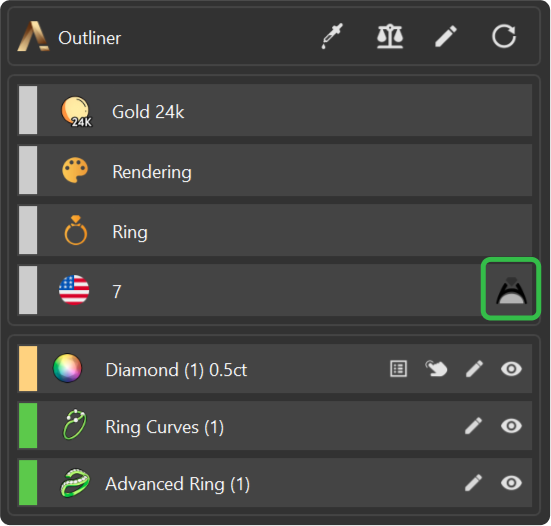
- Select the bezel and press Enter.
Video Lesson
Next Step: Apply materials and render the ring.
Almost there — you still have some lessons to complete. Jump to the next one →
Impersonating — progress and reviews are disabled.
Course completed
You've completed Iconic Fashion Pieces 🎉
Great work. Get your certificate of completion and, if you have a minute, let other jewelers know what you thought of the course.