Bezel Set - Earrings
Lesson 41 of 58
Gem Creation and Bezel Set
Sign in to access this lesson
This lesson is part of Iconic Fashion Pieces, which can come bundled with a RhinoArtisan Commercial license subject to current promotions. Log in with your customer account, or get in touch and we'll set you up.
Customers only
Solo para clientes
This lesson is part of Iconic Fashion Pieces, which can be included with a RhinoArtisan Commercial license subject to current promotions. If you've already purchased and don't see it in your account, get in touch.
Objective: Create gemstones and apply the saved bezel style.
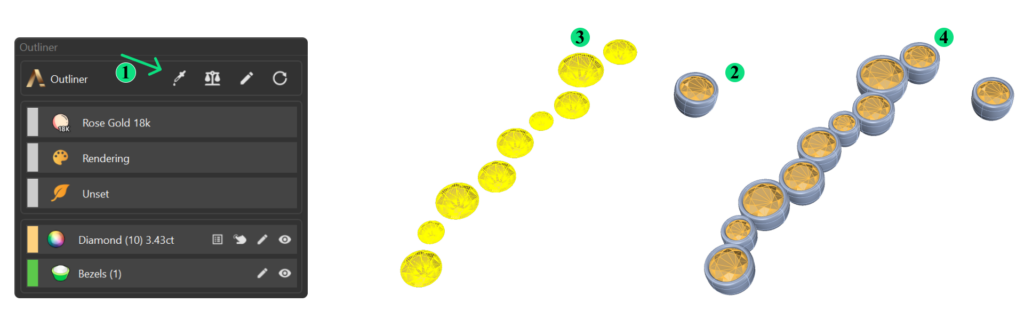
Step 1: Use the Gems from Circle command from the Diamonds tab to generate gems from the inner curves.

Step 2: Retrieve the bezel from the Curator panel. Select the bezel, add it to the workspace, and apply the saved bezel style to the gems.
Video Lesson
Next Step: Add the earring post and adjust its position.
Almost there — you still have some lessons to complete. Jump to the next one →
Impersonating — progress and reviews are disabled.
Course completed
You've completed Iconic Fashion Pieces 🎉
Great work. Get your certificate of completion and, if you have a minute, let other jewelers know what you thought of the course.