Diamonds and Gemstones
Baguette Studio
.png) Baguette Studio
Baguette Studio
The Baguette Studio command provides specialized functionality for designing baguette-cut gemstones with precision. Unlike the Gem Studio tool, which offers general gemstone creation, Baguette Studio focuses specifically on the complexities of the baguette cut: straight and tapered baguettes, standard commercial sizes, and full control over the cut’s proportions.
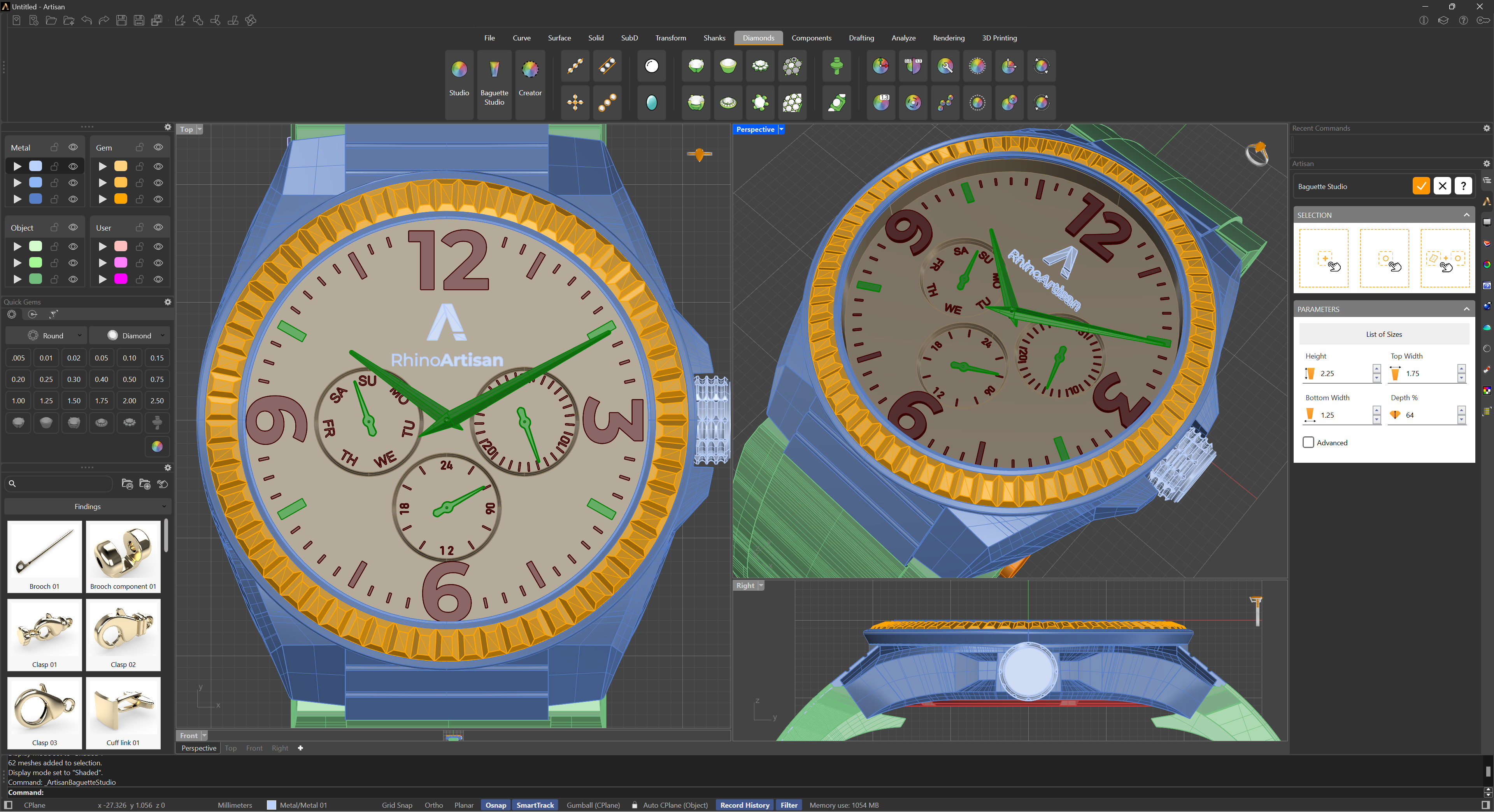
Selection Options
The Selection section offers the same placement flexibility as Gem Studio:
- In the CPlane: Adds a baguette with the specified parameters to the center of the viewport, aligned to the construction plane (CPlane).
- On a point: Adds a baguette at the selected point by clicking in the viewport, for precise placement at any predefined location.
- On geometry: Adds a baguette on the selected surface by clicking, aligning it with the surface’s orientation for seamless integration.
List of Sizes
The List of sizes button opens a table of standard commercial baguette sizes. Each entry lists the Length, Top Width, Bottom Width, Depth % and the resulting Weight in carats. Pick a size from the list and accept to apply all its dimensions at once — the fastest way to work with the calibrated sizes your stone supplier actually stocks.
Parameters
The main parameters define the outline and depth of the stone:
- Height: The length of the baguette, from end to end.
- Top Width: The width of the wider end.
- Bottom Width: The width of the narrower end. Set it equal to the Top Width for a straight baguette, or smaller for a tapered baguette.
- Depth %: The total depth of the stone as a percentage of its width, following the gemological convention (64% is the standard baguette). Changing it scales the crown, girdle and pavilion proportionally, keeping the standard split between them.
Advanced Parameters
Enable the Advanced checkbox to unlock detailed faceting control over each part of the cut:
- Table Height and Table Width: Define the size of the table (the flat top facet) along and across the stone.
- Pavilion Scale: Controls how much the pavilion contracts toward the culet.
- Culet Length: The length of the culet line — baguettes end in a keel line rather than a point, and this parameter controls how long that line is.
- Girdle Depth: The thickness of the girdle band.
- Crown Depth: The height of the crown, from the girdle to the table.
These parameters let you match the exact make of a real stone — essential when the setting must fit a supplier’s parcel rather than an idealized cut.
Baguette Studio empowers jewellers with the tools needed to navigate the unique challenges of baguette cuts, offering both flexibility and accuracy for high-quality gemstone design. For placing a run of tapered baguettes along a curve automatically, see Tapered Baguettes on Curves.