User Interface
Recent Commands
Designing a piece is not a straight line. You place the stones, look at it, move them, rebuild the prongs, look again, change the shank, redo the cutters. The same small group of commands, over and over, with a look in between each one.
This panel is built for exactly that. Every command you run appears here as an icon, most recent first, and clicking it runs the command again. No ribbon tab to find, no name to remember, no menu to walk down.
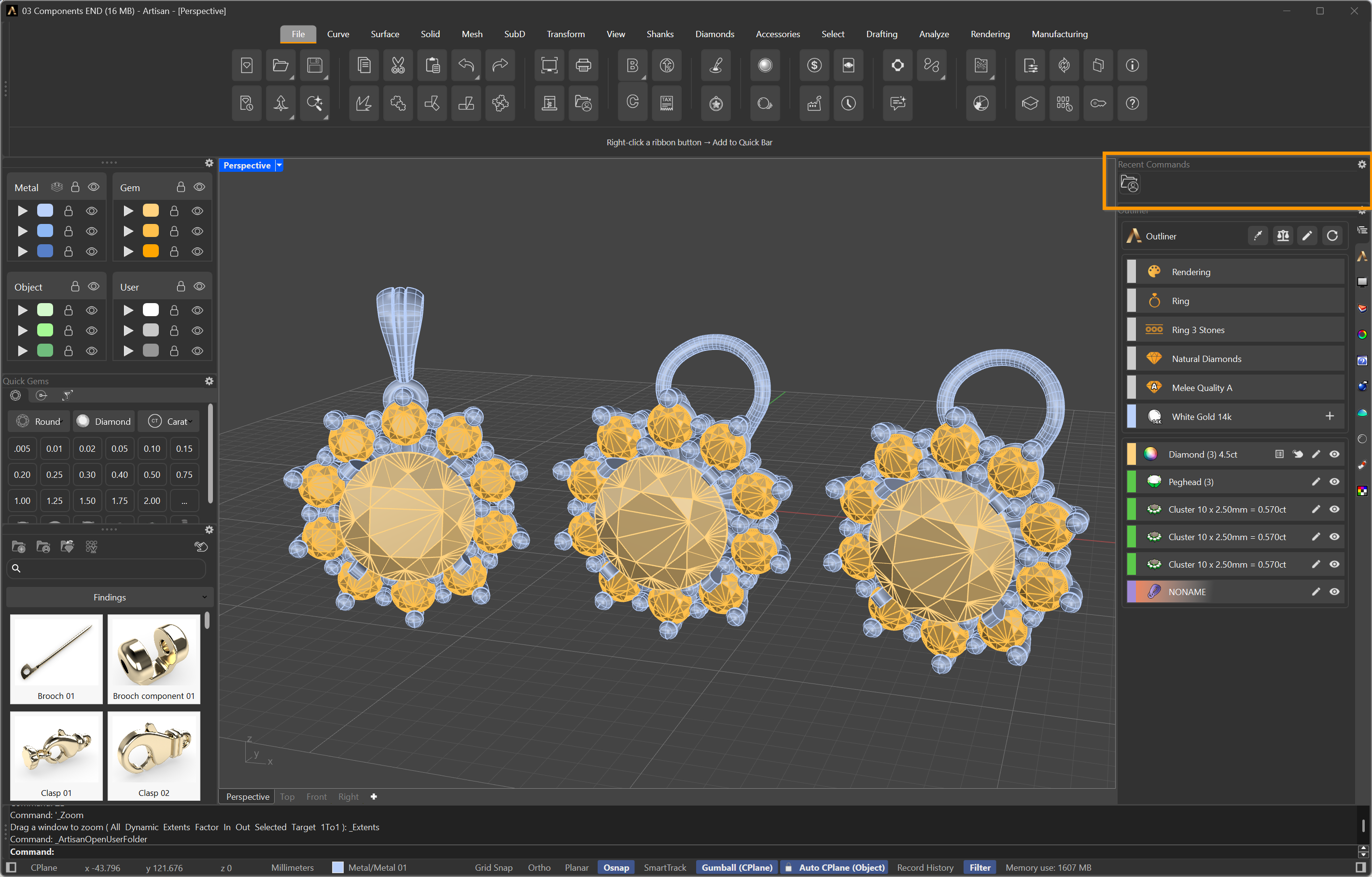
Recent Commands, at the top of the panel column
How it works
- The panel holds the last twelve commands. The thirteenth pushes the oldest one out, so what you see is always the work you are doing now.
- Click an icon to run that command again.
- Hover over an icon to read the command’s name, in your language.
- The list follows the session: it fills up as you work, from whichever tab or command line you used.
Why it matters
Count the clicks on a single stone setting: choose the tab, find the icon, run it, inspect, undo, change one number, run it again. The finding is never in the same tab as the setting, and the setting is never in the same tab as the cutter. Over a morning that navigation adds up to more time than the modelling.
The panel collapses all of it to one click per repeat, and it does it without you having to set anything up — unlike the Quick Bar, which you curate yourself. Recent Commands simply remembers.