Technical Documentation
Gems Map
 Gems Map
Gems Map draws a 2D map of every stone in the design — its outline in place and its weight in carats — so the drawing shows exactly where each gem goes. Gem setters love this tool.
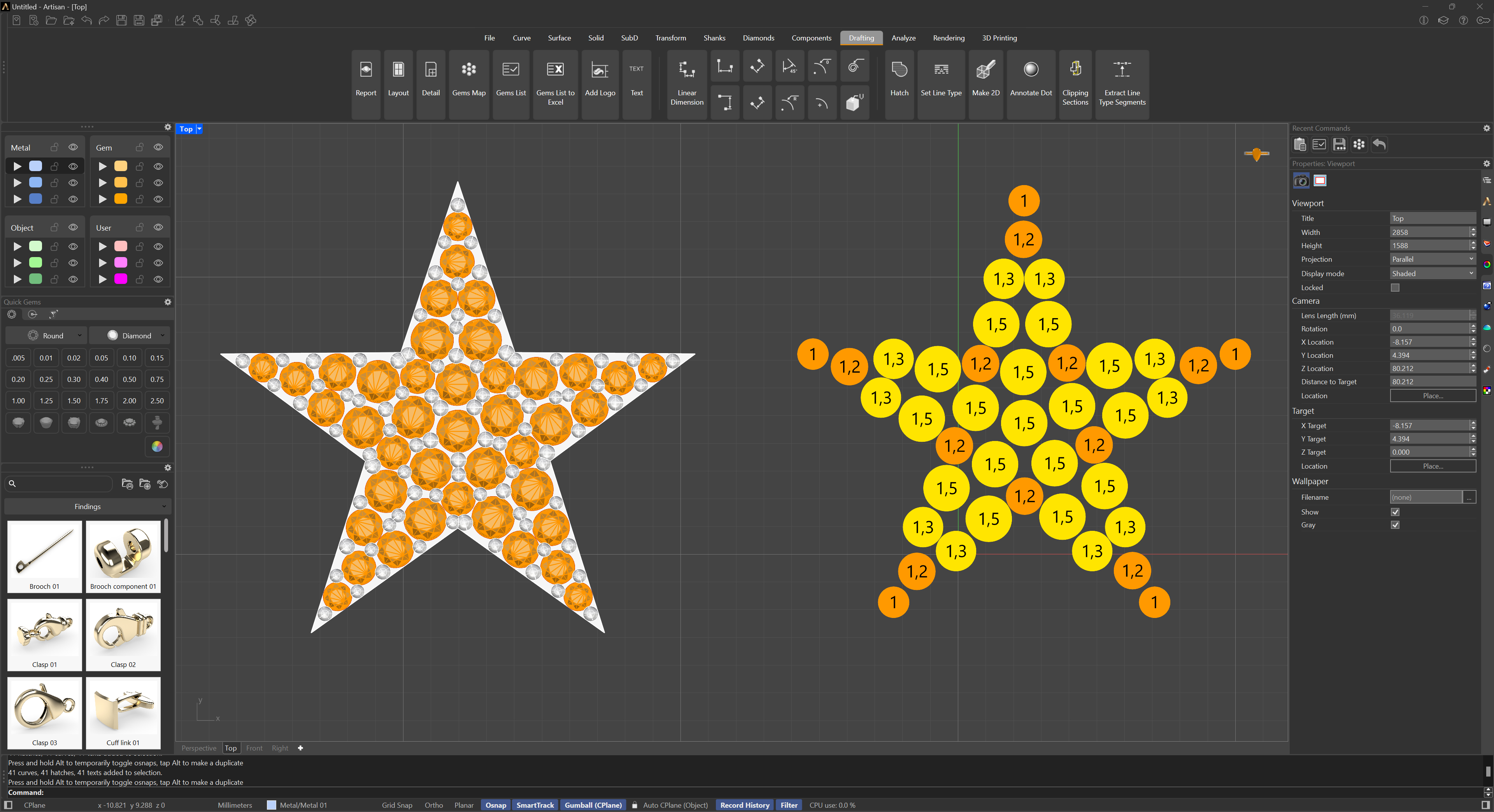
There are three command-line options: Scale, Projection, and ExpandOverlapping. By default, the scale is set to 2, doubling the map’s size (it can be set anywhere from 0.01 to 10). The projection can be Planar or Spherical: planar covers most cases, but on a piece where the stones wrap around a dome — like the model below — spherical gives the better result. ExpandOverlapping is off by default; turn it on to automatically push gem outlines that overlap in the 2D map apart from each other, so the map stays readable when stones sit close together.
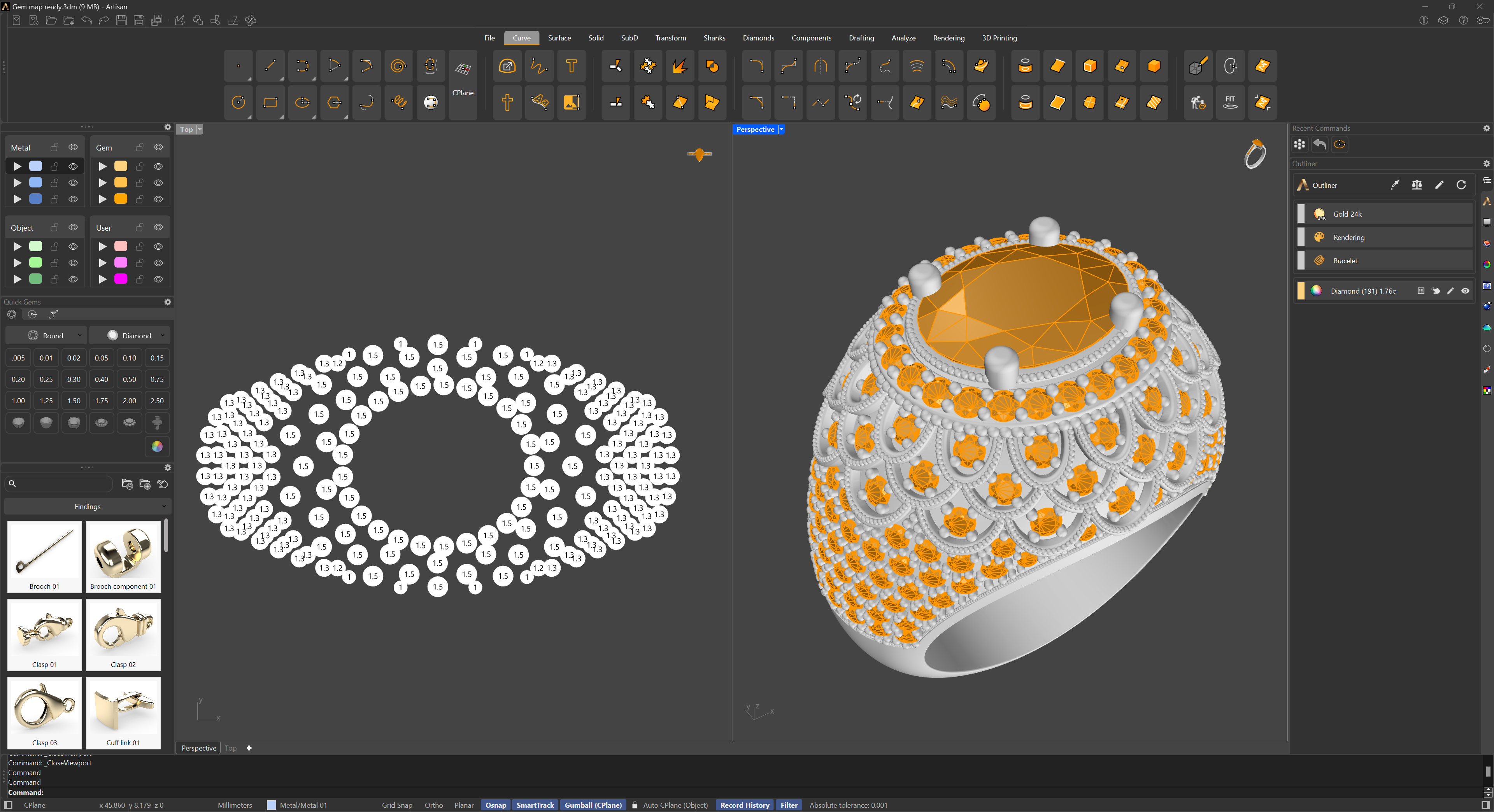
Run the command and pick a point in the scene; the map is generated there, and you can scale and move it with the Gumball.
To map only part of the piece, use Gems Map by Selection.