Diamonds and Gemstones
Pearl
 Pearl
Pearl
The Pearl command allows you to create a realistic 3D representation of a pearl, complete with a supporting calotte and a wire for mounting. This versatile tool is ideal for jewellers designing earrings, pendants, or other pieces featuring pearls.
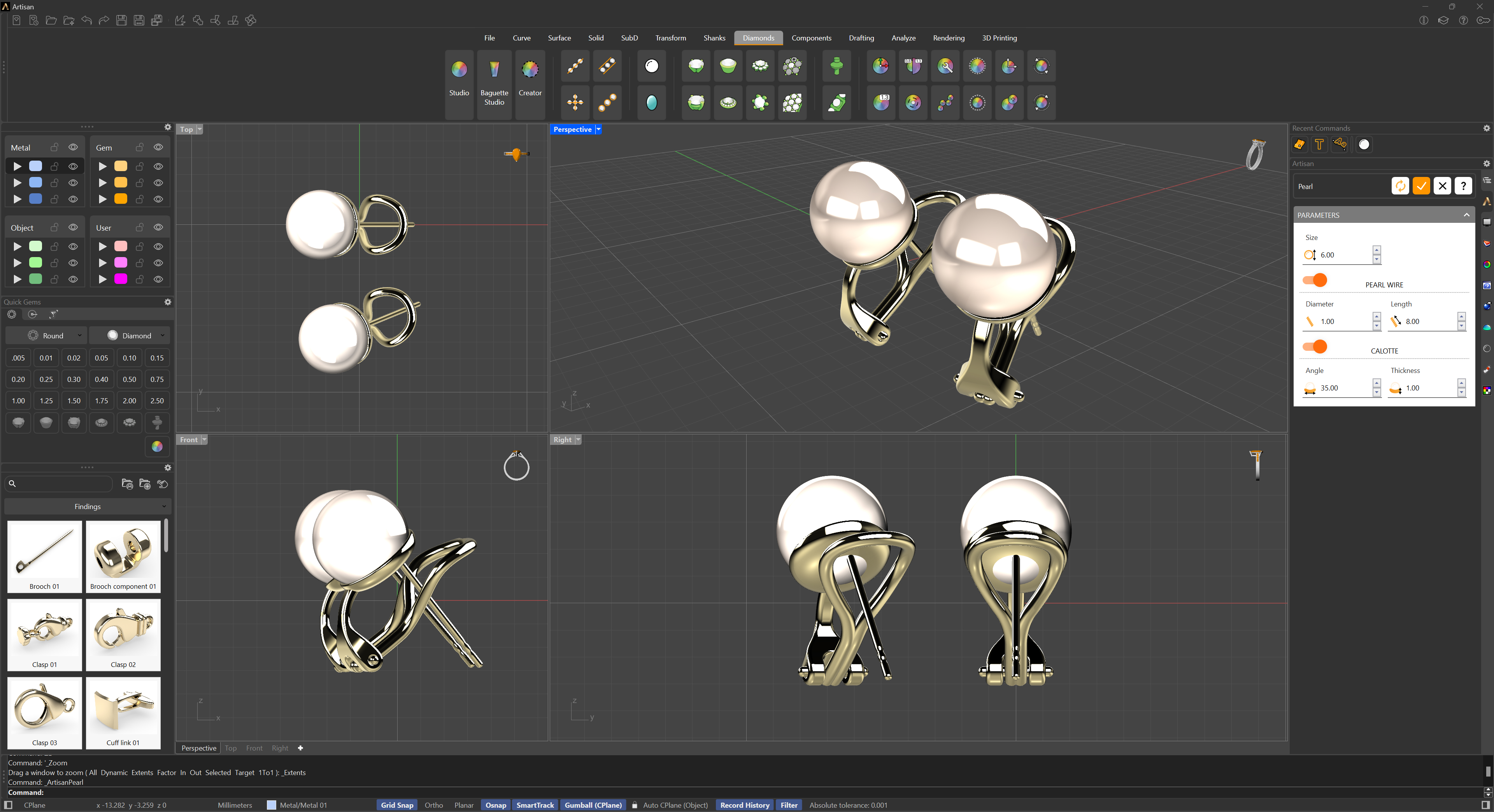
Parameters
- Size: The diameter of the pearl sphere.
The rest of the parameters are organized in two sections:
Pearl Wire
- Diameter: The thickness of the wire.
- Length: The length of the wire, which can be used as a post for earrings or for other mounting purposes.
Calotte
- Angle: The angle covered by the calotte — the curved cap that supports the pearl. A higher angle wraps further around the pearl, while a lower angle results in a flatter, more open cap.
- Thickness: The metal thickness of the calotte.
Usage
Adjust the parameters and watch the preview update: pearl size, wire diameter and length, and calotte angle and thickness. You can save your preferred configuration with the Save defaults button in the header (right-click it to clear the saved values), so every new pearl starts from your house specifications.