User Interface
Colors
Two colour tables, each with its own Reset to default colors button.
Gem Colors
One colour per stone size, from 0.8 mm to 3.5 mm in 0.1 mm steps — 28 sizes in all.
When a report, a gems map or the Technical Chart is generated, each stone is drawn in the colour assigned to its size. That is the whole point: a setter can tell 1.3 mm from 1.4 mm at a glance instead of reading numbers off a list, and a stone in the wrong seat becomes visible instead of arithmetic.
- Export Colors / Import Colors — save the palette to a file and load it on another machine, so the whole workshop reads the same colours.
- Reset to default colors — restores the RhinoArtisan palette.
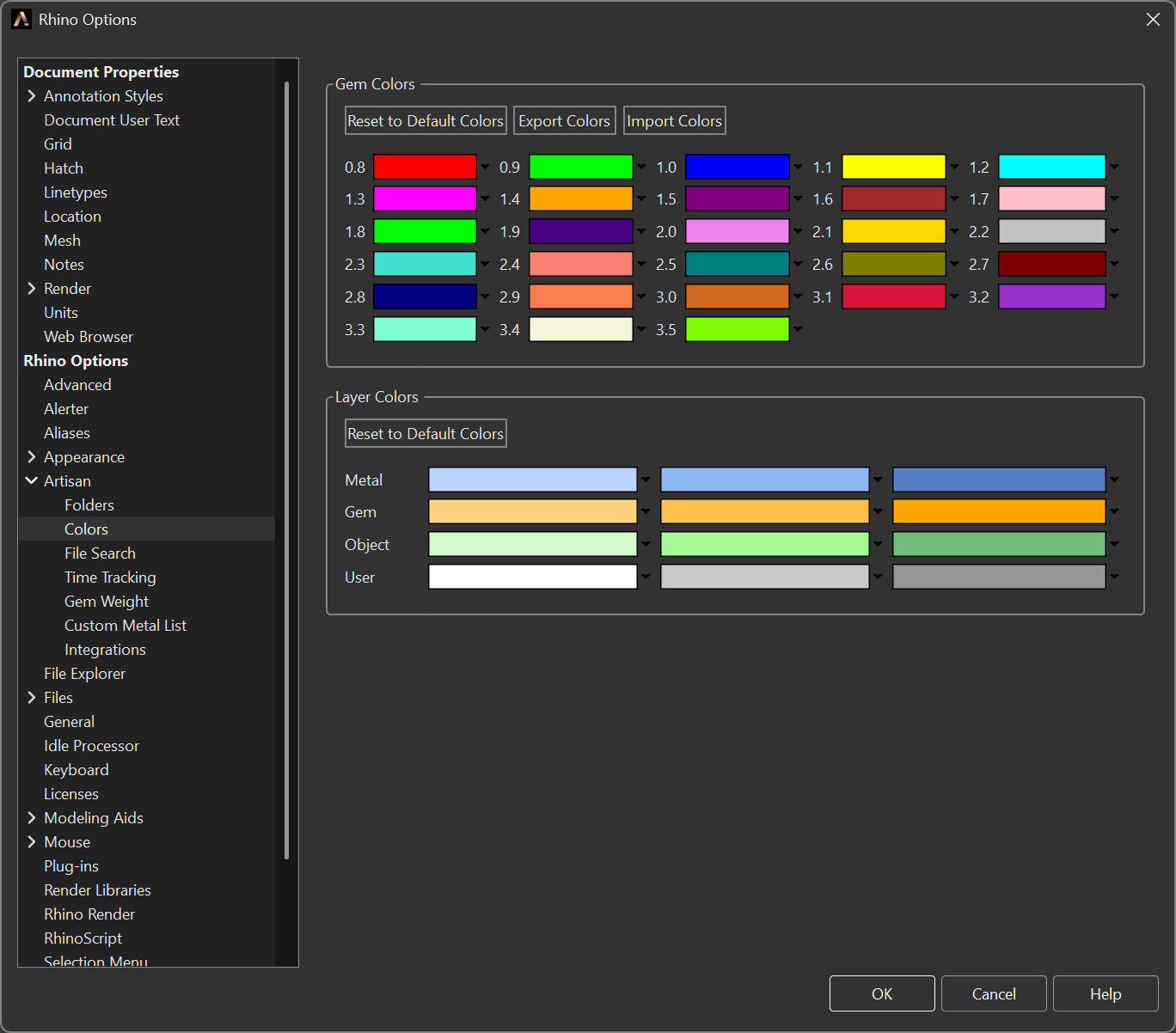
Gem Colors and Layer Colors, in Options > Artisan > Colors
Layer Colors
The colours of the automatic layer structure created by Organize Objects on Layers (see Artisan).
Four categories — Metal, Gem, Object and User — with three colours each, so nested layers inside the same category stay distinguishable instead of collapsing into one shade.
- Reset to default colors — restores the RhinoArtisan layer palette.