Diamonds and Gemstones
Gem Creator
 Gem Creator
The Gem Creator command allows you to create a fully custom gemstone directly from a planar curve, using that curve as the stone’s girdle outline. Once the girdle is defined, the command builds the complete stone — table, crown, girdle, pavilion and culet — and gives you precise control over every proportion. It is the tool to reach for when the stone you need doesn’t exist in the Gem Studio catalog: freeform cabochon outlines, antique cuts, or a real stone you must reproduce exactly.
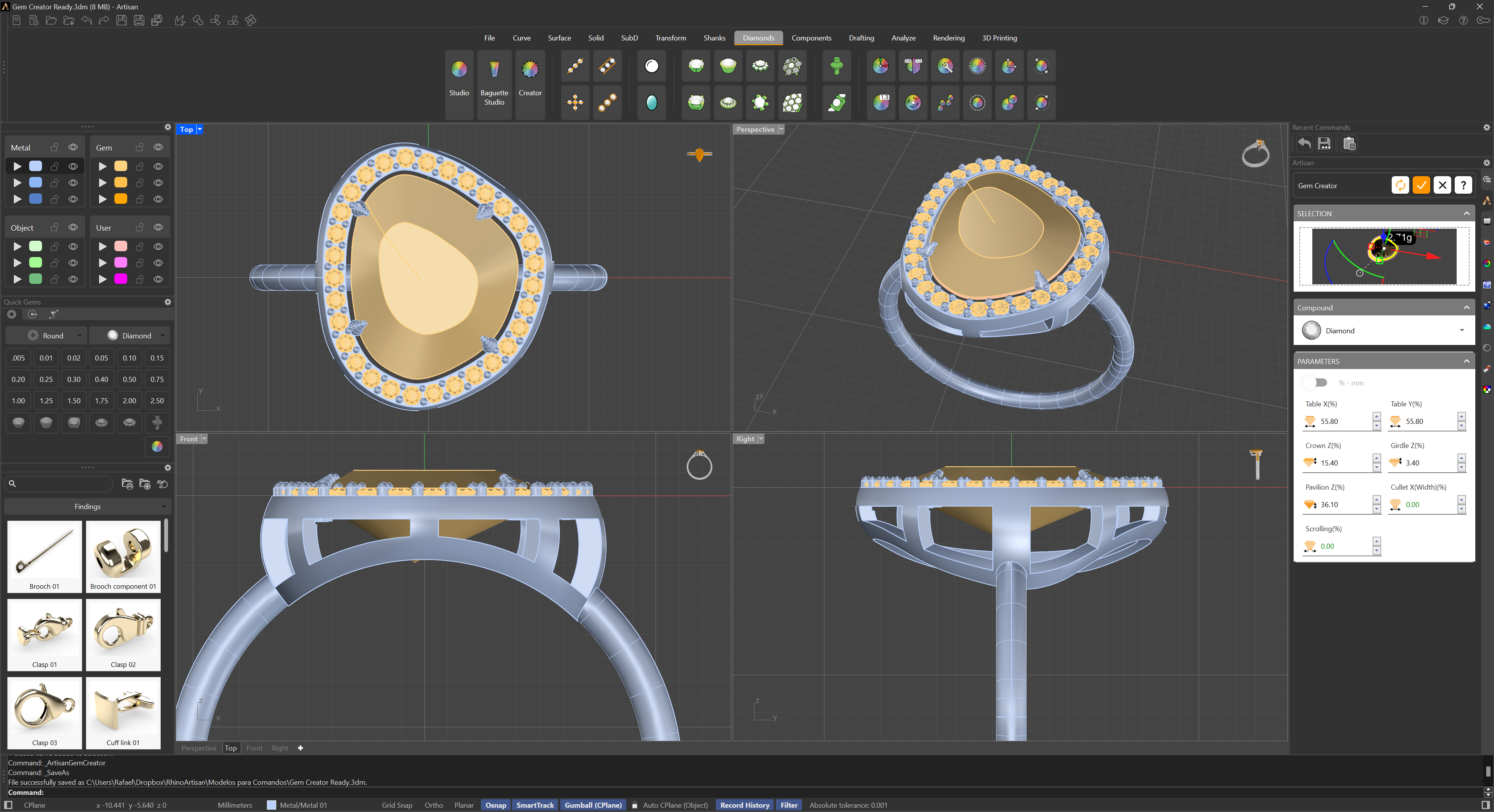
Selection
Select the closed planar curve that defines the girdle — the stone’s silhouette seen from the top. The command generates the gemstone from it in real time, and every parameter change updates the preview immediately.
Compound
The Compound section sets the stone’s material, with a wider library than Gem Studio that includes the color varieties of each species: Diamond (white and Champagne), Ruby, Emerald, Sapphire, Amethyst, Aquamarine, Morganite, Chalcedony, Citrine (Orange, Yellow, Orange-Yellow), Peridot (Green, Yellow-Green), Topaz (Red, Violet, Pink, Blue, Green, Brown), Tourmaline (Pink, Blue, Black, Green), Tanzanite (Purple, Green), Spessartite, Quartz (clear, Rose, Smoky Gray, Smoky Brown) and Moissanite. The material drives the viewport color and the density used for weight calculations.
Parameters
All proportions can be edited in millimeters or as a percentage of the stone’s width — switch between the two modes with the % / mm toggle, and the values stay in sync either way:
- Table X and Table Y: The size of the table (the flat top facet) along and across the stone. The table keeps the shape of the girdle outline, scaled to these dimensions.
- Crown Depth: The height of the crown, from the girdle up to the table.
- Girdle Depth: The thickness of the girdle band.
- Pavilion Depth: The depth of the pavilion, from the girdle down to the culet.
- Cullet Width: The width of the culet. At zero the pavilion closes to a point or keel; increase it to open a flat culet, as in many antique cuts.
- Scrolling: Shifts the table and culet off-center along the length of the stone. Use it to reproduce asymmetric cuts — shield shapes, freeform stones scanned from real material — where the apex is not centered on the outline.
This tool offers the flexibility to craft a fully customized gemstone from a simple planar curve, easily enabling precise and unique designs.