User Interface
File Search
Defines the scope of the file index, so Search can open a design by typing a few words of its name instead of digging through folders.
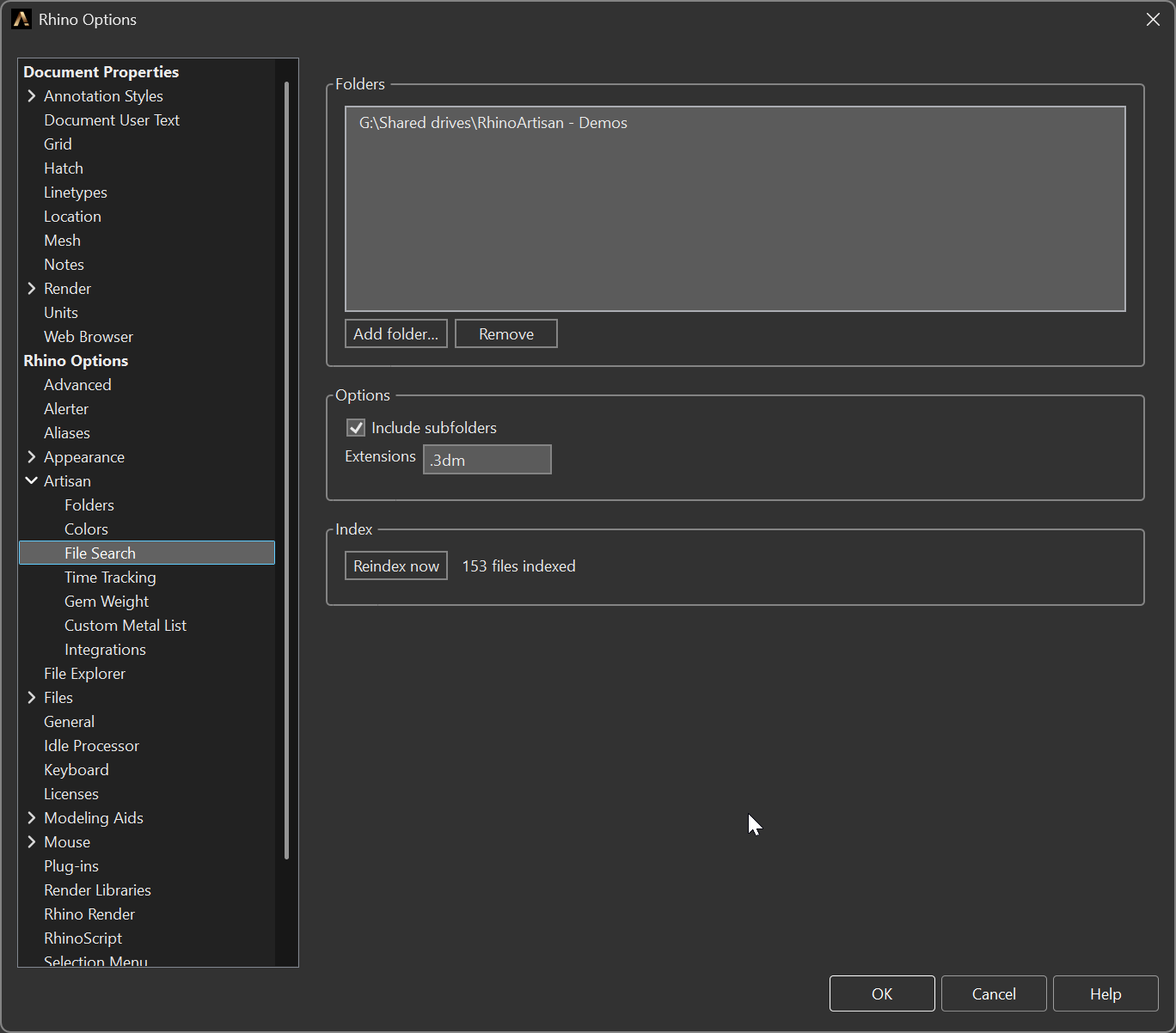
Options > Artisan > File Search
Folders
The list of folders to index.
- Add folder… — opens a folder browser and appends the result. Folders already in the list are ignored, so you cannot add the same one twice.
- Remove — takes the selected folder out of the list.
Options
- Include subfolders — enabled by default. Turn it off when you only want the top level of a big archive.
- Extensions — the file extensions to keep, separated by commas, semicolons or
spaces.
.3dmby default. Anything else in those folders is ignored, which is what keeps the index small and the search fast on an archive with twenty years of work in it.
Index
- Reindex now — saves the current scope and rebuilds the index in the background. The label beside the button reports how many files are indexed and the progress while it works.
Saving the page also triggers a background refresh, so the index always reflects the scope you just set.
Why it exists
A jewellery archive is rarely tidy: work lives in folders named after clients, orders or dates, several drives deep. The index turns that into something you can type at. Every word you type has to appear in the file name, so three words narrow a thousand files down to the one you meant. It has to be told where to look — and told what to ignore, or it spends its time on renders, backups and STLs nobody will ever search for.