Technical Documentation
Report
 Report
Report builds the whole report sheet in one click: a new layout with four viewports — Top, Perspective, Front, and Side — each zoomed to the model and framed to fit the squares of the sheet. Double-click any viewport to change its display mode, angle, or zoom.
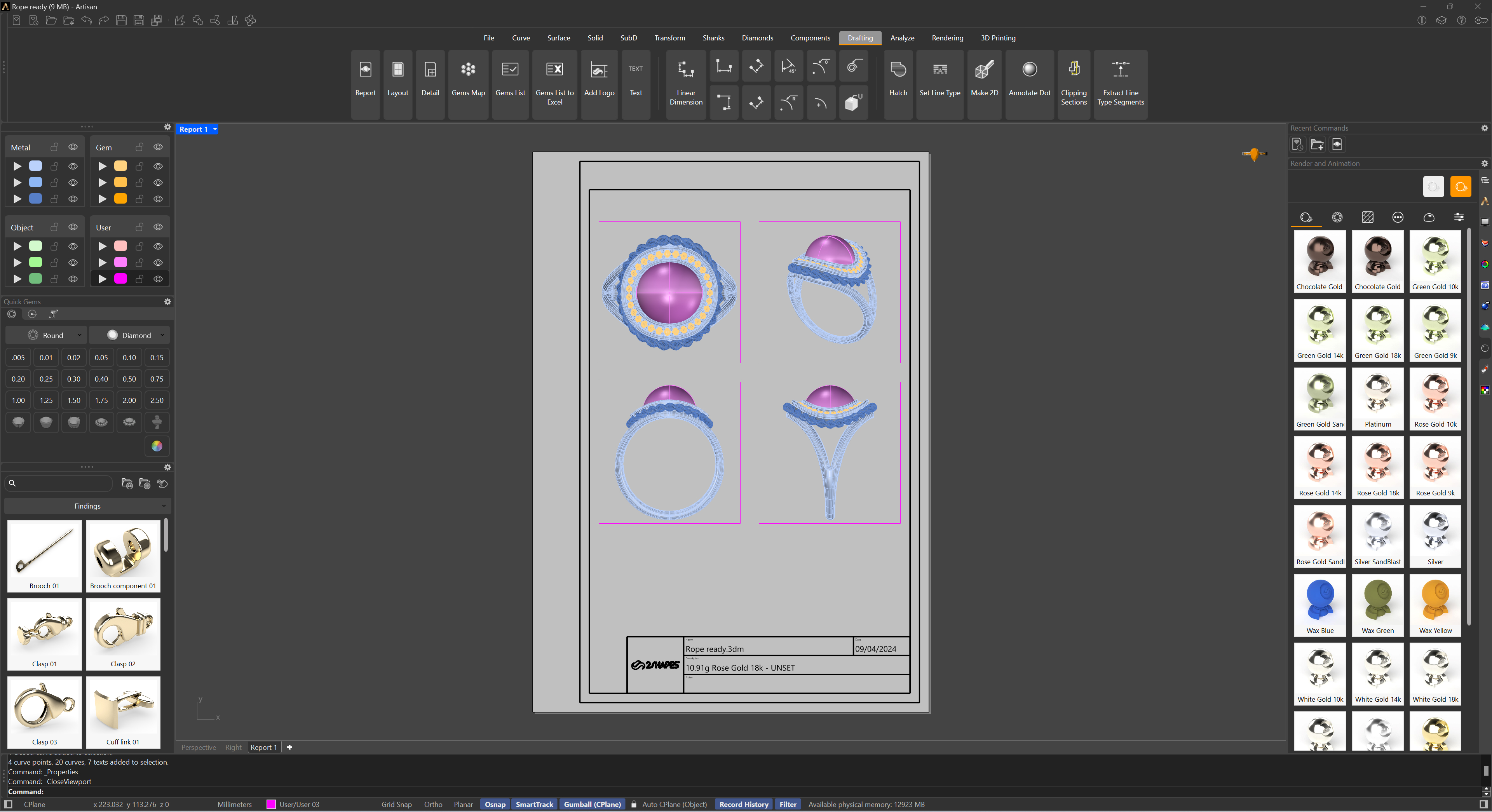
The title block fills itself in: the design’s name, its weight, metal, and type (with finger size for rings), today’s date, and the first 60 characters of the document’s Notes if any are set. Every text on the sheet is an ordinary text object — double-click to edit. The logo in the lower-left corner is the default 2Shapes one until you replace it with Add Logo.
For more control over what goes on the sheet — choosing a saved template, entering client and design data — use the Report Panel, which generates the report from the template you pick.