Show Direction
 Show Direction
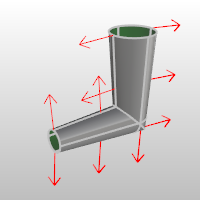
The ShowDir command opens the Direction Analysis control and displays the direction of curves, surfaces, and polysurfaces.
Steps
- Select objects: Direction arrows will be displayed on the object.
Direction Analysis options
Parameters
Show
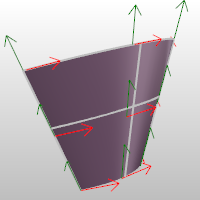
- Direction: Displays the object’s normal direction.
- U (Surfaces only): Displays the u direction.
- V (Surfaces only): Displays the v direction.
Flip Direction: Reverses the direction.
Reverse U: Reverses the surface u direction.
Reverse V: Reverses the surface v direction.
Swap UV: Switches the u and v directions.
Direction color: Set the display color for the direction arrows.

The u and v direction colors are determined by the Options > Appearance > Colors settings for the X axis and Y axis lines.
Add Objects: Add objects to the Direction Analysis display.
Remove Objects: Remove objects from the Direction Analysis display.
For more information, please refer to the Rhino documentation.