Apply Mesh
 Apply Mesh
The ApplyMesh command uses texture UV coordinates to map a mesh onto a surface.
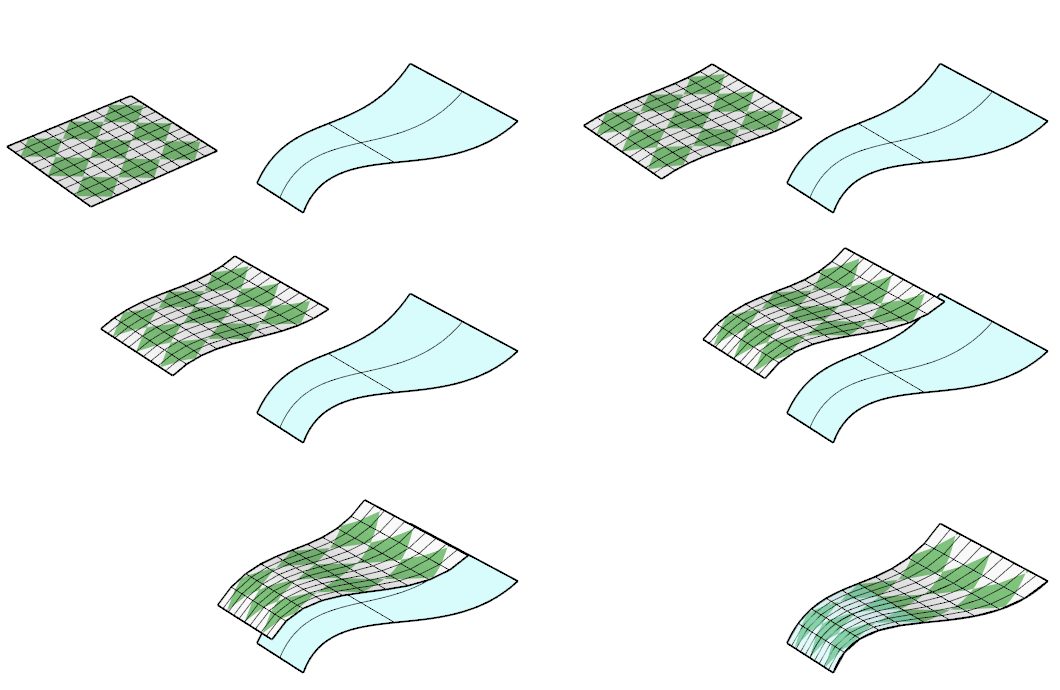
- If the target surface is trimmed, the untrimmed surface is used.
- ApplyMesh only accepts meshes with UV coordinates embedded. Meshes imported from STL files do not work.
- ApplyMesh is sensitive to the u and v directions of a surface. Use the Dir command to swap the u and v directions.
Steps
- Select a mesh.
- Select the target surface.