InsertEdge (loop)
 InsertEdge (loop)
The InsertEdge command inserts edges beside an edge loop (left) or across an edge ring (right) on a SubD or mesh.
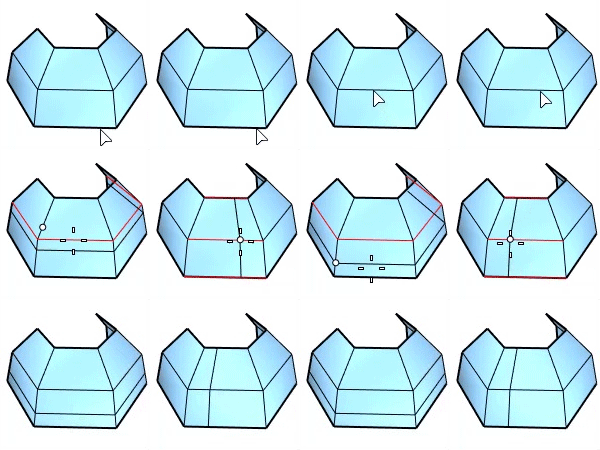
-
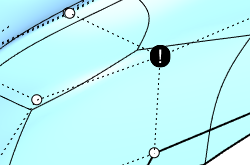
When edges fail to insert, the defective geometry is marked with a text dot. The secondary text in the text dot properties gives a hint of what should be repaired.
Type
Loop: Insert edges beside the selected edge loop.
- BothSides: Insert edges on both sides of the selected edge loop.
Ring: Insert edges across the selected edge ring.
Mode
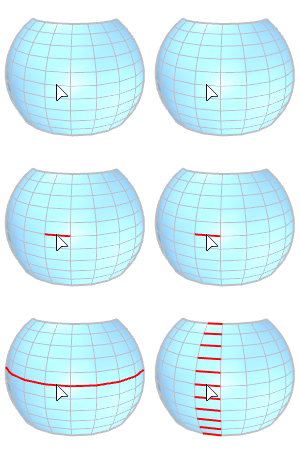
Full: Select an entire edge loop (left) or ring (right) based on the Type option to insert edges.
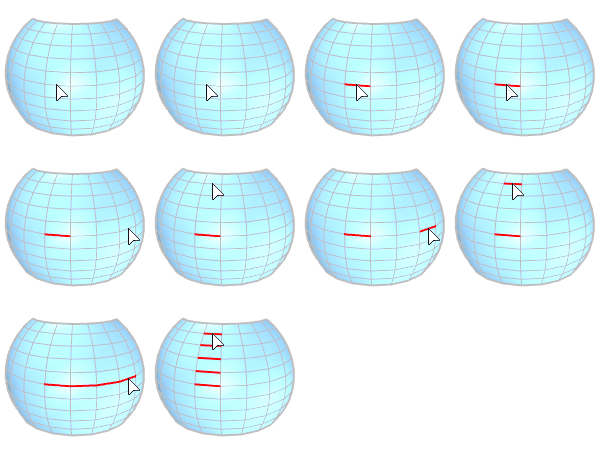
Range: Select the start and end edges in a range of loop (left) or ring (right) based on the Type option to insert edges.
OffsetMode
Proportional: The amount is proportional to each crossing edge length. The input number should be between 0 and 1.0.
Absolute: The amount is same for all edges. The input number is a distance in the model unit.